Check out the conversation on Apple, Spotify and YouTube.
What We’re Covering Today (0:00)
Aakash: Whenever I tell this to people, the first thing they say is all AI prototypes are slop. When you first start using AI prototyping tools, you get enamored with something like this, because all you typed in was, hey, create me a CRM application that lets me track my opportunities, my contacts. With such a simple prompt, you ultimately get an incredible output, but it still is AI slop.
Sachin Rekhi, the former head of product at LinkedIn Sales Navigator, now teaches PMs AI prototyping. He’s taught AI prototyping at SF Tech Week. He’s taught it to thousands of PMs at Reforge, and today he is dropping all of the sauce for free.
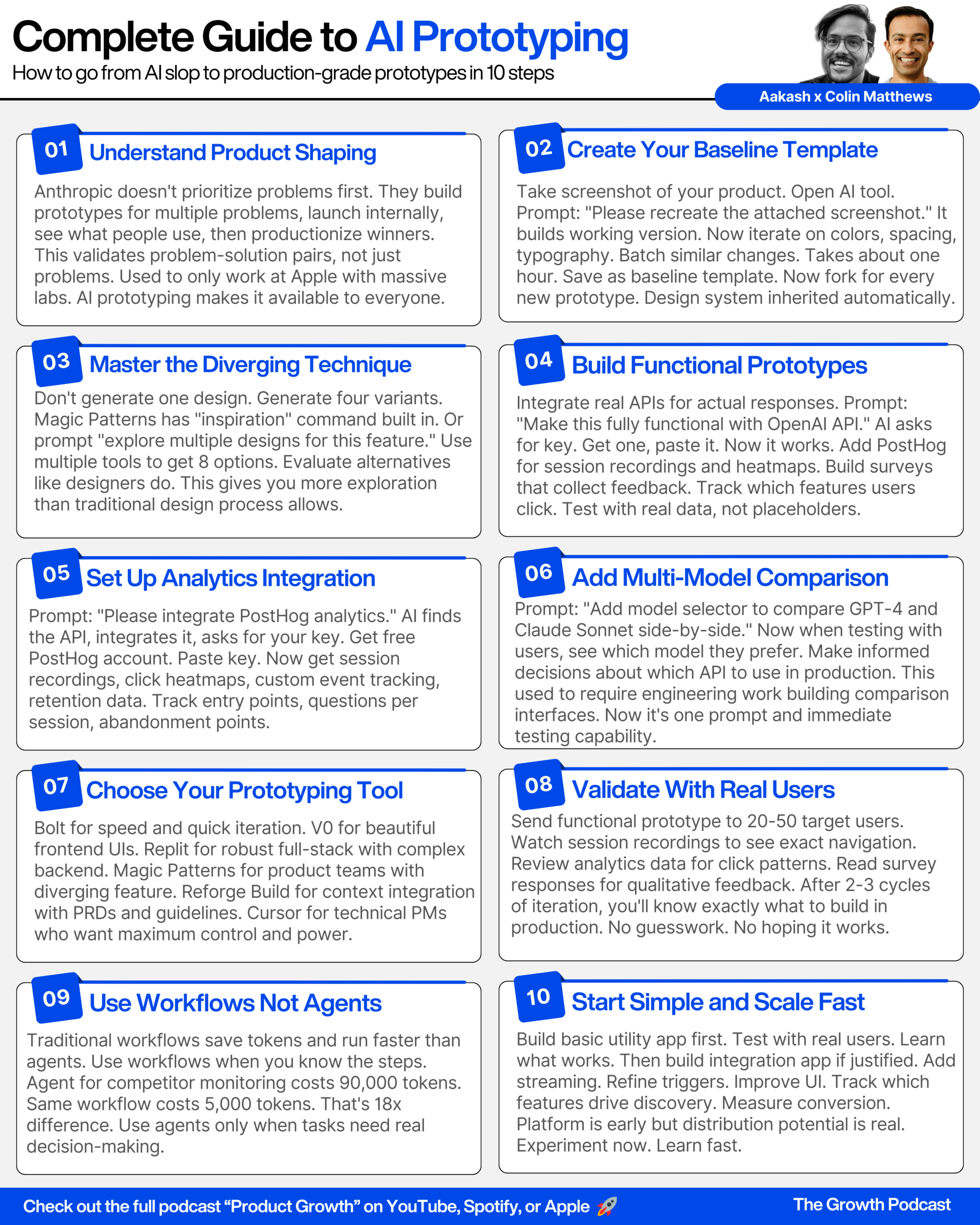
Sachin: I call this concept product shaping. This idea that we’re taking our ideas, prototyping multiple solutions to multiple problems, testing them with customers, and then deciding what to go build in production, that’s the concept of product shaping.
Aakash: Can you walk us through this AI prototyping mastery ladder and what it shows?
Sachin: There’s actually 15 unique skills you kind of have to master to be able to do AI prototyping well.
How Anthropic Builds Product (1:42)
Aakash: You posted about how Anthropic builds product and how it’s pretty wild. Can you walk us through what’s so interesting about how Anthropic builds product?
Sachin: Let me talk about how we normally build product to create the contrast to make that clear. The way it works is normally when we’re thinking about our roadmap, we’re trying to prioritize problems that our customers have. We might be saying, hey, look, here’s a feature that our customers want us to build, here’s experience they’re struggling with. So we start by prioritizing that problem. We then put it on the roadmap, and then what we do is figure out what solution we want to build.
Now, let me contrast that to the way that Claude actually does this, and Anthropic does this for Claude Code. They say, actually, let’s build a bunch of prototypes for all the customer problems that we’re thinking our customers want us to solve. And so they’ll create a bunch of these prototypes, they’ll launch them internally, and then they’ll see, hey, internal users who are dog fooding it, what do you think? What do you like? What’s working, what’s not working? And then they decide to productionize the best prototypes.
What’s so unique about this is that they’re prioritizing not only what is actually a problem worth solving, but a problem solution pair that’s already vetted based on the fact that people have tried it out. And that’s what’s so exciting here, that they’re now prioritizing based on really great solutions that they know they’re actually gonna work in the market.
Aakash: Should everybody be building this way or is this only possible for the leading edge AI companies like Anthropic?
Sachin: I call this concept product shaping. This idea that we’re taking our ideas, prototyping multiple solutions to multiple problems, testing them with customers, and then deciding what to go build in production. That’s the concept of product shaping.
I actually do think that to date, the only people who’ve been able to do it are, frankly, largely these incredible companies like Apple that ran a huge lab, prototypes, right? Jony Ive was in the lab prototyping all sorts of things and then ultimately showing it to Steve Jobs and other folks and then deciding what to prioritize.
The best story of that is actually the story of the iPhone. What happened was Jony Ive had this incredible capacitive touch interface that he was playing with in the lab for a tablet. He ended up showing it to Steve Jobs and Steve is like, look, this is really cool, but I think this would be better on an iPhone, on a phone as opposed to a tablet. And ultimately they canned the tablet project, they created a phone, and obviously the rest is history.
Now, in the past, most companies couldn’t do this. They couldn’t justify building thousands of expensive prototypes that we’re all just gonna throw out. But what is now possible with AI prototyping is that it’s so cheap for us to go build these prototypes. It’s incredibly easy for any of us to do that, without thousands of dollars being spent on these wasted lab projects. And so, I do think now we’re gonna bring this product shaping capability from just the best companies to a broader swath of companies can be doing this, and frankly, I believe most should be doing this.
Why AI Prototypes Are Still “Slop” (5:17)
Aakash: So whenever I tell this to people, the first thing they say is, well, all AI prototypes are slop. And you actually recently wrote about this. You talked about how people will often get wowed when they type in something here. You know, we’ve just typed in create a simple CRM and it’s created something that looks pretty good. Why is this slop and how do we avoid it?
Sachin: At first, when you first start using AI prototyping tools, of course, you get enamored with something like this, because you look at this and all you typed in was, hey, create me a CRM application that lets me track my opportunities, my contacts, and my companies. And with such a simple prompt, you ultimately get kind of an incredible output, right? The reality is, this is a fully functioning mini app. I can go click on contacts, I can click on opportunities, I can actually go and actually add new items, and this is all from such a simple prompt. And so, I get it why people first love this.
Now, here’s the reality. When we really dig into this and we look at it, first, it has very generic styling. Frankly, it almost looks like a wireframe. It doesn’t have the design sense that any product I would ever build has, right? So, I would never ship this in the way that it looks. And so, that’s the first challenge.
Second, it’s kind of very generic. Yes, it looks like every other CRM application. I can’t launch into the market a new CRM application that looks like every other CRM application. I need to differentiate. How am I gonna win against incumbents if I just launch with something that looks exactly like every other CRM application, right? And so, there it falls apart.
And finally, it sort of implements these very basic scenarios, like, OK, add a contact and whatnot. It created a dashboard, but is this really the view that we realize based on understanding our customer needs that they need to be productive on a day to day basis? And so, when you look at it, it’s magical that we used AI to produce this in just a couple of minutes, but it still is AI slop because we could never ship this. This would never be considered high craft work. And so I think that’s where we need to get beyond.
Now, it turns out AI tools are usable to create high quality work, but we have to learn how to use them well. So that’s the roadmap we’re gonna give everybody today.
The AI Prototyping Mastery Ladder (7:48)
Aakash: Can you walk us through this AI prototyping mastery ladder and what it shows?
Sachin: I’ve been really on this kind of journey to help PMs and product teams figure out how do they go from AI slop to really great valuable AI prototypes. And so, as I was really digging into this, I started asking people, what do they do in their process? And ultimately, I discovered there’s actually 15 unique skills you kind of have to master to be able to do AI prototyping well.
And what I wanted to do was sort of create a succinct framework around those skills. And so what I did was create the AI prototyping mastery ladder. And so the idea here is that you need to learn each of these 15 skills to prototype well. And I broke them out into different levels. It turns out learning this is like any craftsperson, you need to move from apprentice to journeyman to master, and really sort of nail the foundations before you go up to another level, and that’s kind of what I’m trying to show here.
When you’re first starting out prototyping, you have to learn the basics, and this is really the apprentice level, which is how do you prompt in an AI prototyping tool to do it well. How do you actually in fact edit your prototypes? We’re going to spend most of our time not one-shotting a prototype, but editing it. And so learning how to edit well ends up being really important. The third challenge is really about design consistency, right? How do we get our prototypes to look like our product? And by default, they don’t look like our product, but there’s a set of skills we can learn to ensure they do.
Now, as we go to the journeyman level, we want to start learning things like versioning and debugging. It turns out when we’re actually AI prototyping, we’re gonna run into all sorts of bugs. And so knowing how to prototype well, ends up being so important.
Now, another core capability here is what I call diverging. It’s this idea that, hey, look, AI shouldn’t be used just to create one output. We should be using it to create multiple outputs, just the way we’d use a designer. A designer would come up with 3 variants and then help us think about the pros and cons of each. It turns out if we learn how to use AI in that way, we can get that same benefit.
Now we’re creating these prototypes largely to validate with customers, and there’s some techniques and skills we need to learn around how do we validate with customers well. And so those are some of the key skills around the journeyman level.
Now, finally, we have the master prototyping level. And so this is really the kind of cream of the crop skills to do this really at an expert level. Now, things like functional prototyping. It turns out we can turn our prototypes and actually make them usable products. That is something that was never possible with any of the things that we did before with static mock-ups. And so that now becomes possible with this idea of being a master prototyper.
Another great one is this idea of product shaping. It’s that product prioritization process we were just talking about, which is, we should now be creating multiple prototypes, putting them in front of our customers, and then deciding what to put on the roadmap, which is an entirely different way to build products, but is now unlocked with this idea of AI prototyping.
And so this is the ladder of skills that we need to ladder up into to turn our prototypes from AI slop to well-crafted product designs that we’re all excited to ship.
Aakash: Amazing. I’m bought in. I agree completely. Can you walk us through this ladder, do some demos and show us how this is done?
Sachin: Let’s do it.
[Sponsor Break: Reforge – 16:05]
Skill 1: Design Consistency Through Baselining (11:38)
Sachin: The skill I want to start with is this idea of design consistency. And what that is, is we want to make sure that the designs that we produce via the AI prototypes actually look like our product, and we need to learn how to go do that. And so, the first skill is this idea of baselining, which is creating a baseline of our prototype, of our current product design, so we can use that for prototyping.
Now, I want to do this for my own product, NoteCoy. So what I’m gonna first show you is just a screenshot that I took of NoteCoy. NoteCoy is a note-taking app for both individuals and teams, and it has kind of a classic note-taking view. You have a sidebar, a list of notes, and a main note content area.
So let’s start actually building our prototype. I’m gonna be using a tool called Bolt, which is one of the popular AI app builders that can definitely be used for prototyping. And so I’m gonna start with a very simple prompt. I’m saying, please recreate the attached screenshot. And all I’ve done is given it that same screenshot I showed you.
Aakash: What do you think about the benefits of a recreate prompt versus I’ve seen some people try to prompt like, look at this screenshot and understand the design system or match this design style?
Sachin: I find that what I found actually kind of gets you the highest accuracy is starting with recreating a screenshot. Once you have that screenshot, improving it manually through edits, and then creating a baseline that ultimately ends up getting used broadly by the team. And so, there’s a little bit of setup work in this approach, but I find it’s worth it because you can ultimately create a baseline that ultimately gets used across everyone on the team. Only one person has to set this up and create it.
Now, some of the skills that you mentioned, which is like, hey, let’s give it our design guidelines, are certainly helpful, but starting with a core product baseline ends up being even more helpful because it will then inherit the styles automatically based on what’s in that screenshot.
Aakash: Very cool. And I actually didn’t know about this on the enterprise side, so like if you bought like an enterprise Bolt license or something, you could like seed it with a design style like this for all of the members on your team.
Sachin: That’s right, collaboration is core here where you can actually ultimately turn this into a reusable template that everyone on the team uses. And, and frankly, we should be doing this, right, because all of us are going to build new features on a given experience and so we should have a baseline that we’re using that’s shared across the team. And in fact, we can make it so that only one person on the team is responsible for keeping that up to date. Maybe someone on the design team, for example, and the rest of us get to benefit from that.
Aakash: Totally. It should be somebody who owns the design system, probably that’s like enabling both Figma and your AI prototyping tool to plug into it.
Sachin: That’s right. And you know what, I have this already loaded here that I can jump right to, this was that exact same prompt of recreating NoteCoy. And so, when we look at this, you can see it actually did a decent job of recreating the core NoteCoy interface. I have my sidebar, I have my note list, I have the note content area, I have my core actions like adding notes, and so it’s not bad actually, in terms of a first run at recreating it based on the screenshot.
Now is when I can get to work to actually improve this, to really make sure it looks exactly like my core product. And as I said, this effort is worth it because we’re establishing a baseline that not only am I gonna use for future projects, but everyone else is gonna be using as well.
So, to show you that, let me give you examples of how I might improve this. We’re looking at this recent header. Turns out it’s actually centered in the actual product. So I can just, basically select it using the selector tool and say, please center the recent text. And so that’s a very small edit that I’m able to make to try to get it to look more and more like my product.
Aakash: Do you like to do one change at a time, or are you OK with batching like 3 or 4?
Sachin: The next one I’ll show you on batching, specifically to solve for this round trip time. You know, we spend a lot of time when you’re prototyping, just waiting for a response. So things like batching is actually kind of pretty important.
So we can see it did center the recent text as I showed you. Now let me give you sort of a more of a batch example here. What I wrote here is set the sidebar background color to a specific hex color, set the note list background color to a different hex color, and set the note content background color to, again, a different hex color. So firing that off, and so that’s kind of 3 changes batched into one here.
I find that when I batch and I do it like this, where it’s like 3 color changes, this works really well. Now, if I batch by doing 3 completely unrelated types of changes that I put in a single prompt, you get yourself into issues because then you can’t version if it got something wrong. So you gotta be thoughtful about kind of the batching level that you’re doing here.
Aakash: Makes sense. What Bolt plan are you on? How many tokens do you end up burning with this?
Sachin: This one, I think I happened to get through Lenny’s newsletter when he’s like offering a specific plan. And so I think it’s the lowest pro plan. I think it’s like 10 million tokens per month.
Aakash: It’s a lot, but I have a Bolt account too, and I burn through like 30, 40 million a month easily on my site, so you have to be careful.
Sachin: Yes, no, that’s definitely true. Cool, so now it’s set the colors appropriately on the sidebar and whatnot, so it’s looking a little bit more like my actual product. Maybe I’ll make some changes to this add note button cause it doesn’t look exactly right, so let me fire this off. I’m saying, make the button fully rounded, remove the plus button and center the add note text, and so that way it’s gonna look a little bit closer to kind of the actual button that I have.
Aakash: We’ll get to see how it handles a batch, which I think ever since like 4.5, especially, it handles them pretty well. Back in the like Claude 4 Sonnet days, I used to like try to stick to one change at a time, but now I feel like I can give it like 5 or 6 and it’s OK.
Sachin: Yeah, that’s right, I think it’s gotten a lot better in the batching sense. And now you look at it, like the add note button, like, great, now it looks way more like my actual product. And so, part of what I’m showing you here is you can make all these little edits to get this template to look way closer to your actual product.
And so let me fast forward here and show you the actual baseline I ended up building for NoteCoy. And so, this is probably after about an hour of those edits to try to improve the template to create this baseline. And so that’s what we’re looking at, and we can see this actually looks very close to the actual underlying NoteCoy product.
And what’s great about this now is that now that I’ve created this template, I can save it, and now anytime I want to actually create a new prototype, all I do is fork based on this. And so I create a new project based on this fork, and now I start prompting to actually create my new features.
Aakash: So that’s what I want to save this template button, or do you just take this one and then you just hit fork? Like, what’s the actual workflow look like?
Sachin: Yeah, so what I did here is I named it NoteCoy Baseline, and so in this tool, with Bolt, it’s basically a project that I’ve labeled baseline like baseline V1, baseline V2, and now all I have to do is press duplicate. And at that point, I create a new project based on that template.
Now, certain tools like magic patterns and Reforge Build literally have a template feature which let you take any project and convert it to a template. And so if you have that, that’s an even better way to do it, but you don’t even need that as long as you can name the project and fork from it, which all the tools allow, you can then go ahead and use it as a template regardless of whether it’s called that in the tool or not.
Aakash: Cool. And for those of you who are worried, forking, it doesn’t affect the one that’s original. It’s basically creating a copy and then you can do whatever you want with it.
Sachin: That’s exactly right. So let’s take a look at doing exactly that, so what I did here is I simply forked that template, and now I’m gonna ask it to actually start prototyping a feature.
So let me describe what this feature is. We get a lot of requests at NoteCoy, that are saying, I’d love to be able to add an AI chatbot to NoteCoy that allowed me to query my notes. Wouldn’t it be great if I can ask it to summarize a note or ask it a question to find something in my notes. And so it’s been a pretty frequent feature request.
And so let’s say it’s my job to go and prototype this to go figure out what this might look like. What I can do is take this baseline template and then give it a very simple prompt. The prompt I gave it here is I want to add an Ask AI feature to NoteCoy to allow you to ask questions of your note, which will leverage an LLM and your notes content to answer the question. I’d like to explore a couple of different entry points into the Ask AI chat experience. So that’s all I told it.
Now, I call this style of prompt an explore style prompt, and the reason is because it’s fairly generic. I didn’t give it a detailed spec of what I want this feature to look like, and it’s because I’m still in the exploration phase. I want to use AI to help me explore what a potential solution might look like. And so let’s see what it came back with.
You can see it’s actually introduced these ask AI buttons, both in the header and in the footer. And so I asked for multiple entry points and these are the two that I came up with. You know, fairly logical locations for where this might exist.
Now, when I open this up, I can actually see that it’s created a full AI chat experience. I even already asked it a question, which is, what is this note about? And it’s telling me this note is about the Q1 roadmap for a company outlining planned product and sales initiatives, as well as highlighting what is not prioritized and any backlog requests.
So there’s a couple of things that are remarkable about this. First, it actually looks like my product. Right, the fact you look at the styling of this, the way the buttons are, the color scheme that’s being used, it looks like a product that belongs on NoteCoy. And this is because we established a strong baseline template, and we’re using that baseline template to then create our features, it automatically knows to inherit the styling that’s inherent in that baseline template. And so that’s why I love this approach of baselining before creating any new feature on top of it.
Aakash: Pretty powerful. And I’m guessing what this is doing in the back end is it’s hopefully using Tailwind and it’s kind of defining those design elements, so then they’re just reusable everywhere.
Sachin: That’s exactly right. So each of these are being created as actual components that are reusable, not only from the styling perspective, but also from the component perspective. It created a sidebar component, a note list component, a note view component, plus now this new Ask AI component as well. And so it’s fairly modular in the code.
Now, what’s amazing is I asked it this question, what is this note about? And it actually told me. And so what’s amazing is it actually is giving me those actual interactions that I’ll want on the product, right? It’s even making these decisions, like, OK, when I ask the question, it right aligned my question and then it left aligned the actual chat response, and so we can start quickly getting at the interactions and deciding whether that’s what we want or not.
And in addition, it is actually even created a database in the back end to store these, and so the conversations were automatically stored, and in fact it’s calling an LLM with the notes content, to go pull out this content. And so in many ways, it’s done a lot for us from a simple prompt, and we’re getting much more quickly into the design considerations of what this product would look like.
Now, to even get to this point, it would have taken a designer in Figma way longer just to even get the static mockup, let alone getting to the point where we’re actually getting design interactions being represented.
Aakash: Makes sense, yep, so huge time saver.
Sachin: Yeah, and so this is the whole idea of design consistency, that when we can actually establish a baseline, prototyping on top of it becomes really straightforward and ensuring it actually looks like our design.
Skill 2: Diverging – Exploring Multiple Design Directions (26:14)
Sachin: So that’s the first skill I wanted to go into. Now, the second skill I think it’s really worth diving deep into is this idea of diverging. And diverging is that idea that like, we want to ultimately figure out multiple design directions for a given product.
So let me set up a scenario for that. I want to go back to my LinkedIn days, when I used to work at LinkedIn. And, you know, LinkedIn has this feature called LinkedIn News in the top right corner, which shows you sort of what’s trending overall. But the feature I wish LinkedIn always had was this idea of what’s trending within my network. What’s the news articles that just my connections are sharing? Because that’s what I really care about.
And so let’s say I’m back at LinkedIn, I’m a PM that’s trying to prototype some ideas around that. Let me show you how I’d actually go about doing that. This time around, we’re actually gonna use a tool called Magic Patterns. And so, the first thing I asked it to do was please recreate the screenshot of LinkedIn. I gave it that exact screenshot I just showed you, it then faithfully recreated it, and it did a decent job of recreating most of the interface. And so that’s how I start with a typical baseline.
Now, the reason I’m showing magic patterns is magic patterns has this idea of diverging built right into the tool. And so, you can see here, I used a slash command that it supports called inspiration. And I said, I want to add a feature on the LinkedIn homepage called News in Your Network. I want to explore multiple designs for this. It should show the top articles most frequently shared by my network with the people who shared them, as well as provide their commentary on those articles.
And so, it’s now generated 4 different variants of this feature. And so let’s take a look. This first one here is showing a core news feed item. It says tech giants announces new AI ethics coalition. It’s showing me the 14 people in my network that shared it. It’s even showing me a bunch of commentary from those people in my network.
So this is a pretty useful design variant, right? It’s matched the styling of LinkedIn, it looks like a truly native news feed experience inside the product. So that’s a great direction I can go in. But here’s the power, I got 3 other directions to consider.
It’s given me this now, which is another top card format, and showing me 4 different cards of different articles, in a different layout. And so that’s an interesting one to consider, whether I’d want to do something in that direction.
If I then look at the next one here, it’s actually decided to create a news in your network sidebar right below the top news section. And so that’s an interesting idea.
Aakash: Might want to go in that direction or not, and at least you have different options to test, and I feel like the goated sort of workflow here is like, take these three, upload them to a website where you get real humans to use them, like usertesting.com or something, so that you get real feedback on it instead of just using your gut.
Sachin: Totally. You know, I find what I typically do with this is I start with these 4, and then my designer and I might have a conversation about like, OK, great, what are the pros and cons. What’s the general approach or directions we want to go in? Maybe pick two directions that are like really interesting, and then, you know, build them out a little bit. Maybe we’ll do some iteration on them and improve them a little bit, and then put them in front of our customers and start showing them what they look like and getting their feedback, and then ultimately solidifying on the path that we want to go down.
Aakash: Makes sense, yeah, if you have those steps of iteration and with your designer, you’re gonna be able to build something that everybody’s bought into.
Sachin: That’s right. And so, it’s great that a tool like Magic Patterns has this functionality built in, but I want to show you that even if the functionality isn’t built into the prototyping tool, you can still do this.
[Sponsor Break: Reforge Build – 30:19]
So let’s go back to Bolt and do the same thing here. I basically gave it the same prompt. I want to add a feature on the LinkedIn homepage called News in Your Network, and the only difference I added here is, I said I want to explore multiple designs for this. And then I gave it the rest of the description of the feature.
And so simply by saying I want to explore multiple designs for this, Bolt did the right thing and gave me multiple designs. And so what it did was produce this initial design, and it added this little toggle in the top right corner, which is showing me all the different designs I can basically select between.
And so we’re currently on the detailed view, and so this is a card style layout that’s pretty detailed with multiple articles and the people in my network that shared it. It then offered a compact view, and so this is like a very compact version of it. And I’ll take a quick look at a 3rd one, a card view, so a much broader card view.
Now, this is great, so regardless of whether your tool has native support for diverging, you can certainly use these tools in that way. But here’s a really interesting subtlety. One thing you might notice is these variations look nothing like the variations in magic patterns, which is kind of shocking, right, because frankly, most of these are still using Claude Sonnet underneath the hood as their core model, but because they have different system prompts, you’re actually getting different designs.
And so, I often do this. I often go to multiple tools with this simple explore prompt like this. Now, just by going to two tools, I have 8 different design directions, and this gives me so much inspiration to quickly start whittling down what are the pros and cons of these different approaches. I can either have that dialogue with myself or with a designer or with my engineering counterparts, and I get so much more exploration and ideas than I would have if I simply use these tools to visualize whatever one idea I already had in my head.
Aakash: 100%. I think this is the hidden superpower of AI prototyping, especially if you maybe ask your tool to diverge with 3, 6, 9, 12, or ask 3 or 4 different tools. Because before, a lot of times we were constricted to like, let me go ask the designer to come up with some divergent solutions. Now, the PM itself can come to the table with some different divergent options and the more divergent options you look at, I think the better likelihood you will of having a feature that succeeds.
Sachin: That’s exactly right, and I think this is where we’re going from sort of that concern of AI slop to wow, AI is doing craft better than humans could, right? Because we don’t have the time to ask our designer to come up with 15 variations. It’s just unrealistic given the constraints and time it takes to build a Figma mockup, right? And so now we’re getting to the point where we’re using AI to do more brainstorming, more exploration than we’ve traditionally done in an effort to get to kind of the right solution for our customers.
Skill 3: Functional Prototyping (34:23)
Aakash: So does this take us to that journeyman level?
Sachin: Yes. And so now we’re really at exploring that journeyman level of capabilities and skills here now that we’re diverging, for example. I want to now talk about really getting to that master level and showing you what is really possible with these tools when we get there.
So let me kind of bring up a prototype that I’ve built for that ask AI NoteCoy feature. And so, here’s the prototype I built, I can actually publish it, get back a full URL, and so now let me go to that URL. And so what we’re looking at is my deployed prototype for the Ask AI feature. And so I’ve built this out as a fully functional prototype.
And so let me show you what I mean by that. So you can click on different notes here and you’re getting actually the note content. I’ve even loaded actual articles in here. So Dan Hockenmaier had written this great article called Vibe Analysis. I basically loaded the entire content of it. Lenny, a while back did a whole podcast with Brian Chesky, and I’ve copied the transcript into here.
And let me show you how we can actually use this. I built out my Ask AI feature as a sidebar, and I don’t know if you remember this podcast from a few years ago, it kind of went viral because everyone thought that Brian Chesky said that product management is dead.
And so, let me just ask it here and say, did Brian Chesky really say that product management is dead?
Aakash: And let’s see, one of my newsletter subscribers said I had to stop talking about this podcast, cause I talked about it so many times after it came out.
Sachin: Yes, and, you know, it’s a great example of virality because that’s obviously not what he actually said. And, short answer, no, Chesky said, we didn’t eliminate the people or declare PM as dead, he restructured the role, he combined inbound PM and product marketing, and so this is sort of getting into some of the details of what he said.
Now, what’s so cool about this is this is literally my Ask AI feature built and being used, right? This is so far away from what we can do with mockups today. And so what’s great about this is not only did I basically prototype the interactions, I’m seeing what an Ask AI feature in NoteCoy might look like, but I’m actually getting responses. It’s calling OpenAI’s API.
And I even prompted it to add this little feature at the bottom, you might see that there’s a little drop-down that’s a model selector. And so, I prompted it and told it, hey, can you use both GPT 4o and GPT 4.1, and I can actually go here and compare the responses.
Now, this is really fascinating because not only am I prototyping interactions, I am literally able to see the different output coming from different models. And now, as the PMs start to decide, do I have preferences in terms of what models should we really provide in the NoteCoy Ask AI feature.
And when you think about this, this used to only be possible when engineering built prototypes. An engineer would have to go code this up, and go implement multiple models. And now we can do all of this thinking and decisioning and playing with an actual project experience well before engineering even gets involved.
Aakash: How did you embed the OpenAI API because I’ve had multiple people tell me that they have trouble with that, like, you give it an API key or like, they often just assume it’ll work off the bat cause it’s already using AI, but how do you really build those features under the hood?
Sachin: Yeah, great question. So, what I said was, I basically took the previous prototype that we had that was not fully functional and said, I want to turn this into a fully functional Ask AI feature. To do so, please use OpenAI’s GPT 4o API to actually answer the question based on the content of the note.
So that was basically my prompt. Now, what it ultimately came back with is, OK, if you want to do that, I need the API key for OpenAI. And it even just gave me directions of like, here’s how to go get an API key if you don’t have one, make sure you fund it with like 5, 10 bucks, here’s the URL to go to, and it kind of walked me through all those directions. And then it said, paste back the API key. I pasted it back and then it incorporated it into its actual code.
Aakash: And then I think people are always worried about putting API keys into a vibe-coded tool. How do they make sure that that’s secure and it’s not just eventually posted out there and somebody else can just use their API key?
Sachin: Yeah, it’s a great question. Actually, many of the tools, what they have done is created these new secret repositories, where they actually store it. So there’s a couple of different approaches that are taken. Bolt, for example, has an entire dialogue all around where you put those secrets, and then it stores them securely and only gives specific backend access to these things.
One of the challenges that vibe coding tools often had in the past was the secrets would show up in your client-side code that anyone could steal and then go charge against. And so, the tools are learning now that that’s obviously a no no, and really creating these like workflows for how do you get around that by storing them securely and not making them available in the front-end code. Each tool does it a little bit differently.
Another one of the tools puts it, has you put it in an environment file, which is again securely stored. So, they’ve really figured out some of those early challenges that I think a lot of these vibe coding tools suffered from.
Skill 4: Customer Validation with Built-In Analytics (40:11)
Aakash: Got it. What else do we need to know about to become that master-level AI prototyper?
Sachin: So, what we talked about now is sort of creating a fully functional prototype, but what we’re gonna want to do with this now is test it with real customers. And so I want to talk about this idea of customer validation and why that is so critical in using AI prototyping well.
And so I want to show you a few interesting things that I’ve done with this prototype. The idea here is that we can take this URL and send that URL to our customers that we want to validate with. Now, after they’ve played with this feature, see what happens when I press the X button. I’ve set it up to have a built-in survey question as well.
I have it say, how likely are you to use the Ask AI feature if launched in NoteCoy? Maybe I’m enamored with it and I’ll say, oh, maybe I’ll use it weekly. I then have it asked, could you describe a personal use case where you think the Ask AI feature would be helpful? Maybe I’ll say something like, for summarizing notes and submit that.
Now what’s great about this is I’m getting survey feedback right in my prototyping tool, and in the prototype, and so I could go and do one on one customer interviews, which I should certainly do, but now I’m showing you how do you scale that feedback beyond the one on one customer interviews, you can start doing things like this, send this out to 100 people, get them to play with it, and integrate this.
Now, let me show you what else I’ve integrated here. I’ve also integrated analytics. And so I like to use Posthog, which is one of the many analytic tools that you can use. You could use a Mixpanel, you can use Amplitude, any of the common tools. I happen to like Posthog because they have a fairly generous free plan, and for prototypes, you don’t need that much usage, so it actually works pretty well.
And so you can see, it’s giving me default analytics, things like daily active users and weekly active users of my prototype. Now, this is really interesting from the perspective of, I can see, do people even come back to my prototypes, right? Are, after people use them, are they coming back? Am I getting good retention? And so that becomes really valuable as I’m trying to understand, is this prototype useful?
Now, I can even instrument custom analytics. And so you can see here I have the ask AI header button, floating action button, the close button, I’ve instrumented each of these individual actions, and now I’m seeing how many people click the header action, how many people click the floating action button. And so now I’m getting detailed analytics on my prototype.
Now again, you could never do this with a Figma mock-up. And we’ve done all of this before ever involving an engineer.
Aakash: Just to get it, like, that’s a huge hack, just like integrate Posthog, which seems like it’s pretty easy, then you get session replays and default analytics built in. I don’t think many people are using that, so that’s one to steal from Sachin here.
Sachin: That’s right, and like, look at this, I just got a heat map of where everyone is clicking inside of my prototype. Now this is across an amalgamation of all the different users that I’ve sent my prototype to. Maybe I sent it to 100 people and I got a bunch of people to use it and look what I’m seeing.
This makes it absolutely clear, for example, that ask AI button in the top right corner, really red, lots of clicks. That little button in the bottom left corner that was another alternative entry point, almost no clicks. And so it’s making clear to me, hey, maybe I should ditch the bottom floating action button and just stick with the top right ask AI button. That’s incredible feedback that I can visualize and get in a scaled way through these prototypes that I couldn’t get before.
Aakash: Huge. Simplifying your interface is always the hardest part, and this is giving you literally, you can see it where you can.
Sachin: That’s right, and I think this is again, some of the really master techniques that get us beyond the AI slop where I think right now, there’s just such a desire to like add, add, add, let’s add features, let’s add more. Oh my God. It’s so quick and easy to build features with AI. Let’s add it to our interface. But we all know cluttered interfaces don’t make great products, and the fact that we can be using these tools to help us refine our interface, clean up what’s working, what’s resonating, where the usability issues are versus not, that really takes us to the next level with our prototyping.
So, the other thing I want to speak to is, how did I do this, right? So how did I do the functional pieces of customer validation? Now, all I really had to do was prompt and say, please integrate Posthog analytics. It then went off, found the Posthog API, integrated it, and then said, I need your API key. Here again is the URL to go to, to go get your personal API key, you can then hand it to it, and then it went and basically implemented the basic analytics.
Now, when I wanted it to actually instrument the specific product analytics, I then just prompted again. I said, please instrument in Posthog, any clicks to the Ask AI button and call that event Ask AI header button clicked. I did the same thing for all the other actions, and so, I didn’t have to do the manual tagging that you typically do when you’re trying to add this custom instrumentation. I could just do it purely from prompts.
Aakash: Much better.
New Products vs. Existing Features (46:16)
Aakash: So I want to ask you this, how does AI prototyping change when you’re building a new feature versus thinking about a new product?
Sachin: It’s a great question, and in fact, the actual skill is fairly different, right? When we have an existing product, what we’re entirely focused on is design consistency with that existing product. How do we get it to look and feel like our own, the product that we have right there? And so the tools that I described on design consistency become really important. You’re leveraging baselines and templates.
Now, a brand new product is a very different beast. We don’t actually even have a set of style guides in the same way for that new product. In fact, actually, to build a new product, and build prototypes for it and not make it look generic is actually a bigger challenge. And so we need to be thoughtful about how do we create that design aesthetic that we want for our product and avoid that generic AI slop.
Now, the ways to do it is, the number one tool I use is what I call inspiration sourcing. And what that is, is really, as we’re designing any part of the experience, find some inspiration as a screenshot. OK, I want to build a feature like this, I kind of like the style that we’re using in this screenshot, incorporate that, and then it will actually build it using that design. And you could then do that for any given feature. And so that helps you to establish an aesthetic and establish best practices in the new product. And so I find that actually works really well.
Now, part of it is how do you source all these great ideas. And I love using sites like Mobbin, that is a kind of a directory of screenshots of every product that’s ever existed. Even places like Dribbble have a community of content out there. And so, what’s interesting is this traditionally used to be the job of designers, right? But as we’re blending roles, now that us product folks as well are getting involved in the actual prototyping process, we need to start improving our own design inspiration as we’re thinking about how do we make prototypes that actually look great.
Should PMs Be Doing This? (48:31)
Aakash: You bring up an important point. I think it was Itamar Gilad who talked about how there’s probably 20 other things that PMs need to be doing, talking to customers and learning from the business, analyzing features, writing out the strategy, looking at prior results. There’s like so many things that they have to do. Why should the PM be picking up what the designers did? Like, why are we bringing this into the PM’s role? Is that the right thing to be doing when the PM already has so much other stuff to do?
Sachin: It’s a great question. You know, what’s fascinating about this is I think the jury is out still in who is actually doing the prototyping. As I’ve looked in the space, I’ve seen 3 different paradigms currently being used.
First is PM-led. So a PM is the one in the tool doing the prototyping, and so that is sort of taking over the responsibilities of design.
Now, the second mode I’ve seen is actually design led, where designers are the one prototyping, and in fact, they’re finding actually, it’s faster for me to build stuff in a prototyping tool than it is in Figma. I can do many more variations, and then the PM is informing the design requirements just as they’ve always done, and the designer is the one that’s doing the heavy lifting, learning these tools, and what I find actually is designers are incredibly good at making compelling looking prototypes, because that’s the skill set they have.
Now, the third paradigm I’ve seen is collaborative. PM and designer are collaborating together to create these mockups. Now, almost all of the tools support collaboration where we can share a project, I could be adding prompts, you could be adding prompts on top of it, and it actually works pretty seamlessly, and so we can collaborate together on it.
And so, I’ve seen different organizations doing one of these three approaches, and there’s pros and cons to each. I mean, you brought up a great point, like, hey, a PM has so much else to do. Should they really be taking over some of these other responsibilities?
At the same time, I’ve seen some product folks who have such strong domain understanding of the problem space, because they’re so steeped in the customer feedback, that their ability to bring it to life all on their own in a prototyping tool is actually beneficial compared to the lossiness when they try to communicate those requirements to designers. And so in some cases, even having the PM sort of take over some of those traditional responsibilities is actually turning out to be helpful.
So I think part of the challenge is, there’s different modalities of prototyping that are coming right now and still to be seen, which is gonna become industry norm.
Aakash: Yeah, don’t assume, I think guys, after watching all the PM content and PM influencers that you should be spending 20-30% of your time on AI prototyping, and another thing that I see people do is they think about prototypes as literally helping with delivery, like delivering the first version of the code. You’ve been beating the drum on why prototypes are for discovery, not delivery, so can you explain that?
Discovery vs. Delivery (51:34)
Sachin: I think that if a PM is trying to get a full version of their product out through these vibe coding tools, they’re doing it wrong. And the reality is, we have at our disposal in these organizations, incredible engineering organizations that have access to incredible AI coding tools, and we don’t need or shouldn’t be thinking about replacing them.
And instead we should be thinking about is using these tools for the discovery phase. How do we figure out what product to build and what solution is going to resonate most with customers? And so that’s what discovery’s always been about. These tools are incredibly good at that. They’re incredibly good at generating multiple iterations, helping us get that in front of customers, doing validation based on that, even creating multiple prototypes and testing multiple directions with customers, and then deciding which one to go with. That is incredible value to PMs and I think that’s enough.
And then when you hand it off to engineering, it turns out the code that’s been generated by the prototyping tools is not scalable, not maintainable, not robust, and that’s OK, because it turns out our engineers can then do that work and translate this prototype into production level code.
Aakash: And I just want to act as the skeptic here, but doesn’t Claude Code, isn’t the way that they’re using it, that the PMs actually do build the first production version of it?
Sachin: Yeah, so what’s interesting about this is the tooling ends up being pretty different when most people are using AI prototyping tools. For example, if you’re using a Lovable, Bolt or magic patterns or whatnot, it doesn’t have access to your existing codebase. And so, it’s creating from scratch, not following any of your code rules, not following any of your established norms, and now when you ultimately want to convert it, yes, you can take the designs out of your prototyping tool, and when you’re using Claude Code, it’s going to create components that match up with ultimately your actual code base.
And so, we’re not there yet in the prototyping tools to make that happen automatically. Now, one day, I think where this is certainly going is this idea that, hey, look, you have these components that are reusable, that are in your code base, that your prototyping tool also uses. Now, that’s where we get to the dream state of actually the prototype code you’re producing is production code, because all it’s doing is assembling a set of reusable system components that already exist.
Now, the only way to do that today is through tools like Cursor and Claude Code, which are the engineering-oriented tools, and I’ll say some PMs are embracing those tools, but a lot of PMs are still finding those tools to be too technical, and the existing tools that are really designed for product managers don’t yet have those capabilities.
And so, we may eventually bridge the gap, but to date, I think, even if we just get the win of better discovery, we’re already winning with these tools.
PRDs Still Matter (54:47)
Aakash: So a lot of people, they’re embracing these tools and they’re saying prototypes replace the PRD, just deliver a prototype, just deliver a prompt set. I think Microsoft CPO even said something like that. Why? The PRD’s not dead.
Sachin: So, I’ve been harping on this drum as well that I think a prototype is incredible and should be a primary artifact that all of us are producing, but what a prototype actually speaks to is the user experience and the functional requirements. It doesn’t touch product strategy and all the strategic questions that a good PRD includes.
For example, how is this feature that we’re implementing gonna help us differentiate from the competition? How are we gonna acquire users for this feature or this product? How is this going to improve our monetization position by adding this feature functionality to the product? All of these are critical strategy questions that we should be asking ourselves, that our PRD should cover, but a prototype never will.
And so, I think we are losing so much if all we do is produce the prototype without the strategic lens of why we’re building this in the first place. And so, I do think our PRDs, we can now remove all the experience details from them. We don’t have to just say, here’s the user scenarios, here’s the features I want to implement. We can put that all in the prototype, but we still need to ask these very basic strategic questions of why we’re building the future in the first place and how it’s gonna improve our strategic position in the market.
Aakash: Yeah, so I think the strategy component, a couple other components I’d highlight, what is your hypothesis because we always want to be using the scientific method. What is your North Star metric, your guardrail metrics, your diagnostic metrics, cause we always want to set that out in advance so that we can then look at, you know, in a statistically significant way whether things are working and we can experiment and test with things and what are the open questions, like, what are we trying to test? What are we not trying to do with the future? All those things, a prototype doesn’t answer those questions, so really, the ideal unit of work for a PM right now is a prototype plus a PRD.
Choosing the Right Tool (56:54)
Aakash: Now, a lot of people, they come to me and they’re saying, hey, I don’t have access, and you actually shared some really, really interesting data on this. Depending on what access people have, what AI prototyping tools should they use?
Sachin: This is a great question. So, we can get into my specific perspective on all the AI prototyping tools, but probably something I encourage a lot of organizations to start with is think about what is the lowest friction way for you as a PM to start prototyping today.
Now, what’s interesting about that is you could go do an investigation of what the top tools are available to go use and that’s useful, but the reality is, you might actually have access to something already. And what I’m finding is, for example, organizations may have access to Figma Make because they already use Figma as their design tool and it’s easy for them to get access to Figma Make.
Or for example, if you’re already heavily invested in the Google suite of tools, you’re using Gemini for example, you probably have access to Google’s prototyping tools, whether it’s AI Studio or Firebase Studio. They just launched a new great tool, Antigravity, or if you’re on the Microsoft stack, they also have a GitHub Spark.
And so, part of the decisioning here isn’t just finding the best tool for you, which is still a worthwhile exercise, but to get playing with these tools as soon as possible, finding the least frictionful way to go do so. And oftentimes that means accessing the tools that you could easily get access to because they’re easily approved within the organization.
Now, a meta point on this that is so fascinating is, I think what’s happening, despite AI being as revolutionary as it is, we’re actually seeing kind of traditional B2B enterprise tactics working. That large organizations may not have the best prototyping tool, but they have a win, they have an in with the customer. Whether it’s because they have distribution, because folks are already using it, whether they built a suite of tools that this is the additional win.
It’s been fascinating to watch that, we’re quickly seeing even in this kind of innovation cycle, some of the classic B2B enterprise tactics actually leading to a lot of adoption, and that was what I was really sharing in that data, but it’s amazing to see how much, for example, Google’s tools are already being leveraged because of how easy it is for organizations to adopt it, because they’re already Google customers.
Aakash: 100%, so we’re about to walk you through what the best tools are, but use the existing tool you have, and then go make the IT request.
The AI Prototyping Tools Market (59:36)
Aakash: So if you are going to make the IT request or you are the product leader who’s controlling the budget and going to make a tool, can you walk us through the AI prototyping tools market, the different ones out there, what the pros and cons are of each?
Sachin: All right, so let’s talk about the various tools that exist in the market. Now, there’s really 3 high-level categories of tools that exist.
The first one is AI app builders. Now, an AI app builder is just an AI tool that you can use to build a fully functioning app. And so, you could use these as full vibe coding applications to launch entire applications to customers. Now, of course, I’m not recommending that PMs go in vibe code apps, I’m telling them to use it for prototyping. But you can certainly use all the apps in this category for prototyping. And so these generic AI app builders is that first category.
Now, let me just kind of give you my quick opinionated take on each of the popular tools in the space. I showed you a bunch of prototypes in Bolt, which is one of my favorite tools. I love it because it’s just fast. You notice that you spend a lot of time waiting for prompts to actually be answered, and Bolt has one of the fastest tools with some of the interesting technology decisions that they’ve made.
Another great one is V0, V0.dev. What people love about this one is it’s really optimized for front-end UIs. It’s actually pretty quick and good at building beautiful UIs from scratch.
Another really popular tool is Replit. Now when we think about Replit, it’s known for building really robust, full stack applications, including back-end, front-end, and giving you control. Now, if you really want to build a robust solution, Replit is one of the best solutions. Now it comes at a cost. All of that backend capability that it supports actually slows down the overall prototyping process. So you really want to ask yourself, do you need that capability or not?
Lovable is another fantastic prototyping tool that’s really made a name for itself as optimizing for non-technical users. Now when you look at Lovable’s own marketing, they even show how kids nowadays can even build prototypes. And so if you are intimidated by how technical some of these other tools are, you’re gonna love Lovable.
Now, Google has actually entered the market with a couple of different app builders. The first is Firebase Studio. Firebase Studio is kind of like a Replit in that it’s really optimized for building both back-end and front-end applications, using Firebase for the backend and building on a front-end as well. Now, I think if you’re in the Google ecosystem, you’re gonna love this, especially if you’re already an existing Firebase customer.
Now, another AI product that Google launched was Google AI Studio. This one is optimized for building Gemini apps. If you’re thinking about building applications that use any of Gemini’s APIs, whether it’s things like Gemini, Nano, Imagen for video generation, it’s so easy to prototype solutions that use those APIs in Google AI Studio.
The final one I mentioned here is Microsoft has also entered the app builder game with their own GitHub Spark tool. And again, that’s gonna be optimized if you’re in the Microsoft ecosystem, if you’re using GitHub, you might like that because it’s already working with the tools that you’re already using.
Aakash: So this is the first category. I’d throw in a couple more that people might have heard about. Miro has its own AI prototyping tool. You mentioned Reforge Build, that’s one that uses your context, there’s magic patterns, there’s Dazzle, there’s Base 44, there’s like a million tools right now rushing into this space.
Sachin: Totally, yeah, no, you just mentioned some in the next category that I want to talk about in the actual specific AI prototyping tools. But yeah, I’d add Base 44, a couple of the other ones you mentioned as these generic app builders.
As we get into the next category, these I consider true AI prototyping tools. Now, what do I mean by that? I mean that they’re purpose-built for product teams to generate prototypes, not fully vibe coded applications. And what’s great about that focus is they’ve now created unique capabilities that product teams actually care about when they’re prototyping. And so these 4 fall into this category. And in fact, I actually think product teams are best off using these tools because they are purpose-built for their purpose.
Now, the first one we’ll talk about is Reforge Build, which is really optimized for product teams focused on full stack experiences. And, you know, it has some of these really unique capabilities like diverging. Both magic patterns and Reforge Build make it really easy for you to diverge and come up with 4 different variants of a given idea, just by using a command. And so, that’s an example of where they really shine.
They’re also really good at bringing in your external context from your product specs, your PRDs, your design guidelines, and easily incorporating that into the tools so you can get feedback. Another cool thing I love about Reforge Build is they now even make it easy to get scalable feedback. You can use this AI interviewer to actually send out your prototype, interview people based on their feedback, and it recreates the one on one interview experience. And so that one’s pretty great.
Magic Patterns is also a fantastic tool in this category, focused on front-end experiences. So they’ve made the decision to not care about back-end because again, we’re not building full vibe-coded applications, and given that they’re really optimized around design. They even have some cool capabilities where you can take your magic patterns, built, prototype, and then export it to Figma if you do need to complete the process that way.
Aakash: If you guys want to know why they didn’t choose backend, the CEO was on the podcast and he explained why, but let’s keep going.
Sachin: Oh, perfect. Now, Figma Make is another great solution. Obviously, Figma is heavily used by designers, and so designers are gonna love this tool. It’s got one of the best importers of Figma files directly to Figma Make, and it has brought adoption from the fact that Figma’s already in a lot of organizations. And so I think it’s gonna get a lot of particular excitement from there. They are quickly adding a ton of functionality to sort of catch up with some of these other tools, and I’m pretty excited about where Figma Make is ultimately gonna go.
The last one to mention here is Alloy. Now this is a fairly new one, but what’s really cool about it is they’ve really optimized for recreating your product experience. As I said, the best way to start is with a baseline. And what they did is they created a browser extension that can extract your product from the website and recreate in high fidelity, pretty much the entire user experience. And you’ll find that compared to some of these other tools, it actually does a phenomenal job of really capturing the exact design. And so, another one that’s worth checking out in this category.
So, the final category of prototyping tools I want to talk about are the AI coding tools. So these are the tools that your own engineers are already using to write production code. Now, what’s interesting about them is all of them have introduced agentic capabilities that enable you to not only use it for AI coding, but also for prototyping.
And so tools like Cursor have an agent that works very similarly to the agent that you’ll find in a Bolt or Lovable. And so you can simply prompt to create your application. Now, the challenge with these tools is you have to then do a bunch of the heavy lifting on your own. For example, they don’t have built-in deployment solutions, so you’re gonna have to use something like Vercel or Netlify to deploy your prototype or ask your engineers to ultimately do that part. So there’s a little bit more of a learning curve with these tools.
The next category is really the CLI tools, the command line tools, things like Claude Code and Codex CLI. These tools, you actually use in a terminal window. And so you open them up in a terminal and you can actually start actually prompting, similar to how you’d prompt anywhere else, but now at the terminal. Again, sometimes people find these intimidating from a technology perspective, but actually they’re very robust.
Now, I call these AI coding tools my upgrade pick, you know, kind of like Wirecutter upgrade pick, and the reason I say that is because there’ll become a point where you build your prototype, it gets pretty robust, that you’re gonna start running into errors or speed issues in the traditional prototyping tools, and that’s when you’re gonna need to upgrade to these AI coding tools.
Another scenario, if you want to use your existing code base, for example, you have an existing set of reusable component library that your engineers have created, and you want to leverage that, you’re gonna have to use the AI coding tools for that sense. And so even though these come at a more technical ramp, they do become appropriate in those kinds of scenarios.
Sachin’s Hot Take (1:08:55)
Aakash: So this is a podcast we have to ask for your hot takes. You can’t choose Reforge Build cause you’re affiliated with Reforge. If you were the head of product at LinkedIn Sales Navigator like you once were, and you could just buy one of these tools for your team, but you had the budget to buy one, which tool would you buy?
Sachin: Great question. I’m biased because I am fairly technical, and recently I’ve been very impressed by Cursor, in its ability to, especially with the new Composer agent model, to actually be exceptionally fast at prototyping. And so, there is a bit of a learning curve. But if it were me, I’d invest in educating my team to go whole hog into these efforts. And so I think that is sort of the great place to start.
Now, if I’m advising a buddy of mine starting on these tools, I do think the AI prototyping category is a realistic place to start to get going and go from there. And, you know, I’d pick magic patterns right next to Reforge Build as the top set of tools that enable you today to do incredible stuff.
The inspiration feature in magic patterns is so good at coming up with so many different design variations. I think if you adopt that, you’re very quickly gonna start to see the value of prototyping. And it might be a faster on-ramp to getting your organization going with tools like this.
Aakash: All right guys, you heard it. Reforge Build and magic patterns. And you know what the crazy thing is? Both of those are part of Aakash’s bundle. So if you become an annual paid subscriber of my newsletter, you literally get 12 months of Sachin’s top 2 recommended AI prototyping tools for free. If you have watched this far, it’s a no-brainer. Check it out.
Final Thoughts (1:10:46)
Aakash: Sachin, what else are you doing with your time these days? If people want to learn more about AI prototyping from you, where should they go?
Sachin: So, first thing to do is follow me on LinkedIn. I always share my hot takes on product management, especially as it has to do with AI. So, it’s a great place to start. If you really want to go deeper on this stuff, I built out a course called AI Productivity with Reforge that not only teaches you all of these prototyping skills in detail, but it’s really about how do PMs use AI in general to be more effective in their role. We talk customer insights, we talk product strategy, we talk product execution, and all the tools that you could use to really do that well. So, I encourage you to check that out as well.
Aakash: Sachin, thank you for dropping so much knowledge. There are a lot of PMs and product leaders who have, you’ve just saved hours of time and you have just help them do their job much, much better. Really appreciate you dropping all this knowledge.
Sachin: Of course, happy to help.
Aakash: All right, everyone, see you later. I hope you enjoyed that episode. If you could take a moment to double-check that you have followed on Apple and Spotify podcasts, subscribed on YouTube, left a rating or review on Apple or Spotify, and commented on YouTube, all these things will help the algorithm distribute the show to more and more people.
As we distribute the show to more people, we can grow the show, improve the quality of the content in the production to get you better insights to stay ahead in your career. Finally, do check out my bundle at bundle.aakashg.com to get access to 9 AI products for an entire year for free. This includes Dovetail, Mobbin, Linear, Reforge Build, Descript, and many other amazing tools that will help you as an AI product manager or builder, succeed. I’ll see you in the next episode.