As a product leader who has hired and managed teams at companies like Google and various high-growth startups, I've seen firsthand how the right tool accelerates a career, while the wrong one creates friction and drag. The market is saturated with platforms all claiming to be the ultimate solution, but only a select few truly address the core jobs-to-be-done for a modern product manager: translating customer insight into coherent strategy, aligning stakeholders around a clear vision, and ultimately, shipping impactful products.
Forget the generic, vendor-provided feature lists. This is a battle-tested guide to the best product management tools available today, broken down by real-world use cases for every stage of your PM career. We move beyond the marketing hype to provide an honest assessment of each platform's strengths and, crucially, its limitations. For an aspiring PM, the right tool can help you structure a portfolio project that lands you a job paying $120k+. For a Senior PM at a company like Meta, the right tool can mean the difference between a successful product launch and a failed initiative that stalls your promotion to Principal.
Whether you're an aspiring PM trying to build a portfolio project, a mid-career manager scaling a product line, or a senior leader managing a complex portfolio, this resource provides the framework for choosing the stack that will help you win. Each entry includes detailed analysis, screenshots of the UI in action, and direct links to get started, helping you make a decision that directly supports your team’s workflow and your career advancement. This guide is designed to be the definitive resource you bookmark and return to as your needs evolve.
1. Productboard
Productboard stands out as one of the best product management tools because it offers a dedicated, end-to-end system for tying customer feedback directly to roadmap initiatives. While many tools handle roadmapping or feedback collection, Productboard excels at connecting the "why" (customer needs) with the "what" (features to build). It centralizes insights from various channels like Zendesk, Slack, and email into a single repository, allowing PMs to identify trends and validate ideas with hard data.
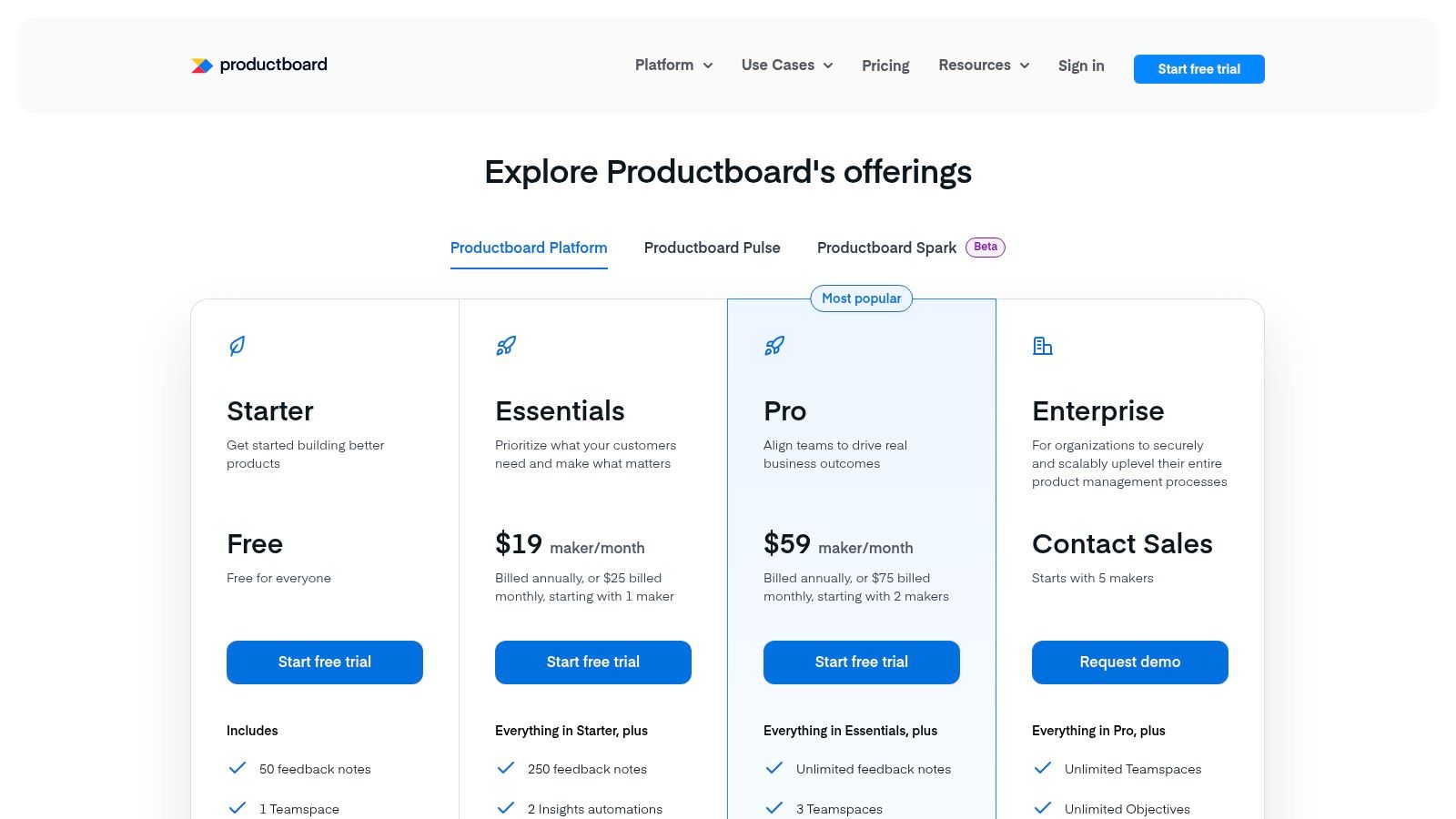
This platform is particularly effective for teams struggling to escape a "feature factory" mindset. By linking every feature idea to specific user feedback and strategic objectives, Productboard forces a more customer-centric prioritization process. Its clear distinction between "maker" and "contributor" roles also provides a cost-effective way to involve the entire organization in the discovery process without granting full (and more expensive) editing access to everyone.
Key Details & Use Case
- Best For: Product teams at scaling startups and mid-market companies that need to build a transparent, feedback-driven development process. It’s ideal for PMs who want to systematically justify their roadmap decisions to stakeholders.
- Pricing: Offers a free "Essentials" plan for individuals. Paid plans start at $25 per maker/month for "Pro," scaling up to "Scale" and "Enterprise" tiers with advanced features and security.
- Unique Feature: The "Insights" hub is a core differentiator. It's a searchable database of all user feedback, which you can link directly to feature ideas to create a powerful evidence trail for prioritization.
- Limitation: The workflow is more structured and opinionated than flexible tools like Miro or Coda. Teams accustomed to less formal processes may find it restrictive initially. Costs can also escalate as you add more "maker" seats.
Actionable Tip: Use the contributor portal to empower your customer success and sales teams. Train them to submit and tag customer feedback directly from Salesforce or Zendesk. This enriches your insights hub and saves you from manually chasing down feedback, giving you back hours each week for more strategic work.
Website: https://www.productboard.com/
2. Aha! Roadmaps
Aha! Roadmaps positions itself as one of the best product management tools by offering a complete and highly structured suite designed for enterprise-level planning. It excels at linking high-level corporate strategy directly to the features being built, ensuring every initiative is tied to a measurable business goal. The platform is built around a "strategy-first" approach, providing robust frameworks for defining goals and initiatives before diving into roadmaps and features, making it ideal for large organizations requiring strong governance.
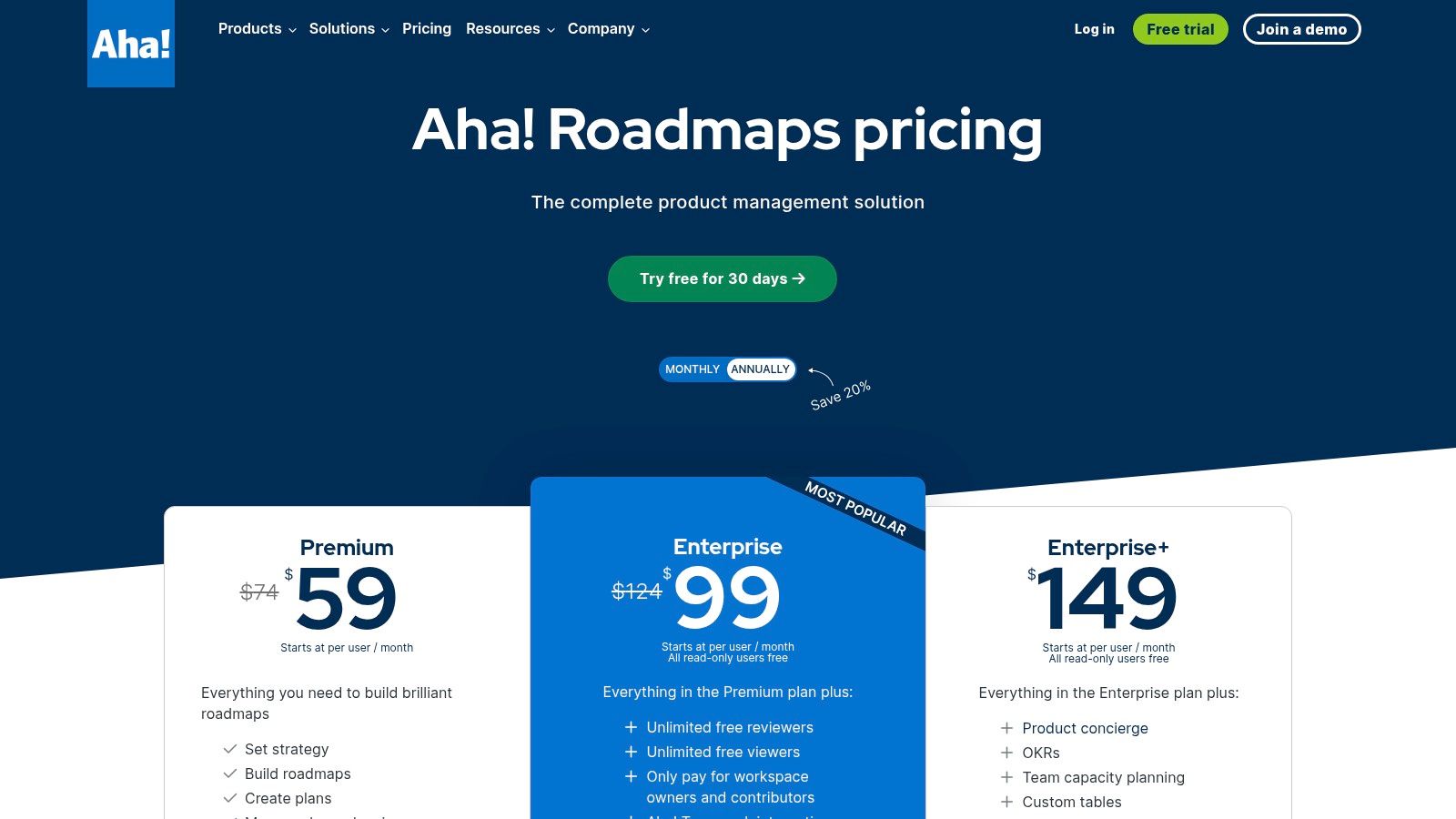
This comprehensive nature is both its greatest strength and a potential challenge. For companies needing deep reporting, customizable workflows, and tight integration between strategy, ideation, and delivery, Aha! provides unparalleled depth. Its separate but integrated modules for Ideas, Whiteboards, and even development (Aha! Develop) allow organizations to build a fully contained product ecosystem. This structure enforces a disciplined process, which is critical for maintaining alignment across multiple large teams and complex product lines.
Key Details & Use Case
- Best For: Mature product organizations and enterprise companies that need a powerful, centralized system for strategic planning, roadmapping, and reporting. It's perfect for leaders who require strict governance and visibility across a large portfolio.
- Pricing: Starts at $59 per user/month for the "Premium" plan. Reviewer and viewer seats are free on upper tiers, which helps manage costs in large organizations.
- Unique Feature: The "Strategic Goals and Initiatives" framework is a key differentiator. It forces teams to explicitly connect roadmap items to business objectives, providing powerful, top-down reporting that leadership loves.
- Limitation: The platform's comprehensiveness comes with a significant learning curve and a higher entry price point compared to competitors. Smaller teams or those preferring a more flexible, bottom-up approach may find its structured nature cumbersome.
Actionable Tip: Leverage the robust templating features to standardize your product processes. Create templates for strategic briefs, feature requirements, and status reports to ensure consistency across all product teams. This is crucial for scaling your planning process and making it easier for new PMs to onboard, as it provides a clear guide on how to prioritize a roadmap effectively.
Website: https://www.aha.io/roadmaps/pricing
3. Atlassian Jira Product Discovery
For teams deeply embedded in the Atlassian ecosystem, Jira Product Discovery is a powerful and natural extension for organizing the "why" behind the work. It excels at bridging the gap between unstructured ideas and structured development work in Jira Software. The tool is designed to capture, prioritize, and create a shared understanding of product opportunities directly alongside the engineering backlog, eliminating the need for context-switching between separate platforms.
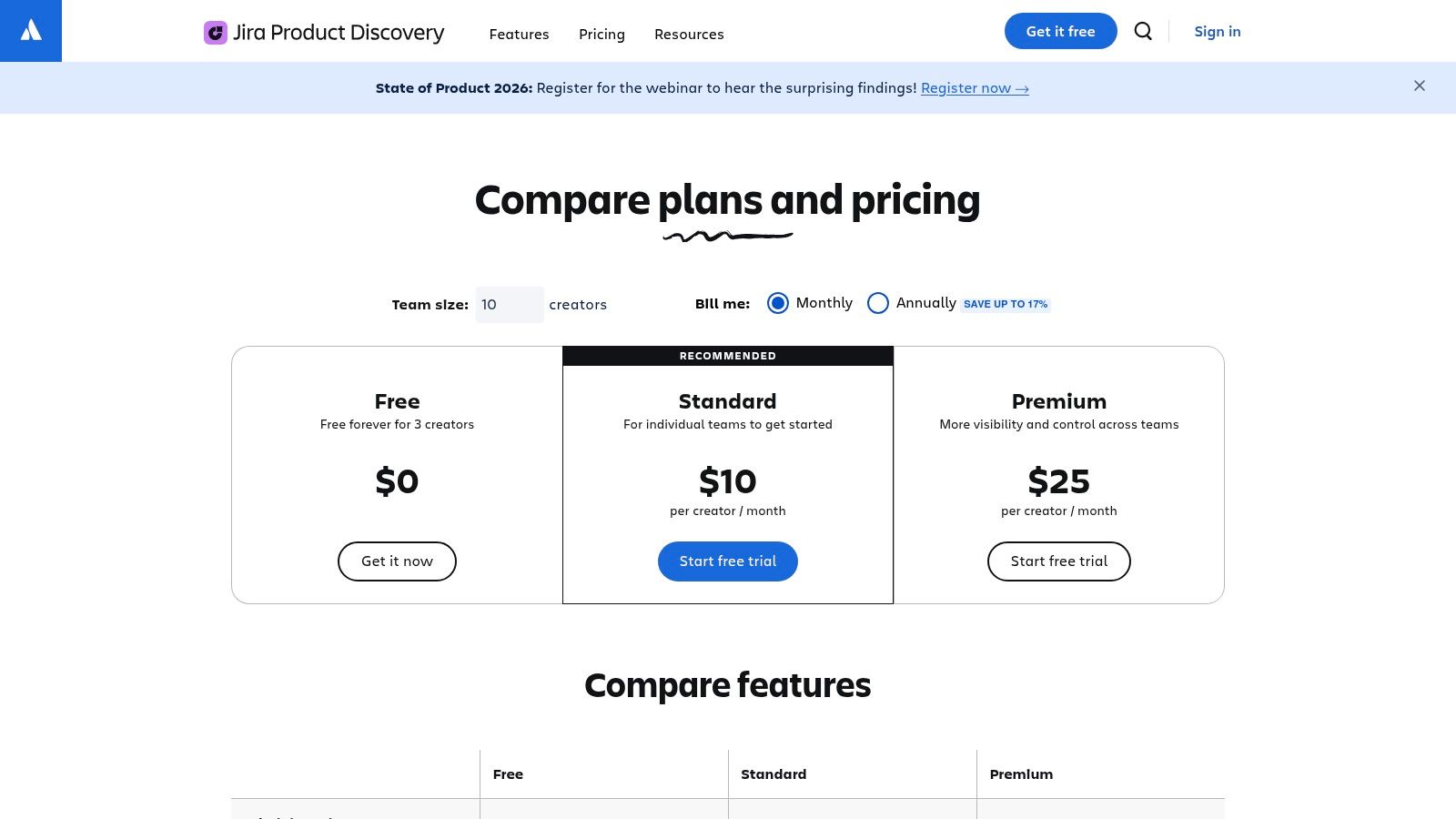
This platform is one of the best product management tools for organizations committed to Jira as their single source of truth for development. It streamlines the a product discovery process by allowing PMs to create custom roadmap views, link evidence from Confluence or user interviews, and use prioritization matrices that resonate with stakeholders. Its key value is reducing the friction between discovery and delivery, making it easier to convert validated ideas into actionable epics and stories.
Key Details & Use Case
- Best For: Product teams already using Jira and Confluence who want to integrate their discovery and prioritization workflows without leaving the Atlassian environment. It’s perfect for PMs seeking a seamless handoff to engineering.
- Pricing: Free for the first three creators. Paid plans cost a flat $10 per creator/month. A huge benefit is that it offers unlimited free contributors, allowing the entire organization to submit ideas and feedback.
- Unique Feature: The native, two-way integration with Jira Software is its biggest strength. You can link discovery ideas directly to epics, track delivery progress from your roadmap view, and ensure alignment between product strategy and engineering execution.
- Limitation: It is a cloud-only product, so it's not an option for companies using Jira Data Center. Its value is significantly diminished for teams that don't use Jira for development, as it's not a standalone, ecosystem-agnostic tool.
Actionable Tip: Create custom fields and formulas in your prioritization views to build a tailored scoring model (like RICE or a value/effort matrix) that reflects your company’s specific strategic goals. Share these live views with stakeholders to create transparent and data-informed roadmap discussions, replacing static slide decks.
Website: https://www.atlassian.com/software/jira/product-discovery/pricing
4. airfocus
airfocus positions itself as a modular and highly flexible product management platform, making it one of the best product management tools for organizations with complex portfolios. Unlike more opinionated tools, airfocus allows product teams to build their own workflows and prioritization frameworks from the ground up. This modularity is ideal for PMOs (Product Management Offices) and product operations teams managing multiple product lines, each with its own unique needs and stakeholders.
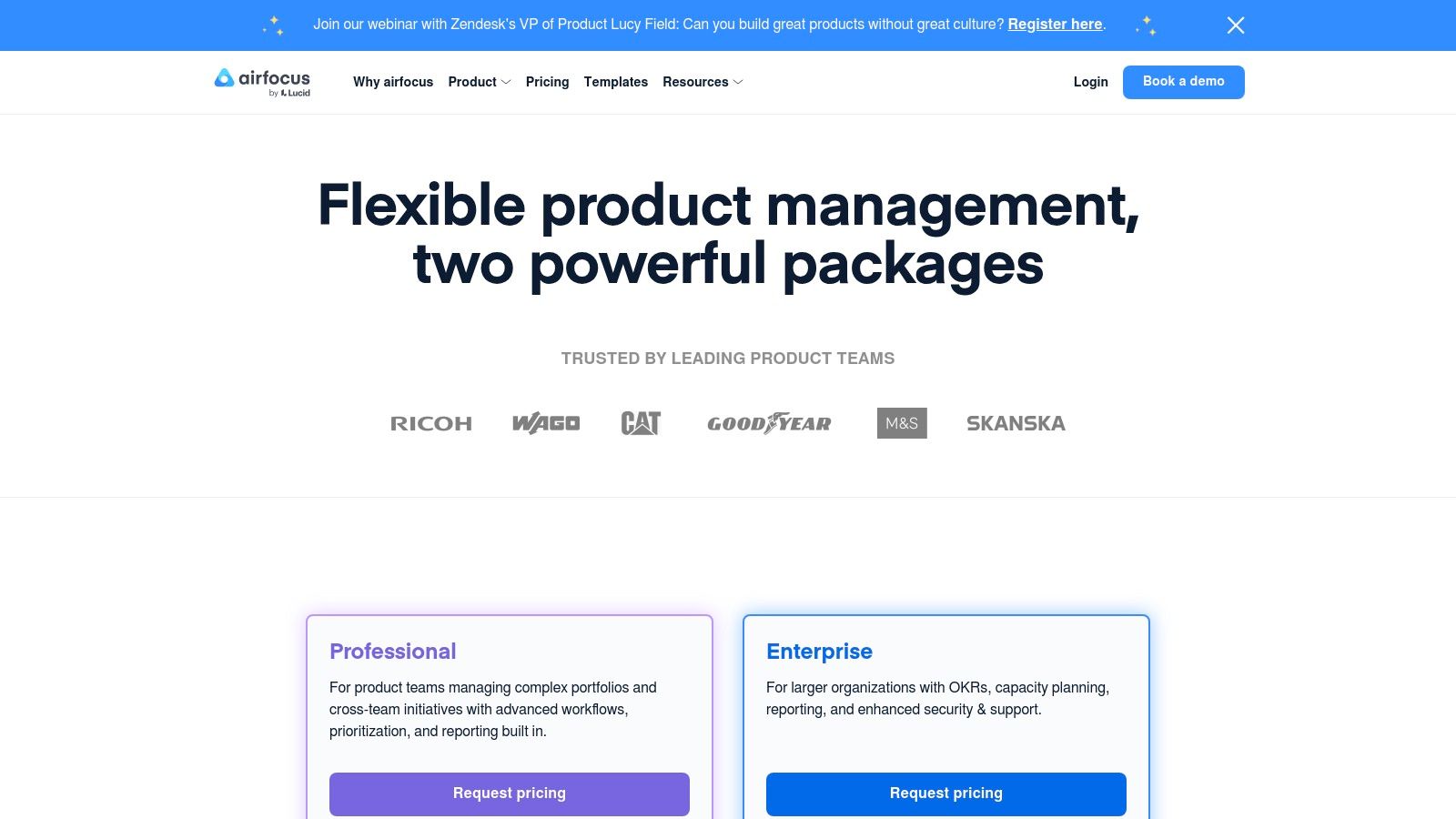
The platform shines in its ability to quantify and visualize prioritization decisions. With customizable scoring models (like RICE or custom-weighted factors), it helps teams move beyond gut feelings and create an objective, defensible roadmap. Its unlimited free contributor model on paid plans also encourages broad organizational alignment, allowing sales, support, and leadership to submit feedback and view roadmaps without driving up costs.
Key Details & Use Case
- Best For: Enterprise companies, PMOs, and product operations teams that need to standardize product management practices across a diverse portfolio of products and business units.
- Pricing: Public pricing is not listed and requires a custom quote. Plans typically start with "Pro" and scale to "Enterprise" tiers, with add-ons available for SSO and advanced security.
- Unique Feature: The "Priority Ratings" chart is a powerful visualization tool that plots items on a 2×2 matrix (e.g., Value vs. Effort), making it incredibly easy to identify quick wins and communicate trade-offs to stakeholders.
- Limitation: The platform's greatest strength, its flexibility, can also be a weakness. It requires more initial setup and configuration than out-of-the-box solutions. The lack of transparent pricing can be a barrier for smaller teams.
Actionable Tip: Create a custom "Prioritization Framework" in airfocus that aligns with your company's specific OKRs. Map each field in your framework (e.g., "Strategic Alignment," "Revenue Impact") to a specific company goal. This ensures every prioritization discussion is directly tied to business outcomes.
Website: https://airfocus.com/pricing/
5. Craft.io
Craft.io positions itself as a comprehensive product management system that bridges the gap between high-level strategy and detailed execution. It integrates roadmapping, prioritization, and feedback management into a single platform, making it a strong contender among the best product management tools. Its strength lies in providing a structured environment where PMs can manage the entire product lifecycle, from collecting ideas in a dedicated portal to building detailed user story maps.
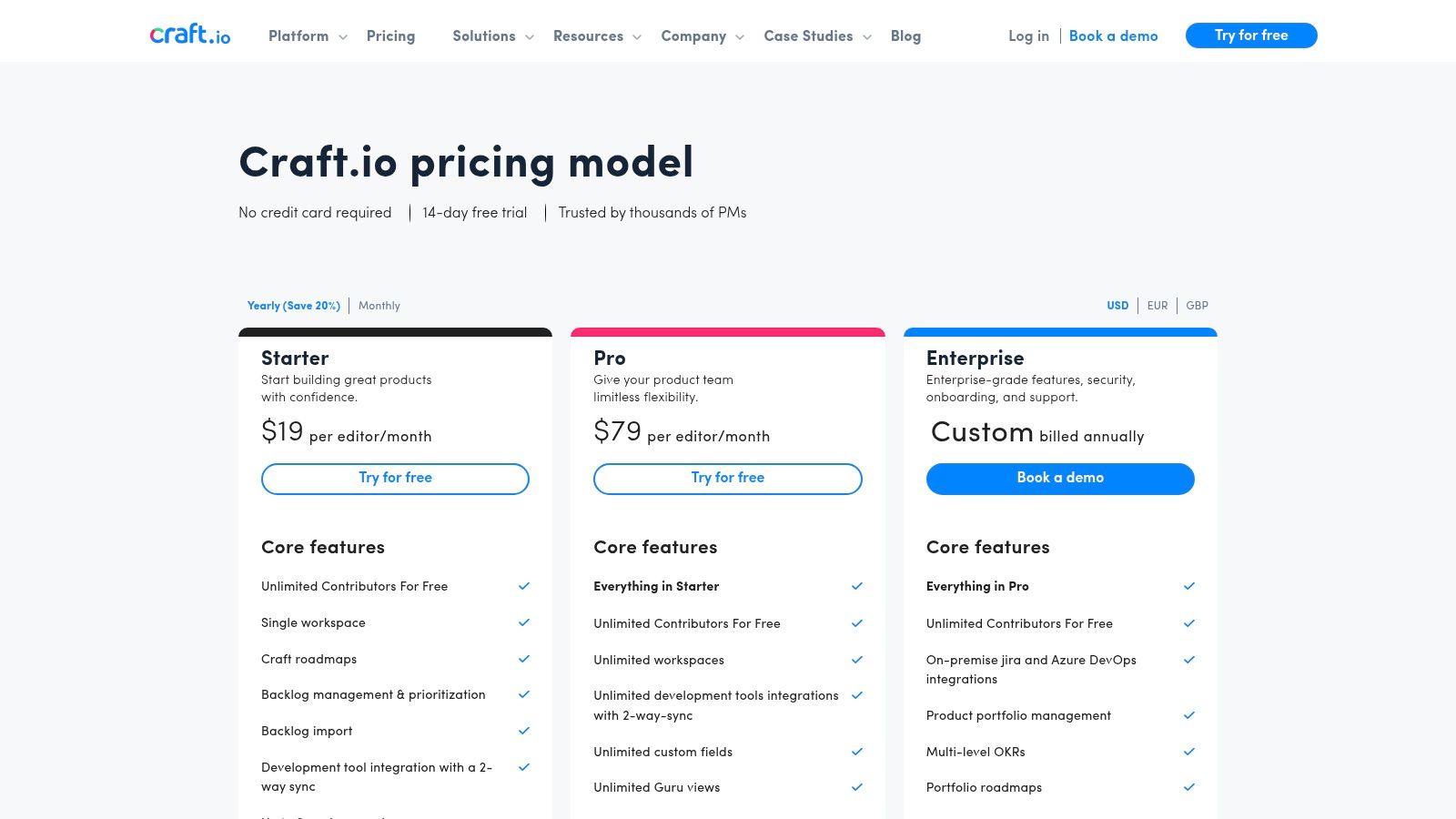
This tool is particularly valuable for product leaders managing multiple product lines or complex portfolios. Craft.io enables a hierarchical view, allowing leadership to see how individual features and initiatives roll up into broader strategic goals. The inclusion of unlimited contributors and viewers on paid plans also encourages cross-functional collaboration, letting stakeholders from sales, support, and marketing participate without driving up costs.
Key Details & Use Case
- Best For: Product teams in mid-market to enterprise companies that need a single source of truth for portfolio planning, roadmapping, and feedback. It's ideal for PMs who require robust story mapping and prioritization frameworks.
- Pricing: Offers a 14-day free trial. The "Pro" plan starts at $129 per editor/month (billed annually), which includes unlimited contributors. "Enterprise" plans offer custom pricing.
- Unique Feature: The visual story mapping tool is a key differentiator. It allows PMs to build out the user journey, break down epics into stories, and connect them to roadmap items, providing a clear narrative from user need to delivered feature.
- Limitation: The platform can feel complex for smaller teams or those new to formal product processes. Its ecosystem of integrations is smaller than that of giants like Jira, which could be a drawback for teams heavily reliant on a wide array of third-party tools.
Actionable Tip: Leverage the "LiveShare" feature for stakeholder alignment meetings. Instead of exporting static roadmaps to a presentation, you can present a live, interactive view directly from Craft.io, allowing you to drill down into specifics and answer questions with real-time data.
Website: https://craft.io/pricing
6. Roadmunk by Tempo
Roadmunk by Tempo carves out its space among the best product management tools by focusing on one thing and doing it exceptionally well: creating beautiful, presentation-ready roadmaps. While other tools bundle roadmapping with broader functionalities, Roadmunk provides a specialized, powerful engine for visualizing strategic plans. Its strength lies in its ability to generate multiple roadmap views, from high-level swimlanes for executives to granular timelines for development teams, all from a single source of data.
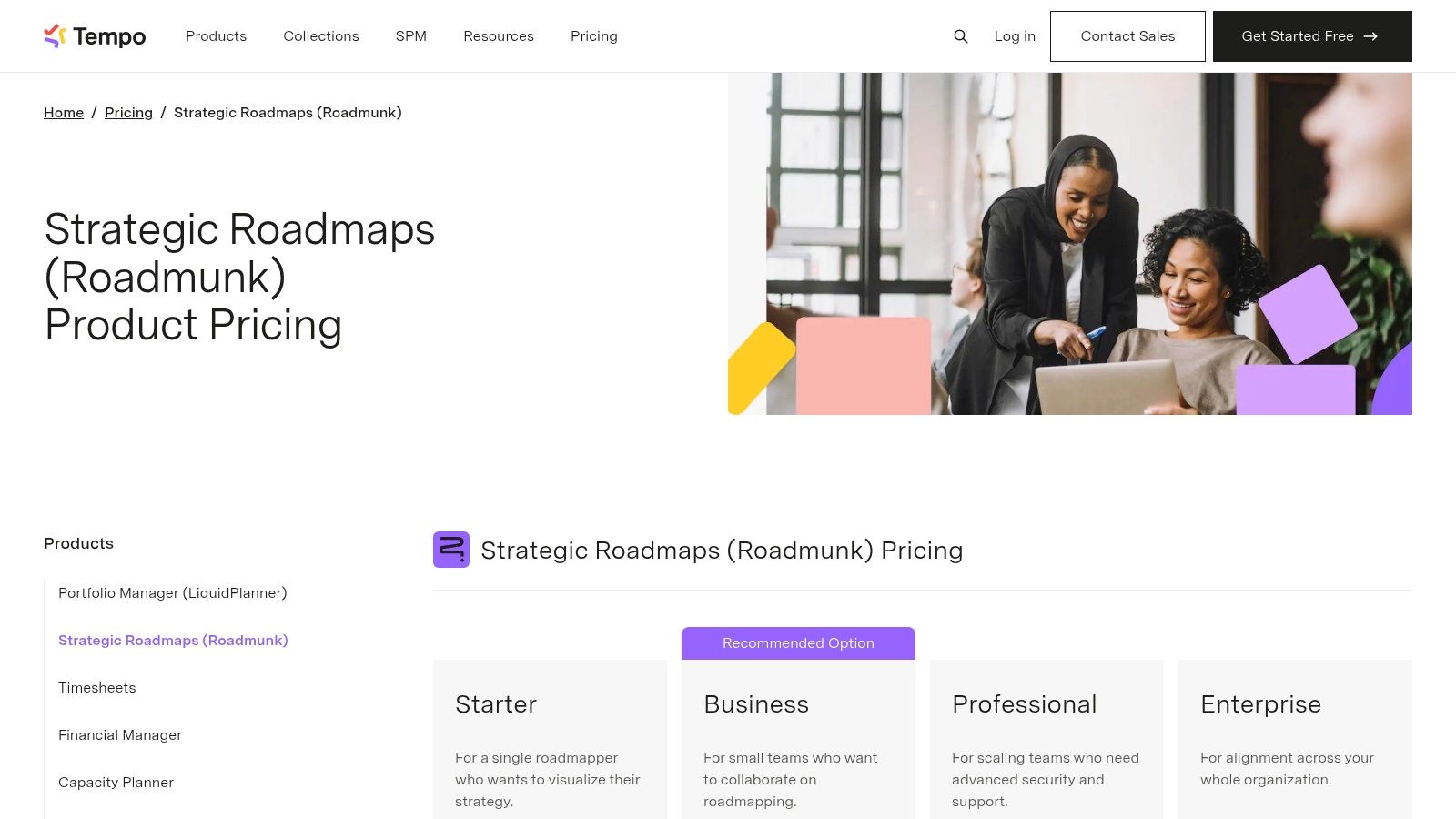
This platform is ideal for product managers who spend significant time communicating their vision to diverse stakeholders. Instead of rebuilding slides or spreadsheets for different audiences, PMs can simply switch views and export a clean, professional visualization tailored to each group. This focus on communication is supported by robust security certifications like ISO 27001, making it a trusted choice for enterprise organizations where data governance and compliance are non-negotiable.
Key Details & Use Case
- Best For: Enterprise product teams and PMs in regulated industries who need to create, share, and secure multiple strategic roadmaps for different audiences. It's perfect for those who prioritize visual communication and stakeholder alignment.
- Pricing: Starts with a "Business" plan at $19 per user/month (billed annually). More advanced "Professional," "Premium," and "Enterprise" tiers add features like dependencies and custom branding. A 14-day free trial is available.
- Unique Feature: The flexible roadmap visualizations are its core strength. The ability to pivot between Timeline, Swimlane, and custom views from the same data set saves immense time and ensures consistency in stakeholder communications.
- Limitation: The tool is more focused on strategic roadmapping and less on the granular task management or deep customer feedback analysis found in all-in-one platforms. Annual contract requirements can also be a hurdle for smaller teams needing month-to-month flexibility.
Actionable Tip: Leverage the "Reviewer" seats, which are often free or low-cost. Grant this access to key stakeholders across sales, marketing, and leadership. This allows them to view and comment on roadmaps without needing a full, expensive license, streamlining the feedback loop and increasing cross-functional alignment.
Website: https://roadmunk.com/pricing/
7. monday.com Work Management
monday.com has evolved from a simple project management tool into a comprehensive Work Operating System (Work OS) that product teams can configure for almost any workflow. Its strength lies in its extreme flexibility and visual-first interface, making it one of the best product management tools for teams that need to manage cross-functional initiatives like product launches, sprint planning, and roadmap communication in a single, shared space. It's less opinionated than dedicated PM tools, offering a blank canvas of boards, views, and automations.
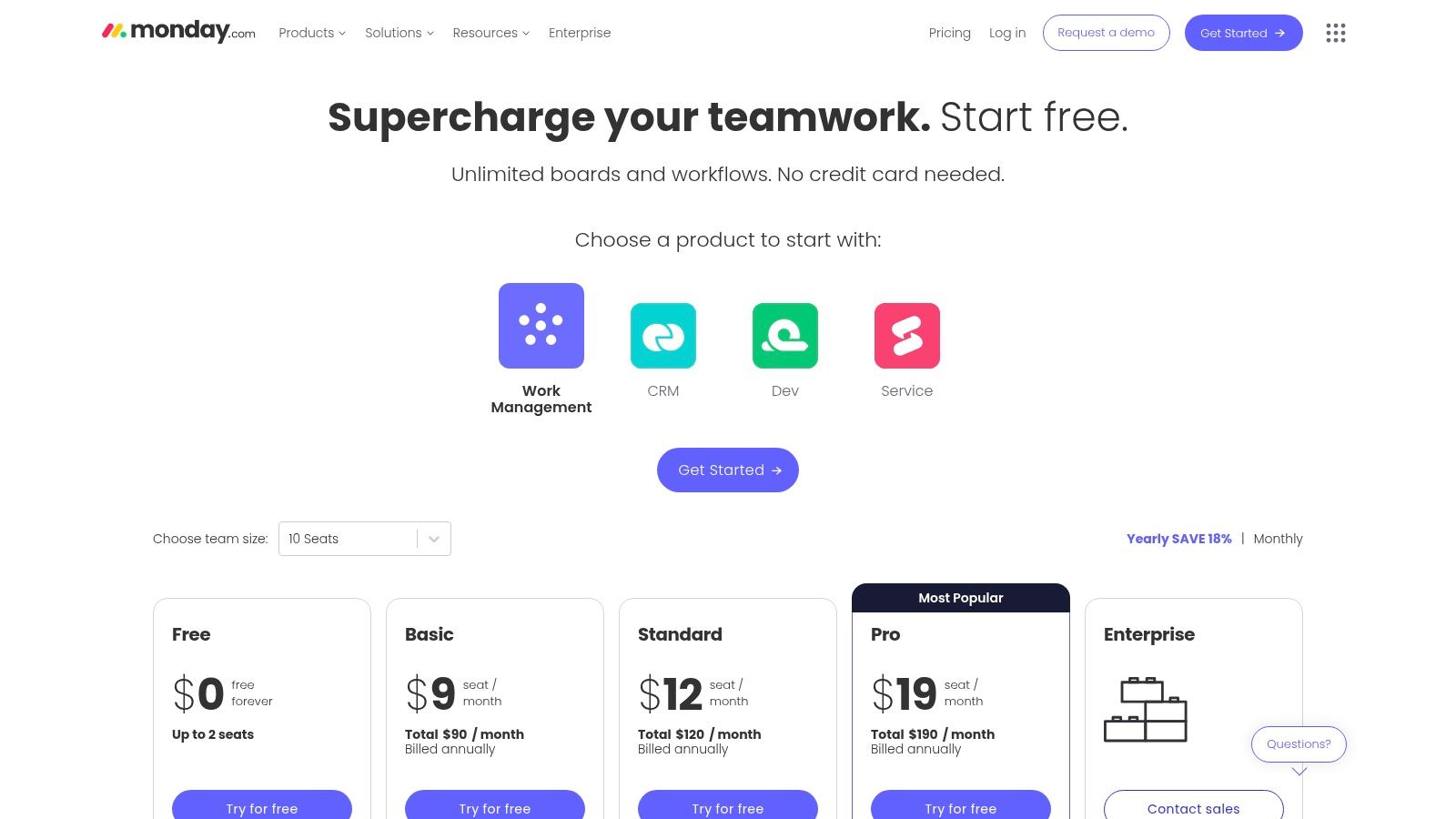
This platform excels at creating transparency between product, engineering, marketing, and sales. By using shareable boards and dashboards, a PM can build a high-level roadmap for executives, a detailed Gantt chart for a launch plan, and a simple task list for weekly sprints, all interconnected. The extensive template library provides a significant head start for building out these custom workflows without starting from scratch.
Key Details & Use Case
- Best For: Product teams in organizations of any size that prioritize flexibility and cross-functional visibility over a rigid, purpose-built PM system. It’s perfect for product operations and PMs who act as the central hub for many departments.
- Pricing: A free "Individual" plan is available. Paid plans start at $9 per seat/month for "Basic," with "Standard" and "Pro" tiers adding more automations, integrations, and views. An "Enterprise" tier is also available.
- Unique Feature: The "Automations" engine is a powerful differentiator. You can create "if-this-then-that" rules to automate status updates, notifications, and task assignments across different boards, significantly reducing manual coordination.
- Limitation: Because it's a generalist tool, it lacks the specialized features of dedicated PM platforms, like an integrated customer feedback repository or advanced prioritization scoring models. The per-seat pricing model can become expensive for large teams.
Actionable Tip: Create a dedicated "Master Roadmap" board with high-level initiatives. Then, use the "Connect boards" column type to link these initiatives to more granular items on separate team-specific boards (e.g., "Engineering Sprints," "Marketing Launch Plan"). This creates a powerful, cascaded view of progress for stakeholders.
Website: https://monday.com/pricing
8. Notion
Notion has become a default "all-in-one" workspace for product teams, earning its place among the best product management tools due to its unparalleled flexibility. It combines documents, wikis, and databases into a single, customizable platform, making it the perfect canvas for crafting detailed Product Requirements Documents (PRDs), organizing user research, and building lightweight roadmaps. Its real power lies in its ability to create a centralized, interconnected knowledge base that serves as the single source of truth for the entire product lifecycle.
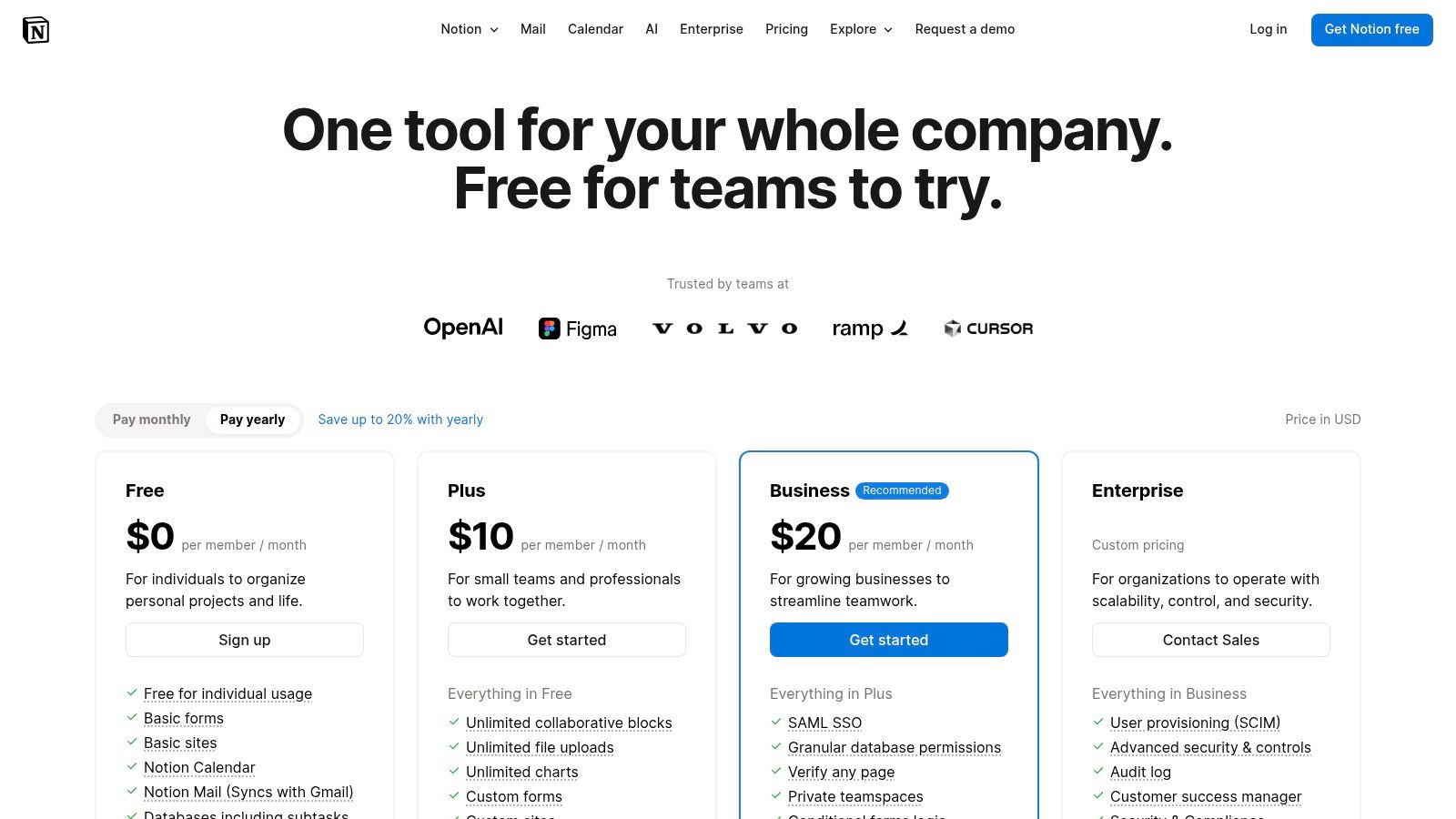
Unlike more rigid PM tools, Notion provides a blank slate that can be molded to fit any team's specific workflow. Product managers can build anything from a simple task list to a complex system linking strategic objectives to individual feature specs and meeting notes. The recent integration of Notion AI further enhances its capabilities, allowing PMs to summarize research, draft documents, and automate meeting action items directly within their workspace.
Key Details & Use Case
- Best For: Product teams of all sizes who prioritize documentation and knowledge management. It's especially powerful for teams that need a flexible, cost-effective solution to consolidate PRDs, user research, and team wikis.
- Pricing: Offers a generous free plan for individuals. Paid plans start at $10 per user/month for "Plus" and $18 per user/month for "Business," with custom Enterprise pricing available.
- Unique Feature: The interconnected database and document system is Notion's core differentiator. You can create a database of features, link them to specific research notes, and embed them directly into a PRD, creating a deeply contextual and easily navigable workspace.
- Limitation: It is not a dedicated product management tool. It lacks native features for sophisticated backlog prioritization, capacity planning, and direct engineering integrations like those found in Jira or Linear. Complex setups can become difficult to manage without disciplined administration.
Actionable Tip: Use Notion AI to accelerate your documentation. Feed it raw interview transcripts and use the prompt: "Act as a Senior Product Manager at Google. Summarize these user interview notes into the top 5 user pain points and 3 potential feature opportunities. Format the output as a bulleted list." Beyond its project management capabilities, Notion also excels as a powerful note-taking solution. For a broader perspective on similar tools, delve into this comprehensive review of note-taking applications.
Website: https://www.notion.com/pricing
9. ClickUp
ClickUp positions itself as the "one app to replace them all," and for many product teams, it comes close to that promise. Unlike specialized tools, ClickUp combines task management, docs, whiteboards, goals, and dashboards into a single, highly customizable platform. This makes it one of the best product management tools for teams looking to consolidate their tech stack and manage everything from high-level roadmaps to granular sprint backlogs in one place. Its flexibility is a major draw, allowing teams to build custom workflows without being locked into a rigid, opinionated process.
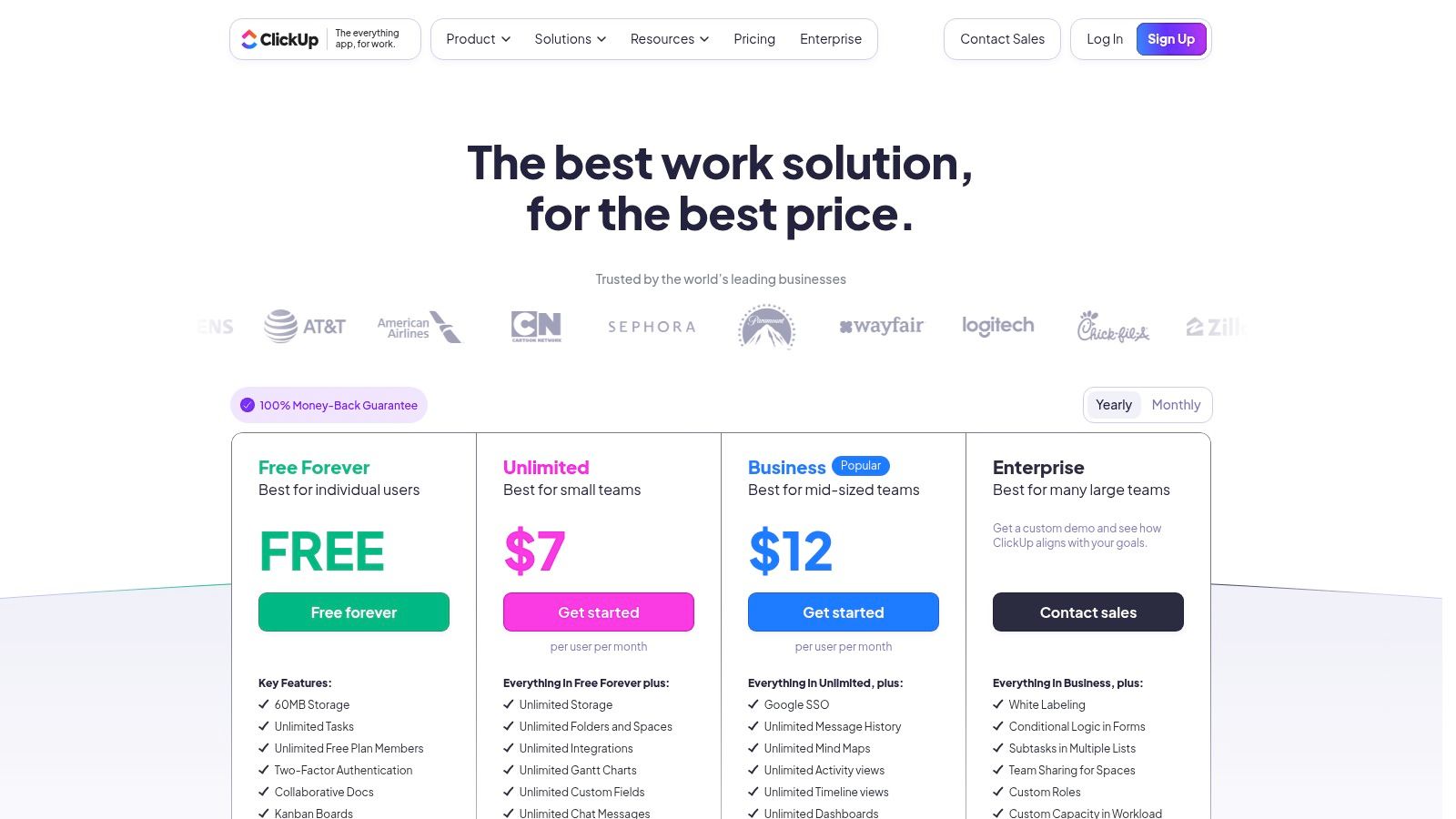
The platform is particularly powerful for cross-functional collaboration. Because engineering, marketing, and product can all work within the same system, it reduces the friction of context-switching between different tools. ClickUp’s extensive automation capabilities and growing AI features also help streamline repetitive tasks, freeing up PMs to focus on more strategic work, such as analyzing user data. The ability to manage complex data-driven projects makes it a strong contender for teams in that space; you can learn more about the role of a data product manager here.
Key Details & Use Case
- Best For: Startups and scale-ups seeking a powerful, all-in-one platform to manage development sprints, roadmaps, and documentation without paying for multiple separate tools. It's ideal for teams that value extreme customizability.
- Pricing: Offers a generous "Free Forever" plan. Paid plans start at $7 per member/month for "Unlimited" and scale to "Business" and "Enterprise" tiers. AI is available as a paid add-on.
- Unique Feature: The sheer number of "Views" (List, Board, Calendar, Gantt, Box, etc.) is a key differentiator. It allows every team member to visualize the same data in the way that best suits their individual workflow, from a developer's task list to a stakeholder's timeline.
- Limitation: The platform's immense feature set can be overwhelming for new users, leading to a steep learning curve. The billing structure can also become complex with different roles, add-ons, and guest permissions.
Actionable Tip: Use the "Goals" feature to connect your roadmap directly to company OKRs. Create cascading goals where individual tasks and epics roll up into larger product initiatives, providing stakeholders with a clear, real-time view of how development work is driving business outcomes.
Website: https://clickup.com/pricing
10. Linear
Linear has rapidly become one of the best product management tools for teams that value speed, simplicity, and a direct connection to engineering workflows. It offers an opinionated, ultra-fast issue-tracking system that strips away the bloat common in legacy platforms. Unlike more complex project management suites, Linear focuses on the core loop of identifying issues, planning sprints (cycles), and shipping product with maximum efficiency.
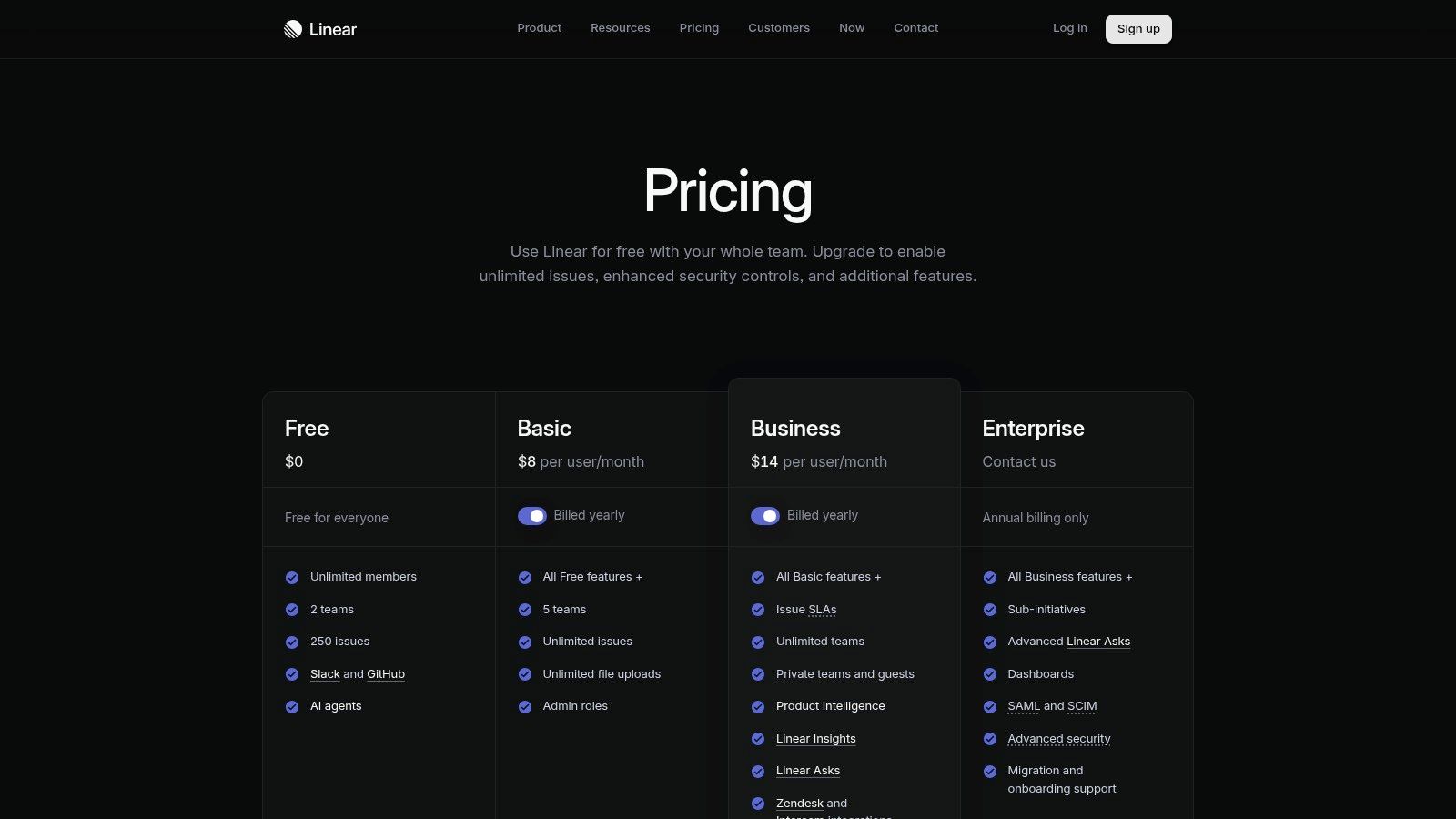
Its design philosophy resonates with modern, high-velocity teams who find tools like Jira to be overly cumbersome. By building product management directly into the development cycle, Linear ensures that roadmaps and projects are always aligned with engineering reality. The addition of Product Intelligence and Linear Insights further bridges the gap, allowing PMs to connect customer feedback from sources like Zendesk and Intercom directly to work items without leaving the platform.
Key Details & Use Case
- Best For: Engineering-led startups and modern tech companies that prioritize development velocity. It is ideal for PMs who work hand-in-hand with developers and want a tool that feels as fast and responsive as their code editor.
- Pricing: Offers a generous free plan for up to 10 members. The "Standard" plan is $10 per user/month, and the "Plus" plan at $19 per user/month adds advanced features like Product Intelligence and private teams.
- Unique Feature: Its command-line-inspired interface (accessible via
Cmd/Ctrl+K) and keyboard-first design create an exceptionally fast user experience. This allows PMs and engineers to create, update, and manage tasks in seconds without touching their mouse. - Limitation: The tool's opinionated nature means it lacks the deep customizability of Jira. It is also less suited for high-level portfolio management or companies requiring strict GRC (Governance, Risk, and Compliance) workflows.
Actionable Tip: Master the keyboard shortcuts from day one. Encourage your entire team to learn the core commands for creating issues, assigning work, and moving through cycles. This small investment dramatically speeds up planning and refinement sessions, making Linear feel like a superpower.
Website: https://linear.app/pricing
11. Asana
While not a dedicated product management tool, Asana has evolved into a powerhouse for orchestrating complex product launches and cross-functional initiatives. Its strength lies in its mature work management capabilities, making it one of the best product management tools for PMs who need to manage execution across multiple departments like marketing, sales, and engineering. It excels at translating high-level strategy into tangible, trackable workstreams.
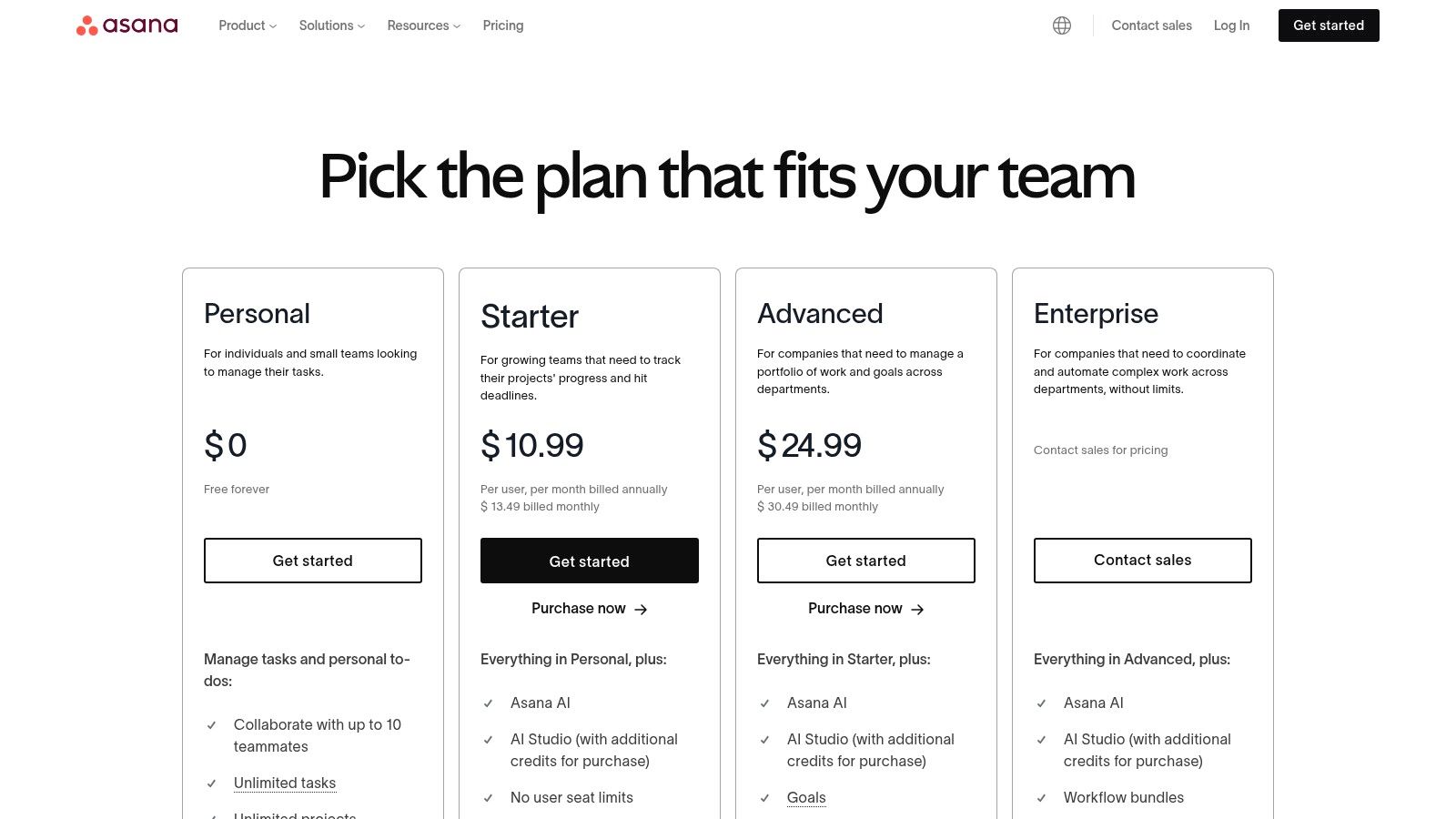
Asana is particularly effective for large-scale programs where visibility and alignment are paramount. With features like Portfolios and Goals, product leaders can get a bird's-eye view of progress across all initiatives, while individual contributors see how their tasks connect to the bigger picture. The recent introduction of Asana Intelligence helps automate workflows and surface critical insights, reducing the manual overhead of project administration.
Key Details & Use Case
- Best For: Product teams in mid-market to enterprise companies that need a robust, scalable platform for managing go-to-market execution, cross-functional dependencies, and strategic objectives. It's ideal for program managers and PMs focused on operational excellence.
- Pricing: Offers a free "Basic" plan for individuals or small teams. Paid plans start at $10.99 per user/month (billed annually) for "Premium" and scale to "Business" and "Enterprise" tiers with advanced reporting and security.
- Unique Feature: Workload management is a key differentiator. It allows managers to visualize team capacity and reallocate tasks to prevent burnout and keep projects on track, a feature often missing in more specialized roadmap tools.
- Limitation: It lacks the deep customer feedback and prioritization features of dedicated tools like Productboard. It's more focused on the "how" and "when" of execution rather than the "why" of product discovery.
Actionable Tip: Use the Portfolios feature to create a single source of truth for your product launch status. Add all relevant projects (e.g., engineering, marketing campaign, sales enablement) to a single portfolio to give stakeholders a real-time, high-level dashboard of progress, risks, and milestones.
Website: https://asana.com/pricing
12. Trello
Trello is often considered the gateway into more structured project management, but its simplicity makes it one of the best product management tools for specific, focused tasks. Its Kanban-based board system is incredibly intuitive, allowing PMs to quickly set up sprint boards, simple roadmaps, or idea backlogs that provide immediate clarity to stakeholders. Where complex tools can create overhead, Trello’s strength is its frictionless, visual approach to task tracking.
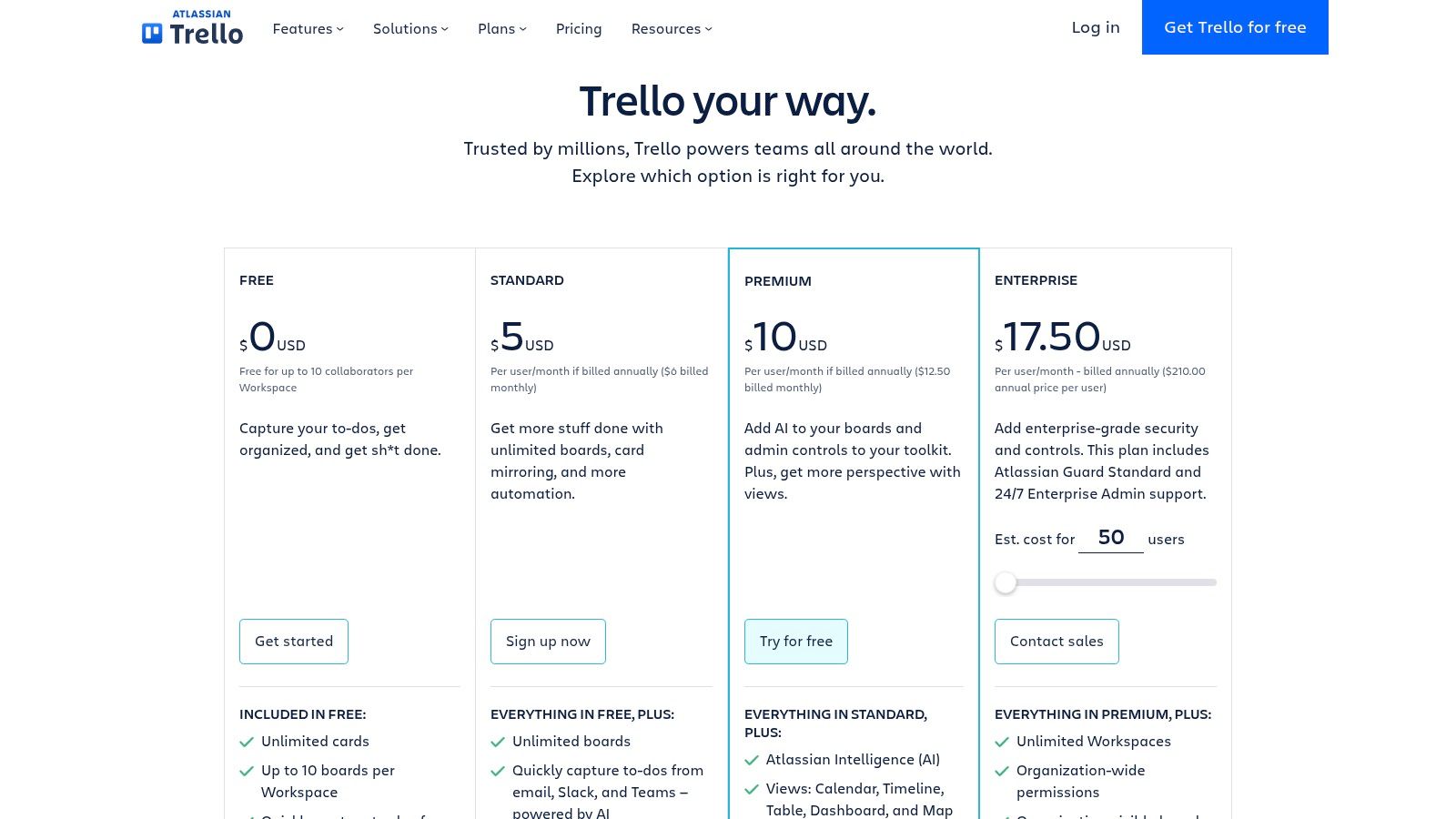
While not a dedicated end-to-end product suite, Trello excels as a supplementary tool for managing specific workflows within the product lifecycle. Product managers can use it for anything from tracking individual user stories to managing a content calendar for a feature launch. Its extensive library of "Power-Ups" allows for powerful integrations with tools like Jira, Slack, and GitHub, extending its functionality far beyond a simple to-do list and making it a versatile addition to any PM's toolkit.
Key Details & Use Case
- Best For: Small teams, early-stage startups, or PMs needing a simple, highly visual tool for managing specific projects like a feature launch, bug backlog, or stakeholder communication board.
- Pricing: Offers a generous free plan. Paid plans start at $5 per user/month (billed annually) for the "Standard" tier, scaling to "Premium" and "Enterprise" for advanced views, automation, and security.
- Unique Feature: The "Power-Ups" ecosystem is its standout feature. It allows teams to add specific functionalities like custom fields, reporting, or integrations, effectively turning a simple board into a customized mini-application without unnecessary complexity.
- Limitation: It lacks the deep, interconnected capabilities of dedicated PM platforms like Productboard or Jira for managing complex roadmaps, linking feedback to initiatives, or handling portfolio-level planning. Boards can quickly become cluttered and unmanageable on large-scale projects without strict governance.
Actionable Tip: Create a "Stakeholder Visibility" board. Use a simple "To Do," "In Progress," "In Review," and "Launched" workflow. Invite stakeholders as observers, link to more detailed tickets in Jira or your primary tool, and use the calendar view to show upcoming milestones. This provides transparency without overwhelming them with engineering-level detail.
Website: https://trello.com/pricing
Top 12 Product Management Tools Comparison
| Product | Core Features ✨ | User Experience ★★★★☆ | Value & Pricing 💰 | Target Audience 👥 | Unique Selling Points 🏆 |
|---|---|---|---|---|---|
| Productboard | Feedback capture, prioritization, roadmaps | Strong structured workflows | Scales Free→Enterprise 💰 | Startups to large enterprises 👥 | Clear maker/contributor roles ✨ |
| Aha! Roadmaps | Strategy, roadmaps, ideas, whiteboards | Deep enterprise features ★★★★☆ | Higher entry price 💰 | Large organizations 👥 | Flexible add-ons, strong governance 🏆 |
| Atlassian Jira Product Discovery | Idea prioritization, Jira integration | Cloud-first, familiar for Jira users | Creator/contributor pricing 💰 | Jira/Confluence users 👥 | Tight Jira ecosystem integration 🏆 |
| airfocus | Prioritization, portfolio, stakeholder portals | Flexible modeling, enterprise security | Custom quote; best at high tiers 💰 | PMOs, product ops teams 👥 | Unlimited contributors on paid plans ✨ |
| Craft.io | Roadmaps, story mapping, idea portals | Live collaboration, unlimited contributors | 14-day trial; pricing varies 💰 | Teams needing planning + feedback 👥 | CustomerVoice inbox, story mapping 🏆 |
| Roadmunk by Tempo | Visual roadmaps, prioritization, Jira integration | Role-based access, flexible publishing | Annual contracts typical 💰 | Strategic product teams 👥 | ISO 27001/27701 certified security 🏆 |
| monday.com Work Management | Visual boards, automation, docs, dashboards | Easy onboarding, broad templates | Seat-based pricing 💰 | Cross-functional teams 👥 | Highly visual + flexible workflows ✨ |
| Notion | Databases, docs, AI, templates | Extremely flexible, competitive price | Affordable for small teams 💰 | PMs needing documentation & knowledge 👥 | AI-powered features, large template gallery ✨ |
| ClickUp | Tasks, docs, whiteboards, goals, AI add-ons | Broad feature set, 24/7 support | Competitive entry pricing 💰 | Teams needing all-in-one platform 👥 | Automation + AI with startup credits 🏆 |
| Linear | Issue tracking, product planning, insights | Ultra-fast UI, clean workflows | Transparent simple pricing 💰 | Modern PM and engineering teams 👥 | Product Intelligence, performance 🏆 |
| Asana | Timeline, goals, portfolios, AI | Mature collaboration, scalable | Higher-tier for advanced features 💰 | Organizations from small to enterprise 👥 | AI Studio, strong resource mgmt 🏆 |
| Trello | Kanban boards, custom fields, Power-Ups | Very easy to learn and adopt | Affordable for small teams 💰 | Small teams and stakeholders 👥 | Simple UI, extensive Power-Ups ecosystem ✨ |
Building Your PM Toolkit: An Action Plan
Navigating the landscape of the best product management tools can feel overwhelming. We've dissected twelve of the market's leading platforms, from comprehensive roadmap suites like Productboard and Aha! to agile execution powerhouses like Linear and Jira Product Discovery. The key takeaway is clear: there is no single "best" tool, only the tool that is best for your specific context, team maturity, and organizational goals.
Your choice ultimately hinges on your primary "job to be done." If your biggest challenge is centralizing customer feedback and creating a transparent, evidence-based roadmap, a tool like Productboard or Craft.io offers a dedicated, structured solution. Conversely, if your engineering team lives and breathes in an ecosystem like Atlassian's and your primary goal is tightening the discovery-to-delivery loop, Jira Product Discovery is a native fit. For teams craving ultimate flexibility and a centralized workspace for docs, tasks, and roadmaps, Notion or ClickUp provide a powerful, customizable foundation.
From Selection to Strategic Implementation
Choosing a platform is merely the first step. The true differentiator between an average PM and a top-tier PM is the ability to not just use a tool, but to build a cohesive system that creates leverage. Effective implementation isn't about adopting every feature; it's about mastering the core workflows that solve your most pressing problems and drive business outcomes.
Consider these critical factors as you move forward:
- Integration is Non-Negotiable: Your chosen tool must seamlessly connect with your existing stack. Does it have a robust integration with Jira or GitHub for engineering handoffs? Can it pull data from Zendesk or Salesforce for user feedback? A tool that creates another silo, no matter how powerful, will ultimately fail.
- Scalability and Team Adoption: The "right" tool for a five-person startup will likely break at a 50-person scale-up. Think about your team's growth trajectory. More importantly, consider the learning curve. A complex system like Aha! might be powerful, but if your team resists adoption, a simpler tool like Trello or Roadmunk might deliver more value.
- Total Cost of Ownership: Look beyond the monthly subscription fee. Factor in the time cost of implementation, training your team, and potential migration efforts down the line. A "cheaper" tool that requires significant engineering resources to maintain can quickly become more expensive than a pricier, all-in-one solution.
Your Action Plan for the Next 48 Hours
True career acceleration comes from decisive action. To transform this knowledge into a tangible skill, your immediate focus should be on execution.
- Identify Your #1 Problem: What is the single biggest point of friction in your current product process? Is it stakeholder alignment, prioritizing feedback, or inefficient dev handoffs?
- Select a Contender: Based on your problem, pick one tool from this list that directly addresses it. For feedback management, try Productboard. For dev alignment, trial Linear.
- Execute a Single Workflow: Sign up for a free trial and complete one high-value task. Build a simple one-page roadmap in airfocus. Import and prioritize three pieces of real customer feedback in Craft.io. Create a product spec in Notion using an AI prompt.
This hands-on experience is a direct indicator of your operational excellence and a key differentiator in performance reviews and interviews. Mastering these systems is a core competency. Beyond your core stack, remember that your professional brand is also a product to be managed. To that end, exploring the top AI tools for LinkedIn can provide a significant advantage in optimizing your professional presence and building strategic connections within the industry. The goal isn't just to use tools, but to build an integrated system that makes you a more strategic, effective, and visible product manager.
For more deep dives into the systems and strategies used by product leaders at top tech companies, subscribe to the newsletter by Aakash Gupta. I break down the exact frameworks, mental models, and career tactics you need to excel in product management. Visit Aakash Gupta to get insights delivered directly to your inbox.
