As a PM leader who has reviewed thousands of roadmaps from companies like Google and Meta, I can tell you that the format matters as much as the content. A poorly communicated roadmap leads to misaligned teams, confused stakeholders, and missed opportunities, which are significant career limiters for any ambitious Product Manager. The difference between a roadmap that gets approved and one that creates confusion often comes down to choosing the right visualization for the right audience.
This isn't just another generic list. It's a curated, actionable toolkit designed to help you build and present winning strategies immediately, regardless of your experience level. We will bypass abstract theory and dive straight into 12 field-tested, product roadmap template free resources from platforms like Atlassian, Miro, and Aha!.
For each template, I'll provide a senior PM's tactical perspective:
- Optimal Use Case: Pinpointing exactly which scenario it's best for, whether you're presenting to the C-suite, aligning with engineering, or brainstorming with your design team.
- Practical Limitations: An honest assessment of what each template doesn't do well, so you can avoid common pitfalls.
- Implementation Guide: A step-by-step breakdown for adapting it to your specific product and company context.
This guide is built to be a resource you can apply within the next 24 hours. You will find direct download links and screenshots for every template, enabling you to select and implement the perfect framework for shipping impactful products and accelerating your career progression. Let's find the right template for your next big initiative.
1. Atlassian – Jira Product Discovery
For product managers already embedded in the Atlassian ecosystem, Jira Product Discovery offers a powerful, natively integrated product roadmap template free with its core offering. This isn't just a static template; it's a dynamic workspace directly linked to your development team's execution environment. Its primary advantage is the seamless connection between high-level strategic planning and the granular engineering tasks tracked in Jira Software.
The platform allows you to build roadmaps using multiple views, such as a timeline for quarterly planning or a "Now, Next, Later" board for outcome-based prioritization. You can enrich roadmap items with custom fields, link them to strategic objectives, and crucially, see real-time delivery progress as development tickets are updated. This eliminates the need for manual status checks and keeps the roadmap an accurate, living document rather than a stale artifact.
Use Case and Implementation
This template excels for software teams that need to bridge the gap between discovery and delivery. Stakeholder engagement is a standout feature; you can invite stakeholders to vote on ideas, add reactions, and leave comments directly on roadmap items, providing a centralized feedback loop.
Pro Tip: Use the voting feature to quantify stakeholder interest and validate prioritization decisions with concrete data. Link ideas directly to epics in your team's Jira project to create a clear "golden thread" from ideation to launch.
Pros and Cons
| Pros | Cons |
|---|---|
| Deep Jira Integration: Automatically syncs delivery progress from engineering tickets. | Ecosystem Lock-in: Provides maximum value only if your teams are already using Jira. |
| Stakeholder Engagement: Built-in voting, reactions, and comments for collaborative feedback. | Paid Tier for Advanced Features: The most powerful capabilities require a Premium plan. |
| Official Atlassian Support: Templates are well-maintained and natively supported. | Learning Curve: May feel complex for teams not accustomed to the Jira interface. |
Access the Template: Jira Product Discovery Roadmap Template
2. Atlassian Confluence – Product Management Template Gallery
For teams that prioritize documentation and shared context, Atlassian Confluence offers a product roadmap template free within its extensive Product Management Template Gallery. Unlike dedicated roadmap tools, Confluence positions the roadmap as a central artifact within a broader knowledge base. This approach is ideal for communicating high-level strategy and milestones in a format that is easily accessible and linked to supporting documents like PRDs, launch plans, and meeting notes.
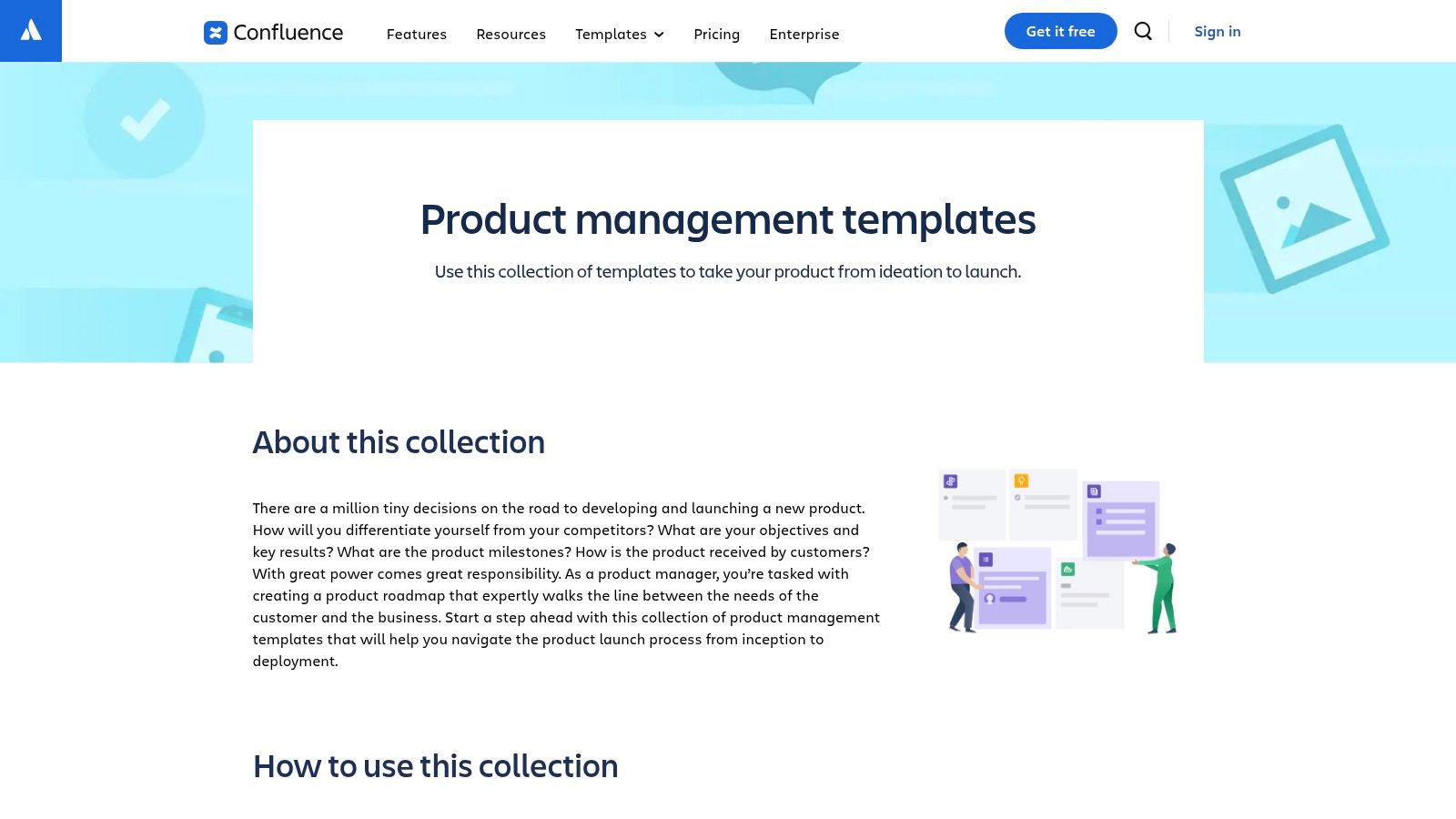
The template provides a simple, table-based timeline view for outlining quarterly goals and key initiatives. Its strength lies in its flexibility and integration capabilities. You can embed live Jira issues, Figma designs, and Loom videos directly into the roadmap page, creating a rich, multimedia-driven source of truth. This turns a static document into a dynamic dashboard that connects strategy to execution artifacts without leaving the Confluence environment.
Use Case and Implementation
This template is best suited for product managers who need a lightweight, shareable roadmap to align stakeholders across different departments like marketing, sales, and support. It serves as an excellent high-level summary that complements more detailed, execution-focused roadmaps in tools like Jira. The inline commenting and page permissions make it a powerful tool for gathering feedback and controlling information flow.
Pro Tip: Use the Confluence roadmap as your "public-facing" internal roadmap. Keep it high-level and focused on customer outcomes and business objectives, while linking to more granular Jira epics for the engineering team. This caters to different audience needs from a single, centralized document.
Pros and Cons
| Pros | Cons |
|---|---|
| Excellent for Documentation: Seamlessly integrates with PRDs, meeting notes, and strategy docs. | Limited Visualization: Basic timeline view lacks the sophistication of dedicated roadmap apps. |
| Free and Accessible: Included with the free tier of Confluence, making it easy to adopt. | Not a Standalone Tool: Less powerful without integration with Jira and other tools. |
| Strong Integration: Embeds live data from Jira, Figma, Trello, and more for a rich context. | Can Become Outdated: Requires manual updates to reflect changes in project management tools. |
Access the Template: Confluence Product Management Templates
3. Miro – Product Roadmap Templates Library
For teams that thrive on visual collaboration and creative brainstorming, Miro provides a vibrant and flexible product roadmap template free within its infinite digital whiteboard. Miro's strength lies in its ability to transform strategic planning into an interactive, workshop-like experience. It’s less about rigid data fields and more about fast, visual alignment, making it perfect for early-stage ideation, cross-functional workshops, and presenting high-level strategy in a digestible format.
The platform offers a library of pre-built templates, including popular formats like Now/Next/Later, timeline-based roadmaps, and feature prioritization matrices. Users can customize these templates with digital sticky notes, shapes, connectors, and images, creating a rich visual narrative. Miro's real-time collaboration features, such as shared cursors, comments, and voting tools, allow distributed teams to build and iterate on the roadmap together as if they were in the same room, fostering shared ownership and immediate feedback.
Use Case and Implementation
Miro is ideal for product teams needing to facilitate collaborative planning sessions with stakeholders from design, marketing, and leadership. It excels at the "big picture" stage, helping teams diverge on ideas and then converge on a prioritized plan before moving to a dedicated project management tool for execution. It's also highly effective for presenting roadmaps to non-technical audiences who benefit from a clear, visual story.
Pro Tip: Use the timer and voting features during a roadmap planning session to time-box discussions and democratize prioritization. Embed your finished Miro board directly into Confluence or Notion to create a living, easily accessible source of truth for the entire organization.
Pros and Cons
| Pros | Cons |
|---|---|
| Fast and Visual Alignment: The whiteboard interface makes complex plans easy to understand. | Not a PM System: Lacks deep delivery tracking; requires integration or manual updates. |
| Wide Variety of Templates: Offers numerous free, highly customizable roadmap formats. | Free Tier Limitations: The free plan has limits on the number of editable boards and features. |
| Excellent Collaboration: Real-time features are best-in-class for remote and hybrid teams. | Can Become Cluttered: Without discipline, the infinite canvas can become disorganized. |
Access the Template: Miro Product Roadmap Templates
4. Asana – Free Product Roadmap Template
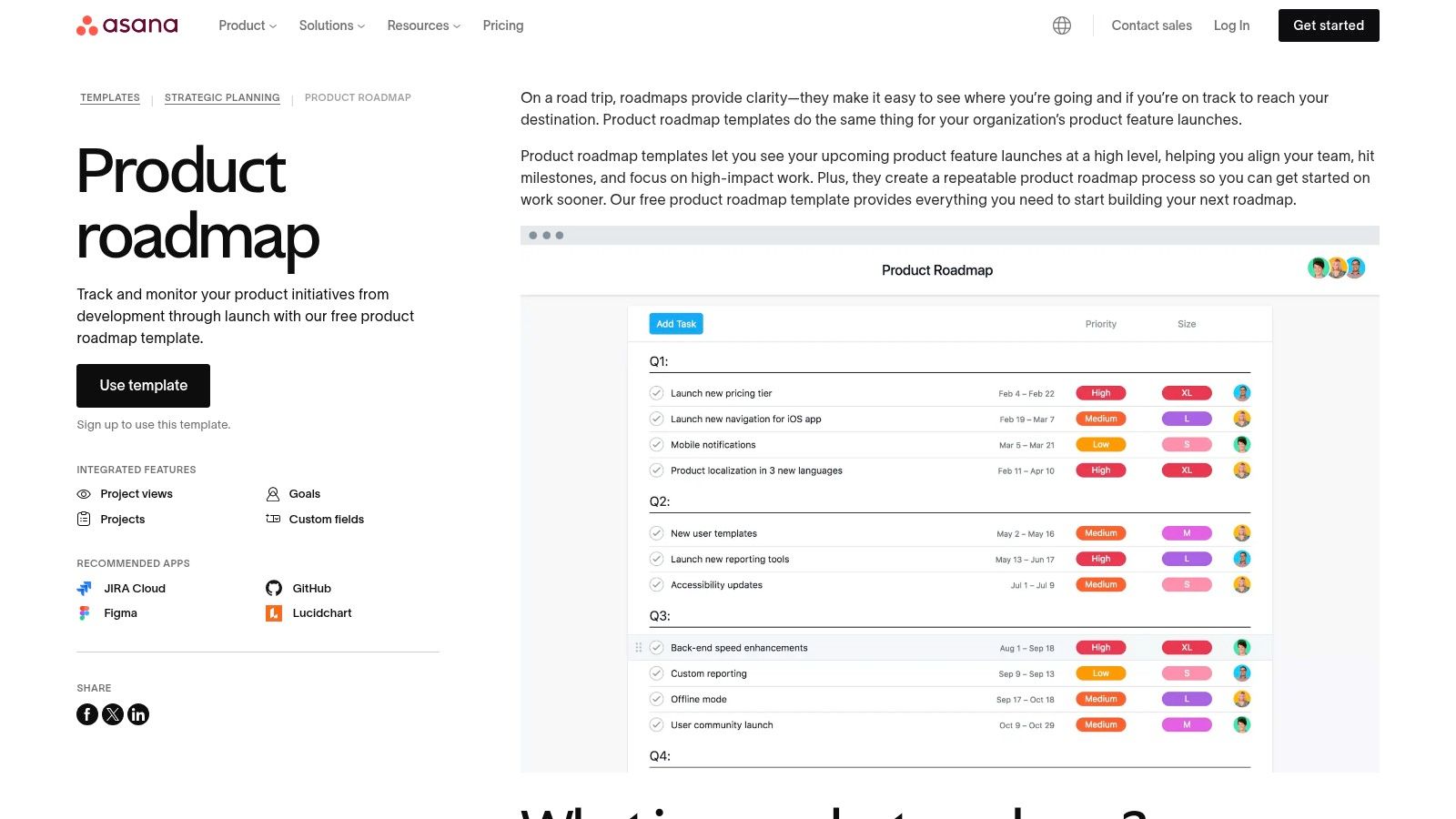
For teams who manage their entire project lifecycle within Asana, this native product roadmap template free offers a streamlined way to connect high-level strategy with day-to-day execution. It's designed for product managers who need a visual and actionable roadmap without leaving the platform where their team already collaborates on tasks. The key benefit is the seamless transition from a strategic roadmap item to the underlying tasks and subtasks that drive its completion.
This template leverages Asana's powerful project management capabilities, allowing you to build roadmaps with timeline, board, and calendar views. You can add custom fields to track critical data points like priority, effort, and status, providing clarity at a glance. App integrations with tools like Figma, Miro, and Lucidchart allow you to embed design mockups and brainstorming boards directly into roadmap items, keeping all context in one place.
Use Case and Implementation
This template is ideal for product teams in fast-moving environments that prioritize a direct link between strategic planning and task management. It simplifies stakeholder communication by allowing you to easily share read-only links to the roadmap, ensuring everyone is aligned on the latest plan without needing to export static documents.
Pro Tip: Use Asana’s dependencies feature to link roadmap initiatives. If a foundational "API Update" is delayed, any dependent feature like "New Mobile Integration" will automatically have its timeline adjusted, providing realistic delivery forecasts.
Pros and Cons
| Pros | Cons |
|---|---|
| Unified Workspace: Seamlessly connects roadmap strategy to actionable tasks. | Limited Portfolio Features: Less robust for high-level portfolio roadmapping than dedicated tools. |
| Free and Accessible: Easy to get started with no initial cost for the template. | Paid Tier for Automation: Advanced features like Rules (automation) require a paid Asana plan. |
| Strong Integrations: Embeds context from key design and collaboration tools. | Task-Oriented Focus: Can feel more like a project plan than a true strategic roadmap at times. |
Access the Template: Asana Product Roadmap Template
5. ClickUp – Product Roadmap Template
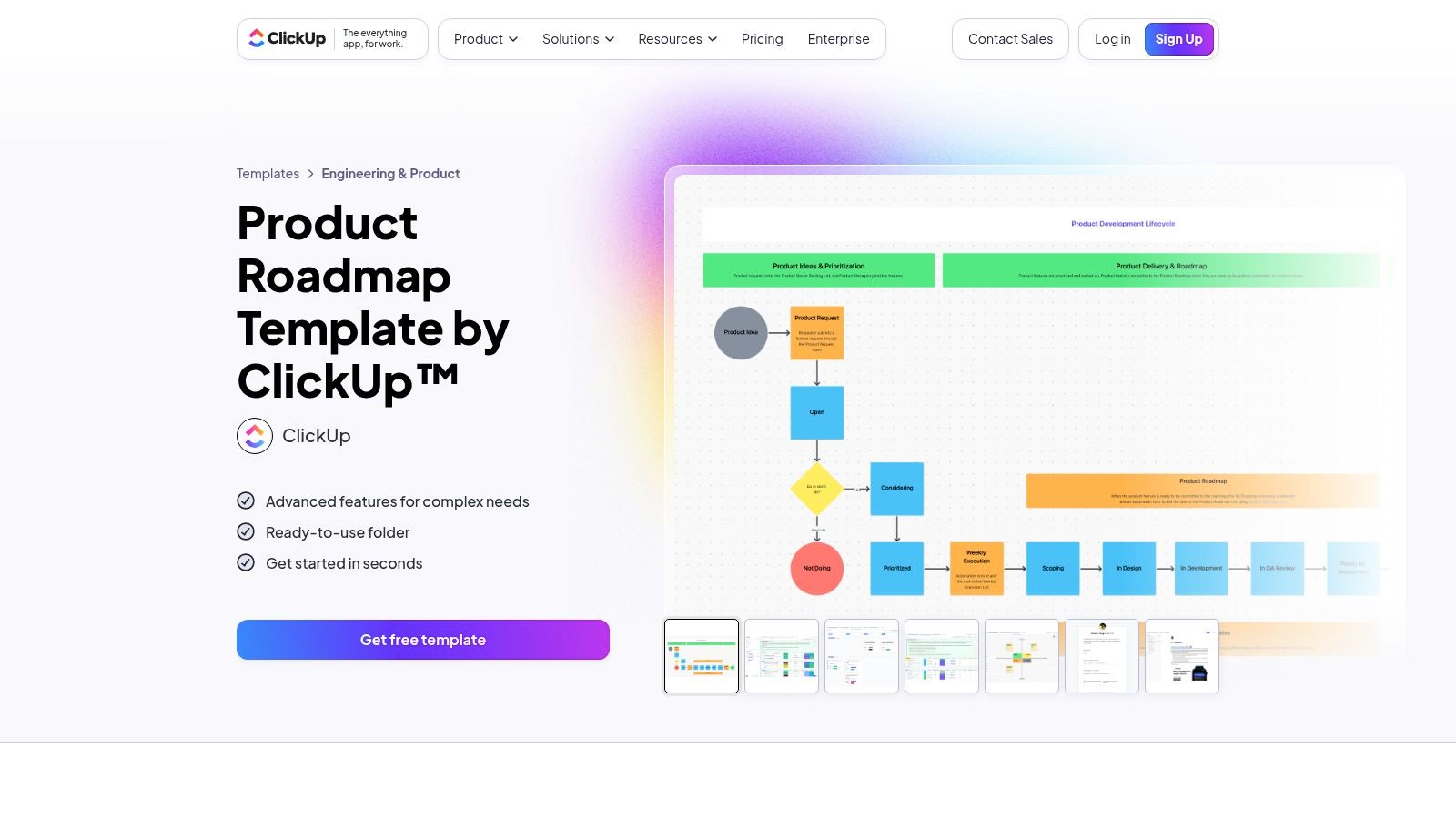
For teams seeking an all-in-one work management platform, ClickUp provides a highly configurable product roadmap template free within its versatile environment. This template is designed for deep customization, allowing product managers to blend strategic planning with granular task execution in a single workspace. Its key differentiator is its extreme flexibility, enabling users to create a roadmap that perfectly mirrors their team's unique workflow and terminology.
The template comes pre-loaded with over 10 custom statuses like "Scoping," "In Progress," and "QA Review," along with 15 custom fields for tracking metrics such as Effort, Impact, and Confidence scores. This allows for sophisticated prioritization frameworks right out of the box. You can visualize your strategy using multiple views, including a Quarterly Roadmap timeline, a Kanban board for development stages, and a list for Release Notes, all powered by the same underlying data.
Use Case and Implementation
This template is ideal for product teams that want to consolidate their tools and manage everything from high-level strategy to individual tasks in one place. It excels in environments where transparency across different departments is crucial, as the same workspace can be used for planning, collaboration, and reporting.
Pro Tip: Leverage ClickUp's automations to streamline your workflow. For instance, set up a rule to automatically notify stakeholders in a specific channel when a feature's status changes to "Ready for Review," ensuring a seamless feedback loop and adherence to product roadmap best practices.
Pros and Cons
| Pros | Cons |
|---|---|
| Highly Customizable: Extensive custom fields and views for detailed planning. | Steep Learning Curve: High flexibility can be overwhelming for new users. |
| All-in-One Workspace: Combines roadmapping with task and project management. | Paid Tier for Power Features: Advanced automations are limited on the free plan. |
| Multiple Views: Easily switch between timeline, board, and list views. | Performance: The platform can sometimes feel slow when heavily customized. |
Access the Template: ClickUp Product Roadmap Template
6. monday.com – Product Roadmap Template
For teams seeking a visually appealing and highly collaborative platform, monday.com offers a robust product roadmap template free within its Work OS. This template is less a rigid document and more a flexible board that excels at providing high-level visibility for stakeholders. Its primary strength lies in its user-friendly interface and extensive customization, allowing teams to track initiatives, owners, and timelines without a steep learning curve.
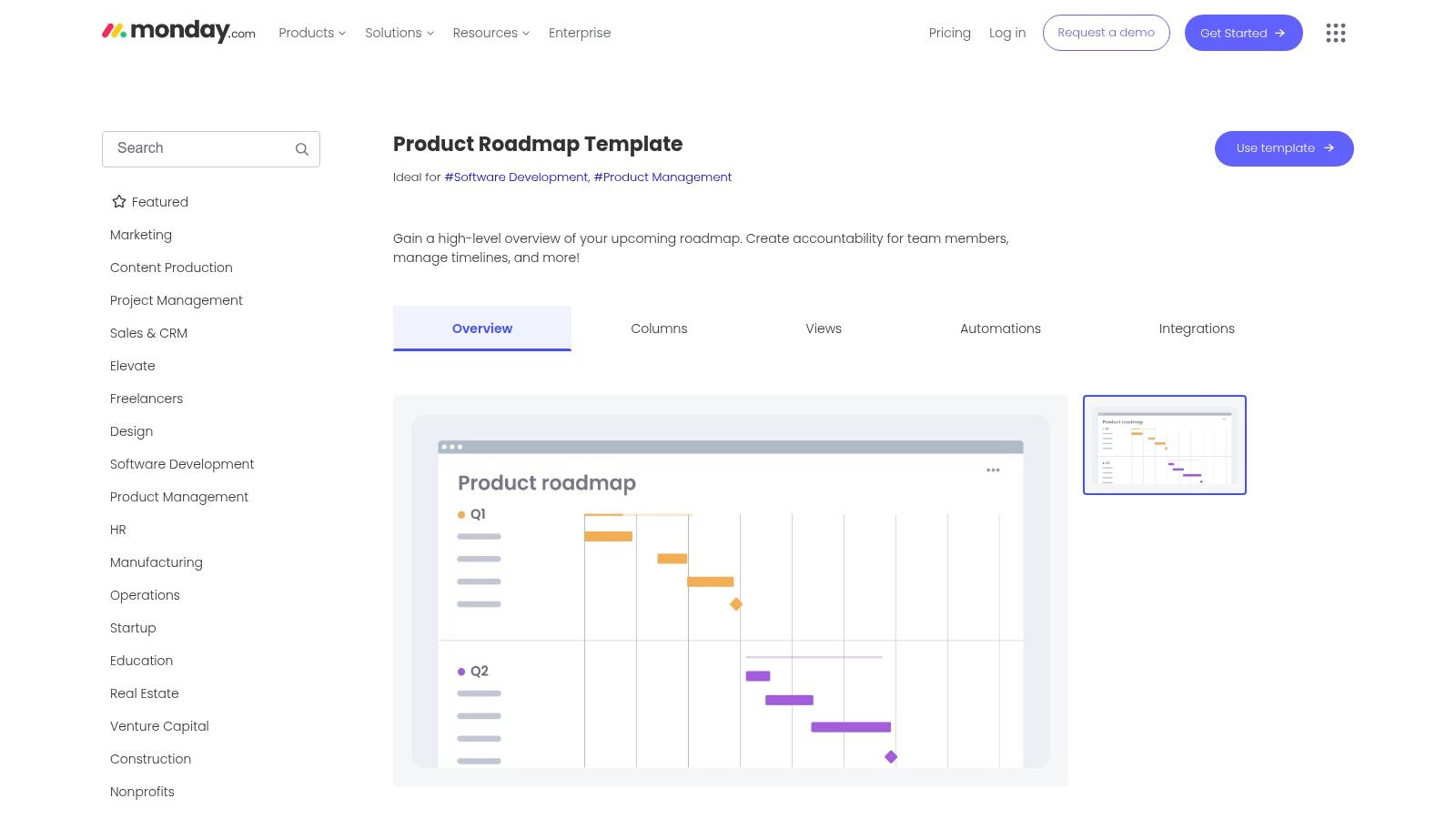
The platform shines with its multiple views, letting you switch between a timeline for long-range planning, a Kanban board for sprint management, and powerful dashboards for executive reporting. Automations are a key differentiator, enabling you to set up rules that automatically notify stakeholders in Slack of status changes or sync updates with development tools like Jira and GitHub. This turns the roadmap into a central communication hub rather than just a planning artifact.
Use Case and Implementation
This template is ideal for cross-functional teams that need to communicate product strategy clearly to non-technical stakeholders like marketing, sales, and leadership. Its visual nature and simple status columns (e.g., "Working on it," "Done," "Stuck") make progress instantly understandable to anyone in the organization. The setup is quick, making it perfect for startups or teams wanting to establish a clear planning process without heavy engineering overhead.
Pro Tip: Leverage the dashboard widgets to create a custom, real-time executive summary of your product's progress. Combine charts for status breakdowns, workload distribution, and timeline overviews in one shareable view for leadership meetings.
Pros and Cons
| Pros | Cons |
|---|---|
| Quick Setup & High Visibility: Extremely easy to get started and share with stakeholders. | Paid Plans for Full Value: The free plan has limitations; robust features require a paid subscription. |
| Robust Dashboards & Views: Excellent for creating high-level executive reports. | Less Specialized: Lacks the deep, feature-specific functionality of dedicated product management tools. |
| Powerful Automations: Connects seamlessly with other tools like Slack, Jira, and GitHub. | Can Become Complex: Over-customization can lead to a cluttered and confusing board if not managed well. |
Access the Template: monday.com Product Roadmap Template
7. ProductPlan – Roadmap Templates
For teams seeking a dedicated, presentation-ready roadmapping tool, ProductPlan offers a polished library of templates that are accessible during its free trial. While not permanently free, the platform provides a powerful product roadmap template free to use for 14 days, showcasing what purpose-built roadmapping software can achieve. Its core strength lies in creating visually appealing, executive-friendly roadmaps that are easy to build and even easier to share.
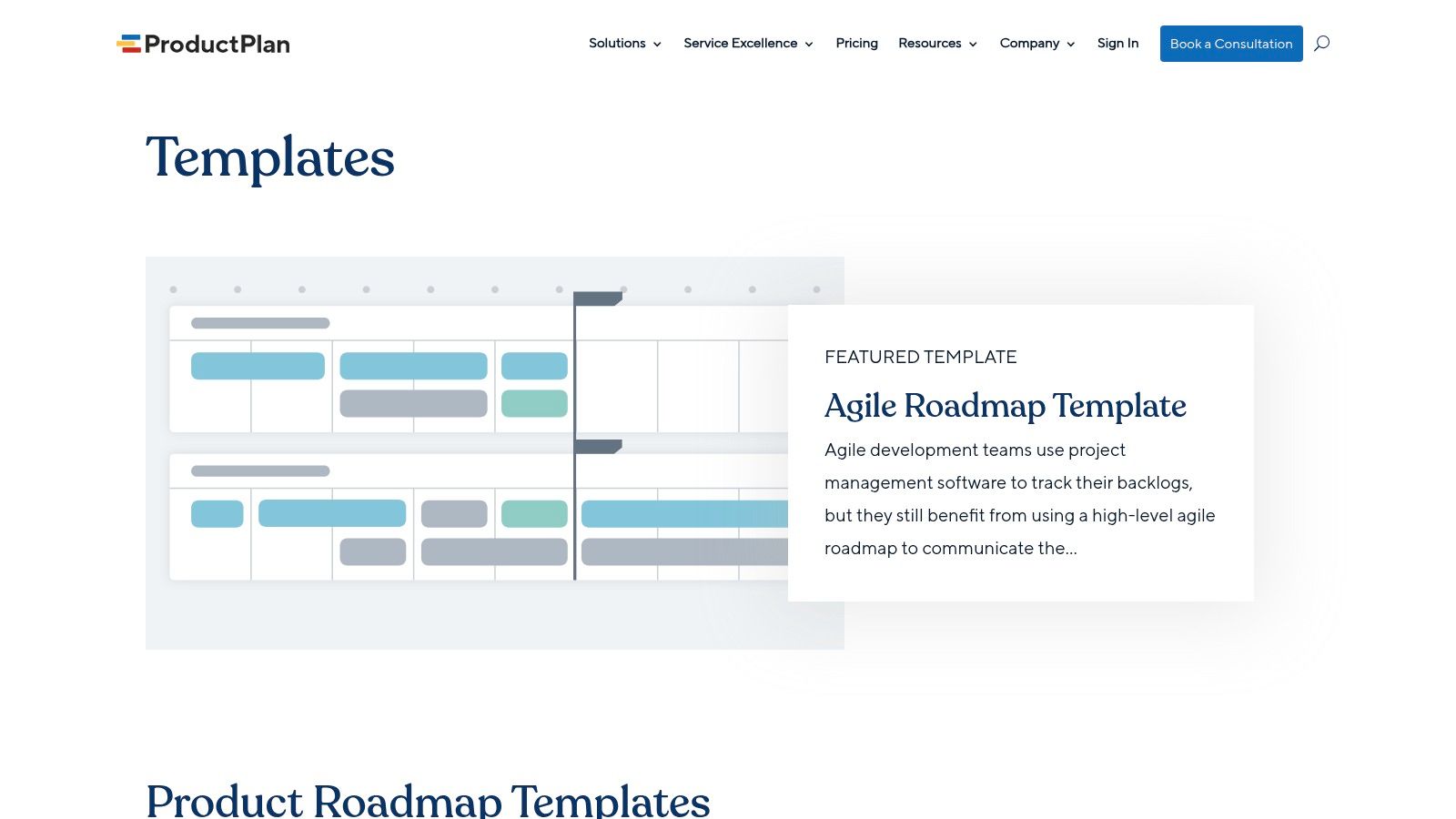
The drag-and-drop interface with swimlanes and color-coded legends makes it simple to structure complex initiatives without technical overhead. Unlike spreadsheet-based templates, ProductPlan allows you to create multiple views of the same data, ensuring that you can present a high-level strategic overview to leadership and a more detailed timeline to the development team, all from a single source of truth.
Use Case and Implementation
This solution is ideal for product managers who frequently present roadmaps to executives and need to communicate strategy clearly and professionally. The ability to tailor views for different audiences is a significant advantage, removing the need to maintain multiple versions of the roadmap. Integrating with tools like Jira or Azure DevOps allows you to pull in progress data, though it serves more as a presentation layer than a deeply integrated execution tool.
Pro Tip: Use the "Versions" feature to create and compare different strategic scenarios without altering your primary roadmap. This is invaluable for evaluating trade-offs and effectively communicating prioritization decisions, a critical skill discussed in-depth when learning how to prioritize a roadmap.
Pros and Cons
| Pros | Cons |
|---|---|
| Executive-Friendly Visuals: Creates highly polished, easy-to-understand roadmaps. | Paid Software: The full feature set is only accessible during a 14-day trial. |
| Audience-Specific Views: Easily customize and share different versions of the roadmap. | Separate Tool: Requires adoption and management alongside your primary issue tracker (Jira, etc.). |
| Extensive Template Library: Offers pre-built templates for various needs (portfolio, release). | Potential for Misalignment: Can become a "vanity roadmap" if not diligently synced with execution tools. |
Access the Template: ProductPlan Roadmap Templates
8. Roadmunk by Tempo – Roadmap Templates
Roadmunk, now part of Tempo, provides a sophisticated platform where product managers can find a robust product roadmap template free to use during their 14-day trial period. The platform is designed for visual, strategic communication, offering a clear distinction between different roadmapping philosophies. It stands out by enabling users to easily switch between timeline-based views for schedule-driven planning and swimlane views for theme or team-based strategic alignment. This flexibility allows PMs to tailor their roadmap's presentation to the specific audience, whether it's an engineering team needing a schedule or a leadership team focused on strategic goals.

The template gallery is extensive, covering product, technology, and project management use cases to help teams get started quickly. These are not just static documents but interactive canvases within a powerful tool designed for collaboration. Users can create shareable, view-only versions of their roadmaps, ensuring stakeholders are always looking at the most current plan without needing a full license.
Use Case and Implementation
This tool is ideal for product teams in growing organizations that need to standardize their roadmapping process and improve executive communication. It's particularly effective for PMs who manage multiple product lines or need to present a unified portfolio view to leadership. The clear visual separation between strategic themes and delivery timelines helps align diverse stakeholders around a common plan.
Pro Tip: Use the "Timeline" view when presenting to delivery teams and boards that focus on dates. Switch to the "Swimlane" view, organized by strategic themes or objectives, for executive reviews to keep the conversation focused on value and outcomes, not just deadlines.
Pros and Cons
| Pros | Cons |
|---|---|
| Dual Visualization Modes: Easily switch between timeline (time-based) and swimlane (theme-based) views. | Paid Platform: Full access and continued use require a subscription after the free trial. |
| Rich Template Gallery: Provides a wide variety of pre-built templates for a quick start. | Team Adoption Required: Maximum value is realized when the entire team adopts the tool. |
| Excellent for Stakeholder Communication: Creates clean, professional, and shareable roadmap visuals. | Learning Curve: While intuitive, mastering its full feature set takes some time. |
Access the Template: Roadmunk Roadmap Templates
9. Aha! – Template Library (Roadmaps/Discovery)
For product organizations seeking a comprehensive, strategy-first platform, Aha! provides a library of expert-curated templates that go far beyond basic roadmap visualization. While not a standalone product roadmap template free offering, the templates are accessible within its free 30-day trial, providing a chance to leverage an enterprise-grade toolset. The key differentiator for Aha! is its strong emphasis on connecting strategic goals directly to features and releases.
The platform's template library covers the entire product development lifecycle, including strategy, roadmapping, research, and launch planning. You can implement a features roadmap, a strategy roadmap, or a portfolio roadmap, all of which are deeply integrated into Aha! Roadmaps' robust features for prioritization scoring, capacity planning, and collaborative feedback. This creates a powerful, unified environment where strategy is not just a document but a driver of day-to-day execution.
Use Case and Implementation
Aha! is ideal for established product teams and enterprises that need to align multiple product lines with overarching business objectives. Its templates serve as a starting point within a structured ecosystem, ensuring consistency and strategic alignment across the organization. The integration between documents, whiteboards, and the core roadmapping tool allows teams to move seamlessly from brainstorming and research to planning and execution without leaving the platform.
Pro Tip: Use the strategy templates first to define your company's vision, goals, and initiatives. Then, link items from your product roadmap template directly to these strategic initiatives to clearly demonstrate how your team's work contributes to the bigger picture.
Pros and Cons
| Pros | Cons |
|---|---|
| Comprehensive Feature Set: Extends beyond roadmaps to strategy and execution. | Paid Subscription Required: Full access is behind a paywall after the trial. |
| Strong Strategic Alignment: Excels at connecting features to business goals. | Adoption Effort: Can be complex to implement if not already using the Aha! suite. |
| Expert-Curated Library: High-quality templates for various PM activities. | Overkill for Small Teams: May be too feature-rich for simple projects. |
Access the Template: Aha! Template Library
10. Figma/ FigJam – Product Development Roadmap Template
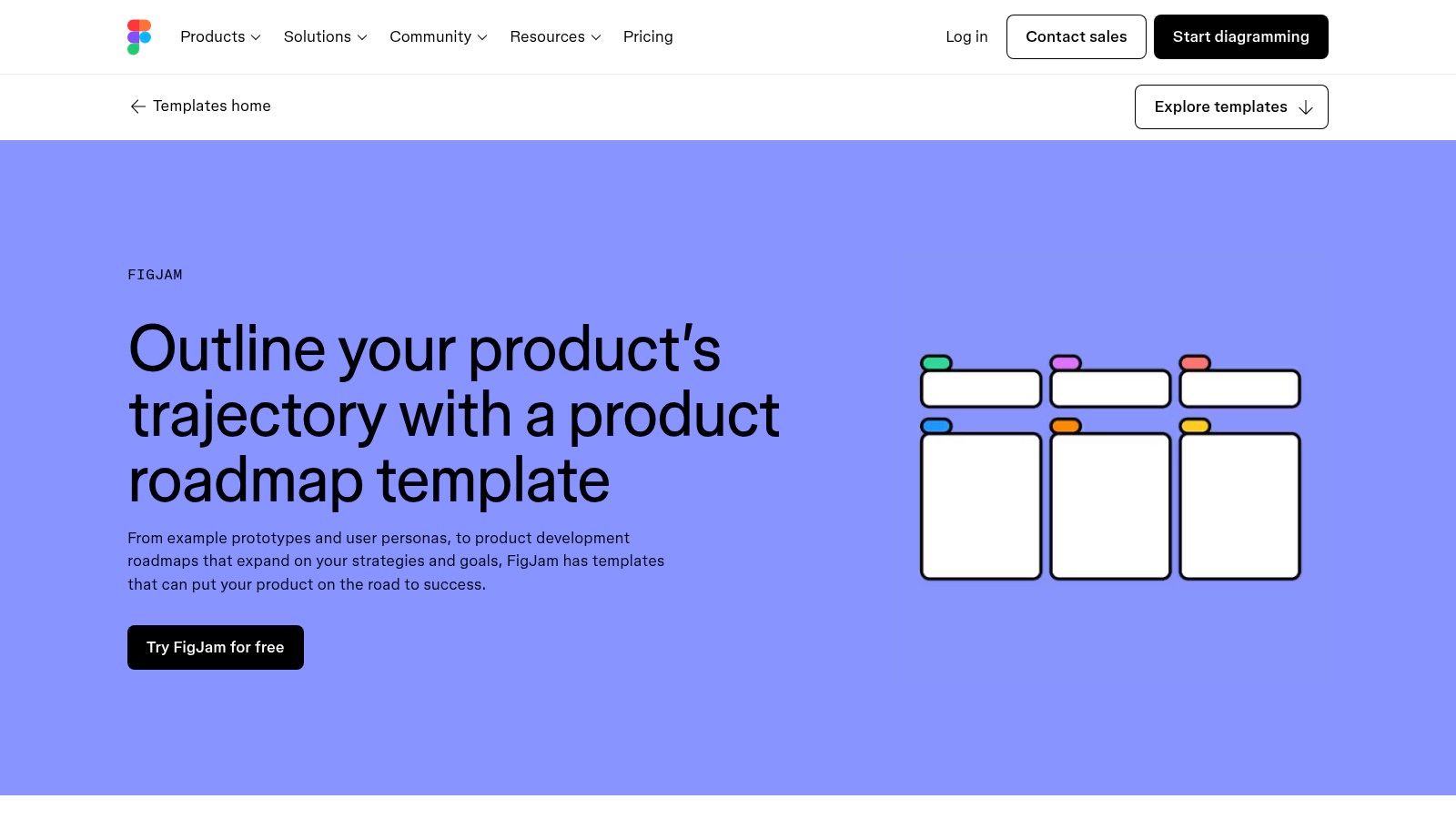
For teams that prioritize visual collaboration and creative brainstorming, FigJam offers an incredibly flexible and engaging product roadmap template free of charge. Unlike structured project management tools, FigJam provides an infinite canvas, making it the ideal environment for early-stage discovery, ideation workshops, and strategic alignment sessions. Its strength lies in its ability to facilitate live, co-creative planning before a roadmap is formalized.
The platform excels at bringing cross-functional teams, including designers, engineers, and marketers, onto the same page visually. Teams can use interactive elements like sticky notes, diagrams, and live cursor chat to build out roadmaps that include personas, user story maps, and strategic goals. This approach transforms roadmapping from a top-down declaration into a collaborative, bottom-up exercise in shared understanding and buy-in.
Use Case and Implementation
FigJam’s template is perfect for kickoff meetings, quarterly planning workshops, and any scenario requiring real-time input from multiple stakeholders. It shines when you need to align on high-level themes and priorities before committing to specific features and timelines in a tool like Jira or Asana. The interactive whiteboarding nature makes it easy for non-technical participants to contribute ideas freely.
Pro Tip: Use the timer and voting widgets during a planning session to time-box discussions and democratically prioritize initiatives. After the session, paste a link to the FigJam board directly into your project management tool to provide crucial context for the delivery team.
Pros and Cons
| Pros | Cons |
|---|---|
| Excellent for Collaborative Workshops: Unbeatable for live, interactive planning and ideation. | Not a Delivery Tracker: Lacks connection to execution; requires pairing with a PM system. |
| Highly Visual and Flexible: The freeform canvas allows for creative and customized roadmaps. | Requires Disciplined Usage: Can become messy without clear governance and version control. |
| Free to Start: The core features are available on Figma's generous free plan. | Less Structured: May not be suitable for teams that need rigid, data-driven roadmap tools. |
Access the Template: FigJam Product Development Roadmap Template
11. Smartsheet – In-App Product Roadmap Templates
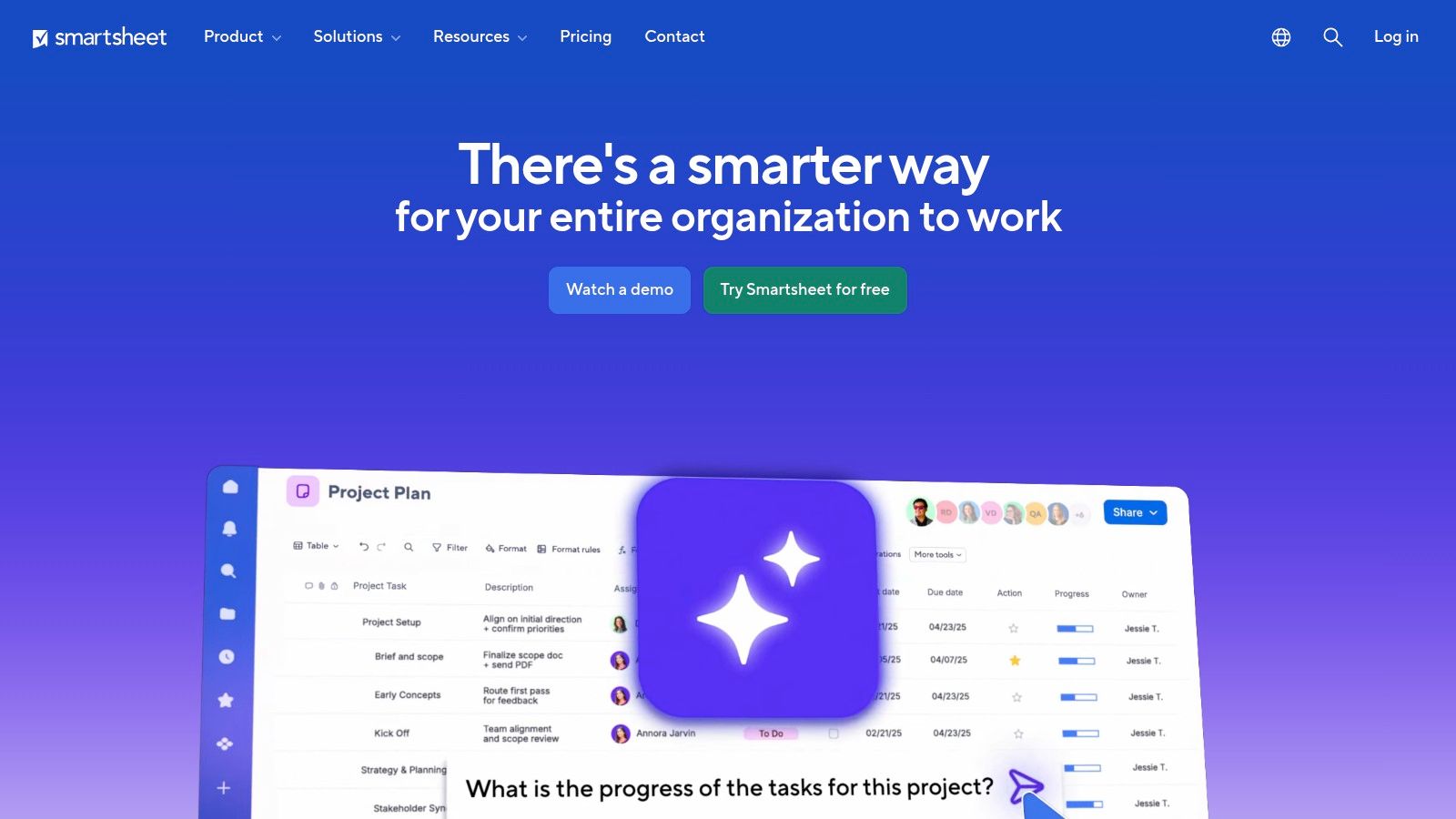
For PMOs, operations-heavy teams, or product managers who prefer a powerful spreadsheet-like interface, Smartsheet offers a robust product roadmap template free within its platform's template gallery. Its key differentiator is combining the familiarity of a grid-based sheet with advanced project management capabilities, including enterprise-grade governance and reporting. This makes it an ideal choice for organizations that need to maintain tight control over planning and execution data.
Smartsheet moves beyond a simple grid by offering multiple views like Gantt, card, and calendar, allowing teams to visualize their roadmap in the format that best suits their audience. Templates are designed for specific workflows, such as product releases or development timelines, and come pre-configured with fields for milestones, owners, status, and dependencies. This structure provides a solid foundation that can be customized for complex product portfolios.
Use Case and Implementation
Smartsheet is exceptionally well-suited for environments where cross-functional alignment and detailed tracking are paramount, particularly within large enterprises or PMOs. The platform excels at rolling up individual project data into high-level dashboards for executive reporting, providing a clear line of sight from strategic goals to task-level progress without leaving the tool.
Pro Tip: Leverage Smartsheet’s dashboard widgets to create a real-time executive summary of your product roadmap. Combine charts, metrics, and report summaries to give stakeholders a high-level view of progress, risks, and upcoming milestones at a glance.
Pros and Cons
| Pros | Cons |
|---|---|
| Familiar Spreadsheet Interface: Easy for teams accustomed to Excel or Google Sheets to adopt. | Platform Dependency: Templates and features are designed to be used within the Smartsheet app. |
| Enterprise Governance: Strong controls, permissions, and reporting for regulated industries. | Requires Subscription: Advanced features and full functionality are behind a paid plan. |
| Multiple Views: Includes grid, Gantt, and card views to visualize data in different ways. | Less Specialized for PMs: Can feel more like a project management tool than a dedicated product tool. |
Access the Template: Smartsheet Product Roadmap Templates
12. Office Timeline – Free Product Roadmap Templates (PowerPoint/Excel)
For product managers who need to create visually compelling, presentation-ready roadmaps without introducing new software to stakeholders, Office Timeline is an exceptional resource. It provides a product roadmap template free for download, designed specifically for PowerPoint and Excel. The key advantage is its familiarity; it allows PMs to build and present strategic plans within the universally adopted Microsoft Office suite, making it ideal for executive reviews and board meetings.
Office Timeline bridges the gap between complex planning and clear communication. The templates come in various styles, including swimlane and milestone-based layouts, that can be instantly populated. For those seeking more efficiency, an optional PowerPoint add-in automates the process of creating and updating these visuals, turning data into professional timelines in minutes. This approach is perfect for teams resistant to adopting dedicated cloud-based product management tools.

Use Case and Implementation
This solution excels in corporate environments where slide decks are the primary communication currency. It's built for PMs who need to quickly create a high-level roadmap for a quarterly business review or a pitch to leadership, focusing on visual clarity over granular task management. The templates require no learning curve, allowing for immediate implementation.
Pro Tip: Download a template and customize your company's branding (colors, logos) to create a master version. This saves time on future presentations and ensures brand consistency across all strategic communications.
Pros and Cons
| Pros | Cons |
|---|---|
| Presentation-Ready: Instantly downloadable files designed for high-impact slide decks. | Manual Updates: Roadmaps are static and must be manually updated without the paid add-in. |
| Executive-Friendly: Perfect for leaders and stakeholders who prefer PowerPoint over new PM software. | Limited Collaboration: Lacks the real-time, collaborative features of cloud-based platforms. |
| No New Software Required: Leverages existing familiarity with Microsoft PowerPoint and Excel. | Not a Management Tool: It's for visualization and presentation, not for managing delivery. |
Access the Template: Office Timeline Free Roadmap Templates
Top 12 Free Product Roadmap Templates Comparison
| Product | Core Features/Characteristics | User Experience/Quality ★ | Value Proposition 💰 | Target Audience 👥 | Unique Selling Points ✨ | Price Points 💰 |
|---|---|---|---|---|---|---|
| Atlassian – Jira Product Discovery | Board/timeline views, Jira sync, stakeholder voting | ★★★★ | Deep Jira integration 🏆 | Software teams using Jira 👥 | Now/Next/Later views, official Atlassian ✨ | Premium tier for advanced features 💰 |
| Atlassian Confluence – PM Templates | Roadmaps, PRDs, launch plans, inline comments, embeds | ★★★ | Free, documentation-first approach 💰 | Documentation-centric teams 👥 | Embeds from Jira/Figma, page permissions ✨ | Free |
| Miro – Roadmap Templates Library | Drag-drop boards, real-time collaboration, multiple template types | ★★★★ | Fast visual alignment, free templates 💰 | Cross-functional teams 👥 | Visual whiteboarding, live voting ✨ | Free tier with limits 💰 |
| Asana – Free Product Roadmap | Timeline/calendar views, priority/status fields, integrations | ★★★ | Clear task-roadmap linkage, free start 💰 | PMs using Asana 👥 | Calendar + timeline, app integrations ✨ | Free with paid plan upsell 💰 |
| ClickUp – Product Roadmap | 10+ statuses, 15 custom fields, multiple views, collaboration | ★★★★ | Highly customizable, all-in-one 🏆 | Teams needing flexible workflows 👥 | Detailed statuses/fields, collaboration ✨ | Free + paid for automations 💰 |
| monday.com – Product Roadmap | Custom columns, Gantt/Kanban/dashboard views, automations | ★★★ | Quick set-up, stakeholder-friendly views | Teams needing overview & automation 👥 | Robust dashboards, multi-view ✨ | Paid plans after trial 💰 |
| ProductPlan – Roadmap Templates | Drag-drop, multiple audience views, broad integrations | ★★★★★ | Executive-friendly visuals 🏆 | Enterprise PMs, execs 👥 | Polished interface, customizable views ✨ | Paid after 14-day trial 💰 |
| Roadmunk by Tempo – Roadmaps | Timeline/swimlane modes, collaborative views, template gallery | ★★★★ | Clear time vs strategy separation ✨ | Teams focused on projects & strategy 👥 | Strong template variety ✨ | Paid after trial 💰 |
| Aha! – Template Library | Roadmaps, strategy, research, launch; prioritization | ★★★★★ | Enterprise-grade, strategic alignment 🏆 | Enterprise PMs 👥 | Strong integration & planning tools ✨ | Paid subscription 💰 |
| Figma/ FigJam – Roadmap Template | Interactive whiteboarding, comments, personas, story mapping | ★★★★ | Free, great for workshops & ideation 💰 | Early-stage teams & designers 👥 | Collaborative canvas + 1000+ community templates ✨ | Free |
| Smartsheet – Roadmap Templates | Grid, Gantt, card, dashboards, enterprise governance | ★★★★ | Spreadsheet familiarity, PMO focus 🏆 | PMO, operations teams 👥 | Strong enterprise sharing & reporting ✨ | Paid subscription 💰 |
| Office Timeline – PPT/Excel | Downloadable templates, add-in for editing, swimlane/milestones | ★★★ | Instant exec presentations 💰 | Executives, presentation owners 👥 | PPT add-in, slide deck ready ✨ | Free |
From Template to Impact: Making Your Roadmap a Career Accelerator
We've explored a comprehensive arsenal of tools, from the integrated power of Atlassian’s Jira and Confluence to the visual freedom of Miro and FigJam. We've seen how dedicated platforms like ProductPlan and Aha! offer deep strategic capabilities, while project management giants like Asana and ClickUp provide templates that plug directly into your team's existing workflows. The sheer volume of high-quality, free product roadmap templates available means there is no excuse for a poorly communicated strategy.
The critical takeaway is this: a template is not the solution, it is a starting point. Your real job as a Product Manager is to transform that blank slate into a compelling narrative of value creation. The difference between a junior PM and a senior product leader often lies in this exact skill. Junior PMs fill out the template; leaders wield the roadmap as a tool of influence, alignment, and strategic persuasion.
Actionable Next Steps: From Selection to Execution
Choosing the right product roadmap template free of charge is the first crucial decision. Don’t just pick the first one you see. Your goal is to find the best-fit tool for your specific context, which will amplify your strategic message rather than dilute it.
Here’s a simple decision tree to guide your selection:
- If you live in Jira/Confluence: Start with the native Atlassian templates. The seamless integration reduces administrative overhead and keeps your roadmap connected directly to the work being done. This is the path of least resistance for most engineering-heavy organizations.
- If your team thrives on visual collaboration: Your best bets are Miro or FigJam. These infinite canvases are unmatched for brainstorming sessions, stakeholder workshops, and telling a dynamic, visual story that a simple spreadsheet cannot.
- If you need executive-ready presentations: Look at Office Timeline for PowerPoint or the polished outputs from ProductPlan and Roadmunk. These tools are designed to create crisp, high-level views that resonate with leadership and C-suite audiences who need the 'why' more than the 'how'.
- If your roadmap is deeply tied to project execution: Asana, ClickUp, monday.com, and Smartsheet offer templates that link strategic initiatives directly to tasks and timelines. This is ideal for PMs who need to maintain tight operational control and visibility.
Once you’ve selected 2-3 candidates, pressure-test them. Build a simplified version of your current roadmap in each. Ask yourself: Which format most clearly communicates our strategic pillars? Which one would make the most sense to a new engineer? Which one could I confidently present to my CEO with only five minutes of their time?
Beyond the Template: The Hallmarks of a Career-Accelerating Roadmap
A great roadmap is more than a list of features plotted on a timeline. It's a strategic artifact that demonstrates your command of the business. To truly make your product roadmap impactful and accelerate your career, it's essential to understand underlying methodologies like the Product Led Growth (PLG) strategy. Integrating PLG principles into your roadmap shifts the focus from just shipping features to building a self-sustaining growth engine, a concept that immediately signals strategic maturity to leadership.
Remember, your roadmap is a living document. It will and should change. The true value comes from the alignment it creates and the strategic conversations it provokes. Use it to force difficult prioritization discussions, to secure resources, and to ensure every person on your team understands how their work contributes to the bigger picture.
Mastering the art of the roadmap is non-negotiable for career advancement in product management. It is your primary vehicle for demonstrating strategic thinking, business acumen, and leadership. Choose your template wisely, infuse it with a clear and compelling vision, and use it to drive your product-and your career-forward.
Ready to go beyond templates and master the core skills that get PMs hired and promoted at top tech companies? I provide in-depth, actionable advice on product strategy, career growth, and leadership on my blog. Get the insights trusted by thousands of PMs at Aakash Gupta.
