As a PM leader at companies like Google and Meta, I've reviewed thousands of PRDs and seen a simple, recurring problem: weak user stories. Junior PMs often treat them as a bureaucratic box to check, leading to vague requirements, endless engineering questions, and features that miss the mark. Strong, precise user stories are not just a process formality; they are the fundamental unit of product execution. Get them right, and you create clarity, accelerate development, and de-risk your roadmap. Get them wrong, and you invite chaos.
This guide cuts through the abstract theory. We're providing a tactical toolkit of 8 concrete, real-world sample user stories and acceptance criteria that you can copy, adapt, and deploy directly into your Jira or Linear backlog. These aren't generic templates. They cover critical product areas like secure authentication, AI-powered search, payment processing, and user account management. For each example, we’ll break down the strategic 'why' behind its structure and the specific language used.
The goal is to move you from guessing to executing with confidence. A key benefit of well-defined acceptance criteria, an integral part of your user story template, is that they enable proactive validation. This process is crucial for testing software requirements before coding, preventing costly rework and ensuring the engineering team builds exactly what the user needs. This isn't just a list; it's a playbook for building better products and demonstrating the kind of high-impact clarity that gets you promoted.
1. User Authentication and Login
User authentication is the gateway to any application that manages user-specific data or offers personalized experiences. It’s the process of verifying a user's identity before granting them access to the system. This foundational element is non-negotiable for security, data privacy, and creating tailored user journeys. For product managers, getting the login story right is crucial; it’s often the first interactive experience a user has with your product.

This process is so fundamental that strong user stories and acceptance criteria are essential to cover all scenarios, from successful logins to forgotten passwords. Crafting these requires a deep understanding of both user needs and security protocols. For a comprehensive guide on structuring these narratives, you can learn more about how to write effective user stories.
Sample User Story
As a registered user,
I want to log in to my account using my email and password
So that I can access my personalized dashboard and manage my settings.
Acceptance Criteria
This user story can be broken down into clear, testable acceptance criteria using the Gherkin format (Given/When/Then). This structure helps developers, testers, and product managers stay aligned on the expected behavior.
Scenario 1: Successful Login with Valid Credentials
- Given I am on the login page
- And I have entered my correct, registered email address
- And I have entered my correct password
- When I click the "Log In" button
- Then I should be redirected to my personal dashboard
- And I should see a success message that says "Welcome back, [User Name]!"
Scenario 2: Failed Login with Invalid Password
- Given I am on the login page
- And I have entered a valid, registered email address
- And I have entered an incorrect password
- When I click the "Log In" button
- Then I should remain on the login page
- And I should see an error message: "The email or password you entered is incorrect."
Scenario 3: Attempted Login with Unregistered Email
- Given I am on the login page
- And I have entered an email address that is not registered
- When I click the "Log In" button
- Then I should remain on the login page
- And I should see a generic error message: "The email or password you entered is incorrect."
- Strategic Note: The error message here is intentionally identical to Scenario 2. This is a crucial security practice to prevent "user enumeration," where malicious actors could otherwise determine which emails are registered in your system. This is standard practice at companies like Google and Meta to protect user privacy.
2. Product Search and Filtering (AI-Enhanced)
For any e-commerce site or content platform, the search and filtering functionality is the primary engine of discovery. A poor search experience leads to frustration and abandonment, directly impacting revenue. Today, top-tier companies like Amazon and Netflix don't just use keyword matching; they use AI/ML models to power semantic search, personalization, and intelligent recommendations, fundamentally changing user expectations.

Crafting robust user stories for AI-powered search requires thinking beyond traditional filters. For instance, innovative features like AI clothing try-on technology require detailed user stories to define user interactions and expected outcomes. To validate the effectiveness of your search interface, you can explore methods for conducting usability testing.
Sample User Story
As a customer shopping for a new laptop,
I want to search for "laptops" and filter the results by brand, price range, and screen size
So that I can quickly find a model that meets my specific needs and budget.
Acceptance Criteria
This user story encompasses a core e-commerce journey. The acceptance criteria must cover both the initial search and the subsequent filtering actions, ensuring the system responds correctly at each step.
Scenario 1: Successful Search and Filter Application
- Given I am on the homepage
- And I have entered "laptops" into the search bar
- When I press "Enter" or click the search icon
- Then I should be taken to the search results page showing a list of laptops
- And I should see filtering options for "Brand," "Price," and "Screen Size"
- When I select "Apple" under Brand and a price range of "$1000 – $1500"
- Then the search results should dynamically update to show only MacBook models within that price range
- And the selected filters "Apple" and "$1000 – $1500" should be clearly displayed as active.
Scenario 2: No Results Found for a Search Query
- Given I am on the homepage
- And I have entered a nonsensical term like "asdfghjkl" into the search bar
- When I initiate the search
- Then I should be taken to a search results page
- And I should see a message stating "No results found for 'asdfghjkl'."
- And I should see AI-powered suggestions for alternative searches or popular categories.
Scenario 3: Clearing Applied Filters
- Given I am on the search results page with filters for "Apple" and "$1000 – $1500" applied
- When I click the "Clear All" or "Reset" filters button
- Then all applied filters should be removed
- And the search results should revert to showing all items for the original "laptops" query.
- Strategic Note: Providing a clear and easy way to remove filters is as important as applying them. This prevents users from getting "stuck" in a narrow search and encourages broader exploration, which can be crucial for discovery and upselling.
Scenario 4: AI Model Performance for Semantic Search (AI PM Focus)
- Given I am a user searching for a "quiet laptop for coding on the go"
- When I initiate the search
- Then the results should prioritize laptops known for low fan noise and long battery life, even if the keywords "quiet" and "battery" are not in the product title.
- And the search results must achieve a precision@10 score of at least 0.8 on our internal test dataset for "feature-based" queries.
3. Shopping Cart Management
Shopping cart management is the functional core of any e-commerce experience, serving as the digital bridge between browsing and purchasing. It allows users to collect, review, and modify a selection of items before committing to a purchase. For product managers in the e-commerce space, a seamless and intuitive cart experience is paramount; it directly impacts conversion rates, average order value, and customer satisfaction.

This feature must be robust, covering actions like adding, removing, and updating quantities. Effective user stories and acceptance criteria are vital for ensuring the cart behaves predictably across all user interactions, from adding the first item to handling inventory changes. For those interested in innovative checkout solutions, you can explore how modern carts are evolving with features like integrated carbon-offsetting at checkout.
Sample User Story
As a customer browsing an online store,
I want to add an item to my shopping cart and adjust its quantity
So that I can review my selections before proceeding to checkout.
Acceptance Criteria
This user story encompasses several key actions within the cart. Using the Gherkin format helps articulate the expected system behavior for each interaction, providing clarity for development and testing.
Scenario 1: Successfully Add an Item to the Cart
- Given I am viewing a product page
- When I click the "Add to Cart" button
- Then the item should appear in my shopping cart
- And I should see a notification confirming the item was added (e.g., a pop-up or a flyout)
- And the cart icon's item count should update to reflect the new item.
Scenario 2: Update Item Quantity in the Cart
- Given I have an item in my shopping cart
- And I am viewing the cart page
- When I increase the quantity of the item from 1 to 3
- Then the item's quantity should display as 3
- And the line item total and the cart subtotal should update immediately to reflect the new price.
Scenario 3: Remove an Item from the Cart
- Given I have two different items in my shopping cart
- When I click the "Remove" button for one of the items
- Then that item should be removed from the cart list
- And the cart subtotal should be recalculated based on the remaining item
- And the cart icon's item count should decrease by one.
4. User Profile and Account Settings
User profile and account settings are the command center for a user's personal experience within an application. This is where they manage their identity, control their privacy, and tailor the product to their specific needs. For product managers, a well-designed account settings area is critical for building user trust, ensuring data privacy compliance (like GDPR), and providing the personalization that drives long-term engagement.
This section is more than just a place to change a password; it’s a direct interface for users to control their data and experience. Clear user stories are essential to ensure these sensitive interactions are intuitive, secure, and reliable. Crafting strong acceptance criteria here means accounting for both user convenience and critical security measures, like requiring password confirmation for sensitive changes.
Sample User Story
As a security-conscious user,
I want to update my account password
So that I can keep my account secure and protect my personal information.
Acceptance Criteria
This story focuses on a critical security function and requires precise, testable acceptance criteria to ensure it is implemented correctly. Using the Gherkin format helps align the team on the exact expected behavior for success and failure scenarios.
Scenario 1: Successful Password Update with Valid Credentials
- Given I am logged into my account and on the "Change Password" page
- And I have entered my current password correctly
- And I have entered a new password that meets the security requirements (e.g., 8+ characters, one number, one special character)
- And I have confirmed the new password correctly
- When I click the "Update Password" button
- Then my password should be updated successfully
- And I should be redirected to the account settings page
- And I should see a success message: "Your password has been updated successfully."
- And I should receive an email notification confirming the password change.
Scenario 2: Failed Password Update with Incorrect Current Password
- Given I am logged into my account and on the "Change Password" page
- And I have entered my current password incorrectly
- And I have entered a valid new password in both fields
- When I click the "Update Password" button
- Then I should remain on the "Change Password" page
- And the password fields should be cleared
- And I should see an error message: "The current password you entered is incorrect."
Scenario 3: Failed Password Update with Mismatched New Passwords
- Given I am logged into my account and on the "Change Password" page
- And I have entered my current password correctly
- And my new password and confirmation password do not match
- When I click the "Update Password" button
- Then I should remain on the "Change Password" page
- And I should see an error message: "The new passwords do not match. Please try again."
5. Order Checkout and Payment Processing
The order checkout and payment processing flow is arguably the most critical juncture in any e-commerce journey. It's the final step where a browsing shopper converts into a paying customer. A seamless, secure, and trustworthy checkout experience directly impacts conversion rates and revenue.
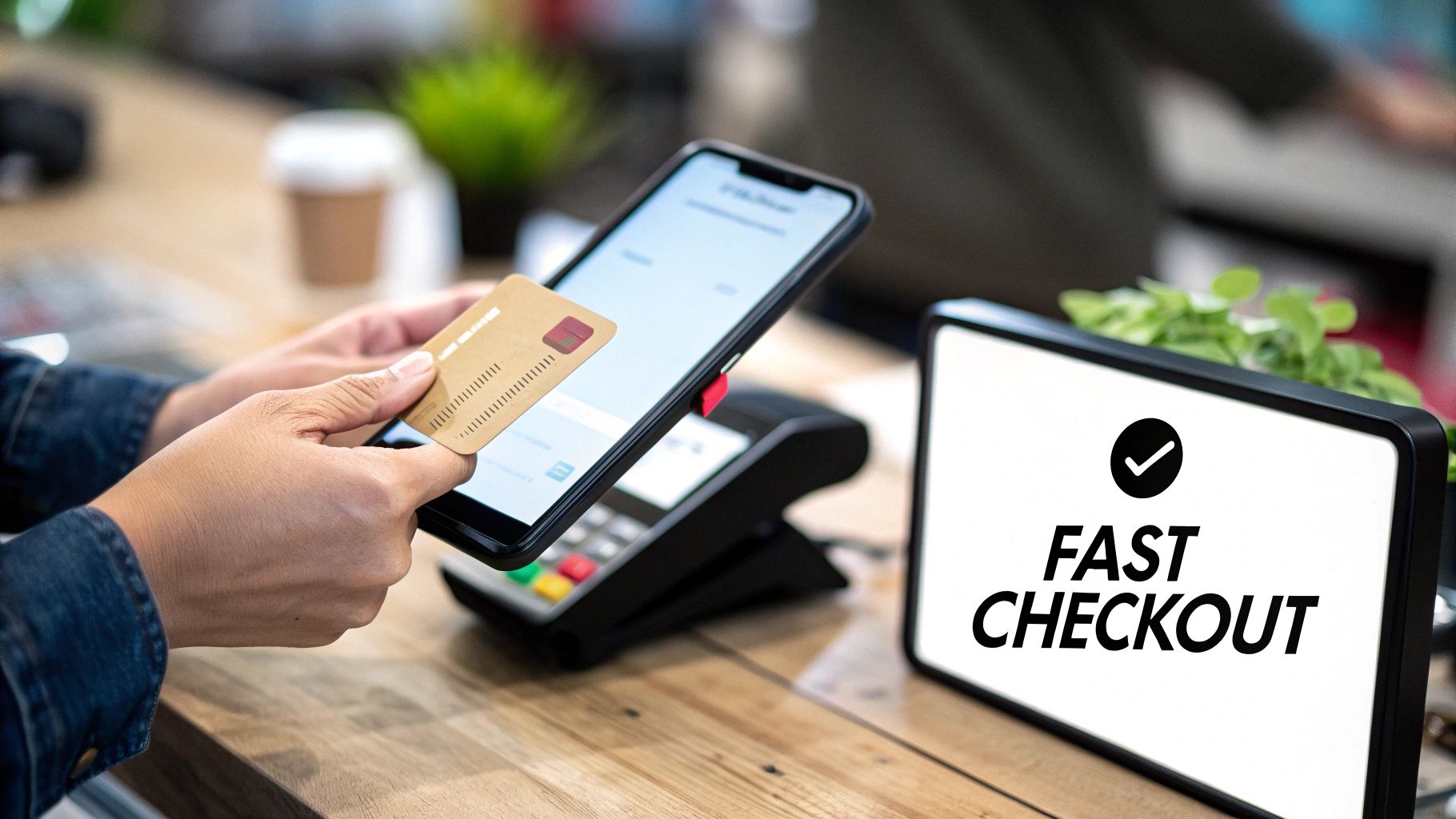
For product managers, designing this flow is a high-stakes balancing act between minimizing friction for the user and implementing robust security measures like PCI DSS compliance. Every field, button, and message must be optimized for clarity and speed. Writing precise sample user stories and acceptance criteria is essential to ensure this complex, multi-step process works flawlessly. For a deeper dive into the mechanics, you can get an overview of modern payment systems and learn more about the fundamentals of payment processing.
Sample User Story
As a customer with items in my cart,
I want to complete my purchase using my credit card
So that I can receive the products I have selected.
Acceptance Criteria
Breaking down the checkout process into distinct scenarios helps ensure every possible outcome is addressed, from successful transactions to common payment failures.
Scenario 1: Successful Payment with a New Credit Card
- Given I am on the final checkout page with items in my cart
- And I have filled in all required shipping and billing information
- And I have entered valid credit card details (card number, expiry date, CVC)
- When I click the "Complete Purchase" button
- Then my payment should be processed successfully
- And I should be redirected to an order confirmation page displaying my order number
- And I should receive an email confirmation with the order details.
Scenario 2: Payment Declined by the Bank
- Given I am on the final checkout page
- And I have entered valid credit card details
- When I click the "Complete Purchase" button
- And the payment processor returns a "declined" response from the bank
- Then I should remain on the checkout page
- And I should see a clear error message: "Your payment was declined. Please try a different card or contact your bank."
- And the credit card input fields should be cleared for security.
6. Notification and Alert System
A well-designed notification and alert system is the central nervous system of a modern application. It proactively communicates important, timely information to users via channels like email, in-app messages, SMS, or push notifications. For product managers, notifications are a powerful tool for driving engagement, retention, and user action, but they must be managed carefully to avoid becoming intrusive noise.
The best systems, like Slack's customizable alerts or Amazon's order status updates, provide clear value and respect user preferences. Crafting strong sample user stories and acceptance criteria for notifications means balancing business goals with user control. It requires a deep focus on personalization, timing, and relevance to ensure every alert is a welcome interaction, not a reason to turn them off.
Sample User Story
As a project manager,
I want to receive an in-app notification when a team member completes a task assigned to them
So that I can stay updated on project progress in real-time and provide timely feedback.
Acceptance Criteria
Clear acceptance criteria are essential for defining the triggers, content, and behavior of notifications. The Gherkin format helps ensure that development and testing teams align on these critical details for every user-facing alert.
Scenario 1: User Receives a Task Completion Notification
- Given I am logged into the application
- And my notification preferences for "Task Updates" are enabled
- And a team member has just marked a task assigned to them as "Complete"
- When the system processes the task completion event
- Then I should see an in-app notification badge appear
- And the notification should read: "[Team Member Name] has completed the task: '[Task Title]'."
- And clicking the notification should navigate me directly to the completed task's details page.
Scenario 2: User Has Disabled Specific Notifications
- Given I am logged into the application
- And my notification preferences for "Task Updates" are disabled
- And a team member has just marked a task assigned to them as "Complete"
- When the system processes the task completion event
- Then I should not receive any in-app notification for this event.
Scenario 3: Notification for an Inactive User
- Given I am logged out of the application
- And my push notification permissions are granted on my mobile device
- And a team member marks a high-priority task as "Complete"
- When a system event triggers this notification
- Then I should receive a push notification on my device
- And the notification text should be: "[App Name]: [Team Member Name] completed '[Task Title]'."
- Strategic Note: This scenario ensures the notification system drives re-engagement. Defining criteria for different user states (logged in vs. logged out) is key to maximizing a notification's impact. The logic must be smart enough to choose the right channel based on user activity. This is critical for mobile-first products at companies like DoorDash or Uber.
7. User Review and Rating System
A user review and rating system is a critical feature for building trust and providing social proof on e-commerce, service, and content platforms. It allows customers to share their direct experiences, influencing the purchasing decisions of others while giving businesses invaluable, direct feedback. For product managers, implementing a robust review system like those on Amazon or Airbnb is key to fostering a transparent and community-driven marketplace.
Crafting clear user stories for this feature ensures the system is intuitive for users and effective for the business. The acceptance criteria must cover the entire flow, from submitting a review to how it's displayed and moderated. This is a foundational element for user-generated content and requires careful planning to prevent spam and maintain authenticity.
Sample User Story
As a customer who has purchased a product,
I want to submit a star rating and a written review for that product
So that I can share my experience with other potential buyers and the company.
Acceptance Criteria
Breaking this user story into Gherkin-style scenarios ensures every aspect of the review submission process is clearly defined and testable. This provides clarity for developers and testers on the expected functionality.
Scenario 1: Successful Submission of a Review with Rating
- Given I am a logged-in user and have purchased a specific product
- And I am on that product's details page
- When I click the "Write a Review" button
- And I select a star rating between 1 and 5
- And I enter my review text in the comment box
- And I click the "Submit Review" button
- Then my review should be submitted for moderation
- And I should see a confirmation message: "Thank you! Your review has been submitted."
Scenario 2: Attempt to Submit a Review without a Rating
- Given I am on the product review submission form
- And I have entered review text
- But I have not selected a star rating
- When I click the "Submit Review" button
- Then the review should not be submitted
- And I should see an error message: "Please select a star rating to continue."
Scenario 3: Attempt to Submit a Review as an Unverified Buyer
- Given I am a logged-in user
- And I am viewing a product page for a product I have not purchased
- When I look for the "Write a Review" button
- Then the button should not be visible or should be disabled
- And I might see a message: "Only verified purchasers can review this item."
- Strategic Note: This criterion is essential for preventing fake reviews and ensuring authenticity. Limiting reviews to verified buyers is a core strategy for building trust in your platform's rating system, a non-negotiable for marketplaces like Amazon.
8. Data Export and Backup
Data export and backup functionality is a critical feature that empowers users with control over their own information. It's the process of allowing users to download their data in a structured, usable format. This capability is essential for building user trust, ensuring compliance with regulations like GDPR's "right to data portability," and providing a safety net for data recovery. For product managers, implementing a robust data export system demonstrates a commitment to transparency and user ownership.
This feature is often more complex than it appears, involving asynchronous processing for large datasets and significant security considerations. Properly defined user stories and acceptance criteria are crucial to ensure the export process is reliable, secure, and user-friendly. Neglecting this area can lead to compliance issues and technical debt that is difficult to manage later. To better understand these implications, you can explore strategies on how to manage technical debt.
Sample User Story
As an account administrator,
I want to export all my team's project data as a CSV file
So that I can create a local backup and perform offline analysis.
Acceptance Criteria
Breaking this down using the Gherkin format ensures every aspect of this critical, multi-step process is clearly defined and testable.
Scenario 1: Successful Data Export Request
- Given I am logged in as an account administrator
- And I have navigated to the "Data & Settings" page
- When I click the "Export All Project Data" button
- Then I should see a confirmation message: "Your data export is being processed. We will email you a download link shortly."
- And an email should be queued to be sent to my registered email address.
Scenario 2: Receiving the Export Download Link
- Given I have successfully requested a data export
- When the export file is ready for download
- Then I should receive an email with the subject "Your Project Data Export is Ready"
- And the email should contain a secure, time-sensitive download link.
Scenario 3: Attempting to Use an Expired Link
- Given I have received a data export email
- And the download link has expired (e.g., after 24 hours)
- When I click the expired download link
- Then I should be directed to a page with an error message: "This download link has expired. Please request a new export."
- Strategic Note: Using time-sensitive links is a key security measure. It minimizes the risk of unauthorized access if the email is compromised or forwarded, protecting sensitive user data from long-term exposure.
8-Point User Stories & Acceptance Criteria Comparison
| Feature | Implementation Complexity 🔄 | Resource & Infrastructure ⚡ | Expected Outcomes 📊 | Ideal Use Cases 💡 | Key Advantages ⭐ |
|---|---|---|---|---|---|
| User Authentication and Login | Medium — secure storage, session/token management; MFA increases complexity | Moderate — encryption, token stores, possible third‑party IdP integration | Strong security baseline, personalized UX, reduced unauthorized access | Any app with user accounts or sensitive data | Establishes trust; standardized patterns; easy-to-test acceptance criteria |
| Product Search and Filtering | High — relevance tuning, faceted search, autocomplete latency constraints | High — search index (Elasticsearch), caching, indexing pipelines, monitoring | Improved discoverability and conversion; measurable search metrics | E‑commerce, large content catalogs, marketplaces | Boosts conversions; valuable user insights; scalable discovery |
| Shopping Cart Management | Low–Medium — state management, quantity updates, promo logic | Moderate — persistent carts, inventory sync, promo validation, mobile optimization | Direct revenue impact; smoother path to checkout; reduced friction | Online retail and marketplaces with purchase flows | Familiar UX; upsell/cross-sell opportunities; clear test criteria |
| User Profile and Account Settings | Low — CRUD operations with validation; extra security for sensitive changes | Low–Moderate — storage for avatars, audit logs, email confirmations | Increased user control, trust, and compliance (GDPR) | Platforms requiring personalization or privacy controls | Empowers users; supports compliance; widely expected feature |
| Order Checkout and Payment Processing | Very High — PCI requirements, multi-provider flows, complex recovery/edge cases | High — payment gateways, tokenization, fraud detection, secure storage | Conversion to revenue; critical UX metrics (checkout conversion rate) | E‑commerce and paid services requiring secure payments | Direct revenue channel; many third‑party integrations to accelerate implementation |
| Notification and Alert System | Medium–High — multi-channel delivery, preference management, throttling | Moderate–High — email/SMS/push providers, queuing, scheduling, analytics | Higher engagement and retention; timely user communication | Apps needing real‑time updates, transactional alerts, marketing | Multi-channel reach; personalization; improves user retention |
| User Review and Rating System | Medium — moderation workflows, verification, sorting and filtering | Moderate — storage, moderation tooling, anti‑spam/ML services | Social proof that increases conversion and provides product feedback | Marketplaces, hospitality, local businesses, product pages | Builds trust; generates UGC and SEO value; actionable feedback loop |
| Data Export and Backup | Medium — data extraction and transformation; large export handling | High — storage, bandwidth, async processing, secure transfer | Compliance (GDPR), portability, disaster recovery and user confidence | Platforms subject to data portability, enterprise customers | Legal compliance; user trust; recovery and migration capability |
From Examples to Execution: Your Action Plan
We’ve navigated through a comprehensive library of sample user stories and acceptance criteria, moving from user authentication to complex data exports. But possessing a catalog of examples is fundamentally different from mastering the art of creating them. The true objective of this guide isn't for you to copy and paste these templates, but to internalize the strategic thinking that underpins them.
The shift from a good Product Manager to a great one happens when you stop seeing user stories as a task on a checklist and start viewing them as the foundational contract between the user's needs and the engineering team's output. It's about moving from "what we need to build" to "what value we must deliver and how we will prove it." This mindset is your most valuable asset.
Distilling the Core Principles
Throughout the examples, from managing a shopping cart to processing payments, a few core principles emerged as non-negotiable for high-impact PMs.
- Clarity Over Complexity: The best acceptance criteria are simple, direct, and unambiguous. If a developer, QA engineer, and stakeholder can't read a criterion and arrive at the exact same understanding of "done," it has failed.
- The User is the Protagonist: Every story must be anchored to a specific user persona and a tangible goal they are trying to achieve. The
As a [persona], I want to [action], so that [outcome]format isn't just a template; it's a constant reminder to stay user-centric. - Testability is Paramount: Your acceptance criteria are, at their core, a test plan. Each point must be a verifiable, true/false statement. Avoid subjective terms like "fast," "easy," or "user-friendly" and instead quantify them (e.g., "page loads in under 2 seconds," "complete the flow in 3 clicks").
Your Immediate Action Plan
Reading about best practices is passive. Building great products is an active, iterative process. Your next step is to bridge that gap and turn these concepts into applied skill. Here's how to start within the next 24 hours:
- Select and Adapt: Choose one feature currently in your product backlog in Jira, Linear, or your tool of choice. Pick one of the sample user stories and acceptance criteria templates from this article that most closely matches your feature's domain (e.g., user profile, notifications, search).
- Rewrite and Refine: Rewrite your existing user story and its acceptance criteria using the structure and principles we've discussed. Pay special attention to defining the edge cases, error states, and non-functional requirements that are often missed.
- Pressure-Test with Your Team: Share your revised story with a developer and a QA engineer on your team. Ask them pointed questions: "Is anything here ambiguous? Can you immediately envision how to build and test this? What are we missing?" This feedback loop is your single greatest tool for improvement.
The Strategic Advantage of Mastery
Why is this skill so critical for career advancement? Because well-crafted user stories and acceptance criteria are the bedrock of efficient product development. They directly impact your team's velocity, reduce rework, minimize bugs, and ensure you are building what truly matters.
When you master this, you are no longer just a "feature manager." You become a strategic facilitator who aligns business goals with user needs and engineering execution. This is the skill that gets you noticed by leadership at companies like Google and Meta. It demonstrates your ability to de-risk projects, manage scope effectively, and deliver predictable, high-quality outcomes.
For those operating in the AI/ML space, this discipline becomes even more crucial. Acceptance criteria must evolve to include model-specific conditions.
AI PM Pro-Tip: Your acceptance criteria for an AI feature should include conditions like: "The recommendation model's output must have a confidence score of >90% to be displayed" or "The data pipeline for the personalization algorithm must have a refresh latency of less than 15 minutes." This level of precision is what separates a successful AI product from a frustrating one. You can use a prompt like this with ChatGPT-4 or Claude 3 to help generate these: "Act as a Senior AI Product Manager. Given the user story: '[your user story]', generate a list of acceptance criteria, including at least two non-functional requirements related to model performance, data latency, or confidence thresholds."
Ultimately, the goal is to build your own evolving playbook. The sample user stories and acceptance criteria in this article are your starting point, not your destination. Adapt them, break them, and reconstruct them to fit the unique context of your product and your team. This is how you transform knowledge into influence and execution into excellence.
For those dedicated to leveling up their product management craft with insights from a seasoned industry leader, I highly recommend exploring the work of Aakash Gupta. His newsletter and resources provide the kind of deep, tactical analysis that helps PMs master core skills like writing effective sample user stories and acceptance criteria and navigating the complexities of the modern product landscape. Find his work at Aakash Gupta for actionable frameworks that bridge the gap between theory and real-world execution.
