The user story format is the single most important communication tool in a Product Manager's arsenal. It's not a documentation chore; it's the core framework that translates ambiguous customer needs into actionable engineering work. In my experience hiring and mentoring PMs at major tech companies, the ability to write a crisp, insightful user story is a non-negotiable skill that separates top-tier talent from the rest.
The entire system boils down to a simple, powerful template you must internalize: As a [persona], I want [goal], so that [outcome]. Mastering this isn't just about agile methodology—it's about building a shared reality that prevents rework, aligns stakeholders, and ensures your team builds products people will actually use and pay for.
Why The User Story Format Is a PM's Most Powerful Tool
For Product Managers, mastering the user story isn't about filling out tickets in Jira. It’s about building a shared understanding that kills ambiguity, prevents endless engineering rework, and gets every stakeholder aligned on what truly matters. Your ability to get this right directly impacts your team's velocity and your product's success.
This simple structure is the foundational skill for anyone working in an agile world. A well-crafted story is a direct line from a customer’s headache to an elegant, engineered solution. This is one of the biggest benefits of collecting comprehensive customer feedback—it gives you the raw material for stories that solve real problems.
The Universal Language of Agile Teams
The format’s power isn't a secret; it’s a proven standard for a reason. It forces you, the PM, to articulate three non-negotiable elements.
This "Who, What, Why" framework is deceptively simple but incredibly effective. It shifts the entire conversation away from dry technical specs ("build a blue button") and toward valuable user outcomes ("help a new user save their work without fear"). That small change in perspective is the difference between shipping code and actually solving problems for people.
To really nail it, you need to break down each part.
Here’s a quick look at the anatomy of a powerful user story and the key questions a PM should be asking for each component.
Anatomy of a Powerful User Story
| Component | What It Is | Key Question to Ask |
|---|---|---|
| The Persona | The "Who." This grounds the work in the context of a specific user. | "Who exactly are we building this for? What does their professional or personal context look like?" |
| The Goal | The "What." This defines a clear, user-centric action or need. | "In their own words, what is the user trying to accomplish? What job are they 'hiring' our product to do?" |
| The Value | The "Why." This connects the work to a tangible business or user outcome. | "If we build this, what will the user be able to do that they couldn't before? How does this drive our core metrics?" |
Getting crisp, clear answers to these questions turns a vague idea into a focused piece of work that your team can rally behind. It's about providing the why behind the what.
The Bedrock of Scrum and Product Development
The user story format is so fundamental to agile methods that you can’t really separate them. One study found that a staggering 94% of teams using user stories do so within a Scrum framework. That’s not a coincidence; it’s proof of a perfect fit.
The most common template, by far, is the classic one from Connextra: ‘As a [type of user], I want [some goal] so that [some reason]’. It has become the default because it just works.
For an aspiring PM, learning this is non-negotiable. For a practicing PM, sharpening this skill is a continuous source of leverage. It ensures your team ships features that matter, faster and with way more confidence. A PM with a strong portfolio of shipped features built on solid user stories can often command a higher salary, with experienced PMs at companies like Google and Meta earning well over $250,000 in total compensation.
Defining The Who, What, And Why Of Your Story
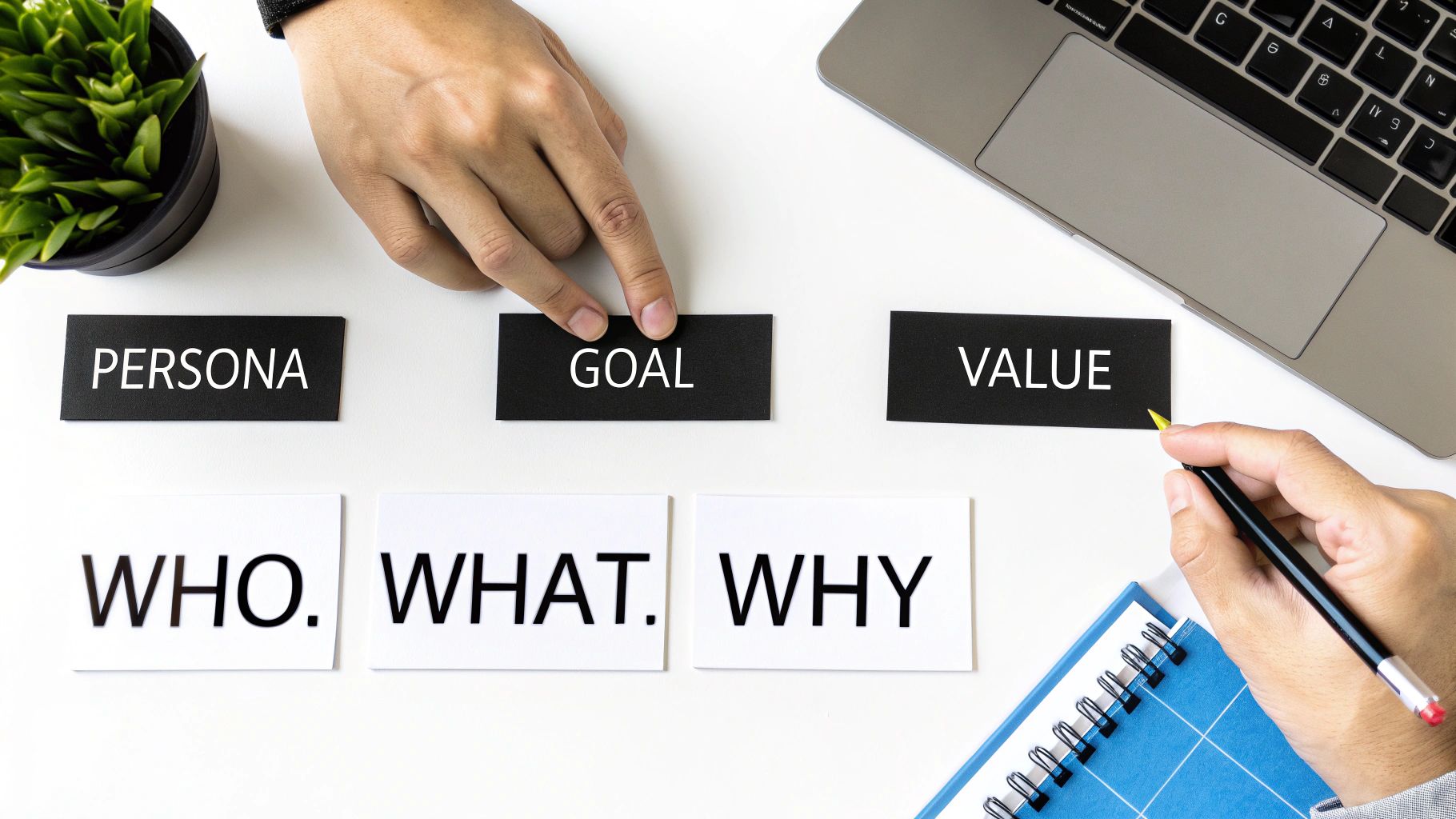
A great user story lives or dies by how well you understand its three core parts: the Persona, the Goal, and the Value. This isn't just about filling in blanks on a template; it's about laying a rock-solid foundation for everything your team builds.
Let's get tactical and break down what really matters for each piece.
The “Who, What, Why” structure isn't just a suggestion; it's a forcing function for clarity that saves you from a world of pain later. As someone who hires PMs, I can instantly gauge a candidate's experience by how they articulate these three elements. Junior PMs get stuck on the What, but seasoned product leaders are obsessed with the Who and the Why.
Mastering The Persona (The Who)
The first part of the user story, "As a…", sets the entire stage. A shockingly common mistake I see is using generic placeholders like "As a user…" This is a massive red flag. It immediately tells me you haven't done the real work to figure out who you're actually building for.
Specificity is your best friend here. Get granular. A PM at Meta wouldn't write a story for "a Facebook user." They'd target a "newly engaged person planning their wedding" or a "small business owner launching their first ad campaign." These are completely different people with unique motivations and pain points.
The goal is to build empathy. When an engineer reads "As a first-time B2B admin onboarding a new team," they can instantly picture the pressure and potential confusion of that user. That small shift in perspective leads to a much more thoughtful solution.
Drilling down on your persona is non-negotiable. If your user definitions are wishy-washy, you might need to take a step back and revisit your core strategy. Sharpening your skills on how to define a target audience is a foundational skill that pays dividends in every single story you write.
Nailing The Goal (The What)
The "I want to…" clause needs to articulate a clear, user-centric action. The trick is to describe the outcome from the user's point of view, not the technical implementation. You have to stop yourself from prescribing the solution.
For instance, a weak story might say, “I want to click a green button to open a modal.” This dictates the UI and ties your team's hands. A much stronger version focuses on intent: “I want to quickly access my account settings without leaving my current page.” See the difference? This gives your design and engineering partners the creative runway to find the best possible solution.
Articulating The Value (The Why)
This is it. The most critical part of any user story and, tragically, the most overlooked. The "So that…" clause is your entire business case wrapped up in a few words. It connects the user's goal to a tangible benefit that justifies why anyone should spend time building it.
This is your answer to the inevitable question from leadership: “Why are we doing this?”
- Weak Value: "…so that I can see the report."
- Strong Value: "…so that I can identify the top-performing sales regions in under 30 seconds and make faster budget allocation decisions."
The second example doesn't just state an action; it quantifies the impact. At Google, every feature is relentlessly tied to a clear user benefit or a business metric. This focus on the "why" ensures that precious engineering time is always spent on work that actually matters.
A strong "so that" clause doesn't just get your feature approved; it rallies the entire team around a shared purpose.
Crafting Bulletproof Acceptance Criteria

A user story without clear acceptance criteria (AC) is just a wish. The AC is the "definition of done"—it's the explicit contract between you and your engineering team that leaves zero room for interpretation.
Getting this right is non-negotiable. This is what stops that dreaded, "Wait, this isn't what I asked for," conversation from ever happening during a sprint review. Strong AC ensures you build features correctly the first time instead of gambling with your team's most precious resource: their time.
Top product managers lean on two primary formats to outline these conditions. Each has its place, but you need both in your toolkit.
Method 1: The Simple Checklist
The checklist is the most direct path to writing AC. It’s a series of simple, testable statements that have to be true for the story to be marked as complete. It’s the perfect format for stories with clear, binary outcomes.
Let's take this common user story:
- As a registered user, I want to reset my password, so that I can regain access to my account if I forget it.
The checklist-style acceptance criteria would be dead simple:
- Verify the password reset email is sent within 30 seconds of the user's request.
- Confirm the reset link inside the email expires after 24 hours.
- Check that the user is automatically sent to the login page after a successful password update.
- Verify an error message pops up if the new password fails to meet security requirements.
Method 2: The Gherkin Scenario
For more complex stories that involve specific user behaviors and system reactions, the Gherkin syntax is a much sharper tool. It uses a "Given/When/Then" structure to paint a clear picture of a scenario from the user's point of view. It's a favorite at companies like Google and Meta because it forces absolute clarity on user flows.
Gherkin makes acceptance criteria both descriptive and testable. It builds a bridge between product requirements and automated testing, making sure everyone—from the PM to the QA engineer—is on the exact same page about how a feature should behave.
Let's use that same password reset story. Here’s how you’d write the AC using the Gherkin format:
Scenario: User successfully resets their password
- Given I am on the login page and have forgotten my password
- And I have entered my registered email address
- When I click the "Send Reset Link" button
- Then I should see a confirmation message stating "A reset link has been sent to your email."
- And I should receive an email with a unique password reset link.
If you want to go deeper on how these formats play out in the wild, check out these detailed examples of user stories with acceptance criteria.
As a pro-tip, PMs at AI-first companies are increasingly using tools like ChatGPT to make this process even stronger. Try this prompt to uncover hidden requirements:"Act as a senior QA engineer. Given the user story: 'As a registered user, I want to reset my password, so that I can regain access to my account if I forget it,' generate 10 edge cases and failure scenarios in Gherkin format to ensure the acceptance criteria are comprehensive."
This simple step can help you uncover potential failure points you might have otherwise missed, making your AC that much more robust.
Real-World Examples For B2B, B2C, And AI Products
The user story format is incredibly flexible, stretching to fit wildly different products. A story for a B2C food delivery app will feel fundamentally different from one for a B2B data analytics platform. And that, in turn, is a world away from a technical story for an AI model.
While the core structure—As a, I want, So that—stays the same, the persona, their goal, and what they value shifts dramatically. As a product manager, your ability to nail these nuances is what separates a generic backlog item from a powerful directive that actually inspires your team.
Let's break down some examples from each category to see how this plays out in the real world.
B2C Example For A Food Delivery App (like DoorDash)
In the B2C world, user stories almost always orbit around convenience, speed, and emotional satisfaction. You’re typically solving an immediate, personal problem for an everyday consumer.
- User Story: As a busy parent, I want to quickly re-order a previous meal, so that I can get dinner on the table for my family with minimal effort after a long day.
This story just works. The persona ("busy parent") is specific and instantly relatable. The goal ("quickly re-order") is a clear, tangible action, and the value ("get dinner on the table… with minimal effort") taps directly into the user's emotional state and what they really need in that moment.
B2B Example For A Data Platform (like Looker)
When you shift to B2B, the focus pivots to professional roles and business outcomes. It’s all about efficiency, making smarter, data-driven decisions, and ultimately, ROI. The persona isn't just a person; they're a professional with a job to do, and the "why" often ties back to a bigger business objective.
- User Story: As a marketing analyst, I want to create a custom dashboard widget from my sales report, so that I can visualize real-time campaign ROI for my weekly stakeholder meeting without manual data entry.
See the difference? The "marketing analyst" has a specific professional task. The goal ("create a custom dashboard widget") slots right into their workflow, and the value ("visualize real-time campaign ROI… without manual data entry") screams business efficiency and better reporting.
AI Product Example For A Personalization Engine (like Netflix)
Writing user stories for AI and machine learning products is a unique challenge. You have to bridge the gap between what the user experiences and how the system behaves, defining the desired intelligent outcome for the user. As the field of AI Product Management continues to explode, PMs have to get good at writing for systems that aren't always deterministic.
For instance, when building things like customizable AI assistants, user stories are crucial for mapping out the huge range of functions different users will expect.
A classic trap with AI stories is describing the technical process instead of the user benefit. You have to resist the urge to write, "As a user, I want the model to use collaborative filtering…" Instead, focus on what the user actually sees and feels.
- User Story: As a returning shopper, I want to see product recommendations based on items I've previously viewed and purchased, so that I can discover new products that match my style more easily.
This is how you do it. The story zeroes in on the user-facing outcome ("see product recommendations") and the crystal-clear value it delivers ("discover new products that match my style"). The specific AI model doing the work is the "how"—the implementation detail—but the story correctly keeps the focus on the who, what, and why.
Good vs. Bad User Story Examples
It's one thing to see good examples, but it’s often more powerful to see them side-by-side with bad ones. A vague or poorly framed story can send a development team in completely the wrong direction, wasting time and building the wrong thing.
Let's look at a few common features and contrast the weak approach with a strong, user-centric one.
| Feature | Bad User Story (Vague & Prescriptive) | Good User Story (User-Centric & Valuable) |
|---|---|---|
| Password Reset | As a user, I want a "Forgot Password" button. | As a locked-out user, I want to securely reset my password via email, so that I can quickly regain access to my account. |
| Image Upload | As a system admin, I need the user to upload a JPG. | As a new user setting up my profile, I want to upload a profile picture from my phone, so that my teammates can recognize me. |
| Search Filter | As a user, I want to filter by date. | As a project manager reviewing past tasks, I want to filter the task list by a specific date range, so that I can find all relevant work for my quarterly report. |
| Dashboard | As the system, I need to display key metrics on a dashboard. | As a sales manager, I want to see my team's weekly performance at a glance, so that I can identify who needs coaching without running multiple reports. |
The "bad" examples aren't just poorly written; they hide the user's actual motivation. They either state the obvious solution ("I want a button") or describe a system requirement. The "good" examples, on the other hand, provide context, clarify the user's goal, and explain why the feature matters. That "why" is gold for your design and engineering teams.
Common Mistakes Top PMs Avoid
Even the sharpest product managers at places like OpenAI or Google can stumble into traps that completely gut their user stories. These aren't just tiny writing goofs; they are strategic blunders that derail sprints, crush team morale, and lead to building something nobody actually wants.
From years of hiring and coaching PMs, I’ve seen the same handful of mistakes surface time and time again. Getting good at writing user stories is as much about knowing what not to do.
Writing Epics Disguised As Stories
The most common tripwire by far is writing a story that's just too big. Simple rule: if your engineers can't finish a story within a single sprint, it’s not a story—it's an epic.
- Red Flag: The story description has words like "and," "or," or "also." For example: "As a user, I want to create a profile and upload a photo."
- Correction: Split it. One story for creating a profile, another for uploading a photo. Each one should deliver a self-contained piece of value.
Keeping stories small and focused is non-negotiable. Research that analyzed over 10,000 user stories found the average length is just 25 words. This isn't an accident; it's a sign of a healthy, agile backlog, where 64.5% of stories focus on functional requirements and 35.5% on non-functional ones like performance. You can read the full research on user story characteristics to see these patterns for yourself.
Being Overly Prescriptive With The Solution
Your job as a PM is to own the problem, not to dictate the technical solution. A user story should never tell engineers how to build something. It's a classic rookie mistake.
- Red Flag: The "I want to…" part of the story gets into specific UI elements like buttons, dropdown menus, or modals.
- Correction: Frame the goal around what the user is trying to achieve. Instead of "I want to click a green 'Submit' button," try "I want to save my progress without leaving the page."
This approach empowers your design and engineering partners to bring their full expertise to the table. When you prescribe the "how," you kill creativity and box your team into a corner. Trust them to find the best way to solve the problem you've clearly defined.
Forgetting The Critical "So That" Clause
Chopping off the "so that…" part of the user story is one of the deadly sins of product management. It’s like telling someone to build a car but not telling them where it needs to go. You strip the story of its purpose and turn it into a hollow, robotic command.
This clause is your entire justification for the work. It answers the most important question of all: "Why are we even building this?"
Without it, your team is just ticking boxes, completely disconnected from the user value they're supposed to be creating. Always, always articulate the benefit.
Frequently Asked Questions About The User Story Format
As a Product Manager, you'll quickly learn that mastering the user story format isn't about memorizing a template. It's about knowing how to apply it in the messy, real-world situations that pop up in backlog grooming and sprint planning meetings.
Here are the answers to the questions I see come up time and time again.
What Is The Difference Between A User Story And A Task?
Think of it this way: a user story is the destination, and tasks are the turn-by-turn directions to get there. They operate at completely different levels of detail.
- A User Story is all about the "what" and the "why" from the user's perspective. It captures a piece of value we're shipping. For example: "As a shopper, I want to save items to a wishlist, so that I can buy them later."
- A Task is a specific, technical chunk of work an engineer or designer does to make the story happen. This is the "how." For that wishlist story, tasks would look like: "Create a 'wishlist' database table," "Design the 'heart' icon," or "Build the front-end API call."
It almost always takes multiple tasks to bring a single, well-defined user story to life.
How Large Or Small Should A User Story Be?
Here's a simple rule of thumb: a user story should be small enough to be fully completed within a single sprint. Anything bigger and you're probably looking at an epic.
The INVEST acronym is a fantastic gut check for this. A good story should be:
I – Independent
N – Negotiable
V – Valuable
E – Estimable
S – Small
T – Testable
If a story is too beefy to meet these criteria, it’s a clear sign to break it down. You’re not creating more work; you're creating clarity and reducing risk.
Who Is Responsible For Writing User Stories?
The Product Manager is ultimately responsible and accountable for the user stories in the backlog. You own the "what" and the "why." Full stop.
But—and this is a big but—the best user stories are never written in a vacuum. Writing them is a deeply collaborative process. Great PMs are constantly working with their designers, engineers, and QA folks to refine stories, pressure-test assumptions, and build a truly shared understanding before a single line of code gets written.
Can User Stories Be Used For Technical Work Or Bugs?
Absolutely. While the classic format is user-focused, its structure is surprisingly flexible. You just have to get a little creative with who the "user" is.
- For Technical Debt: The 'user' can be a developer or even the system itself.
- Example: "As a back-end developer, I want to upgrade our database library, so that we can improve query performance by 30% and reduce security vulnerabilities."
- For Bugs: Frame it from the perspective of the user hitting the problem.
- Example: "As a registered user, I get an error when I try to check out, so that I cannot complete my purchase."
Adapting the format like this ensures all work—technical or otherwise—is clearly tied to a purpose and its value is understood by the whole team.
For a deeper look at how stories fit into the bigger picture of product documentation, check out our complete guide on how to write product requirements.
