As a PM leader who has hired and mentored hundreds of product managers at companies like Google and Meta, the single most common failure point I see isn't strategy-it's execution. And it often starts with a poorly written user story. A vague story creates ambiguity, engineering rework, and missed deadlines, costing valuable time and resources. Conversely, a crisp, well-defined user story with solid acceptance criteria is the bedrock of efficient product development. This isn't just about 'getting requirements down'; it's about communicating a precise vision that your team can build, test, and ship with confidence.
Getting this right is a fundamental skill that separates good Product Managers from great ones. The ability to translate user needs into actionable engineering tasks is where vision meets reality. To further enhance your understanding of drafting effective requirements, explore practical insights on how to create user stories that resonate with your team and deliver value. Mastering this craft ensures alignment, reduces friction, and accelerates your product's time-to-market.
In this playbook, we are skipping the abstract theory. We're diving straight into a curated list of detailed examples of user stories with acceptance criteria, covering eight common scenarios from e-commerce checkouts to data reporting systems. For each example, we'll break down the "why" behind the structure, analyze the strategic value of clear requirements, and provide actionable takeaways you can apply to your own backlog within the next 24 hours. Consider this your tactical guide to writing stories that get products built right, the first time.
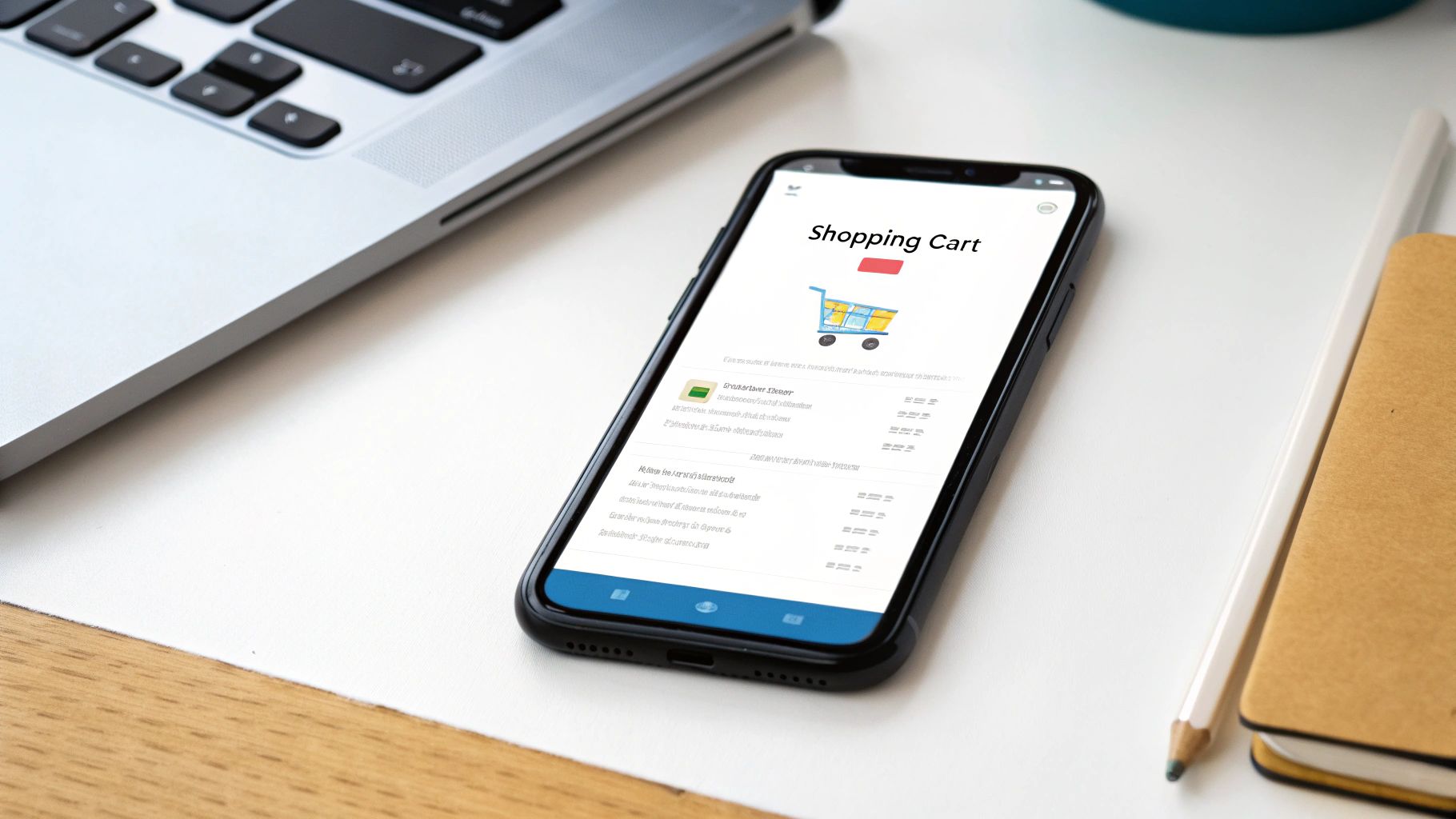
1. E-commerce Shopping Cart User Story
The "Add to Cart" function is the linchpin of any e-commerce experience. It's the foundational action that transitions a user from a browser to a potential buyer. This user story defines that critical moment, focusing on providing immediate, clear feedback to the user while seamlessly managing their selections for a future purchase. For product managers, getting this story right is non-negotiable; a clunky or confusing cart experience directly correlates to abandoned carts and lost revenue.
User Story & Acceptance Criteria
Here is one of the most common examples of user stories with acceptance criteria for this feature:
As a customer browsing the site,
I want to add a product to my shopping cart from the product detail page
so that I can purchase it later.
Acceptance Criteria (AC):
This story breaks down into several testable outcomes that a development team can build against.
- AC1: Successful Addition: Given I am on a product detail page, when I click the "Add to Cart" button, then the item is added to my shopping cart, and a success confirmation (e.g., a pop-up or a change in the cart icon) is displayed.
- AC2: Quantity Update: Given an item is already in my cart, when I add the same item again from its product page, then the quantity of that item in my cart is increased by one.
- AC3: Cart Persistence: Given I have added an item to my cart, when I close the browser and return later (as a logged-in user), then the item is still in my cart.
- AC4: Out of Stock Error: Given I am on a product page for an item with zero inventory, when I attempt to add it to the cart, then the "Add to Cart" button is disabled or an error message like "Sorry, this item is out of stock" is displayed.
- AC5: Cart Icon Update: Given I add an item to my empty cart, when the action is successful, then the cart icon in the navigation header updates to show a count of "1".
Strategic Analysis & Breakdown
The simplicity of this user story is deceptive. Its implementation dictates the flow of the entire purchasing funnel. Companies like Amazon have famously optimized this with their one-click patent, reducing friction to an absolute minimum. A well-crafted cart story prevents user frustration and builds purchasing momentum.
Strategic Insight: The primary goal here is to reduce cognitive load. The user's action ("I want this") should result in an immediate and reassuring reaction from the system ("Okay, I've got it for you"). Any delay, ambiguity, or error at this stage introduces doubt and increases the likelihood of abandonment. This is why testing various confirmation methods (e.g., mini-cart pop-out vs. simple icon animation) is crucial during development.
2. User Login Authentication Story
User login is the gateway to any personalized digital experience. It's the critical juncture where an application verifies a user's identity to grant access to protected data and features. This user story defines the fundamental process of authentication, focusing on security, clarity, and user trust. For product managers, a robust and intuitive login process is paramount; it directly impacts user retention, data security, and the overall credibility of the product.

User Story & Acceptance Criteria
This is one of the most foundational examples of user stories with acceptance criteria for a core security feature:
As a registered user,
I want to log in to my account with my email and password
so that I can access my personal dashboard.
Acceptance Criteria (AC):
This story covers both the "happy path" and critical error-handling scenarios that development must address.
- AC1: Successful Login: Given I am a registered user and on the login page, when I enter my correct email and password and click "Log In," then I am redirected to my personal dashboard and a session is created.
- AC2: Invalid Credentials Error: Given I am on the login page, when I enter an incorrect email or password combination, then an error message like "Invalid email or password" is displayed, and I remain on the login page.
- AC3: Empty Fields Validation: Given I am on the login page, when I click "Log In" with one or both fields empty, then a validation message appears prompting me to fill in the required fields.
- AC4: Secure Password Field: Given I am on the login page, when I type in the password field, then the characters are masked (e.g., shown as asterisks or dots).
- AC5: Session Timeout: Given I have been logged in and inactive for a predetermined period (e.g., 30 minutes), when I try to perform an action, then I am logged out and redirected to the login page for security.
Strategic Analysis & Breakdown
The user login story is a careful balance between security and usability. While the primary goal is to protect user data, introducing too much friction can deter users from returning. Companies like Google and Apple have set the standard with seamless single sign-on (SSO) options, demonstrating that strong security doesn't have to be cumbersome.
Strategic Insight: The login process is the first and most frequent security interaction a user has with your product; it must build trust instantly. Every error message, validation rule, and redirect reinforces the user's perception of your application's reliability. A vague error message erodes confidence, while a clear one ("Incorrect password") guides the user without compromising security. A product growth manager would analyze login success rates as a key activation metric, recognizing that a difficult login process can be a major drop-off point in the user journey. Learn more about how this role focuses on user activation and retention.
3. Search Functionality User Story
Effective search is the backbone of content discovery and navigation in almost any digital product. Whether users are looking for a specific item on an e-commerce site, a document in a SaaS tool, or a song on a streaming platform, a fast and relevant search function is critical. This user story focuses on defining the core interaction of a user searching for information, ensuring the system provides a clear, quick, and useful response. For product managers, a poor search experience leads directly to user frustration, task failure, and potential churn.

User Story & Acceptance Criteria
This is one of the most fundamental examples of user stories with acceptance criteria for a search feature:
As a new user,
I want to search for content using keywords in the search bar
so that I can quickly find what I am looking for.
Acceptance Criteria (AC):
This story defines the expected behavior from both the system and the user's perspective.
- AC1: Basic Search Execution: Given I am on any page with a search bar, when I type a keyword (e.g., "product management") and press "Enter" or click the search icon, then I am taken to a search results page displaying a list of relevant results.
- AC2: No Results Found: Given I enter a search term that yields no matches, when the search is executed, then a message is displayed on the results page stating "No results found for '[search term]'" and potentially offers suggestions.
- AC3: Special Character Handling: Given I enter a search term containing special characters (e.g., "AI&ML"), when I execute the search, then the system correctly processes the query and returns relevant results without errors.
- AC4: Minimum Character Input: Given the search bar is present, when I enter fewer than three characters, then the search button is disabled or a prompt appears asking for a longer search term.
- AC5: Performance Standard: Given I execute a valid search, when the system processes the request, then the search results page must load in under two seconds.
Strategic Analysis & Breakdown
The user story seems simple, but its implementation touches on performance, relevance algorithms, and user interface design. Companies like Google and Netflix have built their empires on the back of powerful, intuitive search functionality. A well-executed search feature not only helps users complete their tasks but also serves as a primary tool for content discovery, driving engagement and retention.
Strategic Insight: The core objective of a search function is to reduce the time-to-value for the user. Every second a user spends searching is a second they aren't engaging with the solution. The acceptance criteria should therefore push beyond just functional correctness to include performance (AC5) and graceful failure handling (AC2). This focus ensures the feature is not just built, but built to be effective and user-centric.
4. User Profile Management Story
A user profile is the digital identity of a user within an application. The ability to manage this profile isn't just a feature; it's a fundamental user right that fosters trust, engagement, and data accuracy. This user story focuses on giving users direct control over their personal information, which is critical for personalization, account recovery, and ensuring the data the system uses is current. For product managers, a well-implemented profile management system reduces customer support tickets and empowers users to self-serve.

User Story & Acceptance Criteria
This is one of the essential examples of user stories with acceptance criteria for any application requiring user accounts:
As a registered user,
I want to edit my profile information
so that I can keep my personal details up to date.
Acceptance Criteria (AC):
This story translates into specific, verifiable outcomes for the development team.
- AC1: Successful Update: Given I am on my "Edit Profile" page, when I change my first name and click "Save," then the system saves the new information, and I see a success message like "Your profile has been updated."
- AC2: Input Validation: Given I am editing my profile, when I enter an invalid email format (e.g., "user@domain") and try to save, then an inline error message "Please enter a valid email address" is displayed, and the form is not submitted.
- AC3: View Updated Info: Given I have successfully updated my profile name, when I navigate to my main profile view page, then my updated name is correctly displayed.
- AC4: Cancel Changes: Given I have made changes to my profile fields, when I click the "Cancel" button, then my changes are discarded, and the fields revert to their previously saved state.
- AC5: Required Fields: Given I am editing my profile, when I clear a required field (e.g., Last Name) and attempt to save, then an error message "Last Name cannot be empty" is displayed next to the field.
Strategic Analysis & Breakdown
Effective profile management goes beyond a simple data-entry form. It is the command center for a user's presence in your product. Platforms like LinkedIn have transformed the user profile into a dynamic professional resume, making its management a core part of the user experience. The key is to balance comprehensive data capture with a frictionless editing experience.
Strategic Insight: The primary goal is to empower the user while protecting data integrity. Each field should have clear validation rules (e.g., phone number format, character limits for names). The "save" action must provide immediate, unambiguous feedback. A failure to confirm a successful save leaves users in a state of uncertainty, eroding their trust in the platform's reliability. This is a crucial area to over-communicate success and clearly articulate errors.
5. Email Notification System Story
Email notifications are the lifeblood of user engagement and retention for many applications. They serve as a direct line of communication, pulling users back into the product by alerting them to critical events, updates, or actions they need to take. This user story is fundamental for platforms like GitHub or Slack, where timely information is core to the user experience. For product managers, a well-defined notification system prevents user churn by keeping the product top-of-mind and delivering tangible value directly to a user's inbox.
User Story & Acceptance Criteria
This is a powerful example of user stories with acceptance criteria for a core engagement feature:
As a project collaborator,
I want to receive an email notification when another user comments on a task assigned to me
so that I can stay informed and respond promptly.
Acceptance Criteria (AC):
This story defines the trigger, content, and delivery mechanism for a critical user interaction.
- AC1: Email Trigger: Given I am assigned to a task, when another user posts a comment on that task, then an email notification is triggered and sent to my registered email address within 5 minutes.
- AC2: Email Content: Given the email is triggered, when I receive it, then the email subject line is "New Comment on Task: [Task Name]" and the body contains the commenter's name, the comment text, and a direct link to the task.
- AC3: Unsubscribe Link: Given I receive the notification email, when I view the footer, then a functional "Unsubscribe" or "Manage Notifications" link is present.
- AC4: No Self-Notification: Given I am assigned to a task, when I post a comment myself, then an email notification is not sent to me.
- AC5: Correct Recipient: Given a task has multiple assignees, when a comment is posted, then only the users assigned to that specific task (excluding the commenter) receive the notification.
Strategic Analysis & Breakdown
A notification system isn't just a feature; it's a strategic communication channel. Companies like Airbnb master this by sending perfectly timed booking reminders and review requests that feel helpful, not intrusive. The key is to balance timely information with the user's attention span, ensuring every notification provides clear value.
Strategic Insight: The primary goal is to drive re-engagement without causing notification fatigue. Every email must answer the user's implicit question: "Why should I care about this right now?" The story's focus on a direct link back to the task is crucial. It creates a frictionless path for the user to re-enter the application and take immediate action, turning a passive notification into an active engagement loop.
6. Mobile App Push Notification Story
Push notifications are a direct line of communication to a user's most personal device, making them one of the most powerful and delicate tools in a product manager's toolkit. This feature allows an app to deliver timely, relevant information even when the user isn't actively engaged. For products like Duolingo (practice reminders) or news apps (breaking alerts), push notifications are a core driver of user re-engagement and retention. Getting the logic, timing, and content right is critical to providing value without becoming intrusive.
User Story & Acceptance Criteria
Here is a common example of user stories with acceptance criteria for a practice reminder notification:
As a language learner who forgets to practice,
I want to receive a daily push notification reminder
so that I can maintain my learning streak and stay on track with my goals.
Acceptance Criteria (AC):
This story's success hinges on respecting user preferences and ensuring reliable delivery.
- AC1: Opt-In Prompt: Given I am a new user, when I complete my onboarding, then I am prompted with a native OS dialog to allow or disallow push notifications.
- AC2: Notification Delivery: Given I have opted-in to notifications, when it is 7 PM in my local timezone and I have not completed a lesson today, then I receive a push notification with the text: "Time for your daily lesson!"
- AC3: Deep Linking: Given I receive the practice reminder notification, when I tap on it, then the app opens directly to the main lesson screen.
- AC4: Opt-Out Functionality: Given I have previously enabled notifications, when I navigate to the app's settings screen, then there is a toggle to disable practice reminders.
- AC5: No Notification After Practice: Given I have completed a lesson for the day, when it is 7 PM in my local timezone, then I do not receive a practice reminder notification.
Strategic Analysis & Breakdown
The primary function of this user story isn't just to send a message; it's to trigger a desired behavior (opening the app and practicing). Unlike transactional notifications (e.g., "Your Uber has arrived"), engagement notifications must be intelligent and context-aware. If a user has already completed the desired action, sending a reminder is not just redundant, it's annoying and signals that the app isn't paying attention.
Strategic Insight: The value of a push notification is determined by its relevance and timing. The goal is to be a helpful assistant, not a persistent pest. This requires building logic that respects user context (Have they already practiced?) and preferences (Did they opt-out?). Gracefully handling the initial permission request is also crucial, as a user who denies permission is often lost from this channel forever.
7. File Upload and Management Story
For applications ranging from project management tools to social media platforms, file handling is a core utility, not an afterthought. It's the mechanism that allows users to bring their external assets-documents, images, videos-into the application's ecosystem. This user story addresses the fundamental action of uploading a file, focusing on creating a reliable, transparent, and secure experience for the user. For product managers, a robust file management system like those seen in Google Drive or Dropbox is a critical feature that builds user trust and platform utility.
User Story & Acceptance Criteria
Here is a foundational example from our list of examples of user stories with acceptance criteria for this feature:
As a project manager,
I want to upload a project document to a specific task
so that my team can access it directly from the task view.
Acceptance Criteria (AC):
This story defines the essential outcomes required to make the file upload feature functional and user-friendly.
- AC1: Successful Upload: Given I am on a task details page, when I select a valid file type (e.g., .pdf, .docx, .png) and initiate the upload, then the file is successfully uploaded and a confirmation message "File uploaded successfully" is displayed.
- AC2: Progress Indication: Given I am uploading a large file (e.g., >10MB), when the upload is in progress, then a visual progress bar is displayed showing the percentage of completion.
- AC3: File Association: Given the upload is successful, when I view the task details, then the uploaded file is listed in the "Attachments" section with its name and file size.
- AC4: Invalid File Type Error: Given I attempt to upload a file with an unsupported extension (e.g., .exe), when I select the file, then an error message "Invalid file type. Please upload a valid document or image." is displayed, and the upload is blocked.
- AC5: File Size Limit Error: Given I attempt to upload a file that exceeds the maximum size limit (e.g., 25MB), when I select the file, then an error message "File size exceeds the 25MB limit" is displayed, and the upload does not start.
Strategic Analysis & Breakdown
The user story seems straightforward, but its implementation touches on critical aspects of user experience, system performance, and security. A poorly designed upload flow can lead to user frustration, data corruption, or security vulnerabilities. Platforms like Slack excel here by integrating file uploads seamlessly into the conversation flow, making it an effortless part of collaboration. Writing detailed specifications is crucial to getting this right. You can read more about writing better specs as a PM on aakashg.com.
Strategic Insight: The primary goal is to build trust through feedback and reliability. Users are handing over their data, and the system must acknowledge this with clear, constant communication. Progress bars, success messages, and immediate error handling are not just UI elements; they are trust-building mechanisms that assure the user their action is being processed correctly. Gracefully handling network interruptions is an advanced consideration that separates a good product from a great one.
8. Data Export and Reporting Story
The ability for users to export their data is no longer a "nice-to-have" feature; it's a core expectation for data portability and business intelligence. This user story focuses on empowering users to take their data out of the application for offline analysis, compliance, or backup purposes. For product managers, this functionality builds trust and user loyalty by giving customers control over their own information, a critical factor for B2B SaaS platforms like Salesforce or QuickBooks.
User Story & Acceptance Criteria
Here is a foundational example of one of the most useful examples of user stories with acceptance criteria for a data export feature:
As an account administrator,
I want to export a report of all user activity from the last 30 days in CSV format
so that I can analyze engagement trends and share them with my team.
Acceptance Criteria (AC):
This story translates into specific, verifiable criteria that guide development and testing.
- AC1: Export Initiation: Given I am on the "Reports" dashboard, when I select the "User Activity" report and choose "Last 30 Days," then the "Export to CSV" button becomes active.
- AC2: Asynchronous Processing: Given I click the "Export to CSV" button for a large dataset, when the process begins, then I see a message stating, "Your export is being processed. We will email you a link when it is ready," and I can continue using the application.
- AC3: Email Notification: Given the export process has successfully completed, when the file is ready, then I receive an email with a secure, time-limited link to download the CSV file.
- AC4: File Content Validation: Given I download and open the exported CSV file, when I review its contents, then it contains all user activity records from the specified date range and includes columns for User ID, Action, Timestamp, and IP Address.
- AC5: Handling Failures: Given an error occurs during the export process, when the process fails, then I receive an email notification explaining the failure and providing a link to try again or contact support.
Strategic Analysis & Breakdown
A robust data export feature transforms a tool from a closed data silo into an open, integrated part of a user's workflow. It acknowledges that your application is one piece of a larger ecosystem. The implementation of asynchronous processing is crucial; making a user wait on a frozen screen for a large export is a recipe for a terrible user experience.
Strategic Insight: The core goal is to provide data freedom without compromising system performance. By offloading large export jobs to a background queue and notifying users via email, you protect the application's responsiveness for all users while delivering a high-value feature. This approach is essential for scaling and is a key differentiator in building data-driven product teams.
User Stories with Acceptance Criteria Comparison
| User Story | 🔄 Implementation Complexity | 💡 Resource Requirements | 📊 Expected Outcomes | 💡 Ideal Use Cases | ⭐ Key Advantages |
|---|---|---|---|---|---|
| E-commerce Shopping Cart | Moderate: core functionality, real-time updates | Moderate: frontend + backend, cross-browser & mobile support | Increased conversion and revenue; seamless shopping experience | Online retail platforms needing smooth product selection | Clear criteria; easy testing; broad stakeholder alignment |
| User Login Authentication | High: security, session, error handling | High: secure backend, ongoing maintenance, security updates | Secure access, user data protection, personalized experience | Applications with protected content, user accounts | Strong security; industry standard; user trust |
| Search Functionality | High: complex ranking, filters, auto-complete | High: algorithm tuning, performance optimization | Improved content discovery; higher user satisfaction | Content-heavy apps needing fast, relevant search | Boosts discoverability; valuable insights; scalable |
| User Profile Management | Moderate to High: editing, validation, compliance | Moderate: secure data handling, validation | Increased engagement and data accuracy; personalization | Apps requiring user data control and transparency | Enhances trust; personalizes user experience |
| Email Notification System | Moderate: template mgmt, delivery tracking | Moderate: email infrastructure, content management | Higher user engagement and retention via timely updates | Platforms needing user communication outside the app | Drives retention; measurable impact; user re-engagement |
| Mobile App Push Notification | Moderate to High: device mgmt, scheduling | Moderate: platform integration, message delivery | Increased app engagement and immediate user actions | Mobile apps requiring timely user alerts | Direct channel; boosts retention; platform agnostic |
| File Upload and Management | Moderate to High: validation, previews, security | High: storage, network, security considerations | Enhanced productivity, workflow efficiency | Apps handling documents, images, or rich content | Centralized storage; collaboration; user productivity |
| Data Export and Reporting | High: large data handling, formats, scheduling | High: server resources, background processing | Data ownership, compliance, and external analysis capabilities | Data-driven apps needing exports, audits, and reports | Compliance support; user empowerment; transparency |
From Examples to Execution: Making These Stories Work for You
We've dissected eight distinct examples of user stories with acceptance criteria, moving from the transactional simplicity of an e-commerce cart to the nuanced requirements of a data export feature. However, viewing these as mere templates to copy and paste would be a critical mistake. The true power of a well-crafted user story lies not in its final written form, but in the collaborative process that creates it. These artifacts are conversation catalysts, designed to forge a shared understanding across product, design, and engineering.
The ultimate goal is to eliminate ambiguity. When an engineer at a company like Google or Meta picks up a story, they shouldn't have to guess the user’s intent or the definition of "done." The acceptance criteria serve as a precise, testable contract that clarifies expectations and prevents the dreaded "this isn't what I asked for" feedback loop that plagues so many teams. Mastering this skill is a non-negotiable for any PM aiming for senior-level impact and compensation. It is the bedrock of efficient execution.
Synthesizing the Core Principles
Across all the examples, from login authentication to push notifications, several foundational principles emerge. These are the strategic takeaways that separate a junior PM's task list from a senior PM's prioritized, high-clarity backlog.
- The User is the Protagonist: Always frame the story from the end-user's perspective. The "As a [user type], I want to [action], so that [benefit]" structure forces you to justify the value proposition for every single feature, preventing the team from building solutions in search of a problem.
- Acceptance Criteria Define Reality: The "Given-When-Then" format is more than just a syntax preference; it is a logic framework. It compels you to think through preconditions (Given), user actions (When), and system outcomes (Then), covering happy paths, edge cases, and error states with methodical precision.
- Clarity Over Brevity: While stories should be concise, they must never sacrifice clarity. A story is "ready" for development only when every member of the team can read the story and its acceptance criteria and arrive at the same mental model of the feature. If there are questions, the story isn't done.
Your Actionable Roadmap for Implementation
Reading about effective user stories is one thing; consistently writing them under pressure is another. To bridge this gap, here is a step-by-step plan you can implement in your very next sprint planning or backlog grooming session. This is how you transition from theory to practice and demonstrate immediate value.
- Co-Creation Session: Do not write stories in a vacuum. Schedule a 30-minute session with your tech lead and a key designer. Pick one upcoming feature and write the user story and its acceptance criteria together, live. This builds ownership and uncovers technical or design constraints early.
- The "Three Amigos" Review: Before a story is officially "ready," run it by a triad of perspectives: a developer, a QA engineer, and a designer (or yourself as the product owner). This "Three Amigos" approach ensures the story is valuable (product), feasible (dev), and testable (QA).
- Build a Template Library: Use the examples in this article as a starting point. Create a shared document or Confluence/Jira template for your team's most common story types (e.g., CRUD operations, API integrations, UI changes). This standardizes quality and accelerates the writing process for everyone.
- Link to the "Why": For any significant feature, ensure your user story links back to a larger epic, a product spec, or a PRD. This provides crucial context for engineers who want to understand how their work connects to the company's strategic goals, a hallmark of a mature product organization.
Ultimately, mastering the craft of user stories and acceptance criteria is a direct investment in your career capital. It is a tangible skill that reduces wasted engineering cycles, improves product quality, and accelerates delivery velocity. It is how you, as a Product Manager, translate high-level strategy into executable reality, earning the trust of your team and leadership. The journey from good PM to great PM is paved with clear, concise, and compelling user stories.
If you want to dive deeper into frameworks for product execution, career acceleration, and the specific tactics used by product leaders at top tech companies, I break it all down in my newsletter. The content is designed to give you the actionable insights and systems used by the world's best product leaders, delivered by Aakash Gupta. You can find more at Aakash Gupta.

One reply on “Top Examples of User Stories with Acceptance Criteria for 2025”
[…] See the difference? This version is sharp, specific, and laser-focused on the why. It tells the team exactly who they’re building for (a marketing manager), the precise action needed (export as PDF), and the critical business value it unlocks (sharing reports with leadership). This clarity is what drives real results. For more examples like this, you can check out our guide on crafting user stories with acceptance criteria. […]