Building a product without a crystal-clear user in mind is a direct path to failure in today's market. At companies like Google and Meta, a single misaligned feature can cost millions. This happens when teams build for a vague demographic ghost instead of a specific, tangible individual. User personas are the antidote. They transform abstract market data into human-centric profiles that guide every decision, from an engineer's choice of database to a marketer's ad copy. A well-executed persona ensures every team member can answer the question: "Who am I building this for?"
This guide is your tactical toolkit. Forget designing from scratch or sifting through generic templates. I've curated a list of the most effective user persona template free options from platforms I've seen used by top-tier PMs, including Miro, HubSpot, and Figma. For each tool, you'll get a direct link and a PM-focused assessment on where it fits best—whether you're a B2B SaaS PM mapping enterprise roles for a product like Salesforce, or a B2C product leader defining consumer segments for an app like TikTok. Let's find the right template to bring your user into sharp focus and drive product success.
1. HubSpot – Make My Persona
HubSpot’s Make My Persona is a standout choice for teams that need a structured, guided experience, particularly for junior PMs or those building their first persona. Instead of a blank canvas, it's an interactive wizard that walks you through a seven-step process, covering everything from demographics and job characteristics (e.g., "Reports to the VP of Sales") to core motivations. This framework removes the guesswork, making it an excellent user persona template free for standardizing persona creation across an organization. It's designed to get a functional, business-focused persona ready in under an hour.
The generator's main strength is its simplicity and business-friendly language, translating user attributes into fields that sales and marketing teams immediately understand. It ensures you cover the essential bases without getting bogged down in esoteric UX details—a common pitfall. This tool is particularly useful for aligning sales, marketing, and product teams on a foundational customer profile before diving into more granular research, like user interviews or journey mapping. Once completed, the persona is formatted into a shareable document you can immediately download and circulate.
Key Features & Assessment
- Interactive Persona Wizard: Guides users through a logical question-and-answer flow, ensuring no critical section is missed.
- Completely Free Access: No hidden fees or trials; the generator and final download are entirely free.
- Beginner-Friendly: An ideal starting point for aspiring PMs or teams needing a standardized framework for defining target audiences.
The primary limitation is its rigidity; customization is limited. The final output is standardized, and significant changes require editing the downloaded document. However, for a quick, no-cost solution to get a project started and align stakeholders, it’s a top-tier resource.
Website: https://www.hubspot.com/make-my-persona
2. Miro – User Persona templates
Miro transforms persona creation from a siloed task into a dynamic, collaborative workshop, mirroring how cross-functional teams operate at places like Spotify and Atlassian. Instead of a linear generator, it offers a flexible, infinite whiteboard environment with multiple persona templates. This is the gold standard for teams (product, marketing, UX, engineering) that need to co-create, iterate, and visualize relationships between multiple personas in real-time. It moves beyond a static document, making the persona a living artifact in your product development lifecycle.
Miro's power lies in its collaborative features and deep integrations. Teams can pull in research data, add comments with @mentions, and connect personas directly to user journey maps or feature backlogs on the same board. This makes it an exceptional user persona template free for teams running Agile sprints or Lean UX, as personas can be updated instantly after each research cycle. For a PM, this visual connection between a user's pain point and a specific backlog item is invaluable for communicating priorities to engineers.
Key Features & Assessment
- Real-Time Collaborative Boards: Allows the entire product squad to build and edit personas simultaneously, fostering shared ownership.
- Vast Template Library: Offers multiple persona formats, from lean proto-personas to detailed empathy maps, to suit different project stages.
- Deep Integrations: Connects seamlessly with essential PM tools like Jira, Slack, and Google Drive, embedding personas directly into your workflow.
The free tier restricts you to three editable boards and limits access to advanced features like voting. Exporting a clean, print-ready document can also require extra formatting. However, for live, workshop-style persona building, Miro is the undisputed leader in collaborative tools.
Website: https://miro.com/templates/personas/
3. Figma / FigJam – User Persona template
For product teams where design is central to the development process, Figma’s community templates offer a seamless way to integrate personas directly into the product workflow. Instead of existing in a separate Confluence page or slide deck, the persona becomes a living artifact right next to wireframes and interactive prototypes in FigJam. This co-location is its greatest strength, ensuring that user needs remain top-of-mind for designers and engineers throughout the entire build cycle. This makes it a powerful user persona template free for product and design teams at companies like Airbnb or Dropbox that prioritize tight collaboration.
The platform’s power lies in its interactive and collaborative nature. Teams can use sticky notes, comments, and stamps to brainstorm and refine personas in real-time workshops. The vast library of community-generated templates means you can find a starting point that fits your specific project, from lean proto-personas to highly detailed profiles with integrated empathy maps. This approach treats personas not as a static deliverable but as an evolving component of the design system—critical for agile environments.
Key Features & Assessment
- Integrated Workflow: Personas live inside your design files, making them easily accessible and referenceable during sprint planning and design reviews.
- Rich Community Templates: Access a wide variety of templates and widgets created by leading design and product teams.
- Real-Time Collaboration: Multiple stakeholders can build and edit personas simultaneously using FigJam's interactive tools.
The primary drawback is its context-dependency; its value diminishes significantly if your team doesn't use Figma or FigJam for design. For non-designers, the interface can present a slight learning curve. However, for PMs working hand-in-hand with design, keeping personas in Figma is a powerful way to ensure user-centricity from ideation to launch.
Website: https://www.figma.com/templates/user-persona-template/
4. Canva – User Persona templates
Canva is the go-to platform for PMs who need to create visually polished, presentation-ready personas without a graphic designer. It offers a vast library of customizable templates within its Docs and Presentations products, all managed through an intuitive drag-and-drop editor. This makes it an ideal user persona template free resource when you need to quickly create a compelling one-pager for a stakeholder meeting, a board presentation, or an all-hands alignment session. Its strength is in transforming raw user data into a professional-looking asset that commands attention.
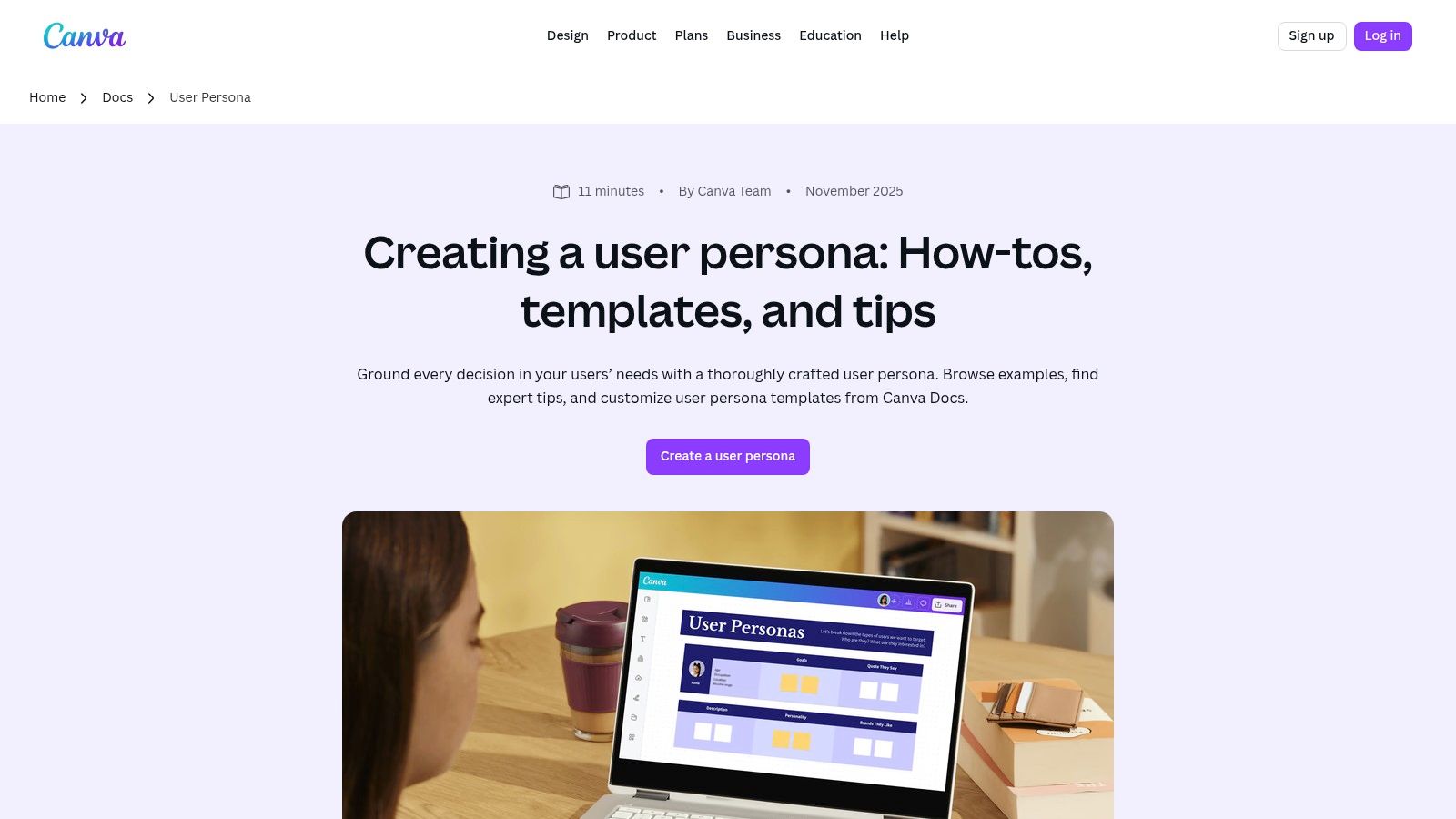
Unlike dedicated UX tools, Canva prioritizes design flexibility and speed. Its real-time collaboration features allow product, marketing, and design teams to comment and edit a persona simultaneously, streamlining the feedback loop. The AI-powered Magic Write assistant can also help draft bios or flesh out sections from your research notes, which is useful for overcoming writer's block. The platform is best suited for producing the final, shareable artifact of your persona research, rather than conducting the foundational research itself.
Key Features & Assessment
- Drag-and-Drop Editor: Easily customize layouts, fonts, colors, and add graphics from a massive stock library.
- Real-Time Collaboration: Multiple team members can work on the same persona document simultaneously.
- AI Writing Assistant: Use Magic Write with a prompt like "Write a 50-word bio for a busy project manager at a mid-sized tech company who struggles with team alignment" to generate text for persona bios and motivations.
The main limitation is that many premium templates and design elements are locked behind a Canva Pro subscription. Additionally, it lacks the specialized, UX-focused fields of a dedicated persona builder, so you’ll need to ensure your template covers all necessary research components.
Website: https://www.canva.com/docs/user-persona/
5. Lucid (Lucidspark / Lucidchart) – User Persona templates
Lucid offers a powerful dual-environment approach that mirrors the two key phases of product discovery: unstructured brainstorming and structured documentation. It provides persona templates in both Lucidspark (a collaborative whiteboard) and Lucidchart (a structured diagramming tool). This is perfect for PMs who need to facilitate a free-flowing ideation workshop and then transition those ideas into a formal, polished document for the product requirements doc (PRD). It’s a versatile user persona template free option for dynamic product teams.
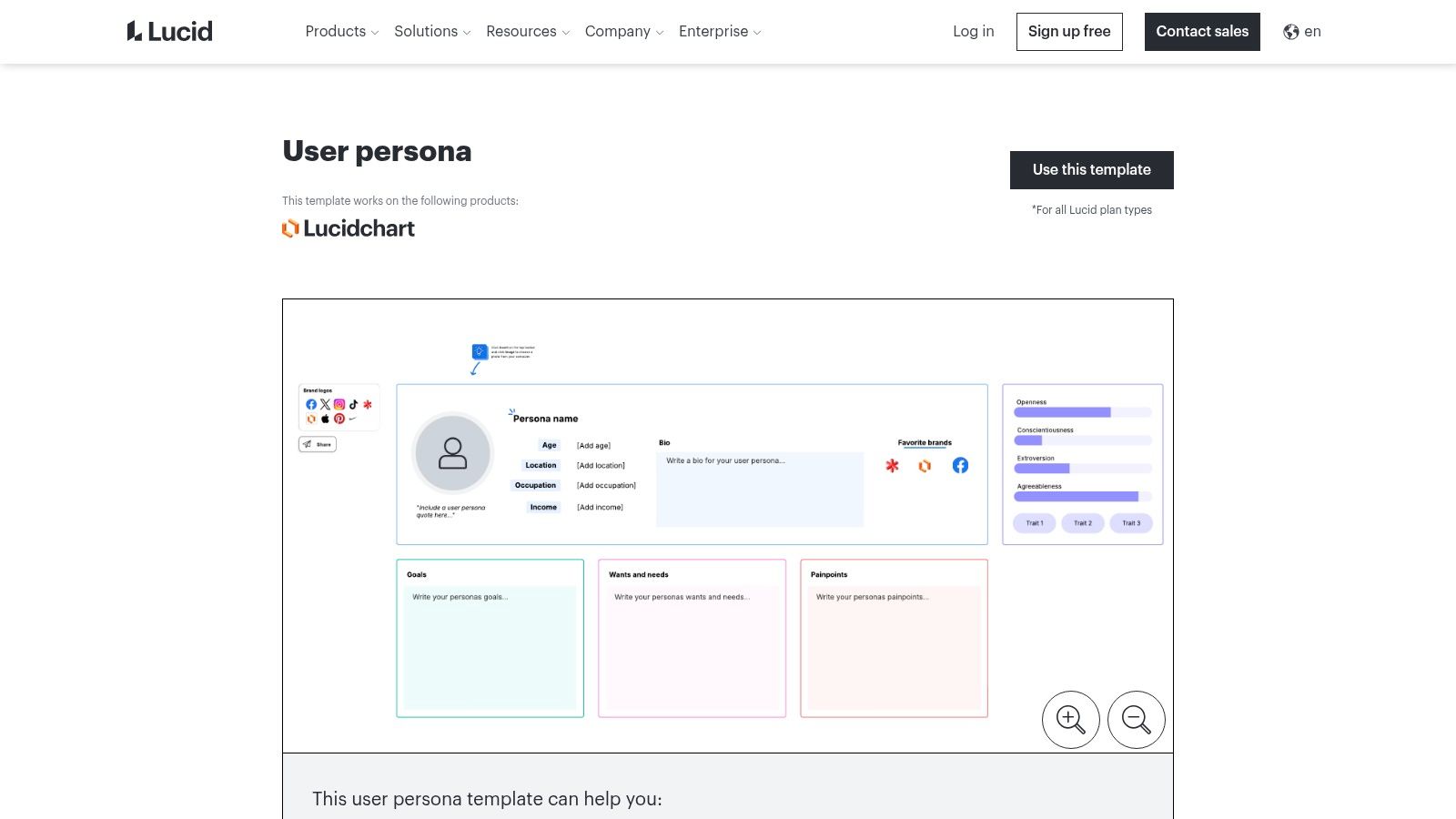
The platform’s strength lies in its deep collaborative features. In Lucidspark, teams can use real-time cursors, sticky notes, and voting to build personas together, creating shared ownership from the start. This makes Lucid an excellent choice for remote or hybrid teams. The ability to link personas to other diagrams like user journey maps or empathy maps within the same ecosystem creates a connected source of truth for all user-centric artifacts, which is critical for maintaining consistency as a product scales.
Key Features & Assessment
- Dual-Platform Templates: Access templates in both a freeform whiteboard (Lucidspark) and a structured diagram tool (Lucidchart).
- Real-Time Collaboration: Features like commenting, voting, and live cursors facilitate effective team workshops and alignment.
- Integrated Diagramming Ecosystem: Easily connect your personas to other strategic documents like user flows or journey maps.
The main limitation is that the free plan restricts certain functionalities, such as the number of editable documents and advanced collaboration features like voting. For teams requiring extensive documentation or enterprise-grade security, upgrading to a paid plan becomes necessary. However, for initial persona creation and small-scale collaboration, the free offering provides significant value.
Website: https://lucid.co/templates/user-persona
6. Atlassian Confluence – User Persona page template
For teams embedded in the Atlassian ecosystem (Jira, Confluence), using the built-in User Persona page template is a strategic imperative. It excels at integrating personas directly into the product development lifecycle. Instead of creating personas in Miro or Figma and exporting a static image, this template allows you to build and maintain them alongside your PRDs, sprint plans, and meeting notes. This proximity ensures personas remain a living, referenceable part of your project documentation rather than an artifact that gets forgotten after the kickoff meeting.
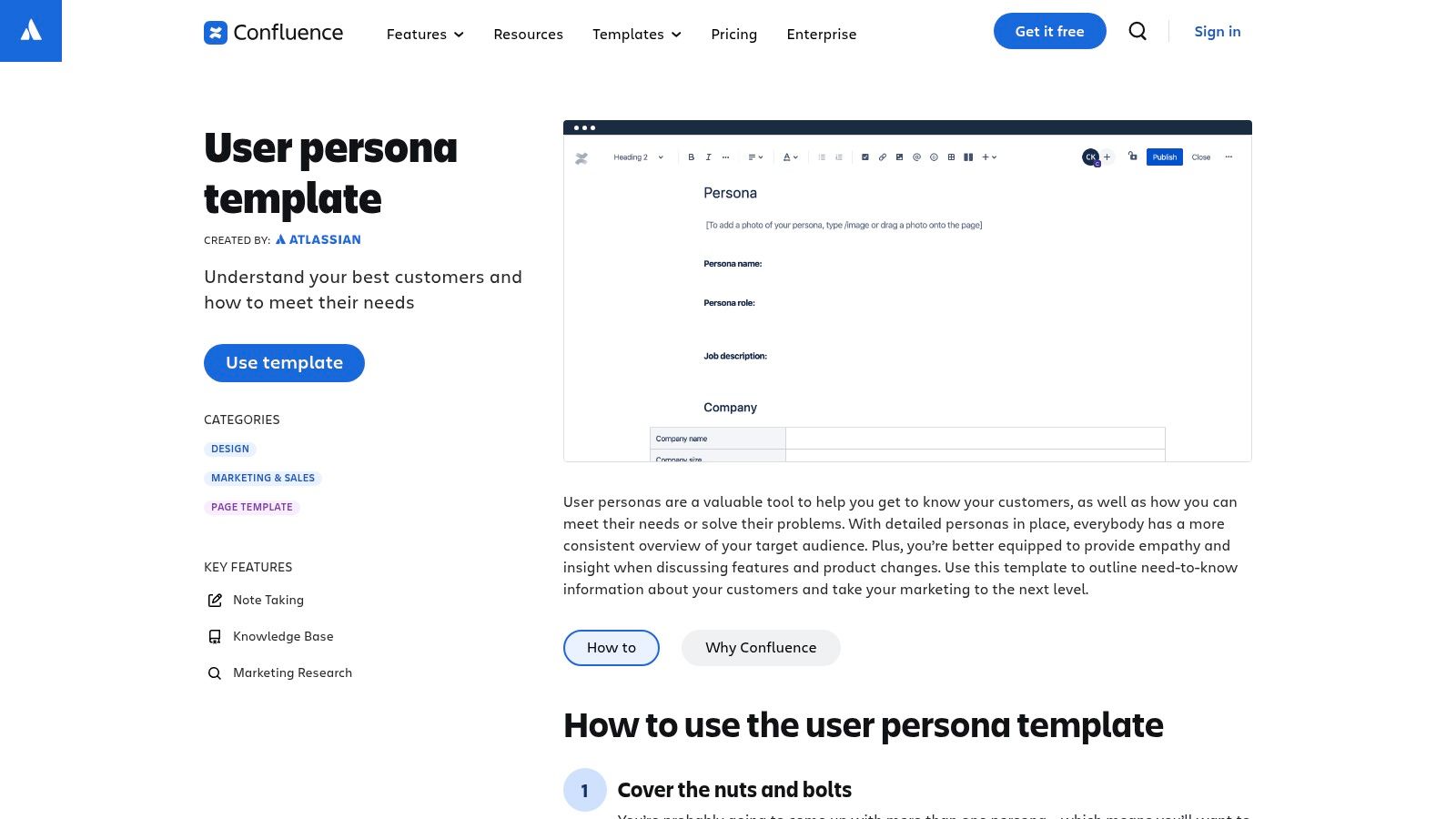
The template's main strength is its deep integration and collaborative nature. PMs can @mention team members for feedback and, most importantly, link personas directly to Jira epics or user stories. This creates a clear, traceable line from a development task back to a specific user need. This is a powerful user persona template free for teams that prioritize documentation, transparency, and a single source of truth for all product-related decisions.
Key Features & Assessment
- Integrated Documentation: Keeps personas alongside project requirements and plans in your Confluence space, making them impossible to ignore.
- Collaborative by Design: Supports inline commenting, version history, and easy sharing with anyone who has Confluence access.
- Structured but Flexible: Provides a clear, pre-built structure that can be easily customized with Confluence's page editing tools.
The primary limitation is its less visual nature compared to dedicated design tools. The output is a functional wiki page, not a graphically rich infographic. However, for product teams that value function over form and need a practical tool for daily reference that directly informs the backlog, Confluence’s integrated approach is highly effective.
Website: https://www.atlassian.com/software/confluence/templates/persona
7. UXPressia – Online Persona builder
UXPressia moves beyond static templates into a dynamic, purpose-built workspace for CX and UX professionals. It's designed for PMs who need to think beyond the persona and visualize the entire customer experience. The platform integrates personas seamlessly with customer journey maps and impact maps, connecting user needs directly to product features and business goals. This makes it an ideal user persona template free for teams looking to build a comprehensive, multi-touchpoint understanding of their users.
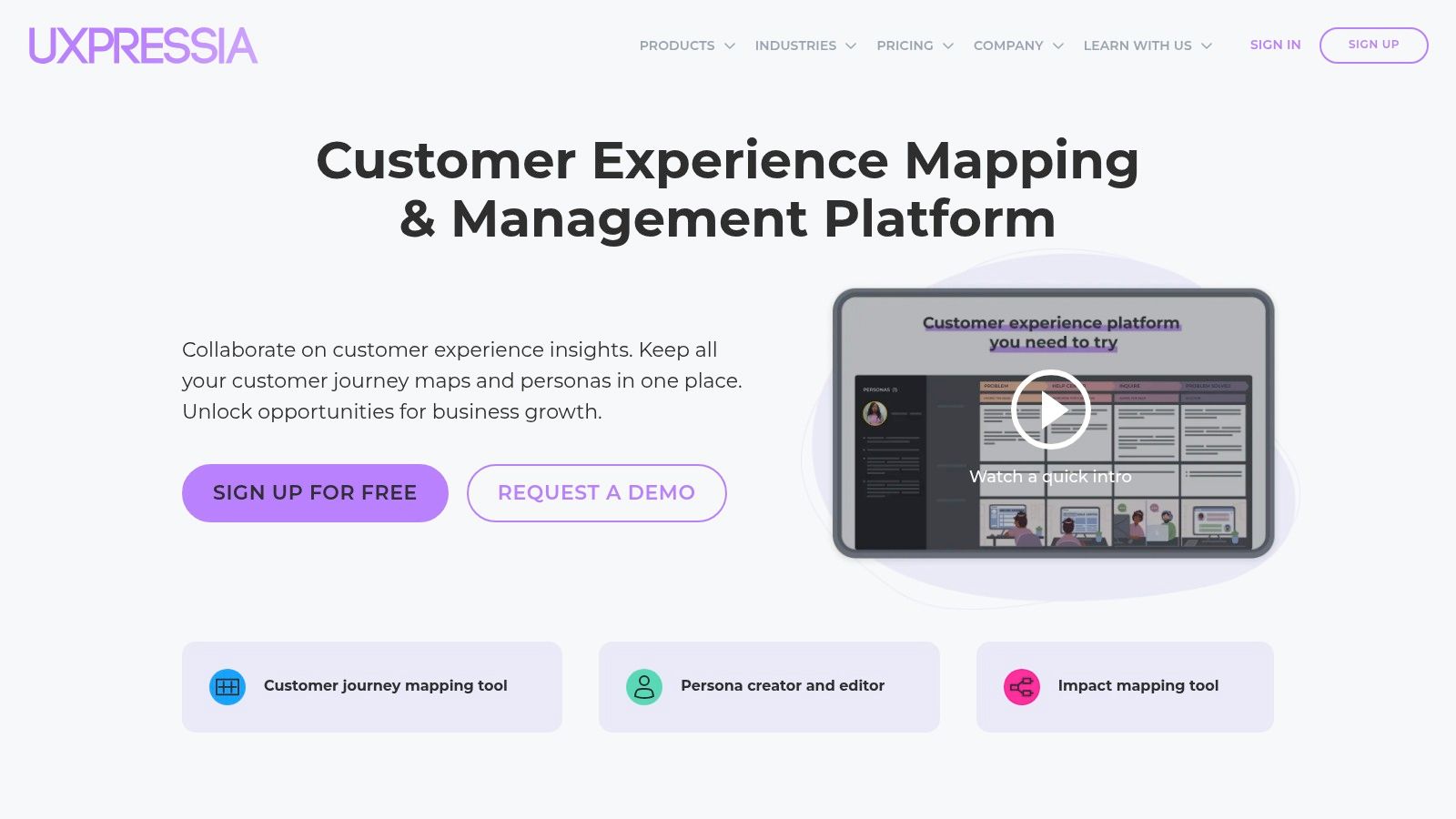
The standout feature is its real-time collaboration within a structured, professional framework. This is a significant advantage over downloadable files that can quickly become outdated. The visual presentation and clean layout make it easy to share insights with stakeholders in a way that looks polished and credible. For PMs looking to ground their personas in solid research, the platform's structure—based on UX best practices—is a great way to synthesize data from user interviews and surveys.
Key Features & Assessment
- Integrated CX Tools: Build personas that directly link to customer journey maps and other CX artifacts within the same platform.
- Real-Time Collaboration: Multiple team members can work on the same document simultaneously, streamlining the creation process.
- Professional Templates: Starts you off with well-structured fields based on industry best practices for user-centric design.
The primary limitation of the free plan is its strict cap of one active project (which includes one persona and one journey map). Exporting your work as a high-quality PDF or PNG also requires a paid subscription. However, for a single, high-stakes project or for learning how to connect personas to the broader user journey, the free tier offers immense value.
Website: https://uxpressia.com/
8. Xtensio – User Persona template
Xtensio positions itself as a tool for creating polished, brand-aligned "folios" rather than just static documents. It’s an excellent choice for teams that need to present their personas to external stakeholders, clients, or senior leadership in a highly professional format. The platform blends a drag-and-drop editor with a powerful AI persona generator, allowing you to draft a detailed profile from a simple text prompt. This focus on speed and presentation makes it a valuable user persona template free for agencies, consultants, or internal PMs needing to maintain brand consistency across their documentation.
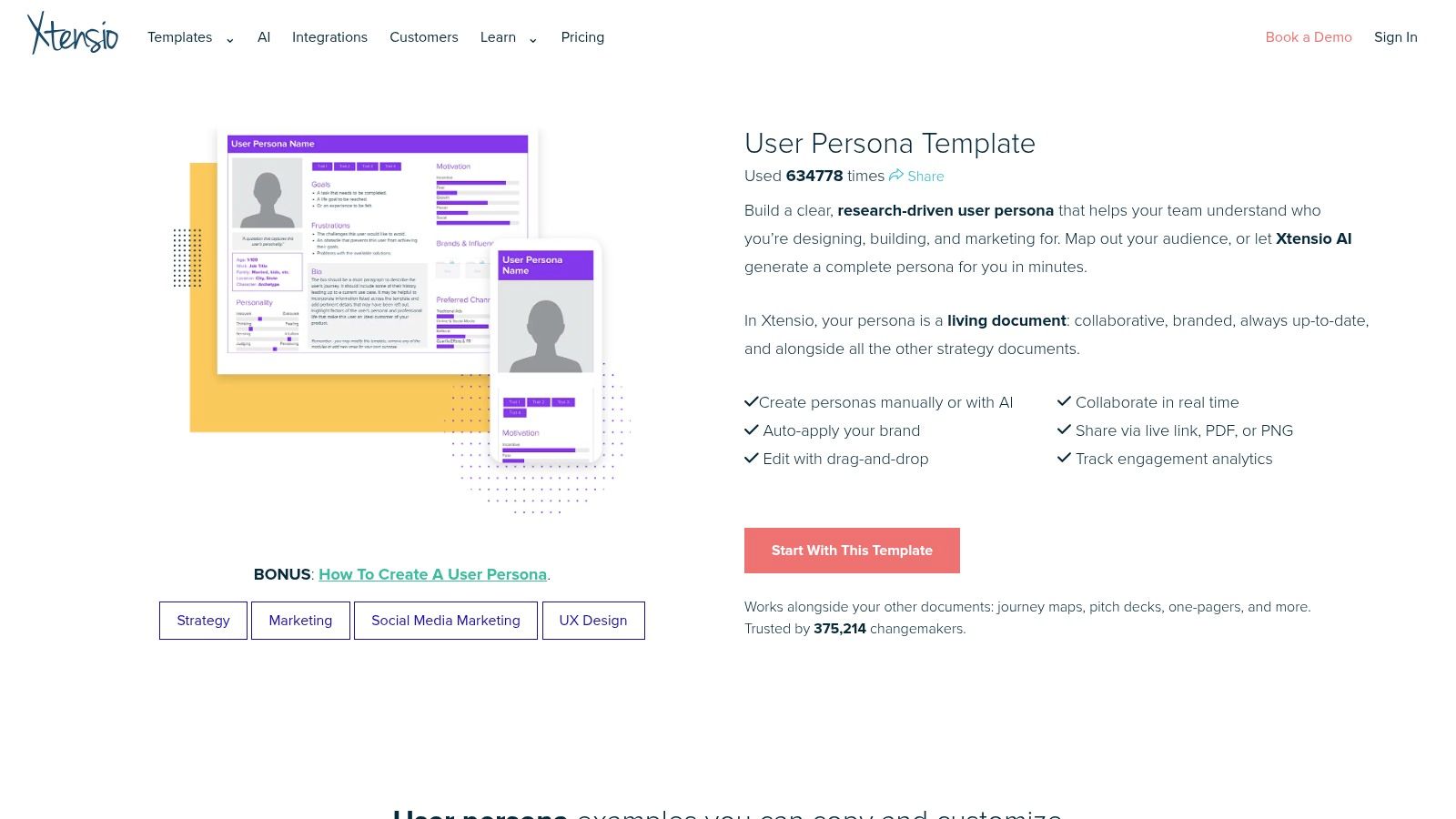
The platform’s standout feature is its folio-based system, which treats each persona as a live, shareable webpage. This allows for real-time updates and easy distribution via a link, moving beyond the limitations of a static PDF. For product managers presenting to leadership, the ability to apply brand colors, logos, and fonts directly within the tool ensures every output is professional and aligned with company standards. It's a significant step up from a basic template for teams where presentation and brand perception matter.
Key Features & Assessment
- AI Persona Generator: Creates a comprehensive persona draft from a simple text description like, "Generate a persona for a Series B startup CTO evaluating new DevOps tools."
- Brandable "Folios": Highly customizable templates with controls for colors, fonts, and logos.
- Live Link Sharing: Share personas as interactive web pages instead of static files that become outdated.
The main limitation is that the most powerful features, like high-quality PDF/PNG exports and advanced collaboration, are part of Xtensio's paid plans. The free version is fully functional for creating and sharing live links, but teams needing offline documents will need to upgrade. Still, for rapidly generating and sharing beautiful, on-brand personas, the free offering is remarkably robust.
Website: https://xtensio.com/user-persona-template/
9. Venngage – Persona creator
Venngage is built for teams that prioritize visual polish and need presentation-ready deliverables without hiring a designer. Instead of a purely data-entry tool, it offers a visual editor with a library of professionally designed templates, icons, and layouts. This makes it an ideal choice for PMs who need to create visually compelling persona one-pagers for stakeholder presentations where aesthetics matter. The platform is designed to transform raw user data from surveys and interviews into an attractive, easily digestible format.
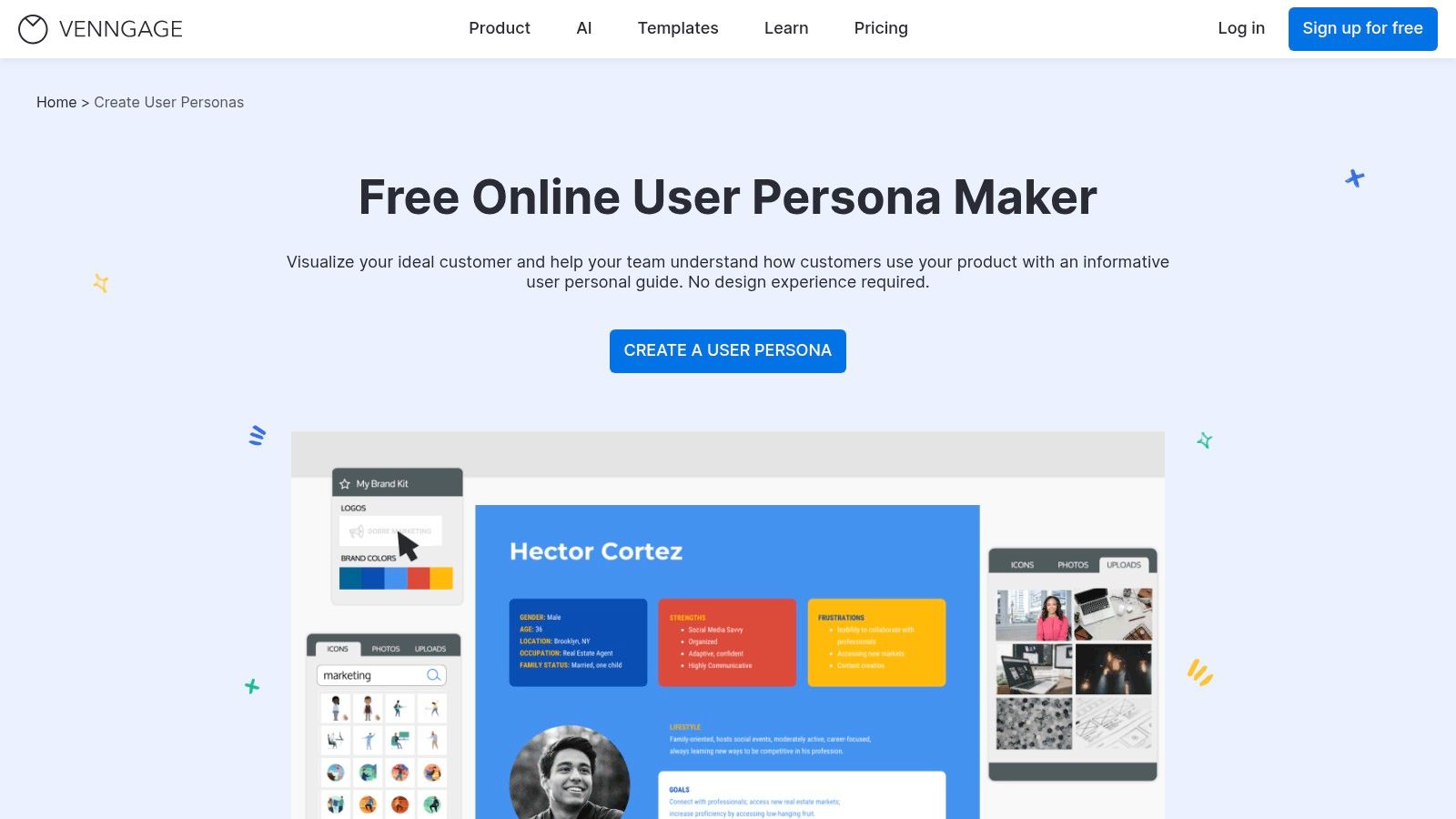
The core strength of Venngage is its focus on aesthetic quality and customization within a structured template. You can easily drag and drop elements, change color schemes to match your company's brand, and add specific assets to make the persona feel unique to your organization. While it provides a user persona template free to start, its full power is best for teams willing to invest in a plan for high-resolution exports. It’s perfect for PMs who need to quickly create a high-fidelity persona document to align teams and impress leadership.
Key Features & Assessment
- Visual Editor: Drag-and-drop interface with access to ready-made designs and icon sets.
- Polished Templates: High-quality starter layouts suitable for direct inclusion in reports and presentations.
- Easy for Non-Designers: Empowers anyone to create a professional-looking persona document quickly.
The main drawback is the free plan's limitations, particularly on export options like high-resolution PNGs or PDFs, which are often gated behind a subscription. Real-time collaboration is also a premium feature. However, for creating a visually impressive initial draft for internal review, Venngage is an excellent and user-friendly tool.
Website: https://venngage.com/features/persona-guide
10. Smartsheet – Customer/Persona worksheets
Smartsheet offers a practical, no-frills approach for teams that operate primarily in traditional document ecosystems like Word, Google Docs, or spreadsheets. Instead of a dedicated app, it provides downloadable persona worksheets and user story templates that integrate directly into established workflows. This makes it an ideal user persona template free for product and marketing teams at large, process-driven organizations who need to standardize their research documentation without forcing everyone to adopt a new tool. The focus is on function and process over visual form.
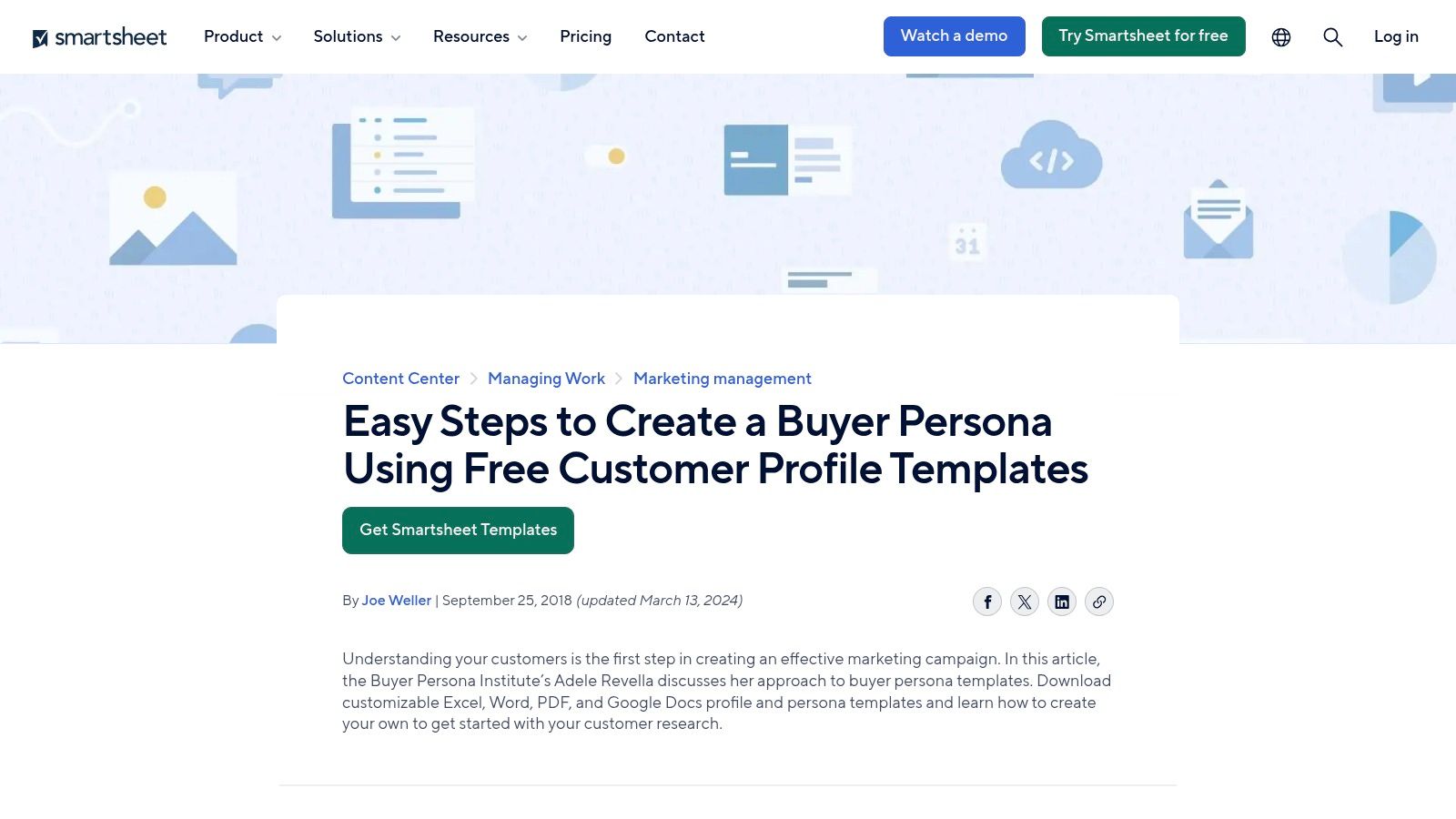
The primary advantage is its accessibility and ease of use within familiar software. Teams can immediately download and start filling out the templates without any signup. This is particularly valuable for organizations aiming to build a consistent process for documenting customer profiles. Smartsheet also provides guidance on research and interview questions, helping teams structure their entire discovery process. For a deeper understanding of how these personas fit into a broader strategy, consider exploring various customer segmentation techniques.
Key Features & Assessment
- Multiple File Formats: Templates are available as downloadable Word, Google Docs, and PDF files.
- Workflow-Focused: Includes persona-driven user story map files, connecting personas directly to development tasks.
- No Design Software Needed: Entirely document-based, removing the need for tools like Figma or Sketch for this specific task.
The main limitation is the lack of visual polish; the templates are basic and require manual customization to become presentation-ready. While the templates are free, they are often used to introduce users to Smartsheet’s core paid project management product, though its use is entirely optional.
Website: https://www.smartsheet.com/customer-profile-persona-templates
11. Milanote – Persona template
Milanote offers a highly visual, flexible canvas for teams who want to build personas rich with qualitative context and storytelling. Instead of a rigid form, it provides a drag-and-drop board where you can pin images, notes from user interviews, research snippets, and direct user quotes. This free-form structure makes it an ideal user persona template free for early-stage discovery, where the goal is to communicate the narrative behind the data and build deep empathy. It excels at turning raw research into a compelling visual story.
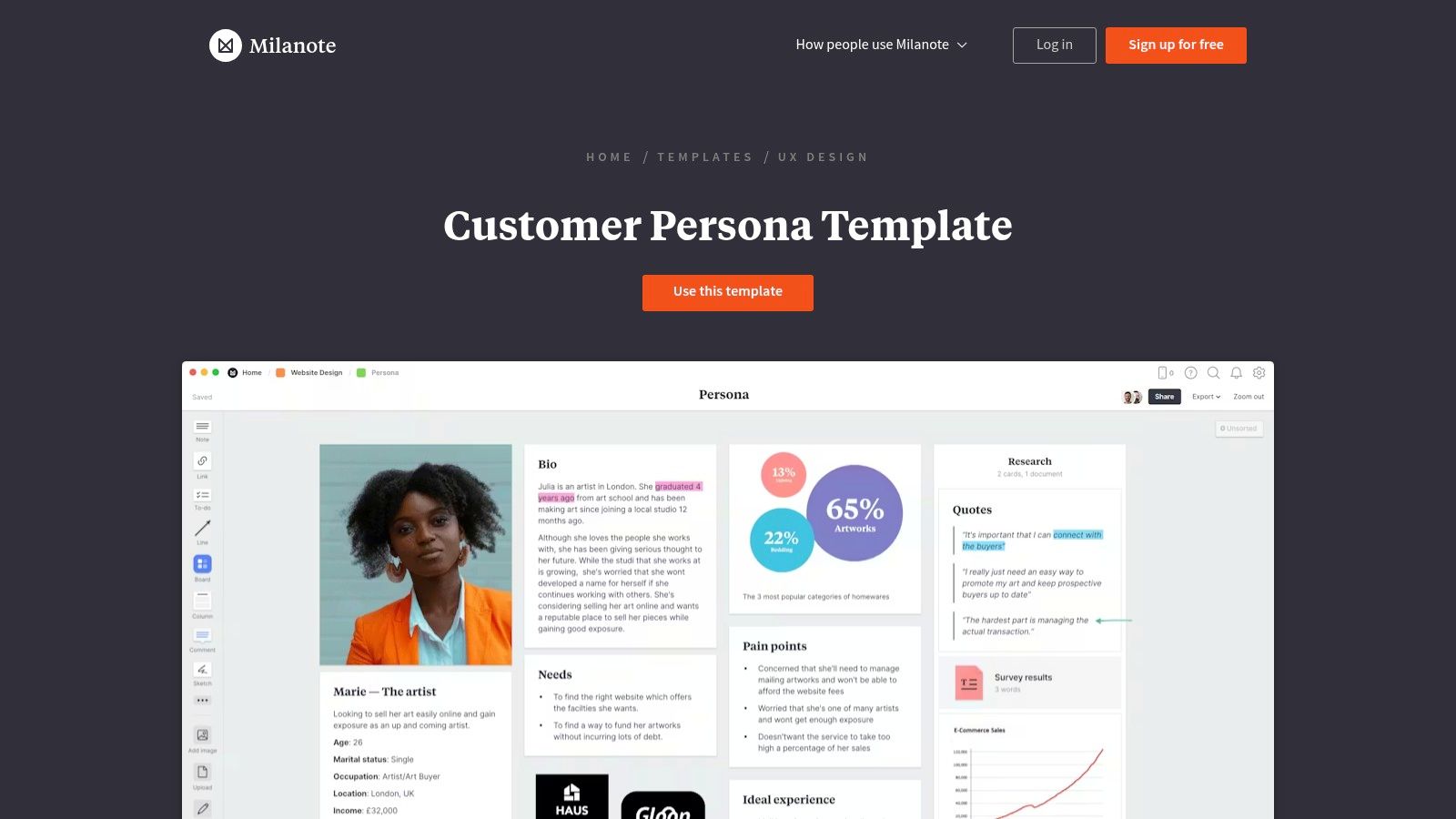
The platform's strength lies in its collaborative, almost scrapbook-like interface, making it incredibly intuitive for non-technical stakeholders to contribute. PMs can use it to create a central mood board for a specific user segment, pulling in everything from interview transcripts to inspiration photos of a user's work environment. This visual approach is particularly effective for aligning design, marketing, and product teams around the user's emotional state and context, moving beyond simple demographics and job titles.
Key Features & Assessment
- Visual Drag-and-Drop Boards: Allows for flexible arrangement of notes, images, links, and files to tell a richer story.
- Real-Time Collaboration: Team members can comment and add content simultaneously for a shared workspace.
- Export to PDF: Boards can be exported for easy sharing with stakeholders outside the platform.
The primary limitation is the free plan, which restricts the number of notes, images, and boards you can create. For extensive projects involving multiple personas, upgrading becomes necessary. However, for a single, deeply detailed persona or a small project focused on qualitative storytelling, Milanote offers an unparalleled free tool.
Website: https://milanote.com/templates/ux-design/persona
12. Template.net – Editable User Persona templates
For teams that need a quick, no-fuss document, Template.net offers a direct and efficient solution. It provides a large library of user persona templates designed for common office software like Word and Google Docs. This approach bypasses the need for specialized design tools, allowing a PM or marketer to find, download, and edit a persona document in minutes using familiar programs. It’s an ideal choice for creating a printable, one-page user persona template free for a quick alignment meeting or as an appendix in a larger strategy document.
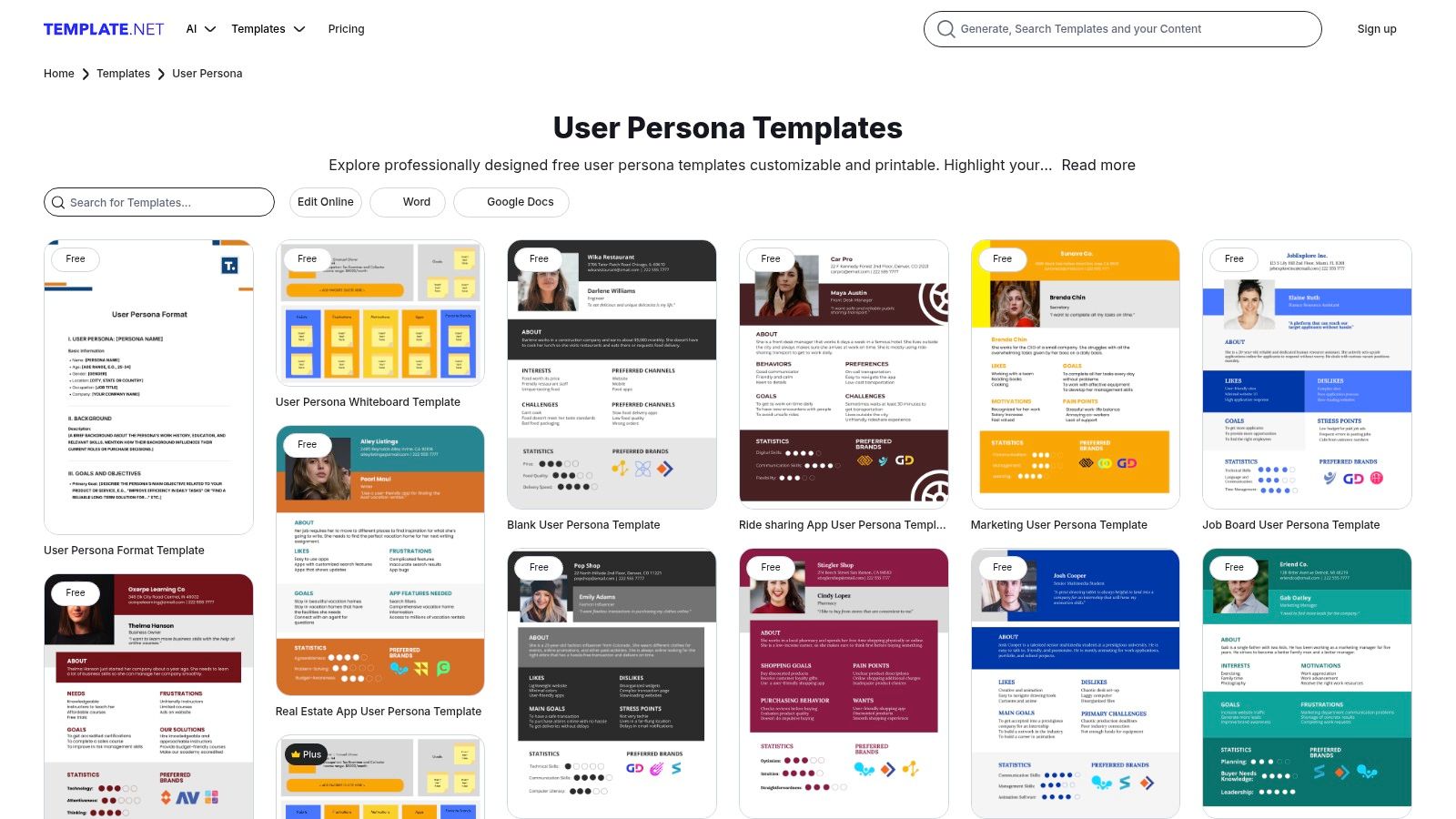
The platform's key advantage is its sheer variety and accessibility. You can find everything from minimalist layouts for proto-personas to more detailed, industry-specific templates ready to be populated. This makes it a fast, lightweight option for teams who need a tangible document without the learning curve of a new platform. The focus is purely on the deliverable, making it easy to integrate a professionally formatted persona into existing project folders or presentations.
Key Features & Assessment
- Document-Centric Formats: Templates are primarily available for Word and Google Docs, ensuring easy editing and sharing.
- Broad Variety: Offers a wide selection of styles, from simple outlines to comprehensive, visually-driven layouts.
- Printable and Downloadable: Designed for teams that need physical or static digital copies of their personas.
The main drawback is that the quality and strategic depth can be inconsistent across templates. Additionally, while many options are free, some of the more premium designs may require a subscription. It’s a great resource for a quick-start document but lacks the guided, data-centric features of dedicated persona-building software.
Website: https://www.template.net/editable/user-persona
Top 12 Free User Persona Template Comparison
| Tool | Core features | UX/Quality ★ | Value & Price 💰 | Target audience 👥 | Unique selling point ✨/🏆 |
|---|---|---|---|---|---|
| HubSpot – Make My Persona | Guided wizard, downloadable templates, marketing+user prompts | ★★★★ — beginner-friendly | 💰 Free | 👥 Aspiring PMs, marketing/sales teams | ✨ Quick guided setup; 🏆 Best free starter tool |
| Miro – User Persona templates | Real-time boards, templates, integrations, AI summarization | ★★★★ — workshop-ready | 💰 Free tier / Paid | 👥 Cross-functional product squads | ✨ Scales for live collaboration; 🏆 Best for workshop facilitation |
| Figma / FigJam – User Persona template | Interactive persona cards, community templates, design collaboration | ★★★★ — design-native | 💰 Free/Pro | 👥 Design-centric product teams | ✨ Keeps personas inside the design workflow |
| Canva – User Persona templates | Drag-and-drop editor, stock assets, AI writing assist | ★★★★ — presentation polish | 💰 Free / Pro assets | 👥 PMs creating stakeholder decks | ✨ Fast, presentation-ready personas |
| Lucid (Lucidspark/Chart) | Whiteboard + diagram templates, enterprise controls, sharing | ★★★★ — balanced discovery+docs | 💰 Free limited / Paid enterprise | 👥 Mid-career to senior PMs, enterprises | ✨ Combines workshops with formal diagrams |
| Atlassian Confluence – Persona page | Structured page template, versioning, doc linking | ★★★ — docs-first UX | 💰 Paid product (template included) | 👥 PMs in the Atlassian ecosystem | ✨ Living personas linked to Jira epics |
| UXPressia – Online Persona builder | Persona + journey maps, presentation mode, collaboration | ★★★★ — UX/CX focused | 💰 Free limited / Paid for exports | 👥 UX/CX teams & senior PMs | ✨ Purpose-built CX deliverables; 🏆 Best for professional outputs |
| Xtensio – User Persona template | Brandable folios, AI persona generator, live links | ★★★★ — polished folios | 💰 Free limited / Paid plans | 👥 Marketers & PMs needing branded assets | ✨ Fast, brand-consistent persona folios |
| Venngage – Persona creator | Visual templates, icon sets, visual editor | ★★★ — presentation-first | 💰 Free limited / Paid for downloads | 👥 Non-designers & comms teams | ✨ Attractive, stakeholder-ready layouts |
| Smartsheet – Persona worksheets | Downloadable Word/Google templates, user-story files, guidance | ★★★ — document-centric | 💰 Free templates / Smartsheet paid | 👥 PMs in process-heavy organizations | ✨ Familiar formats for standardized workflows |
| Milanote – Persona template | Visual boards, image-rich notes, sharing & export | ★★★★ — creative & narrative | 💰 Free limited / Paid for more | 👥 Researchers, early-stage PMs | ✨ Narrative, image-rich personas; 🏆 Best for qualitative storytelling |
| Template.net – Editable User Persona templates | Large library of Word/Google templates, printable formats | ★★★ — fast & lightweight | 💰 Free/Subscription for downloads | 👥 Teams needing quick, simple documents | ✨ Wide variety of editable templates |
Your Next Step: Make User-Centricity Your Superpower
We've explored a comprehensive landscape of the best free user persona templates. The core takeaway is clear: you don't need a budget to build a deep, empathetic understanding of your users. The tools are accessible and powerful. As a PM leader who has hired and mentored product managers at all levels, I can tell you that the ability to effectively create and champion a user persona is a non-negotiable skill for career advancement.
The true value isn't in the template; it's in the process. A persona is not a deliverable to be checked off a list. It is a strategic asset—a north star that aligns engineering, design, marketing, and leadership around a single vision of the customer. It transforms abstract data into a relatable story, ensuring every product decision is grounded in user reality.
From Template to Impact: Your Action Plan
Selecting a user persona template free of charge is step one. The real work begins when you translate that template into a living document that drives decision-making. Here’s a tactical framework for choosing and implementing the right tool:
- For Aspiring/Entry-Level PMs (Quick Wins & Workshops): Your goal is to get a cross-functional team on the same page quickly. Prioritize collaborative, visual tools. Miro, FigJam, and Lucidspark are your best bets. Use their real-time features to facilitate a brainstorming session and show you can lead through influence.
- For Mid-Career PMs (High-Fidelity Artifacts & Stakeholder Management): You need polished, presentable personas to share with leadership and secure buy-in. Tools with strong design capabilities shine here. Canva and Venngage offer templates that create visually compelling documents that command attention and demonstrate strategic polish.
- For Senior PMs/Leaders (System Integration & Scalability): If you're managing multiple product lines or operate in a complex ecosystem, embedding personas directly is key. The Atlassian Confluence template is a no-brainer for Jira-centric teams. Similarly, Smartsheet users can integrate persona worksheets directly into their project plans to enforce process.
- For New Teams or Processes (Guided Creation): If you're new to the process or training junior PMs, a structured builder is invaluable. HubSpot's Make My Persona and UXPressia's online tool guide you through the essential questions, ensuring a comprehensive and repeatable result.
The best template is the one your team will actually use. Don't let perfection be the enemy of progress. Pick a tool from this list, gather your qualitative and quantitative data, and start building. Your journey from a feature-focused team to a truly user-centric powerhouse begins now. Make it count.
For more deep dives into the frameworks and mental models used by top-tier product leaders to build iconic products, subscribe to the newsletter by Aakash Gupta. His insights bridge the gap between theory and the practical realities of shipping products that win in today's competitive market. Get actionable product management advice at Aakash Gupta.
