As a PM leader who has hired and mentored product managers from Associate to Director levels, I can tell you that the ability to write a truly effective user story is a foundational skill that separates top-tier PMs from the rest. It's not about filling out a template; it's about translating a strategic business objective into a crystal-clear, actionable instruction that your engineering team can build against with zero ambiguity.
A bad user story—one that's vague or prescriptive—is the fastest way to burn an engineering cycle and waste hundreds of thousands of dollars. The goal isn't to just make requests. It's to build a structured framework that ties what a user does directly to a clear business outcome.
The secret is the Role-Goal-Benefit format: As a [Role], I want [Goal], so that [Benefit]. This simple sentence is a strategic tool. It forces you to define who the user is, what they need to accomplish, and—most importantly—why it matters to the business. It’s the blueprint that turns a fuzzy idea into a concrete instruction that de-risks development.
The Blueprint for High-Impact User Stories
Let me be blunt: a poorly written user story is the fastest way to burn an engineering cycle. I've seen millions of dollars in development effort go down the drain because the initial request was a mess of ambiguity. At a previous company, a team spent an entire quarter building a "reporting dashboard" based on a vague story, only to discover it didn't solve the core problem the sales team had. That's a $500k+ mistake originating from a poorly defined ticket.
Vague stories are a recipe for disaster. They lead to scope creep, endless back-and-forth between product and engineering, and features that ultimately miss the mark. This is why the best PMs at companies like Meta and Google are absolutely obsessed with clarity from day one.
The classic As a... I want... so that... template isn't just some product management dogma; it’s a strategic tool. It forces you to have a crucial conversation about three key elements:
- The Role (Who): This pinpoints the specific user persona. You have to get more granular than just "user." Think: "As a first-time ecommerce shopper," or "As a power-user administrator." Specificity is everything.
- The Goal (What): This describes what the user is trying to do. It needs to be an action, not a technical solution. Focus on the capability, like "I want to save my payment details for future orders."
- The Benefit (Why): This is the most critical piece of the puzzle. It connects the user's goal to a tangible outcome or value proposition. A strong "so that" clause justifies the work and aligns the entire team on the mission.
This is what it looks like in practice—a modern team using a clear user story on their whiteboard to keep everyone aligned and focused.
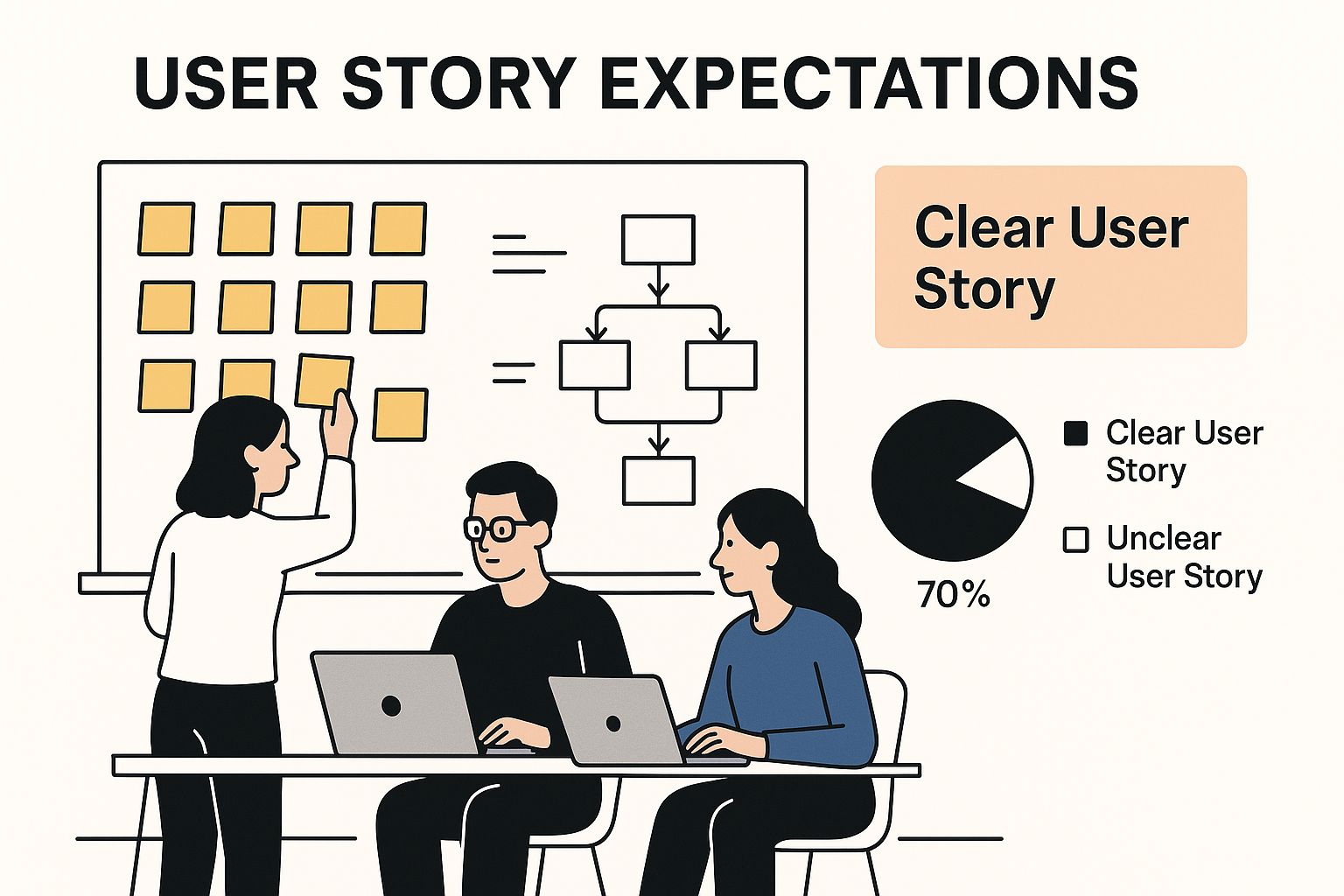
As the infographic shows, a well-defined story isn't just a ticket in Jira; it's a central artifact for collaboration. It's the thing that prevents projects from derailing due to fuzzy, unclear requirements.
Why This Structure Is Non-Negotiable for Career Growth
As an aspiring or junior PM, mastering this format is your first proof point of competence. A hiring manager reviewing a case study will look for this structure. I know I do. It shows you understand how to translate user needs into development reality.
By forcing you to articulate the who, what, and why upfront, this framework acts as your first line of defense against ambiguity and wasted effort. It shifts the conversation from "what to build" to "what problem to solve."
Let's look at a side-by-side comparison to see just how dramatic the difference is between a weak request and a powerful, actionable user story.
From Weak Request to Actionable User Story
| Component | Weak User Story Example | Strong User Story Example | Why It Matters for a PM |
|---|---|---|---|
| Role (The "Who") | As a user… | As a returning customer… | Specifies the persona, demonstrating customer empathy and market segmentation. |
| Goal (The "What") | …I want to see my order history. | …I want to access a filterable list of my past orders on my account page. | Clarifies the action and location, showing you've thought through the user flow. |
| Benefit (The "Why") | …so I can see what I bought. | …so that I can quickly re-order my favorite items without searching the site again. | Connects the feature directly to a business goal (repeat purchases), proving your commercial awareness. |
The difference is night and day. The weak example leaves everything to interpretation, while the strong example gives the team a clear target to hit. It’s the difference between building something and building the right thing.
Of course, this structure is the foundation, but it's just the start. To make your stories even more powerful, you need to pair them with detailed specifications. You can learn more about this by reading our guide on writing better specs as a PM. This combination is what gives your engineering team everything they need to execute flawlessly.
Applying the INVEST Framework to Your Backlog
A well-formatted story is a great start, but it's not enough. Just having the "As a…, I want…, so that…" template down doesn't mean you're writing good user stories.
The real test—what separates an amateur from a seasoned pro—is the quality of the story itself. At top-tier companies like Google and Meta, the INVEST framework is the unofficial gold standard for validating that a story is truly ready for development.

Running each story through this six-point checklist transforms it from a simple idea into a sprint-ready requirement. Think of it as the quality control process that ensures your engineering team can build with speed and confidence, not confusion.
Breaking Down the INVEST Acronym
Let's dissect what each letter means in a practical sense. This isn't just theory; it's a diagnostic tool I’ve used countless times to triage backlogs and get engineering teams unblocked.
-
Independent: Can this story be developed, tested, and shipped on its own? Dependencies are the silent killers of velocity. If Story A can’t be finished until Story B is done, you’ve just created a potential bottleneck. The goal is to slice stories so they can move through the pipeline without being tethered to other work.
-
Negotiable: A user story is not a contract chiseled in stone. It’s an invitation to a conversation. The details of implementation should be hammered out collaboratively between product, design, and engineering. The what and why are your domain; the how is a team sport.
-
Valuable: Does this story deliver tangible value to the end-user or the business? Every story must clearly contribute to that "so that…" benefit. If you can't articulate its value, it's either not a real user story or it needs to be combined with something that is. This is your guardrail against building features nobody needs.
A story that fails the 'Valuable' test is just noise in your backlog. It consumes planning time, clutters grooming sessions, and distracts from work that actually moves the needle. Be ruthless in cutting out work that doesn't provide clear, demonstrable value.
-
Estimable: Can the development team put a rough size on this story? If they can’t, it’s a massive red flag. This usually means the story is too vague, too big, or just not understood well enough. Pushing for something to be "Estimable" forces clarity and ensures the team has enough information to make a reasonable forecast.
-
Small: Is the story small enough to be completed within a single sprint, ideally in just a few days? Big stories (often called epics) are impossible to estimate accurately and carry way too much risk. A small story gives you a fast feedback loop and delivers incremental value. Think "add a password reset button," not "build the entire user authentication system."
-
Testable: How will you know when it's done done? A story isn't complete until it can be verified. This means having clear, objective acceptance criteria spelled out before development even begins. It’s the ultimate defense against the dreaded "it works on my machine" excuse.
Writing Acceptance Criteria That Eliminate Ambiguity
If the user story is the "why," then Acceptance Criteria (AC) are the "what." This is where you get brutally specific about the conditions of satisfaction, and frankly, it's where I see most product managers stumble early in their careers.
Vague ACs are a one-way ticket to bugs, missed deadlines, and a deeply frustrated engineering team. Getting this part right is how you prove you can de-risk a feature before anyone writes a single line of code. It's a non-negotiable skill for any PM, especially for technical product management and even for adjacent roles like Senior Business Analyst.

The Given-When-Then Framework
Over the years, the most bulletproof method I've found for killing ambiguity is the Given-When-Then format. It comes from the world of Behavior-Driven Development (BDD), and it forces you to think through every possible user scenario, leaving almost no room for misinterpretation.
Here's how it breaks down:
- Given: The initial context. What's the state of the system before the user does anything?
- When: The specific action the user takes.
- Then: The expected outcome. What happens as a direct result of that action?
This isn't just about pretty formatting; it's a powerful thinking tool. It compels you to define every single scenario explicitly, which is the secret to creating a rock-solid shared understanding with your engineering and QA teams.
A well-written set of Acceptance Criteria is the contract between Product and Engineering. It defines what "done" looks like and serves as the ultimate source of truth during development and testing.
From Simple to Complex Examples
Let's put this framework into practice with a couple of common scenarios.
Scenario 1: Simple Password Reset
User Story: "As a returning user who forgot their password, I want to request a password reset link so that I can regain access to my account."
Acceptance Criteria:
-
Given I am on the login page and have entered a valid, registered email address,
When I click the "Forgot Password" button,
Then I see a confirmation message stating "A password reset link has been sent to your email." -
Given I am on the login page and have entered an invalid or unregistered email address,
When I click the "Forgot Password" button,
Then I see an error message stating "Email address not found."
Scenario 2: Complex Data Filtering
User Story: "As a sales manager, I want to filter the team's deal pipeline by deal stage so that I can focus on deals that need my immediate attention."
Acceptance Criteria:
-
Given I am viewing the deal pipeline dashboard,
When I select "Negotiation" from the "Deal Stage" filter dropdown,
Then the pipeline view updates to show only deals currently in the "Negotiation" stage. -
Given I am viewing the deal pipeline dashboard,
When I select "Closed Won" from the "Deal Stage" filter dropdown,
Then the pipeline view updates to show only deals in the "Closed Won" stage and the total revenue metric updates accordingly.
See how each AC covers a single, testable outcome? That's the key. For an even deeper dive, you can check out more examples of user stories with acceptance criteria to see how this approach handles different types of features. This level of precision is what separates a vague request from an actionable requirement.
Using AI to Draft and Refine User Stories
Your real leverage as a product manager comes from high-level strategic thinking, not from getting buried in the tactical weeds. This is where AI becomes an incredibly powerful co-pilot. I've found tools like ChatGPT are exceptionally good at handling the groundwork of drafting stories, freeing me up for critical work like customer discovery and big-picture planning.
Writing user stories by hand isn't just slow; it’s also prone to inconsistencies, especially across a large team. Using AI helps cut down on human error and seriously speeds up the process. This lets your product and engineering teams focus on much more complex, valuable problems.
Top-tier PMs are scaling their impact by automating the mundane. You can feed an AI your product context, user personas, and a feature brief to get outputs that are 80% of the way there. It's a massive time-saver.
Prompting AI for High-Quality First Drafts
The secret isn't just asking an AI to "write a user story." The quality of your output depends entirely on the quality of your input. You have to brief the AI like you would a junior PM—with clarity and context.
A great prompt should always include a few key things:
- The Persona: Who is this for? Be specific about their goals, their role, and what they're struggling with.
- The Context: Briefly explain your product and the specific problem this new feature is supposed to solve.
- The Feature: Describe the functionality you want in plain language.
- The Constraints: Are there any business rules, technical limitations, or other requirements the AI needs to know about?
Here’s a practical prompt you can adapt right now for an e-commerce platform. Notice how it provides all the necessary ingredients.
Act as an expert Product Manager at a B2C e-commerce company.
Your task is to write a detailed user story and acceptance criteria for a new 'Quick Re-order' feature.

Product Context: We are a mobile-first e-commerce app selling household goods. Our average customer is a busy parent who values speed and convenience. Our business goal is to increase repeat purchase rate by 5%.

User Persona: "The Busy Parent" - Time-poor, often multi-tasking, uses the app late at night to restock essentials. They know what they want and hate navigating through menus to find their frequently purchased items.

Feature Idea: A "Re-order" button on the order history page that adds all items from a past order to the cart.

Instructions:
1. Write a user story using the 'As a..., I want..., so that...' format.
2. Generate 5-7 comprehensive acceptance criteria in the 'Given-When-Then' format.
3. Include at least one edge case (e.g., an item is out of stock).
4. Ensure the tone is clear, concise, and ready for a developer to implement.
A prompt structured like this gives you a fantastic starting point. You'll get a well-formed user story and a solid first pass at acceptance criteria, which you can then take to your team for refinement.
AI is a phenomenal starting point, but it's not the finish line. Your job is to take the AI-generated draft, apply your deep product knowledge and customer empathy, and refine it into a sprint-ready asset.
Refining and Expanding with AI
AI is also a fantastic partner for refining work that's already in progress. For example, you can take a basic, one-line user story and ask an AI to flesh it out based on the INVEST framework or to generate a comprehensive list of acceptance criteria.
Let's say you have a vague story. You could use a refinement prompt like this:
"Here's a draft user story: 'As a user, I want to filter products so I can find things.' Can you refine this story for our 'busy working parent' persona who uses our mobile grocery app? Also, generate 5-7 detailed acceptance criteria in the Given-When-Then format. Make sure to cover happy paths, edge cases like 'no results found,' and performance considerations."
In seconds, this takes a fuzzy idea and transforms it into a detailed, actionable requirement. It's an incredibly efficient way to work. Exploring AI solutions for mobile app development pain points shows this is part of a much bigger trend in optimizing how we build products.
By making these tools a part of your workflow, you're not just writing user stories faster; you're building a more efficient product machine. For a deeper look at useful tools, check out our guide to AI tools for Product Managers.
Common User Story Mistakes and How to Avoid Them
After reviewing thousands of user stories and hiring dozens of PMs, I’ve seen the same mistakes pop up time and time again. These are the pitfalls that separate the good product managers from the truly great ones.
They aren't just minor typos or formatting issues; they're fundamental misunderstandings of what a user story is for. These errors create confusion, waste precious engineering cycles, and ultimately lead to a weaker product. Nail these, and you'll not only ship better features but also demonstrate a level of product maturity that gets noticed.
Prescribing the Solution Instead of Defining the Problem
This is, without a doubt, the most common mistake I see. A PM, often with the best intentions, writes a story that dictates exactly how something should be built. They'll specify UI elements, database structures, or technical approaches.
This completely handcuffs your design and engineering teams. You've hired smart, creative people to solve problems, but a prescriptive story prevents them from exploring better, more innovative solutions you might not have even considered.
Mistake Example: "As a user, I want a dropdown menu on the dashboard so that I can select a date range."
See the problem? This story doesn't explain the user's goal. It just prescribes a UI element. The real "why" is missing. Is the user trying to compare performance? See trends? A dropdown is just one of many ways to solve that.
How to Fix It: Always, always focus on the user's goal—the what and the why, not the how. Frame the story around the problem they need to solve.
Corrected Example: "As a marketing manager, I want to compare this month's performance against last month's so that I can identify trends in user engagement."
Now that opens up a conversation. Suddenly, the team can brainstorm. Maybe a side-by-side comparison view would be better. Or a trend graph. Or maybe simple "This Month vs. Last Month" toggles. You’ve defined the problem and empowered your team to find the best solution.
Writing Epics Disguised as Stories
Another classic blunder is writing a "user story" that's actually a massive project in disguise. These are stories that are far too large to be completed in a single sprint. We call these epics, and when they sneak into a backlog masquerading as stories, they make estimation impossible and completely kill team momentum.
Mistake Example: "As a new user, I want to create an account and set up my profile so that I can start using the app."
This single sentence sounds simple, but it's huge. It probably involves a registration form, email verification, creating a profile with multiple fields, maybe uploading a photo, and potentially even an onboarding tutorial. Trying to tackle all of that in one go is a recipe for disaster.
How to Fix It: Break it down. Your job is to slice that large workflow into the smallest possible pieces that still deliver value to the user. The INVEST framework is your best friend here—each story should be Independent, Negotiable, Valuable, Estimable, Small, and Testable.
Instead of that one behemoth, you’d have several smaller, manageable stories:
- "As a first-time visitor, I want to register with my email and password so that I can create a secure account."
- "As a newly registered user, I want to add my name and profile picture so that my teammates can identify me."
- "As a newly registered user, I want to complete a quick onboarding tour so that I understand the key features."
Each one of these can be built, tested, and potentially shipped independently. That’s how you build momentum.
To help you spot these issues in your own backlog, I've put together a quick cheat sheet of the most frequent problems I see and how to course-correct.
Common User Story Pitfalls and Solutions
| Common Mistake | Why It's a Problem | How to Fix It |
|---|---|---|
| Too Vague / Lacks Detail | Engineers can't build it without asking dozens of questions, leading to delays and rework. | Add clear and concise acceptance criteria. Ask yourself: "Could a developer build this only with the information here?" |
| Focuses on a System Action | Stories like "The system needs to…" lose sight of the user and their motivation, leading to features without clear value. | Always frame the story from a user's perspective. If it's a technical task, create a "tech debt" or "task" ticket instead. |
| No "So That" Clause | Without the "why," the team lacks context. They can't make smart trade-offs or suggest better alternatives. | Make the "so that…" clause mandatory. It should clearly articulate the value the user gains from the feature. |
| Combining Multiple User Roles | A story for "As a user…" is often too generic. A buyer's needs are different from a seller's or an admin's. | Be specific with your persona. Use "As a returning customer…" or "As a first-time admin…" to provide critical context. |
Internalizing these fixes is a game-changer. It moves you from simply documenting tasks to truly defining user-centric problems, which is the heart of great product management.
How This Skill Evolves Through Your PM Career
The ability to write a killer user story isn't a "one-and-done" skill you master and file away. It's a living, breathing competency that looks wildly different as you climb the product management ladder. How an Associate PM writes a story is worlds apart from how a Director of Product shapes the entire system of story creation.
Frankly, understanding this evolution is critical if you want to position yourself for that next promotion. At companies like Amazon, this is a core differentiator between an L5 and L6 PM.
At each stage, you're moving away from pure tactical execution and towards strategic enablement. You go from writing the perfect sentence to creating the perfect environment for great sentences to be written by your team.
From Junior PM (APM/PM) to Mid-Level PM (Sr. PM)
-
Junior (APM/PM) Focus (Typical Salary: $90k – $140k): Your world revolves around mastering the craft. Your single most important job is to deliver stories that are crystal clear. You live and breathe frameworks like
Role-Goal-Benefitand INVEST, and your acceptance criteria are so sharp they leave zero room for ambiguity. Success means your engineering team can grab a story and run with it, no follow-up questions needed. You are the master of clarity. -
Mid-Level (Sr. PM) Focus (Typical Salary: $140k – $200k+): The game changes. You’re no longer just pumping out individual stories. Your focus zooms out. Now, it’s all about connecting those tactical stories to a much larger narrative—the epics and initiatives that actually move the needle on quarterly business goals. You have to see the forest and the trees, articulating exactly how one tiny feature pushes a major product milestone forward. You begin mentoring junior PMs on their story-writing.
Senior Leadership and Strategic Intent (Group PM, Director+)
- Senior Leadership (Group PM/Director) Focus (Typical Salary: $200k – $350k+): You should rarely be writing individual user stories yourself. If you are, something's probably wrong. Your role has transcended the backlog. Your job is no longer to write stories, but to provide the strategic intent and compelling product vision that empowers your team to write excellent stories on their own.
Your success is measured not by the quality of the stories you write, but by the quality of the stories your team produces without your direct intervention. You provide the 'why,' and they own the 'what.'
Looking forward, this ability to define the "why" only becomes more valuable. The entire software development landscape is shifting. One forecast predicts that by 2025, a whopping 70% of new business applications will be built on low-code/no-code platforms. You can dive deeper into these emerging industry trends on DesignRush.com.
This shift means that articulating user needs is becoming accessible to more people than ever before. It reinforces the core truth of product management: your real value is in defining the problem, not dictating the solution. In this new reality, your ability to articulate the strategic "why" becomes your most powerful asset.
Your User Story Questions, Answered
How do you write stories for technical tasks or bugs?
This is a classic one. For purely technical work like a database upgrade or an API refactor, the "user" isn't always a customer. In these cases, your developer, the system itself, or even another service can be the 'user'.
The key is to frame the benefit in terms of performance, security, or maintainability. Think about why the team is doing this work.
Example (Tech Debt): As a back-end developer, I want to upgrade the database to the latest version so that we reduce security vulnerabilities and improve query performance by 15%.
For bugs, it's a bit different. You want to write it from the perspective of the person who actually hit the snag. It’s their story, after all.
As a [user type], I want [the correct behavior] so that [I can get back to what I was trying to do without this roadblock].
What's the difference between a story and a requirement?
Think of it like this: a user story is the start of a conversation. It’s an informal, simple description of something a user wants to do and why it matters to them. It’s all about the 'what' and the 'why.'
The requirements, on the other hand, are the details that come out of that conversation. You'll usually find these captured in the acceptance criteria, which are the specific, testable conditions that have to be met for the story to be considered "done."
The story sparks the idea; the requirements define what "done" looks like.
Should user stories include UI and UX details?
Nope, not in the story itself. The core user story should stay laser-focused on the user’s goal and the value they'll get from it. Keep it clean and concise.
All the important design details—wireframes from Figma, user flow diagrams, or detailed mockups—should be attached or linked directly to the story. This gives the engineering and design teams all the context they need without cluttering up the core narrative of the user's goal. It’s the best of both worlds: a clear, simple story with all the rich detail just a click away.
