Writing a user story is a core competency that separates top-tier Product Managers from the rest. It's not just a task; it's the primary mechanism for translating customer needs into actionable work for your engineering team. At places like Meta and Google, the ability to write a crisp, insightful user story is a non-negotiable skill we screen for during interviews. It’s how we ensure every sprint delivers tangible business value.
A great user story frames every requirement from the end-user's perspective, forcing clarity on who you're building for, what they need, and why it matters. This simple format is your best tool to move away from building features for the sake of features and toward solving real problems that drive metrics.
The Actionable Framework for Writing User Stories
In my years hiring and mentoring PMs, I've seen a clear pattern: the best PMs master the fundamentals. Let's start with the immediate, practical template that has been the gold standard for over two decades. It was pioneered at Connextra and remains the most effective format I've seen.
As a [persona], I want to [action] so that [benefit].
This template is genius because it forces you to define three critical components:
-
The Persona ("As a…"): This defines who you are building for. Avoid generic labels like "user." Get specific. Is it an "inventory manager at a mid-sized e-commerce company," a "first-time homebuyer using our mobile app," or a "freelance graphic designer on a free trial"? A sharp persona, often derived from your market research or tools like a Jobs-to-be-Done (JTBD) framework, helps the engineering team build empathy and make better implementation decisions.
-
The Action ("I want to…"): This describes what the persona is trying to achieve. The action must be a goal, not a technical implementation. Focus on the user's intent. For example, "I want to filter my dashboard by date range" is a clear goal. "I want a dropdown menu with date options" is a premature solution that constrains your design and engineering partners.
-
The Benefit ("so that…"): This is the why, and it's the most important part of the story. The benefit links the user's goal directly to business value (e.g., saving time, reducing errors, increasing revenue). It gives your engineering team the strategic context they need to make smart technical trade-offs. If the "so that" is weak or missing, the entire story should be challenged.
At its heart, a user story isn't a technical specification; it’s a promise for a conversation. While a single story captures a specific need, a full Product Requirements Document (PRD) provides the broader context. For any significant feature, you need both: crisp user stories for the backlog and a clear PRD for strategic alignment, as I've detailed in my guide on how to write product requirements.
The INVEST Checklist: Your Non-Negotiable Quality Gate
Before a user story is ready for a sprint, it must pass the INVEST quality check. I tell every PM I mentor to treat this as a mandatory gate. It is your best defense against ambiguous, un-estimable work that leads to sprint delays and rework.
Every story must be:
- Independent: The story should be self-contained and not dependent on other stories in the same sprint.
- Negotiable: It's not a rigid contract; it's a starting point for discussion with your team to find the best solution.
- Valuable: It must deliver clear, tangible value to the end-user and the business.
- Estimable: The team must be able to give a rough estimate of the effort required.
- Small: It should be small enough to be completed within a single sprint (typically 2-3 days of work for an engineer).
- Testable: There must be clear, objective criteria to confirm when the story is "done."
Here’s a reference table to use during backlog grooming. Run every story through this filter.
INVEST Checklist for High-Quality User Stories
| Criteria | What It Means | Why It Matters for a PM's Career |
|---|---|---|
| Independent | The story can be developed and delivered on its own. | Prevents dependency bottlenecks and allows for flexible prioritization. You can reorder the backlog without breaking the sprint, showing strategic agility. |
| Negotiable | It's a conversation starter, not a detailed spec. | Fosters collaboration and empowers engineering to find the best solution. This builds trust and positions you as a partner, not a dictator. |
| Valuable | It delivers a clear benefit to a user or the business. | Ensures every sprint delivers tangible value and moves business metrics. This is how you demonstrate impact and justify your roadmap. |
| Estimable | The team has enough info to give a rough size estimate. | If a story can't be estimated, it's a sign it's too vague or complex. This is your cue to refine it further, preventing scope creep and unpredictable delivery. |
| Small | It fits comfortably within one sprint. | Small stories improve development flow, reduce risk, and allow for faster feedback cycles. Mastering story splitting is a key mid-level PM skill. |
| Testable | You can define clear acceptance criteria to verify completion. | Ensures everyone agrees on what "done" looks like. This is critical for shipping high-quality products and reducing the bug-fix tax on your team's velocity. |
Consistently applying the classic template and the INVEST criteria is the first step toward building a high-quality backlog. This foundation enables your team to execute with confidence and positions you as an effective Product Manager who delivers predictable results.
Crafting Bulletproof Acceptance Criteria
If a user story is the promise of a conversation, then Acceptance Criteria (AC) are the documented outcome. This is where most junior PMs fail. I've seen countless perfectly formatted stories get derailed by vague, untestable ACs that force engineers to make assumptions—and assumptions are where bugs and feature misunderstandings are born.
Think of Acceptance Criteria as the "Definition of Done" for a single story. They are a checklist of conditions that must be met for the story to be considered complete. Getting this right is your single best tool for preventing rework, squashing bugs before QA finds them, and building trust with your engineering team. In my experience leading teams, strong ACs are directly correlated with predictable sprints and higher-quality releases.

The Gherkin Framework: Given-When-Then
To eliminate ambiguity, the best PMs at companies like Google and Atlassian rely on the Given-When-Then format (also known as the Gherkin syntax). It comes from Behavior-Driven Development (BDD) and provides a structured way to define every testable scenario.
- Given: The initial context or precondition. What is the state of the system before the action?
- When: The specific action the user takes. What does the user do?
- Then: The expected outcome or system response. What happens as a result?
Let's apply this to a common user story:
- Story: As a new user, I want to sign up for an account so that I can access the platform's features.
Happy Path Scenario
This is the ideal case where everything goes as planned.
- Given I am a new visitor on the sign-up page
- When I enter a valid email, a password meeting the complexity rule (e.g., 8+ characters, 1 number, 1 special character), and my first name
- And I click the "Sign Up" button
- Then my account is created in the database
- And I am redirected to the
/dashboardpage and shown a "Welcome!" toast notification.
Edge Cases and Error Handling
This is where you demonstrate senior-level product thinking. Anticipating what can go wrong is what prevents production issues and shows your engineering team you've thought through the details.
-
Scenario: Email already exists
- Given an account already exists with the email "test@example.com"
- When I enter "test@example.com" on the sign-up page
- And I click the "Sign Up" button
- Then the form does not submit
- And I see an inline error message: "This email address is already in use. Please log in."
-
Scenario: Password is too weak
- Given I am on the sign-up page
- When I enter a password that is fewer than 8 characters long
- Then I see a real-time validation error message below the password field: "Password must be at least 8 characters."
This level of detail leaves no room for interpretation. The engineering and QA teams know precisely what to build and how to test it. Mastering these scenarios is a core skill, and studying real-world product stories examples can help you sharpen your thinking.
As a PM, your job isn’t just to define the happy path. It's to anticipate the unhappy paths, the edge cases, and the error states. That’s how you build robust, high-quality products and earn the respect of your engineering counterparts.
Remember, ACs are best co-created with your engineering and QA leads during backlog refinement. This collaborative approach builds shared understanding and ensures everyone is aligned on what "done" means before a single line of code is written.
Using AI as Your Product Co-pilot
In today's product landscape, ignoring AI is a career-limiting move. As an AI PM, I can tell you that tools like ChatGPT, Claude, and Gemini are not here to replace you; they are here to augment you. Think of these large language models (LLMs) as an incredibly fast junior PM on your team. They have immense processing power but zero product context, strategic judgment, or user empathy.
Your role is to be the senior leader in this partnership. You provide the strategic direction—the user personas, business goals, and technical constraints. The AI then acts as a co-pilot, generating high-quality first drafts of user stories and acceptance criteria at a speed you could never match. This frees you from the tedious parts of writing a user story so you can focus on high-leverage work: strategy, customer interviews, and stakeholder management.
From Vague Prompts to High-Quality Drafts
Garbage in, garbage out. The quality of your AI prompt directly determines the quality of its output. To get actionable results, you need to provide rich, specific context.
Here’s a tactical workflow you can implement immediately:
-
Prime the AI with Context: Start a new chat session and feed it the essential background information. This includes your detailed user persona, the business objective (e.g., "Increase user retention by 5% in Q3"), and any known technical constraints (e.g., "This must be built using our existing component library; no new third-party dependencies.").
-
Define the Epic: Give it the high-level feature. For example, "The epic is 'Build an in-app purchase history dashboard for our mobile game.'"
-
Use a Structured Prompt for Story Generation: Now, ask it to break down the epic.
AI Prompt for Story Generation (for ChatGPT-4 or Claude 3):
"Act as a Senior Product Manager at a top-tier gaming company. Given the following context:
- Persona: 'Power Player' who makes 5+ in-app purchases per month.
- Business Goal: Reduce customer support tickets related to missing purchases by 15%.
- Epic: Build an in-app purchase history dashboard.
Break down this epic into a set of small, INVEST-compliant user stories. For each story, use the format 'As a [Persona], I want to [Action], so that [Benefit].' Ensure each story delivers a distinct piece of user value."
Accelerating Acceptance Criteria Creation
Writing comprehensive ACs, especially for edge cases, is time-consuming. This is where AI excels. Once you have a user story, prompt the AI to flesh out the ACs.
AI Prompt for Acceptance Criteria (for ChatGPT-4 or Claude 3):
"For the user story: 'As a Power Player, I want to filter my purchase history by date range so that I can easily find a specific transaction from last month,' generate a comprehensive list of Acceptance Criteria using the 'Given-When-Then' format.
Include the following scenarios:
- Happy path (valid date range with results).
- No results found for the selected date range.
- User selects an invalid date range (e.g., end date is before start date).
- User with no purchase history views the page."
The Crucial Human-in-the-Loop Step
AI output is a first draft, never the final product. Your expertise is the essential validation layer.
- Review for Strategic Alignment: Does this story truly serve the business goal?
- Validate Technical Feasibility: Gut-check the output with an engineering lead. Is this technically sound?
- Refine the Language: Edit the wording to match your team’s specific domain language. AI can be generic; you must add the nuance.
If you're looking for more ways to integrate AI, you can explore how AI can elevate business processes. By treating AI as a co-pilot, you produce higher-quality artifacts faster and stay ahead of the curve. For a deeper dive, check out our guide on the best AI tools for product managers.
Splitting and Sizing Stories for Predictable Sprints
One of the most common mistakes junior PMs make is writing stories that are actually epics in disguise. An epic is a large body of work that gets broken down into smaller, manageable stories. A user story must be small enough for your team to complete within a single sprint.
If your team struggles to estimate a story or gives it a very high point value (e.g., 13 or 20), that's a clear signal: the story is too big. Your core job as a PM is to deconstruct large, complex user problems into small, independently valuable, and shippable increments. Mastering this skill is what separates PMs who drive a predictable delivery rhythm from those who oversee chaotic sprints.
Proven Techniques for Story Splitting
Let's take a classic epic: "As a shopper, I want to check out so that I can purchase the items in my cart." This is far too big for a single sprint. It involves shipping, payment, confirmation, and more.
The key is to slice it vertically, ensuring each slice delivers demonstrable value. Here are several battle-tested splitting patterns:
-
Split by Workflow Steps: Break down the user journey into its sequential steps.
- Story 1: As a shopper, I want to enter my shipping address so the store knows where to send my order.
- Story 2: As a shopper, I want to select a shipping method so I can choose my delivery speed and cost.
- Story 3: As a shopper, I want to enter my credit card information so I can pay for my order.
-
Split by Business Rules or Scenarios: A single workflow step can have multiple business rules. The payment step is a perfect example.
- Story 3a: As a shopper, I want to pay with a Visa or Mastercard.
- Story 3b: As a shopper, I want to pay with PayPal.
- Story 3c: As a shopper, I want to apply a discount code to my order.
-
Split by User Persona: Different user types may have different needs within the same feature.
- Story 1a (Guest User): As a guest shopper, I want to enter my shipping address for this one-time purchase.
- Story 1b (Returning User): As a returning customer, I want to select from my saved addresses to speed up checkout.
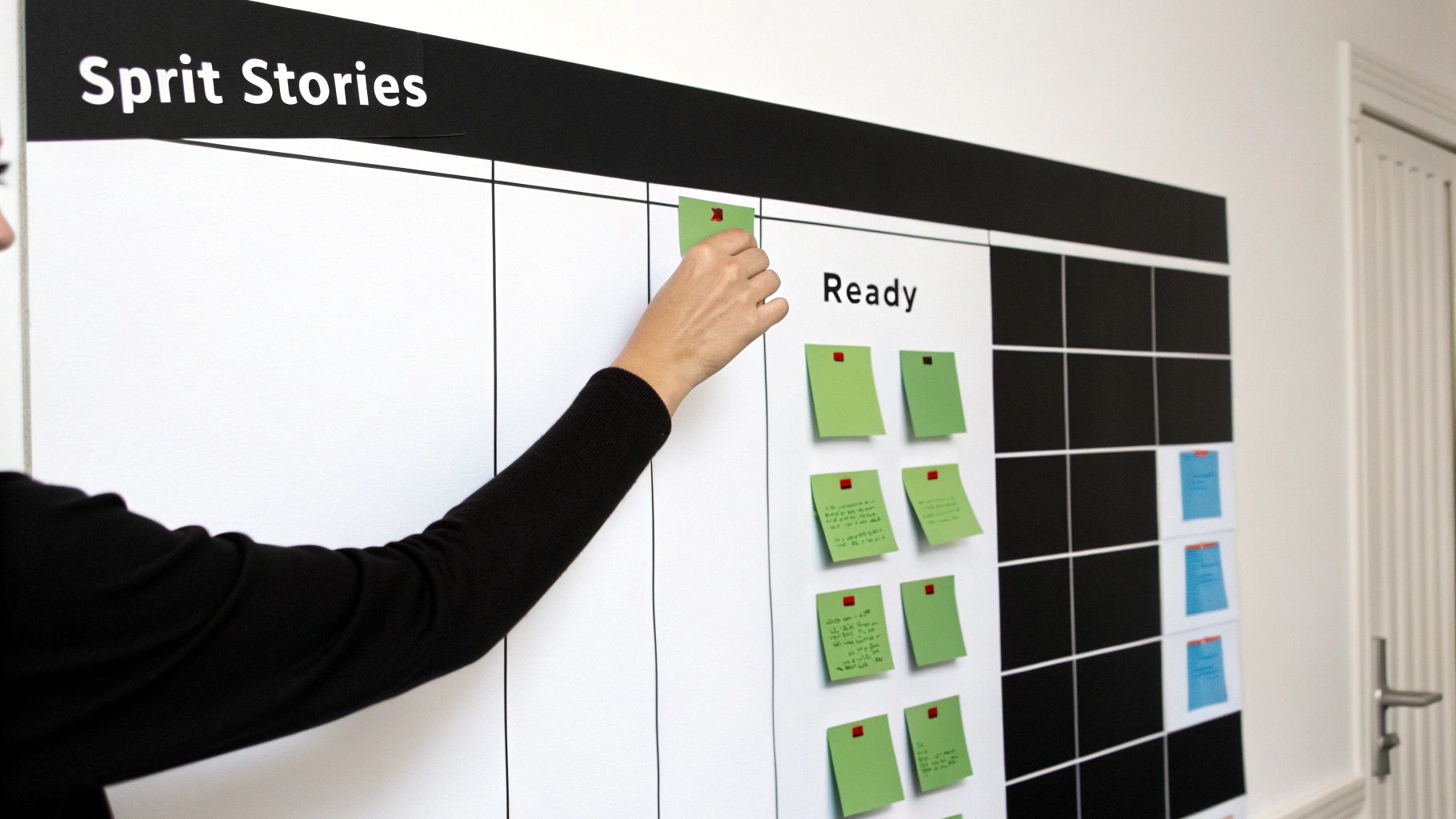
Each of these smaller, focused stories can now be estimated, built, tested, and potentially shipped independently. This is the heart of any effective agile product development process.
The PM's Role in Estimation
During sprint planning or backlog grooming, the team will estimate the effort for each story, typically using story points (e.g., Planning Poker). Your role here is critical but specific: you are the voice of the customer and the business, not an estimator.
Your job is to provide context and clarity. Answer the "what" and "why" with precision. The engineering team owns the "how" and the corresponding estimate. Never influence their numbers.
When the team assigns a high estimate (e.g., an 8 or 13), treat it as a signal. It means the story is still too big, too ambiguous, or too risky.
Instead of questioning the number, ask clarifying questions:
- "What is the biggest uncertainty or risk you see in this story?"
- "Is there a simpler version of this we could build first to de-risk it?"
- "Can you help me understand which part of the acceptance criteria is driving the high estimate?"
This collaborative discussion almost always uncovers a way to split the story further, reducing complexity and increasing the team's confidence. These practices are fundamental to frameworks like the Scrum methodology and are key to creating a predictable flow of work.
Common User Story Mistakes That Erode Trust
Over the years, I've seen the same mistakes derail sprints and damage a PM's credibility with their engineering team. Writing a user story seems simple, but the details are everything. They separate a clear directive from a ticket that creates confusion and rework.
Your user stories are a direct reflection of your product thinking. If they’re sloppy, vague, or focused on the wrong things, your team will assume your product strategy is just as muddled. Here are the common anti-patterns to avoid.
Anti-Pattern 1: Writing Technical Tasks as Stories
This is the most common mistake. A PM's job is to define the problem and the user value, not prescribe the technical solution. When you write a story that dictates implementation details, you overstep your role and disempower your engineering partners.
The Mistake (How it looks in Jira):
- Story: Create a new PostgreSQL table called
user_preferenceswith columns foruser_id,theme_setting, andnotification_frequency.
This contains zero user value. It's a task, not a story.
The Fix:
- Story: As a power user, I want to save my dashboard settings so that I don't have to reconfigure my view every time I log in.
This version focuses on the user's goal ("saving their settings") and the benefit ("convenience"). The engineering team is now empowered to determine the best implementation, which may or may not be a new table.
Anti-Pattern 2: Forgetting the "Why"
The "so that…" clause is the soul of a user story. Omitting it strips the story of its strategic context. You're asking your team to build in the dark, without understanding the value they are creating. This is how you end up with features that don't move the needle.
The Mistake:
- Story: As a user, I want to export my data to a CSV file.
Why? What problem are they trying to solve? Without this context, a developer can't make smart trade-offs.
The Fix:
- Story: As a sales manager, I want to export my team's lead data to a CSV file so that I can perform a custom cohort analysis in Excel for our quarterly business review.
Suddenly, the story has purpose. The engineering team now understands the goal is analysis, which might influence how the data is structured. They might even suggest a better solution, like an API integration with your BI tool. The "why" invites collaboration and better solutions.
Anti-Pattern 3: Writing Stories in a Vacuum
Product management is not a solo activity. A user story is a placeholder for a conversation, not a decree handed down from on high. Tossing perfectly formatted stories over the wall to your team without discussion is a recipe for building the wrong thing.
This anti-pattern manifests as stories that are technically infeasible, out of scope, or misaligned with the user experience. The root cause is always a lack of collaboration.
The Fix:
- Collaborate Early and Often: Your backlog refinement meeting is a working session, not a presentation.
- Bring a Draft, Not a Mandate: Present your initial user story as a starting point for discussion with your engineers, designers, and QA.
- Ask Probing Questions: "Does this make sense?", "What are we missing?", "What's the riskiest part of this approach?"
When you co-create stories and acceptance criteria with your team, you build shared ownership. This collaborative approach to writing a user story is the single best way to ensure the product you envision is the product that gets built.
Your Actionable User Story Checklist
Let's distill this into an actionable checklist you can use within the next 24 hours. Bookmark this page and use it as your quality gate before any story enters a sprint.
Before You Write
- Define the Persona: Who is this for? Be specific. "First-time course creator struggling with setup" is better than "user."
- Clarify the Business Value: What is the point? Be crystal clear on the "so that…" clause. If you can't articulate the benefit in terms of user value or a business metric, the story may not be worth doing.
- Collaborate Early: A 15-minute chat with your tech and design leads before you finalize a story is worth more than hours of clarification meetings later.
The diagram below effectively highlights the shift from a task-based mindset to a value-based one.
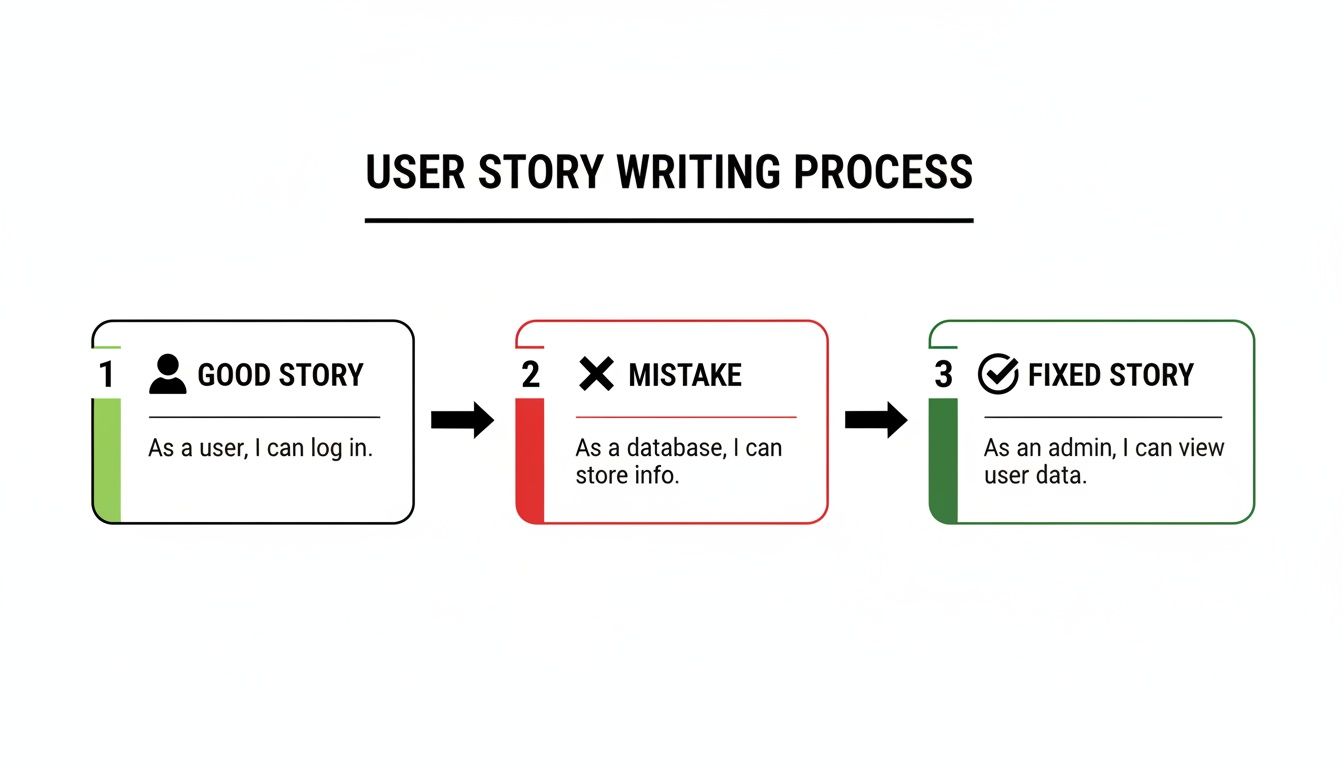
This visual is a great reminder: we are not here to write technical tasks; we are here to deliver user-centric value.
During the Writing Process
- Apply the INVEST Criteria: Run every story through this filter: Independent, Negotiable, Valuable, Estimable, Small, and Testable. If it fails, fix it.
- Draft Testable Acceptance Criteria: Use the Given-When-Then format. Cover the happy path, error handling, and edge cases. This is where product quality is truly defined.
- Confirm with the Team: Bring the drafted story to backlog refinement. Walk through the story and its ACs with the entire team to ensure universal understanding and alignment.
Think of this as a repeatable process for excellence. Well-defined stories are the building blocks of a successful product launch. To see how they fit into the bigger picture, check out this product launch checklist template.
Frequently Asked Questions
When mentoring PMs, these questions about user stories come up repeatedly. Mastering these distinctions is crucial for career growth.
How Is a User Story Different from a Technical Task?
A user story focuses on the user's perspective and the value they receive—the "what" and the "why." A technical task describes how the engineering team will implement that story.
User Story Example:
"As a shopper, I want to save items to a wishlist so that I can buy them later."
This story would be broken down by the engineering team into technical tasks.
Technical Task Example:
"Create a new 'wishlist' table in the database with user_id and product_id columns." or "Add a 'saveToWishlist' endpoint to the API."
As the PM, you own the user story. Your engineering partners own the technical tasks.
Who Is Responsible for Writing User Stories?
The Product Manager is ultimately accountable for the user stories in the product backlog. This is a core responsibility of the role.
However, accountability does not mean solo creation. The best practice is collaborative writing. The strongest stories are co-created with engineers, designers, and QA during backlog refinement sessions. You bring the "what" and "why," and the team helps refine the story to ensure it's clear, feasible, and valuable.
Can a User Story Span Multiple Sprints?
No. This is a non-negotiable rule in Agile development. A user story, by definition (specifically the "S" for Small in INVEST), must be completable within a single sprint.
If a piece of work seems too large for one sprint, it is not a story; it is an epic. Your job is to split that epic into smaller, independent user stories that each deliver a distinct piece of value. This is fundamental to shipping value incrementally and maintaining a predictable velocity.
At Aakash Gupta, we're dedicated to helping you master these core skills. Explore more insights and advance your PM career.
