Before you write a single line of code, the most critical decision a product manager makes is choosing the right prototype. At places like Meta or Google, this isn't a gut feeling—it's a calculated move based on three factors: risk, investment, and what you need to learn. Forget the textbook theories; this is about maximizing insight while minimizing waste.
The way you prototype must adapt to the situation. A PM exploring a wild new AI feature at a Series B startup needs a radically different approach than one rolling out a platform change at a FAANG company. The startup might use a napkin sketch to validate the core concept in an afternoon. The FAANG project will demand a pixel-perfect, clickable prototype to de-risk a multi-million dollar engineering investment.
The Fidelity Decision Framework: Maximize Learning, Minimize Effort
Choosing the right level of detail—from a paper sketch to a high-fidelity design in Figma—is about ruthless efficiency. Your goal is to exert the minimum effort required to get the maximum learning. Building a beautiful, high-fidelity prototype for a half-baked idea is a massive waste of resources, just as testing a complex user flow with a low-fi sketch is pointless.
As a PM leader, I coach my teams to answer these three questions before any work begins:
- What's the core project risk? Are you testing a foundational assumption (e.g., "Will users pay for this AI feature?")? Use fast, low-fidelity tests for a quick signal. For lower-risk changes like UI tweaks, you can justify the investment in a detailed prototype.
- What's the investment? A quick sketch takes 10 minutes. A coded prototype could consume engineering sprints. Quantify the cost in both time and people.
- What’s the #1 learning goal? Are you validating information architecture? The usability of a single workflow? Or the conceptual appeal of the entire product? Your goal dictates the required fidelity.
This decision tree provides a visual guide for navigating these trade-offs, helping you select a path based on your immediate needs.
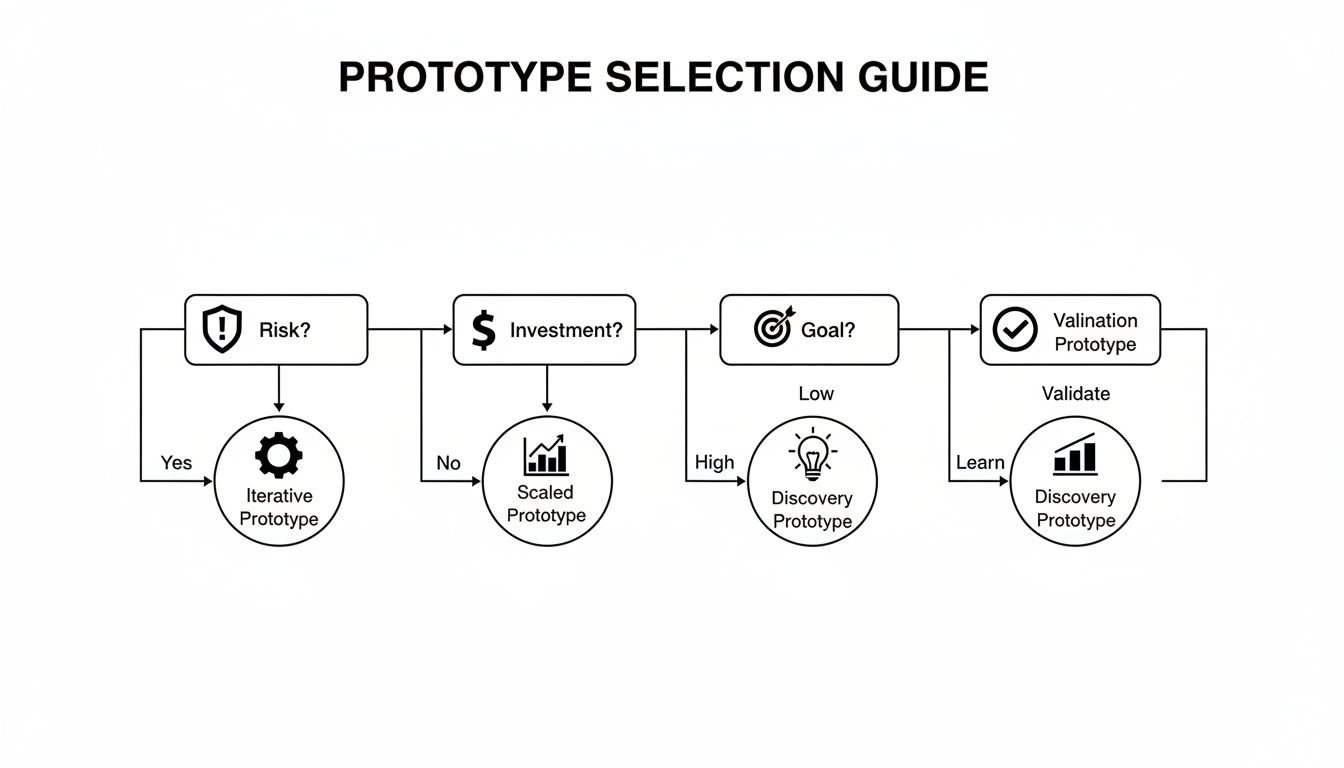
As you can see, the right prototype depends entirely on whether you’re focused on discovery, validation, or iteration.
Aligning Prototypes with Business Reality
This rigor isn't just an internal best practice; it reflects market realities. The physical product Testing, Inspection, and Certification (TIC) market is projected to hit $239.48 billion in 2025, driven by 25% stricter safety standards.
Top-tier PMs apply that same validation discipline to software. Getting this right can boost launch success by up to 40%, a critical edge when you consider that untested products fail around 35% of the time.
As a hiring manager, I always probe on this. I don't just want to know what prototype a PM candidate chose; I want to know why. Explaining the rationale behind picking a certain fidelity shows strategic thinking about team resources and the ability to justify decisions to stakeholders. That's a much rarer and more valuable skill than just knowing how to use Figma.
Prototype Fidelity Decision Matrix
To make this decision more concrete, here’s a quick-reference matrix I use to gut-check my choices and align with project goals. It's a tool for forcing clarity before committing team resources.
| Fidelity Level | Best For (Use Case) | Tools | Measures | Associated Risk |
|---|---|---|---|---|
| Paper/Sketch | Early idea exploration, IA validation, brainstorming. | Pen & Paper, Whiteboard | Qualitative feedback, concept validation. | Low (fast & cheap) |
| Clickable Wireframe | Testing core user flows, interaction models, navigation. | Balsamiq, Whimsical | Task completion rates, user path analysis. | Low-Medium |
| High-Fidelity | Usability testing, stakeholder buy-in, visual design feedback. | Figma, Sketch, Adobe XD | Conversion metrics, time-on-task, SUS score. | Medium-High (time-intensive) |
| Coded Prototype | Testing technical feasibility, performance, complex interactions. | HTML/CSS, Framer | API response times, bug reports, user adoption. | High (resource-intensive) |
The line between a high-fidelity prototype and an MVP can be blurry. Studying various Minimum Viable Product (MVP) examples helps clarify the most efficient path for your product.
Mastering prototype selection is a career differentiator. To go deeper, explore this guide on how to create a prototype of a product that achieves your strategic goals. It’s the skill that ensures your team builds the right thing, saving immense time and money.
Designing Tests That Deliver Actionable Insights
A beautiful prototype is useless without a well-designed test. I've seen teams fall in love with a design, run a sloppy test that confirms their biases, and launch a dud. A poor test creates noise and false confidence. A great test delivers clear, unbiased feedback that forces a decision.
Your job as the PM isn't just to get the prototype built; it's to be the architect of the test itself. Here’s the playbook for moving past vague feedback to get data that de-risks launches, a skill every PM at a top company has mastered.
Moderated Usability Testing: Uncovering the 'Why'
When you need to understand why users are struggling, nothing beats a moderated usability test. You sit with a user—virtually or in person—and observe them using your prototype, probing for the "why" behind every click, pause, and sigh.
The script is everything. You must avoid leading questions.
- Weak Question: "Is this new dashboard easy to use?" (This begs for a polite "yes").
- Strong Question: "You've just logged in. Show me how you would check your team's performance for the day."
The second prompt is task-based. It forces natural behavior, revealing real friction points. A solid grasp of understanding the fundamentals of user experience design is non-negotiable for crafting insightful questions.
Unmoderated and Quantitative Testing: Getting Hard Numbers at Scale
Need quantitative data fast? Unmoderated testing tools like Maze or UserTesting let you push a prototype to hundreds of users and track metrics like task success rates, time on task, and misclick rates. This is ideal for validating a specific workflow with a high-fidelity prototype.
Set clear benchmarks beforehand. For a new checkout flow, your success criteria might be: "85% of users must complete a purchase in under 90 seconds with a misclick rate below 10%." If you miss those numbers, you know exactly where to focus your efforts.
The outsourced testing market is expected to hit $44.8 billion by 2025 because it can slash costs by 40% and reduce project timelines. With an estimated 80% of products failing due to poor validation, smart PMs use these services to offload tactical work and focus on strategy.
Smoke Tests and Beta Rollouts: Validating Demand and De-risking Launch
Sometimes the question isn't "can they use it?" but "do they even want it?" A smoke test measures interest before you write a line of code. The classic method is a landing page for a non-existent feature with a "Sign Up for Early Access" button. The conversion rate is a raw, honest signal of market demand.
For major launches, nothing de-risks like a beta rollout. You release the fully-built feature to a small segment of your actual user base. This is your final sanity check, allowing you to monitor real-world usage, performance data, and support tickets before a full release.
A well-structured A/B test is another powerful tool, especially for optimizing specific UI changes. You can test variations of a button color, headline, or layout to see which performs better against a key metric like click-through rate.
Mastering these test designs separates PMs who react to problems from those who prevent them. To ensure your tests are statistically sound, review these A/B testing best practices.
Recruiting the Right Users for Your Tests
A well-designed test is only as good as its participants. I've seen teams spend weeks on a prototype only to test it with their own engineers—people who are nothing like their actual customers.
This is worse than not testing at all. It generates misleading data and false confidence that can lead your product straight off a cliff.
Recruiting the right participants is one of the most critical, yet overlooked, skills in a product manager's toolkit. Getting this wrong poisons your entire prototype and testing process. The goal is to find people whose problems you are genuinely trying to solve.
Sourcing High-Quality Participants
Your recruitment channel depends on your product's maturity and learning goals.
For a new feature on an established product, your customer list is gold. For exploring a new market, you need to look externally. Platforms like UserInterviews.com or Respondent are invaluable for targeting specific demographics, job titles, and behaviors with precision.
For fast, early-stage feedback, don't underestimate guerrilla testing—the classic "coffee shop test." Offering a gift card for five minutes of someone's time is a low-cost way to validate basic assumptions before you invest heavily.
The Art of the Screener Survey
The screener survey is your most important recruitment tool. It filters out the wrong people without revealing the test's purpose. A well-written screener acts as a gatekeeper, ensuring every participant is a high-quality match.
The key is to ask about behaviors, not identities.
- Weak Question: "Are you an expert in data analytics?" (Everyone says yes).
- Strong Question: "In the last month, how many times did you build a custom report using a B2B analytics tool?"
The second question is behavioral and undeniable. For a B2B analytics tool I worked on, we used a screener that asked about specific actions and tool usage frequency to identify true "power users" without ever using that term. A deep understanding of how to define your target audience is fundamental to writing a screener that works.
Your screener should include at least one open-ended question. The quality of the response is a great proxy for how engaged and articulate the participant will be during the test.
Compensation and Logistics
You must compensate participants fairly. Underpaying attracts low-quality participants who won't provide thoughtful feedback.
As of late 2024, typical market rates are:
- B2C Consumers: $60-$80 per hour.
- B2B Professionals: $100-$150 per hour.
- Specialized Experts (e.g., Doctors, VPs): $200+ per hour.
Always be transparent about session length, expectations, and payment. Using a tool like Tremendous can automate incentive payments and save you a massive administrative headache. Getting recruitment right sets the stage for insights you can trust.
Turning Raw Feedback into Decisive Action
Once the testing sessions wrap up, the real work begins: turning a mountain of raw data—interview recordings, notes, and spreadsheets—into a confident decision. This is where many PMs fall into "analysis paralysis."
The key is to move from observation to systematic analysis. A structured process ensures your next move is backed by evidence, not the loudest voice in the room.
From Qualitative Noise to Thematic Clarity
First, make sense of qualitative feedback. Individual comments are interesting, but the gold is in the patterns. At Google, we used a simple but powerful "Rainbow Spreadsheet" to surface these themes quickly.
Here’s the process:
- Set up a spreadsheet: Columns are participants, rows are features or tasks.
- Color-code feedback: As a user comments on a specific area, color in that cell.
- Identify patterns: Soon, you'll see entire rows light up with the same color, instantly highlighting recurring problems.
This method separates one-off gripes from systemic issues. Once you have themes, prioritize them by:
- Frequency: How many users mentioned this?
- Severity: How badly does this problem block the user? Is it a minor annoyance or a showstopper?
This process turns subjective notes into a semi-quantitative, prioritized list of problems. To accelerate this, you can use customer feedback analysis tools to automate theme detection.
Interpreting the Hard Numbers
If you used unmoderated tools like Maze, your quantitative analysis is more direct. Hunt for clear signals in metrics like:
- Misclick Rate: Are people clicking on non-interactive elements? A rate over 15% on a key task is a major red flag for a confusing UI.
- Time-on-Task: How long does it take users to complete a critical flow? If it’s significantly longer than your benchmark, there's friction.
- Task Success Rate: What percentage of users reached the finish line? This is your ultimate pass/fail metric.
These objective numbers cut through opinions and pinpoint design flaws. This data is your ammunition for justifying decisions. The global product testing services market is projected to exceed $20 billion by 2033, because solid testing can slash time-to-market by up to 30%. You can learn more about the growth of this market and its implications.
Feedback Analysis and Prioritization Framework
This framework helps systematically categorize feedback and define clear next steps.
| Issue Category | Description | User Impact (Low/Med/High) | Frequency | Recommended Action (Fix/Investigate/Watch) |
|---|---|---|---|---|
| Critical Bug | An issue that prevents task completion (e.g., button doesn't work). | High | High | Fix |
| Usability Hurdle | Confusing UI, poor navigation, or unclear labels. | Medium | High | Fix |
| Feature Gap | Users expected functionality that wasn't present. | Medium | Medium | Investigate |
| Minor Annoyance | Small UI glitch or aesthetic issue that doesn't block the user. | Low | Low | Watch |
| Outlier Feedback | A unique comment from a single user. | Low | Low | Watch |
Create Decision Rules Before You Test
The best PMs define success before the test begins by writing explicit, measurable decision rules. This eliminates post-test debate and bias.
As a PM leader, I insist my teams write down their decision rules in the test plan. It forces clear thinking and prevents them from moving the goalposts after seeing the results. It's a simple discipline that creates enormous clarity.
Your rules must be specific:
- "If >50% of users fail to find the primary CTA in <15 seconds, we will redesign the navigation."
- "If the new checkout flow does not achieve an 80% task completion rate, we will revert to the original design and re-evaluate."
- "If the System Usability Scale (SUS) score is below 70, we will conduct five follow-up interviews to diagnose core usability issues."
With these rules, analysis becomes a simple "if-then" exercise.
Summarizing for Stakeholders
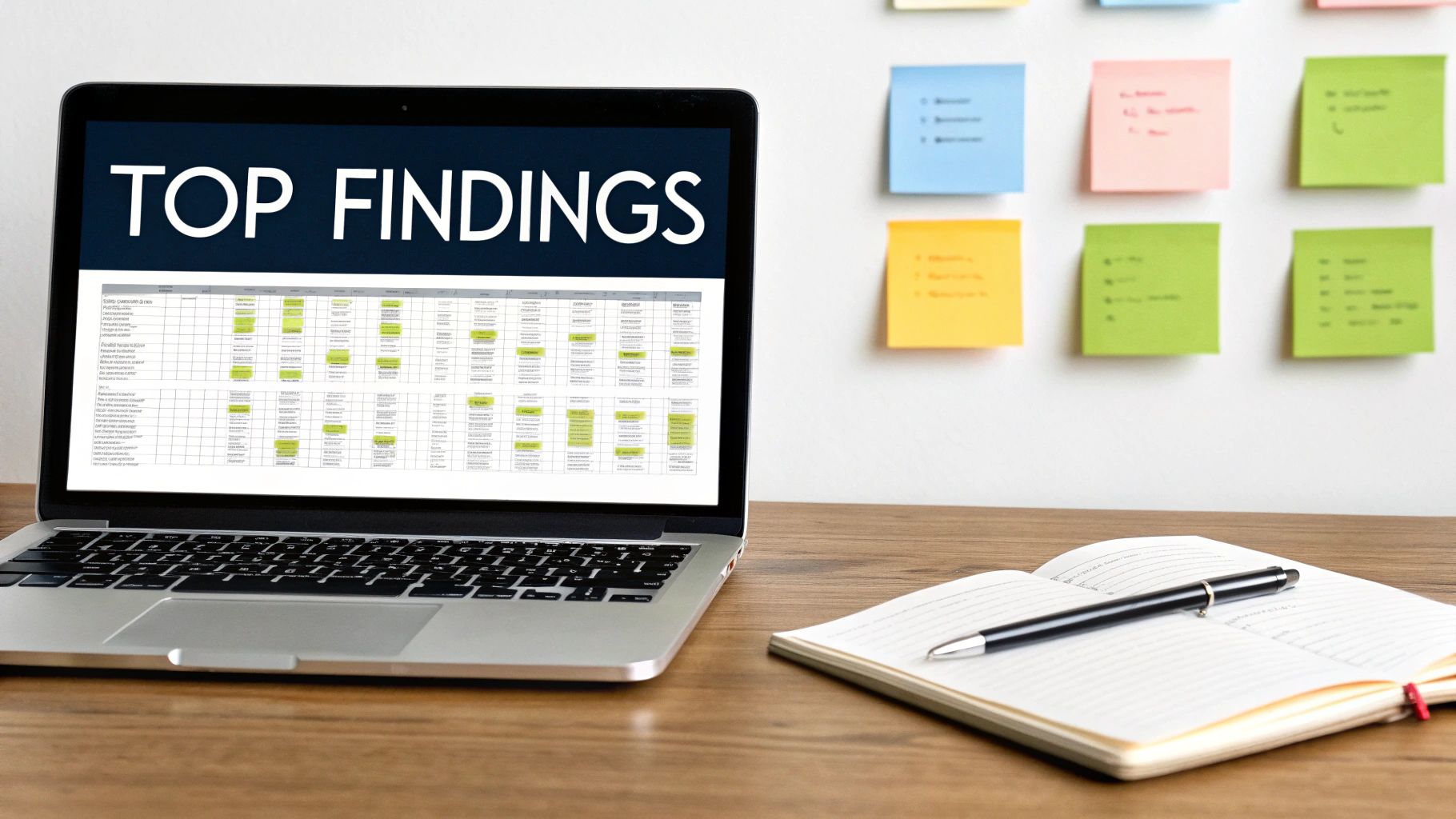
Finally, package your findings for your team and leadership. No one reads a 20-page report. A one-page "Top Findings & Recommendations" document is all you need.
Structure it clearly:
- Background: What did we test and why?
- Key Findings: The 3-5 most important learnings, backed by data and user quotes.
- Recommendations: Specific, concrete next steps.
This summary drives alignment and closes the loop on the prototype and testing cycle, ensuring user feedback translates directly into a better product.
Using AI in Your Prototype and Testing Workflow
AI is now a core competency for any serious Product Manager. Integrating AI into your prototype and testing workflow isn't about chasing trends—it's about building a competitive edge. It means moving faster, uncovering deeper insights, and making smarter decisions with a fraction of the manual effort.
Where engineers at Google and Meta once spent weeks coding prototypes, new AI tools can generate high-fidelity, interactive mockups in minutes. This shift fundamentally changes the product development rhythm, enabling more iteration than ever before.
From Sketch to Clickable Prototype Instantly
AI provides an incredible boost in turning a rough idea into something tangible. Tools like Uizard are game-changers. You can upload a photo of a hand-drawn wireframe and its AI will transform it into an editable, high-fidelity design file in seconds.
You can also use a simple text prompt: "Create a dashboard screen for a B2B SaaS analytics tool showing user engagement, MRR, and recent activity," to generate a visually coherent starting point. This lets you get concepts in front of users before investing significant design resources.
To stay ahead of the curve, dig into the fast-moving world of AI prototyping tools and the magic patterns emerging in 2025 and keep your skills sharp.
AI as Your User Research Assistant
Generative AI models like ChatGPT and Claude are powerful partners for the entire testing process. By giving the AI a clear persona, you can offload time-consuming work and level up your research materials.
Here are a few prompts you can use today:
- Persona Generation: "Act as a Senior Product Manager at a D2C subscription box company. Generate 3 distinct user personas for our new 'gourmet snacks' box. Include their demographics, goals, motivations, and primary pain points related to discovering new food products."
- Test Script Drafting: "You are a UX Researcher at a fintech startup. Draft a 5-task usability test script for our new mobile budgeting feature. The questions must be open-ended and task-based. The primary goal is to evaluate the ease of creating a new budget."
This saves time and enforces best practices by leveraging the model's vast training data on effective research design.
Synthesizing Feedback with AI Speed
The most grueling part of user testing is often analysis. Sifting through hours of interview recordings is a massive time sink. AI transforms messy qualitative data into structured, actionable insights.
I now run every single user interview transcript through an AI model before I do anything else. It's like having a junior PM instantly surface the most critical themes, saving me hours and allowing me to focus on the strategic implications of the feedback.
A go-to prompt for this is:You are a Senior PM at a B2B SaaS company. Analyze the following user testing transcript. Identify the top 3 usability issues, list relevant user quotes for each, and suggest a potential solution for each issue.
Just paste the transcript below. You get an instant summary that flags the biggest friction points, dramatically tightening your feedback loop.
Advancing Your Career with Testing Insights
Mastering prototype and testing isn't just about shipping better features—it's about accelerating your career. The tactical skills you develop in user sessions demonstrate the strategic value that gets you promoted. Top tech companies want leaders who can translate user feedback into tangible business impact.
Pull up any senior PM job description. Atlassian requires a "proven track record of using user research to make data-driven decisions." Shopify wants someone who can "deeply understand customer needs and validate solutions." These are non-negotiable skills for career progression.
Articulating Your Impact in Interviews
When a hiring manager asks about your user validation experience, they want proof you can deliver results. Use the STAR method (Situation, Task, Action, Result) to tell a compelling story that connects your actions to business outcomes.
Here’s a real-world example:
Situation: "In my last role, we saw a 40% drop-off in our new user onboarding funnel, which was a critical threat to our growth targets."
Task: "I was tasked with diagnosing the friction and shipping a solution to improve our user activation rate by at least 15%."
Action: "I created three low-fidelity prototypes for new onboarding flows in Figma. I then ran moderated usability tests with 20 users from our target segment, focusing on task completion and comprehension."
Result: "The tests clearly identified one flow as the winner. After shipping the new design, we increased our new user activation rate by 25% in the first quarter, directly contributing to a measurable lift in monthly recurring revenue."
This narrative is powerful because it draws a straight line from your prototype and testing work to a hard business metric. You didn't just find a usability flaw; you grew revenue. That's the language that impresses hiring managers and senior leadership.
Scaling Your Influence as a Senior PM
At the mid-career or senior PM level, the game shifts from execution to enablement. It's less about running tests yourself and more about scaling a culture of continuous validation across your product teams.
This means creating the playbooks, mentoring junior PMs, and ensuring user insights are a core input for the entire product roadmap.
Your influence explodes when you can take an insight from a single usability test and use it to steer a strategic decision two quarters out. You become the undisputed voice of the customer in high-stakes planning meetings, armed with data to advocate for what the team should build next. This is how you transition from a feature owner to a true product leader who shapes the organization's future.
Prototyping FAQs
Even experienced PMs encounter challenges during prototyping and testing. Here are common questions and how I handle them.
What Do I Do With Conflicting User Feedback?
It happens every time. One user loves a feature, and the next finds it confusing.
First, don't treat all feedback equally. Review your user personas. Is the negative feedback coming from someone in your target audience? If not, you can often safely file it away.
Hunt for patterns, not one-off comments. If five users can't find the navigation, that’s a critical signal. If one user dislikes a button color, it's likely a personal preference. Weigh feedback based on frequency, severity (does it break the experience?), and alignment with your product goals. Conflicting feedback often indicates a need to segment your users more clearly or refine your value proposition.
How Much Testing Is Enough to Move On?
There's no magic number. The goal is not "when everyone loves it"—that day will never come. The purpose of testing is to de-risk your launch. You are done when you have enough confidence that the core user journey works and your solution solves the problem.
I use a "Confidence Threshold." Before testing, the team agrees on success criteria, for example: "80% of users must complete the main task without assistance." Once we hit that benchmark and resolve critical issues, we have the green light. The goal is confident progress, not perfection.
Don't let the pursuit of a perfect prototype become an excuse for delay. Your goal is to learn just enough to make the next right decision. Get the insights, make the changes, and keep moving.
How Do We Test a Totally New Product Idea?
When testing a new concept, you're validating the problem itself. The question shifts from "Can people use this?" to "Do people even want this?"
Go as low-fidelity as possible: concept sketches, a simple landing page describing the value proposition. Your only mission is to gauge raw demand. Smoke tests—measuring sign-ups for a non-existent product—are perfect for this. At this early stage, qualitative feedback from problem-discovery interviews is everything. You're listening for those "aha!" moments that signal you've hit a real pain point.
Ready to elevate your product management skills? Join the Aakash Gupta community for exclusive insights, frameworks, and career advice delivered straight to your inbox. Learn more at https://www.aakashg.com.
