The single most predictive skill I've seen in high-performing Product Managers is their ability to write user stories. It's not about filling out a template; it's the core competency for translating a vague customer problem into a clear, actionable instruction that an engineering team can build. Get this right, and you slash rework, align your team, and ship products that solve real problems. Get it wrong, and you're headed for missed deadlines and features nobody uses.
This guide provides an actionable framework—from initial drafting to the final engineering handoff—that I've used to train PMs at every level. You'll walk away with checklists, AI prompts, and a system you can apply in the next 24 hours.
Why Elite User Story Writing is a Career Differentiator
In my experience hiring PMs for roles paying upwards of $180,000, how a candidate breaks down a problem into user stories tells me everything. It’s a proxy for strategic thinking, communication clarity, and empathy. Companies like Meta and Google don't just ask about it in interviews; they build entire case studies around it. Strong user story writing shows you can bridge the gap between business goals and technical execution, which is the entire job.

From Basic Template to Strategic Tool
The classic format is a great starting point: "As a [user persona], I want [to perform an action], so that I can [achieve a benefit]." But aspiring PMs often stop at the surface. Senior PMs weaponize this structure for clarity and impact.
The "As a…" forces you to define a specific persona, not a generic "user." The "I want…" demands a concrete action, not a vague desire. But the real leverage comes from the "so that…" clause. This is where you connect the feature directly to user value and business impact.
Consider this common scenario from an e-commerce backlog:
- Junior PM Story: "As a user, I want to see my order history."
- Senior PM Story: "As a frequent shopper, I want to quickly re-order a past purchase from my history so that I can save time on my weekly grocery run."
The second version is a world apart. It identifies the high-value persona (frequent shopper), clarifies the true job-to-be-done (re-order, not just view), and grounds the entire story in a tangible benefit (save time). This level of detail empowers your engineering team to make better implementation decisions from day one.
The Business Impact of Clarity
On a recent project, my team was building a new returns feature. The initial story was vague, and engineering began designing a complex system to handle every possible scenario. It was a classic case of scope creep driven by ambiguity.
We paused and rewrote the story to focus on the persona of "a first-time customer returning an unwanted gift." This immediately surfaced a critical edge case we'd missed: this user wouldn't have an order history. That single, well-crafted user story saved us an estimated three weeks of engineering effort and prevented a terrible user experience.
High-quality user stories are the currency of communication between product, design, and engineering. Mastering them means you're not just managing a backlog; you're leading a team toward a shared vision. Your career progression as a PM is directly correlated to your ability to provide this clarity.
The impact is measurable. Research shows that clear requirements can reduce project rework by up to 50%. For PMs in the job market, demonstrating this skill is critical, as it's a core evaluation component in over 65% of PM interviews at FAANG companies.
A single story is just one piece of the puzzle. This skill is foundational to building out more complete documentation. You can see how stories fit into the bigger picture in this guide on how to write product requirements.
The INVEST Checklist: Your Quality Gate for Flawless Stories
You've drafted a story using the "As a…, I want…, so that…" format. That’s step one. Step two is running it through a quality filter. The most effective tool I've used across my career is the INVEST framework.
It’s a simple acronym that acts as a powerful checklist to ensure your stories are ready for your development team.
Running every story through this filter is how you avoid the classic problems that derail sprints: dependency nightmares, unchecked scope creep, and vague requirements. This is how you transform a backlog from a wish list into an actionable execution plan.
Deconstructing the INVEST Acronym
Each letter in INVEST represents a critical attribute of a well-formed user story. Here’s what they mean in practice.
-
I – Independent: Can this story be developed, tested, and shipped on its own? If Story A depends on Story B, they aren't independent. Dependencies are the number one cause of sprint delays. Your job as a PM is to slice work vertically to create self-contained units of value.
-
N – Negotiable: A user story isn't a signed contract; it’s the start of a conversation. The details are finalized through discussion with engineering and design. This collaboration is where better solutions are often discovered.
-
V – Valuable: Does this story deliver tangible value to a user or the business? Every item in your backlog must have a clear "so that…" reason to exist. If you can’t articulate the value, the story shouldn't be a priority. This keeps the team focused on impact, not just shipping code.
This focus on value has a real financial upside. For every dollar invested in user experience, the return can be as high as $100—an ROI of 9,900%. Well-crafted, value-driven stories are the foundation of good UX.
-
E – Estimable: Can your engineering team provide a reasonable estimate of the effort required? If not, the story is too big, too vague, or has too many technical unknowns. An "un-estimable" story requires more refinement.
-
S – Small: Is the story small enough to be completed within a single sprint, ideally in just a few days? Large stories, or "epics," are notorious for hiding complexity and risk. A core PM skill is learning how to decompose a big idea like "Build a new analytics dashboard" into smaller, shippable increments.
-
T – Testable: Can you define clear, objective criteria to prove the story is "done"? If you can't define how to test it, you can't build it. This is the function of acceptance criteria—they provide the specific, pass/fail conditions that guide development and QA.
The INVEST Framework in Practice: An Actionable Checklist
Here’s a tactical way to apply the INVEST framework during your backlog refinement process.
| Principle (INVEST) | What It Means for a PM | Action Item | Red Flag Example |
|---|---|---|---|
| Independent | The story can be developed and deployed on its own without relying on another story. | Break down user flows into the smallest possible shippable increments. Find the "minimum valuable slice." | "We can't start the 'payment processing' story until the 'user profile' story is done." |
| Negotiable | The story is a conversation starter, not a rigid specification. | Frame the story around the user problem, not the technical solution. Leave implementation details open for discussion. | Handing engineers a story with fully detailed UI mockups and zero room for input. |
| Valuable | The story delivers clear value to the end-user or the business. | Ensure the "so that…" clause is specific and tied to a business or user goal. If it's weak, question the story's priority. | "As a user, I want a blue button so that the button is blue." (No user value). |
| Estimable | The development team can reasonably estimate the effort required. | If the team says "we don't know," schedule a spike (a time-boxed research task) to reduce uncertainty before committing. | Engineers giving a story a massive point estimate because "there are too many unknowns." |
| Small | The story can be completed within one sprint (ideally a few days). | Be ruthless about slicing. If a story looks too big, ask "what's the absolute simplest version of this we can ship to deliver value?" | A story titled: "Implement new user dashboard." (This is an epic, not a story). |
| Testable | The story has clear, objective acceptance criteria. | Write acceptance criteria before sprint planning. If you can't, the story isn't ready. | Vague acceptance criteria like "the page should load fast" or "the user experience should be good." |
A story that fails the INVEST check is a future bug, delay, or conflict waiting to happen. Running this check before sprint planning is one of the highest-leverage activities you can perform to ensure a smooth and productive sprint.
To ensure your stories are truly well-structured, a solid guide to story structure templates can offer broader principles that complement the INVEST checklist. For a deeper dive into the mechanics, see our detailed guide on how to write user stories effectively. Combining a strong template with the INVEST validation creates a nearly foolproof system.
Writing Bulletproof Acceptance Criteria
A great user story establishes the why, but the Acceptance Criteria (AC) define the what. I view ACs as the contract for a story—they are the clear, pass/fail conditions that eliminate ambiguity around what "done" means.
When I'm hiring Product Managers, the ability to write sharp, comprehensive ACs is a non-negotiable skill. Vague criteria are the number one cause of scope creep, painful rework, and the classic friction between product and engineering.
If your ACs are weak, you force developers to make product decisions on the fly and leave QA without a clear test plan. This is a direct path to bugs and missed sprint commitments. Bulletproof ACs turn a good idea into a precise, buildable specification.
Two Powerful Formats for Actionable ACs
Let's get tactical with two battle-tested formats that will cover 99% of your needs. The choice between them typically depends on the story's complexity.
-
Rule-Oriented (Checklist Style): Your default for straightforward stories. If the functionality can be defined by a series of simple rules or outcomes, a checklist is clean, scannable, and easy for everyone to follow.
-
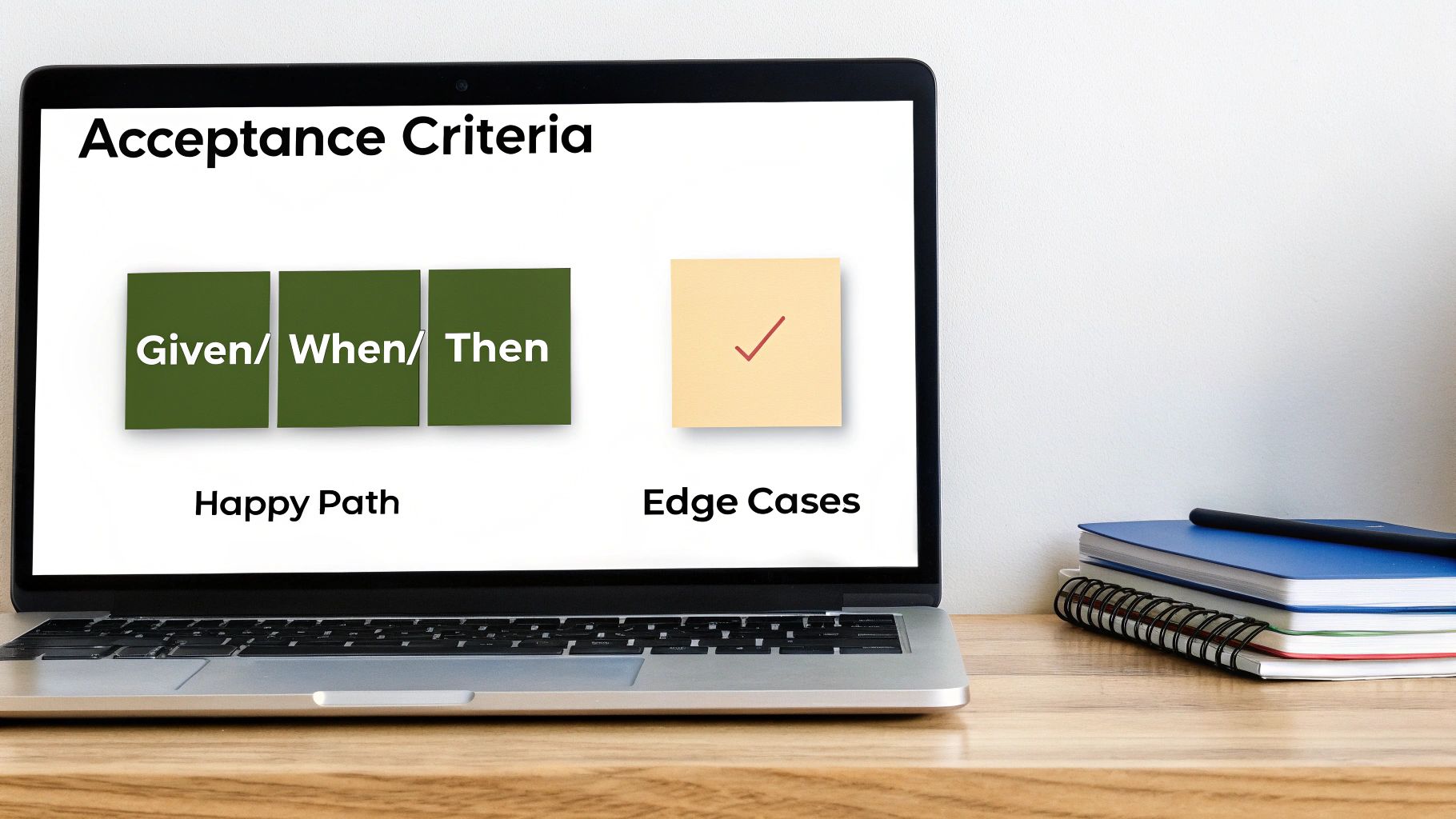
Scenario-Oriented (Given/When/Then): Originating from Behavior-Driven Development (BDD), this format is essential for more complex user flows involving multiple steps or conditions. It forces you to think through the user's journey step-by-step.
For a deeper dive, check out these detailed examples of user stories with acceptance criteria. Seeing them applied in different scenarios is the fastest way to master them.
Practical Application: A File Upload Feature
Let's use a common user story: "As a project manager, I want to upload project files to a task so that my team can access all relevant documents in one place."
Here's how to build a rock-solid set of ACs using both formats.
AC Example: Rule-Oriented Checklist
This style is perfect for laying out the basic success conditions and constraints.
- File Selection: User can click an "Upload" button to open their native file browser.
- File Type Support: The system must accept the following file types: .pdf, .docx, .xlsx, .png, .jpg.
- Size Limit: Uploads are rejected for any single file larger than 25MB.
- Upload Feedback: A progress bar or spinner is visible while the file is uploading.
- Success Confirmation: A toast notification "File uploaded successfully" appears, and the file is immediately visible in the task's attachment list.
- Bulk Upload: The user can select and upload up to five files simultaneously.
As a PM, your job isn't just to map the "happy path." Your real value is in defining the edge cases and error states. What happens when something goes wrong? Answering that in your ACs is what prevents frantic, late-night hotfixes.
AC Example: Scenario-Oriented (BDD) Format
Now, let's use the Given/When/Then format to be explicit about specific user journeys, especially error handling.
-
Happy Path Scenario: Successful Upload
- Given I am viewing a task I have permission to edit
- When I select a valid 10MB .pdf file to upload
- Then the file uploads successfully and appears in the task's file list within 5 seconds.
-
Error Scenario: File Too Large
- Given I am viewing a task
- When I attempt to upload a 30MB file
- Then an inline error message is displayed stating, "File exceeds the 25MB limit" and the upload is cancelled.
-
Edge Case Scenario: Invalid File Type
- Given I am viewing a task
- When I attempt to upload a .zip file
- Then an inline error message is displayed stating, "Invalid file type. Please upload a supported file."
By combining these formats, you provide your engineering and QA teams with a complete, unambiguous set of requirements. This level of clarity separates smooth, predictable sprints from chaotic ones.
Using AI to Accelerate User Story Writing
AI is no longer a future trend; it's a core part of the modern PM toolkit. While AI will never replace your strategic judgment or customer empathy, treating it as an intelligent co-pilot can dramatically accelerate your user story writing process and improve its quality.
Tools like ChatGPT-4, Claude 3, and Gemini excel at synthesizing unstructured information into structured text—the exact task of drafting a user story. This allows you to offload the initial grunt work and focus your energy on higher-leverage activities: refining, validating with users, and prioritizing.
Data shows this is already happening. Gartner predicts that over 70% of product teams will use AI to assist in user story creation by 2025. Early adopters are reporting drafting stories up to 57% faster and reducing the time to refine complex epics by 40%. This is a significant competitive advantage.
From Raw Feedback to First Draft in Minutes
One of the most powerful applications of AI for PMs is transforming messy, qualitative customer feedback into well-formed user stories. Think of the hours spent parsing interview transcripts, survey responses, and support tickets. AI can do that heavy lifting.
You can paste a raw user interview transcript into a large language model and prompt it to extract key pain points, user goals, and draft initial stories. This takes you from a blank page to a set of concrete ideas in minutes.
For a deeper look at how these tools are reshaping the PM workflow, our complete guide on AI tools for Product Managers provides specific recommendations for different PM tasks.
Pro Tip: Treat AI as your junior PM. It provides the first draft, but you, the senior leader, are responsible for applying your strategic vision and deep customer knowledge to challenge, refine, and elevate its output. Never just copy and paste without critical review.
Actionable AI Prompts for Product Managers
The quality of your AI output is directly proportional to the quality of your prompt. Vague inputs yield generic results. Here are specific, copy-paste-ready prompts I use with my team to get high-quality drafts from tools like ChatGPT or Claude.
| Task | Example AI Prompt |
|---|---|
| Drafting from Transcripts | "Act as a Senior Product Manager at a B2B SaaS company specializing in project management software. Analyze the following user interview transcript [paste transcript]. Based on the user's pain points, draft three distinct user stories for a new dashboard feature that helps users track project progress. Follow the 'As a [persona], I want [action], so that [benefit]' format. For each story, suggest three acceptance criteria, focusing on data validation and error handling." |
| Identifying Edge Cases | "I am writing a user story for a file upload feature: 'As a user, I want to upload a CSV file to import my contacts.' Act as a QA Engineer and brainstorm a comprehensive list of potential edge cases, error states, and negative scenarios I must cover in the acceptance criteria. Consider file size, format errors, network interruptions, duplicate entries, and security vulnerabilities." |
| Generating BDD Criteria | "Here is a user story: 'As a shopper, I want to apply a discount code at checkout so that I can reduce my total order cost.' Write five acceptance criteria for this story using the Gherkin (Given/When/Then) BDD format. Cover the happy path, an expired code scenario, an invalid code scenario, and a scenario where a different discount is already applied." |
| Translating Technical Needs | "My engineering lead has stated we need to 'implement database indexing for the user search feature to improve performance.' Translate this technical requirement into a user-centric story. Frame it from the perspective of a power user who benefits from faster search results, and include a 'so that' clause that connects this work to a tangible business outcome like improved user retention or task completion speed." |
Using prompts like these transforms AI from a simple writing assistant into a strategic partner. It helps you pressure-test your assumptions, cover all your bases, and ensure your stories are robust before they reach your engineering team. This is about amplifying your impact, not automating your role.
From Story to Sprint: The PM Handoff Process
Writing a pristine user story is a critical milestone, but it's not the finish line. The true test is how smoothly it moves from your backlog into development. This handoff is where many product teams fail, turning a clear requirement into a mess of confusion and rework.
Let's be clear: a successful handoff is not about tossing a ticket over a proverbial wall. It’s a high-context, collaborative process designed to build deep, shared understanding and ownership across the product trio (product, design, engineering).
Ceremonies like backlog refinement (or grooming) and sprint planning are interactive problem-solving sessions, not status meetings. Your role as a PM is to facilitate this discussion, not to dictate solutions.
Setting the Stage for Success: The Definition of "Ready"
Before a story is even considered for a sprint, it must be "sprint-ready." This means it’s a complete package of context that an engineer can pick up and execute on with minimal questions. A vague ticket is an invitation for delays.
This is an iterative process of refinement before a story is committed to development.
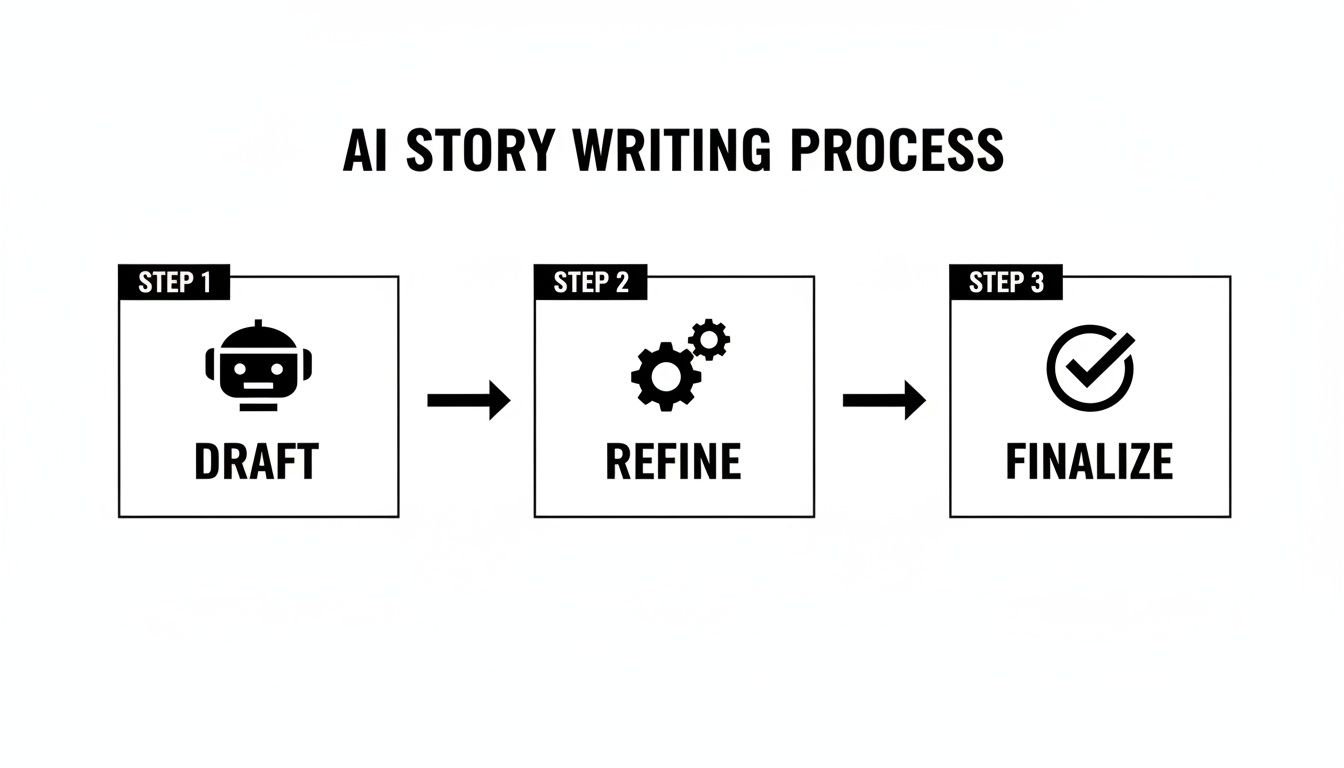
The key is that this is a loop. Moving from a rough draft to a team-approved plan is essential before a single line of code is written.
To ensure stories are truly ready, I use a pre-handoff checklist. Running every story through this before a refinement session will save your team countless hours.
The Sprint-Ready Checklist
- Clear Title & Story: Is the title descriptive? Does the story follow the "As a…, I want…, so that…" format?
- Bulletproof ACs: Are acceptance criteria defined for the happy path, edge cases, and error states?
- Design Assets Attached: Are the final, version-controlled links from Figma, Sketch, or Adobe XD included and accessible to the team?
- Dependencies Identified: Have you flagged any technical or product dependencies that could block this work?
- Success Metrics Defined: How will we know this feature is successful? Is there a specific metric (e.g., conversion rate, task completion time) we are trying to move?
- Open Questions Listed: Have you documented any unknowns that need to be resolved during the refinement discussion?
This isn’t just about filling out fields in Jira or Asana. It's about anticipating the questions your team will ask and having the answers ready.
Facilitating a High-Impact Refinement Session
When you bring a story to your team, your goal is to spark a conversation. Start by anchoring everyone in the user problem and the "why" behind the story. Then, open the floor. The most valuable part of refinement is the ensuing discussion, where hidden complexities are uncovered.
An engineer asking "What happens if…?" is a gift. It means they are deeply engaged and stress-testing the logic of your requirement. Embrace these questions—they are your last line of defense against ambiguity.
During this session, your role is to listen intently and update the story in real-time. If an engineer points out a technical constraint that invalidates an AC, update it on the spot. If a designer suggests a simpler UX to achieve the user's goal, negotiate the scope and adjust the story.
This collaborative process transforms the story from your requirement into our shared plan, building the deep sense of ownership that defines high-performing teams. By the time a story reaches sprint planning, there should be no surprises. This seamless flow isn't luck; it's the result of a rigorous, well-managed process led by an effective PM.
Common User Story Writing Questions Answered
Even with the best frameworks, writing user stories gets messy. After mentoring dozens of PMs and reviewing countless backlogs, I've seen the same questions surface repeatedly. Here are direct, no-nonsense answers.
How Detailed Should a User Story Be?
This is a balancing act. The story needs enough detail for an engineer to understand the goal, but not so much that it becomes a rigid, ten-page specification that stifles creativity. The goal is clarity, not prescription.
The story itself should define the who, what, and why. The granular details—specific rules, edge cases, and constraints—belong in the acceptance criteria.
I use the 80/20 rule: An engineer should be able to get 80% of what they need from reading the story and its ACs. The final 20% is clarified in collaborative discussions like backlog refinement. If your team is constantly asking about the user's goal, your stories are too thin. If they never ask questions, you're likely being too prescriptive and not leveraging their expertise.
What’s the Difference Between a User Story and a Task?
This distinction is critical for maintaining a value-focused backlog, especially in tools like Jira.
-
A user story delivers direct, tangible value to an end-user. It's written from their perspective and answers, "What's in it for me?" Example: "As a shopper, I want to save my shipping address so that I can check out faster."
-
A task is a piece of work the team needs to do that does not directly deliver user value. It's often a technical prerequisite or chore. Examples: "Set up a new database instance," "Upgrade the logging library," or "Create API documentation."
A user story is a requirement; a task is a step needed to fulfill that requirement. Your backlog, as a PM, should be a prioritized list of user stories. The technical tasks required to deliver them are typically identified and created by the engineering team during sprint planning.
A single user story will often be broken down into multiple technical tasks. This separation ensures your backlog remains focused on delivering user value.
Do I Need a 'So That' Clause for Every Single Story?
Yes, almost always. I've seen teams get lazy here, and it's a slippery slope to becoming a "feature factory." That "so that…" clause is your direct link to user value and the strategic why. It forces you to justify every single item that consumes your team's limited engineering capacity.
Without it, a story becomes a command: "Build a button." It's a "what" without a purpose, making it impossible to prioritize effectively.
Are there rare exceptions? Perhaps for a story like, "As a user, I need to log in to access my account," where the value is self-evident. But even then, adding "…so that my personal data is secure" reinforces the user-centric mindset. In a recent audit of a high-performing team's backlog, over 95% of stories had a clear "so that" clause. Make it a non-negotiable habit.
How Do We Handle Bugs as User Stories?
Bugs are not user stories. Forcing them into that format—"As a user, I want the app not to crash…"—is awkward and unhelpful. Bugs represent a failure of the existing product, not a new unit of user value.
Log bugs with a clear, reproducible format that helps engineers diagnose and fix them quickly:
- Observed Behavior: What actually went wrong? (e.g., "The app crashed when clicking 'Save' on the profile page.")
- Expected Behavior: What was supposed to happen? (e.g., "The profile changes should have been saved, and a confirmation toast should have appeared.")
- Steps to Reproduce: A simple, numbered list of actions to trigger the bug consistently.
- Context: Any helpful information like browser version, OS, user ID, screenshots, or log snippets.
Treat bugs as defects to be fixed. Their prioritization is typically driven by severity and impact (e.g., number of users affected), which is a different process than the value-based ranking you apply to your user story backlog.
To see these concepts in action, review this library of sample user stories and acceptance criteria that demonstrates how to handle various scenarios.
