As a Product Manager, your roadmap is a series of hypotheses. You assume users will understand a new workflow, that a feature solves a real problem, or that your value proposition is clear. Usability testing is the most direct way to replace those risky assumptions with hard evidence. It’s not just a UX task; it’s a core PM competency for de-risking your product and building things people actually want to use.
This guide provides a step-by-step framework for planning, executing, and analyzing usability tests to drive real product outcomes. We'll cover the tactical 'how-to' and the strategic 'why,' giving you a system you can implement within the next 48 hours.
Why Usability Testing is Your Most Valuable PM Tool
Every PM has felt the sting of shipping a feature that flops. Usability testing is your best defense against that outcome. It’s the fastest, cheapest way to find and fix the major roadblocks that kill adoption, tank your metrics, and waste engineering cycles.
Companies like Google and Meta don’t succeed by guessing. They embed continuous user validation into their development process. As a PM, your goal isn’t to find every minor design flaw. It’s to identify the critical issues that prevent users from experiencing the core value of your product. For example, a PM at an e-commerce company isn't just checking if the "buy" button works; they're uncovering why 15% of users abandon their cart at the final step.
From High-Risk Assumptions to Evidence-Based Confidence
The real power of usability testing is its efficiency in exposing the gap between your team's mental model and the user's actual experience. It systematically moves your product strategy from wishful thinking to data-informed confidence.
This simple flow is the essence of product risk management. A famous Nielsen Norman Group study found that testing with just five users can uncover about 85% of usability problems. For a PM on a tight budget, this makes usability testing the highest-leverage research activity you can perform. It’s a powerful risk mitigation tool that fits into any strategic framework for how to manage risk in your projects.
Step 1: Set the Stage with a Bulletproof Test Plan
Great usability testing is 90% preparation and 10% execution. I’ve seen too many PMs jump into sessions with vague goals like "see if users like the new feature." This approach yields ambiguous, unactionable feedback. Your job is to design a focused investigation that proves or disproves a specific hypothesis tied to a business outcome.
Before recruiting a single participant, you need a razor-sharp test plan. This isn't bureaucracy; it’s a strategic document that aligns stakeholders (design, engineering, leadership) and ensures every minute of testing drives a real product decision.
A solid plan forces you to answer the hard questions upfront:
- What is the core business problem we're actually solving? (e.g., "Our cart abandonment rate is 15% higher than the industry average, impacting Q3 revenue goals.")
- What is our hypothesis about the user's behavior? (e.g., "We believe users drop off because the shipping cost is revealed too late in the checkout flow, creating sticker shock.")
- What specific user actions will validate or invalidate this? (e.g., "Can a new user successfully complete a purchase without expressing surprise or confusion about the total cost?")
This structured approach transforms your testing from a vague exploration into a targeted mission. It's the same discipline I've seen at places like Google, where research objectives are tied directly to product KPIs before a single user is contacted.
Actionable Template: The One-Page Usability Test Plan
Don't overcomplicate it. Your test plan should be a single source of truth that an executive can grasp in 60 seconds.
- Background: (1-2 sentences) Why are we doing this now?
- Example: We are launching a redesigned checkout flow next quarter (Project Phoenix). This test will validate the new design with target users before we commit to final engineering builds.
- Research Goals: (3-5 bullet points) What specific, measurable questions must we answer?
- Example: Can users find and apply a discount code in under 30 seconds?
- Example: Do users understand the difference between our two shipping options without hesitation?
- Participant Profile: Who are we testing with? Be specific.
- Example: 5-7 US-based adults who have purchased apparel online 2+ times in the last 6 months but have never purchased from our site.
- Methodology: How will we run the test?
- Example: Remote, moderated 1:1 sessions via Zoom, using a high-fidelity Figma prototype.
- Tasks & Scenarios: (Listed in the next section) What will users do?
Step 2: Recruit Participants Who Reflect Your Reality
Let’s be blunt: your insights are only as good as your participants. Recruiting the wrong people is the single most common failure point I see in usability testing. If you’re building a tool for enterprise CFOs, feedback from college students is worse than useless—it’s actively misleading.
There are several ways to source high-quality participants, each with its own trade-offs in speed, cost, and precision.
Participant Recruitment Method Comparison for Product Managers
| Recruitment Method | Typical Cost | Recruitment Speed | Targeting Precision | Best For | PM Career Level |
|---|---|---|---|---|---|
| Specialized Platforms | Moderate ($$-$$$) | Fast (Hours to Days) | High | Finding niche B2B or consumer profiles. Great for competitive analysis. (e.g., UserTesting.com) | Entry to Senior |
| In-App Intercepts | Low ($) | Fast (Hours) | Very High | Getting feedback from your actual, active users on existing features or prototypes. (e.g., Ethnio) | Mid-career to Senior |
| Social/Community Outreach | Low ($) | Slow (Days to Weeks) | Variable | Sourcing passionate users from specific communities (e.g., Reddit, Slack) for B2B or hobbyist products. | Aspiring to Entry |
| Agency Recruiters | High ($$$$) | Slow (Weeks) | Very High | Hard-to-find C-level execs, doctors, or other highly specialized professionals. | Senior to Leadership |
Tactical Pro-Tips for Recruiting:
- For B2B PMs: Use LinkedIn Sales Navigator to find people with specific job titles at target companies. A personalized message offering a generous incentive ($150-250 for 45 minutes) has a surprisingly high success rate.
- For Consumer PMs: Use an in-app intercept tool like Ethnio to recruit active users. This is often the highest-fidelity source you can find.
- For Aspiring PMs: You don't need a big budget. Find users in relevant Reddit or Facebook groups. Be transparent, offer a small gift card, and you'll find people willing to help.
This screenshot from UserTesting.com shows just how granular you can get with filtering, allowing you to zero in on your ideal customer profile.
This level of precision ensures your feedback comes from people whose problems you're actually trying to solve. For more on recruitment, this guide on how to conduct user interviews offers advanced tactics.
As a hiring manager, I can tell you that a PM who can articulate why they chose their recruitment method and how it reduced bias is far more impressive than one who just defaults to the easiest option. It shows strategic thinking.
Step 3: Design Tasks That Uncover the Truth
The insights from a usability test are only as good as the tasks you design. Junior PMs often write tasks that are just glorified instructions, like "Find the settings page." This only tests if a user can follow directions, not whether your product is intuitive. The key is framing tasks as realistic, goal-oriented scenarios that tap into a user's real-world motivations.
From Weak Instructions to Strong Scenarios
A great scenario provides a backstory and a goal, then gets out of the way. It gives the user enough context to act naturally, using their own logic to navigate your interface.
E-commerce Example:
- Weak Task: "Add a pair of running shoes to your cart."
- Strong Scenario: "You're training for a 10k next month and need new running shoes. Find a pair you like in your size and get them ready for purchase."
- Why it's better: It forces the user to consider size, color, and price—real-world factors that influence their journey.
B2B SaaS Example:
- Weak Task: "Create a new project report."
- Strong Scenario: "Your manager just asked for a summary of the Q3 marketing campaign's performance for tomorrow's leadership meeting. Show me how you would get that data."
- Why it's better: It adds urgency and purpose, testing not just findability but also the clarity of data visualizations and export features under pressure.
The Moderator's Guide: Your Conversational Roadmap
Your moderator's guide isn't a rigid script; it's a flexible roadmap to keep sessions consistent while allowing for natural exploration.
Moderator's Guide Template:
- Introduction (2 mins): Welcome the participant. Crucially, state: "We're testing the product, not you. There are no right or wrong answers. Your honest feedback is the most helpful thing you can give us."
- Warm-up Questions (3 mins): Build rapport. "Tell me a bit about how you currently [solve the problem your product addresses]."
- Scenarios & Tasks (30 mins): The core of the test. List each scenario clearly.
- Probing Questions (Pre-written): Have these ready for when a user gets stuck.
- "What were you expecting to happen there?"
- "What's going through your mind right now?"
- Wrap-up & Debrief (5 mins): Thank them. Ask for final thoughts. My favorite closing question: "If you had a magic wand and could change one thing about what you saw today, what would it be and why?"
Your most important job as a moderator is to stay neutral and resist the urge to help. When a user gets stuck, your instinct will be to guide them. Don't. Let them struggle for a moment. That's where the most valuable insights are found.
Task design is closely related to prototyping; both simulate a real user journey. To learn more, check out this guide on how to create a prototype of a product.
Step 4: Run Sessions That Generate Deep Insights
Moderating a usability test is a skill that separates good PMs from great ones. Your ability to make a participant feel comfortable enough to give brutally honest feedback in the first 60 seconds sets the tone for the entire session. Your goal is to create a safe space where the user is the expert, and your product is what’s being judged.
Mastering the Art of Moderation
The single most critical technique is the "think aloud" protocol. Explicitly ask participants to narrate their inner monologue. Simple phrases like, "What's going through your mind right now?" or "Tell me what you're looking at," are your secret weapons.
Your biggest challenge is staying neutral. When a user pauses or seems confused, count to ten in your head before speaking. More often than not, they will fill the silence with a gem of an insight.
Reframing Leading Questions for Unbiased Feedback:
- Instead of: "Was that checkout process easy?"
- Ask: "How would you describe the experience of checking out?"
- Instead of: "Did you like the new dashboard design?"
- Ask: "What are your first impressions of this page?"
Modern Logistics: Remote Testing and Team Collaboration
With the rise of remote work, your sessions will almost certainly be over a video call. Tools like Lookback and Dovetail are essential. They record the user's screen, face, and voice simultaneously, providing a shared space for your team to observe and take notes.
Platforms like Dovetail help you build a searchable library of user insights, turning raw observations into actionable data.
Pro-Tip for Maximum Impact: Invite your engineers and designers to watch the sessions live. Set up a virtual "observation room" (a separate Slack channel or call) where they can comment in real-time without distracting the participant.
Nothing builds empathy and urgency like watching a real user struggle with something you built. A single, powerful video clip of a user sighing in frustration is more persuasive than any 50-page report you could ever write.
This direct exposure gets the whole team invested in solving the user's actual problem. After all, poor usability has a real business impact; research shows that 63% of users abandon mobile browsing sessions because of avoidable friction. Discover more insights about software testing statistics on testgrid.io. Watching these struggles firsthand makes stats like that impossible to ignore.
Step 5: Synthesize and Prioritize for Action
You’ve run your sessions and gathered hours of recordings. This is where many PMs fail. They either get lost in the details or dump an un-prioritized list of problems on their team. Your job is not to be a stenographer; it’s to find the signal in the noise and create a clear, prioritized action plan.
Synthesizing Insights with Affinity Mapping
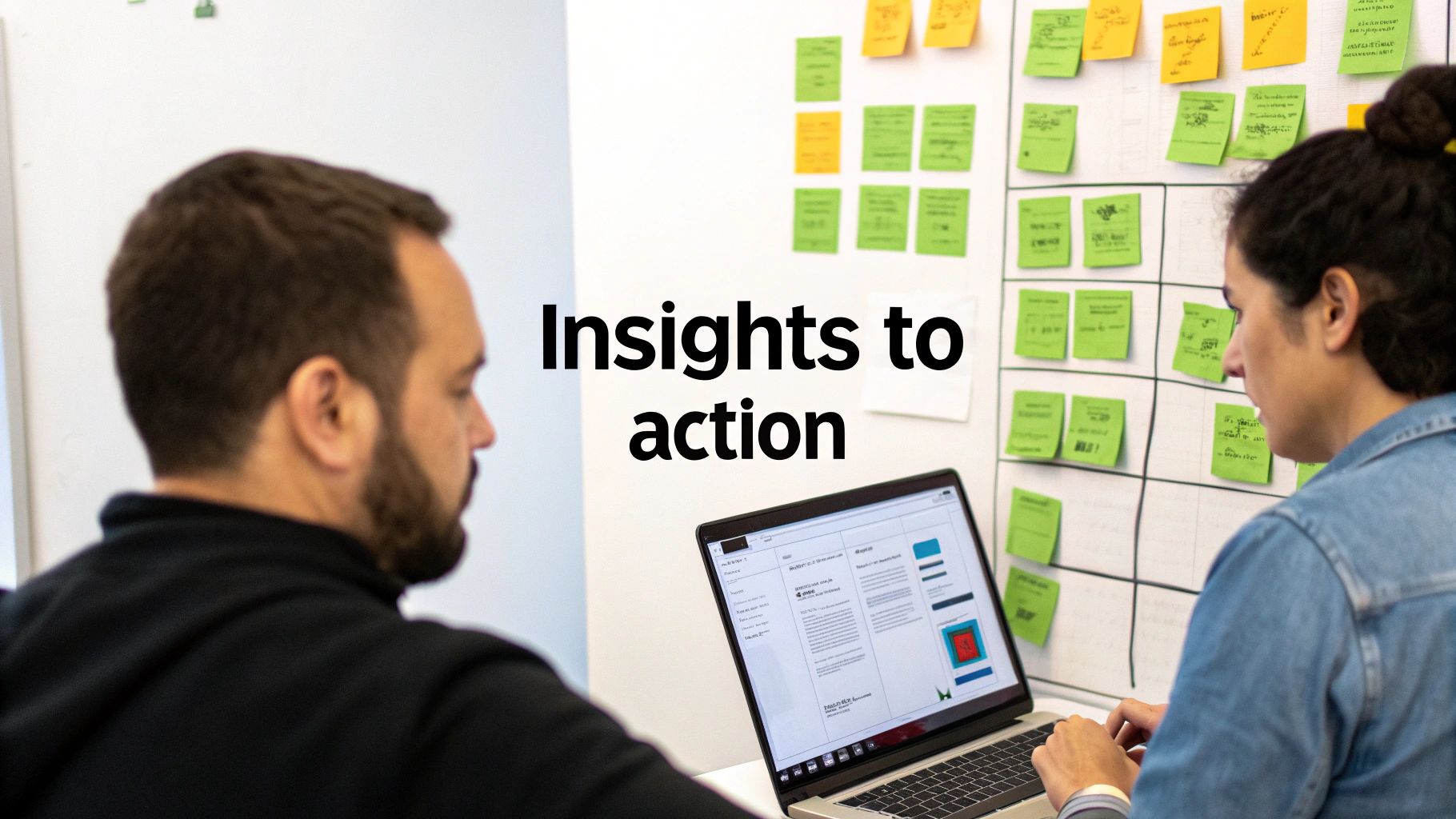
Your first step is to get all observations into one place. Affinity mapping is a simple but powerful technique for grouping individual data points to spot overarching themes. Use a digital whiteboard like Miro or FigJam.
Workflow:
- Create a virtual sticky note for each distinct observation or user quote.
- As a team, start clustering related notes together without talking.
- Once clusters form, discuss them and give each group a thematic name (e.g., "Checkout Confusion," "Navigation Roadblocks").
You'll end up with notes like:
- "User took 90 seconds to find the 'export' button, then gave up."
- "Participant said, 'I really thought my shipping costs would show up here, but they didn't.'"
- "Three of five users tried clicking on the non-interactive header image."
Here’s what this process looks like on a Miro board:
Ruthlessly Prioritizing What to Fix First
Not every usability issue is a crisis. You cannot expect your engineering team to act on a list of 30 problems. You must prioritize. A severity rating framework is your best tool for this, helping you move from gut feeling to a structured, objective plan. This synthesis is a core part of the product discovery process.
As a leader, I value a PM who can bring me a prioritized plan, not just a list of problems. The ability to distinguish a critical blocker from a minor annoyance and justify that decision with data is a senior-level skill.
Usability Issue Severity Rating Framework
| Severity Level | Description | User Impact | Recommended Action |
|---|---|---|---|
| Critical | A problem that prevents users from completing a core task. A showstopper. | High. Users are completely blocked or so frustrated they may abandon the product. | Fix Immediately. This is an all-hands-on-deck issue for the next sprint. |
| Serious | A frustrating issue that makes tasks difficult but not impossible. | Medium. The user can eventually find a workaround, but their experience is significantly degraded. | High Priority. Should be addressed in the next 1-2 sprints. |
| Minor | A cosmetic issue or a minor annoyance that doesn't impede task completion. | Low. The user might notice it, but it doesn't cause any real friction. | Low Priority. Add to the backlog and address when resources allow. |
| Suggestion | An opportunity for improvement or a user suggestion, not a functional bug. | N/A. An idea for a future enhancement. | Backlog/Discovery. Worth exploring in future product discovery cycles. |
Crafting a Findings Report That Drives Action
Forget 50-page academic reports. Your final report is a communication tool designed to drive action. Your audience—engineers, designers, and executives—is busy.
The Action-Oriented Findings Report Template:
- Executive Summary (The TL;DR): Lead with your top 3-5 key findings and prioritized recommendations. Don't bury the lede.
- Key Themes: Briefly explain the main patterns, backed by data (e.g., "4 out of 5 users…").
- Powerful Evidence (The "Highlight Reel"): Embed short video clips (30-60 seconds) of users hitting a wall. A video is worth a thousand screenshots. Include impactful direct quotes.
- Actionable Recommendations: For each major issue, provide a specific recommendation tied to a business goal.
- Instead of: "Users found the checkout confusing."
- Try: "Recommendation: Redesign the checkout flow to display shipping costs on the first step. Hypothesis: This will reduce cart abandonment by 10-15%, aligning with our Q4 revenue goals."
This is how you turn research into a tool that drives smart, user-centric product decisions and gets your insights into the next sprint.
Common Questions About Usability Testing
Here are straight answers to the questions I hear most often from PMs at all levels.
How Many Users Do I Really Need to Test With?
For a single user group, the "test with 5 users" rule of thumb is your best friend. It is incredibly effective at uncovering the most glaring usability issues in a core workflow. For most new features, 5-8 users is the sweet spot.
However, context is critical. If you're building an enterprise product with distinct user roles (e.g., Admins, Editors, and Viewers), you must test 3-5 users for each role. Their workflows and pain points are different, so they must be treated as separate test groups. Remember, this is about qualitative insight, not statistical significance.
What Is the Difference Between Moderated and Unmoderated Testing?
Think of it this way: moderated testing is a deep, conversational interview; unmoderated is a quick, efficient survey.
- Moderated testing: You are live with the user (in-person or video call). This is essential for digging into the "why" behind their actions, especially for complex or early-stage concepts. As a PM, this is where you build true empathy.
- Unmoderated testing: Users complete tasks on their own time via a platform like Maze or UserTesting. It's faster and cheaper, making it perfect for validating simple tasks (e.g., "Can users find the new export button?") or getting quick feedback on design tweaks.
My advice: Start with moderated tests to understand the core problems deeply. Then, use unmoderated tests for faster validation loops on smaller, iterative changes.
How Much Should I Budget for a Usability Test?
Costs can range from almost zero to over $30,000. It all depends on your approach.
- The Scrappy DIY Test (Aspiring/Entry PM): Recruit your own users and offer gift cards. Your primary cost is the incentive: $50-$150 per participant.
- The Platform-Based Test (Mid-Career PM): Using a service like UserTesting.com for a single study can run a few thousand dollars. An annual subscription for continuous testing is a larger investment.
- The Full-Service Agency (Senior/Leadership PM): Outsourcing everything from recruiting to the final report can easily cost $10,000-$30,000+ per study.
Start small to prove the value. Run a scrappy test, show the clear ROI by highlighting a costly engineering mistake you prevented, and use that win to secure a real budget next time.
The most powerful tool for convincing stakeholders isn't a spreadsheet; it's a 60-second video clip of a user sighing in frustration while trying to use your product. Frame your budget request around preventing that pain, and you'll connect testing directly to business outcomes like retention and conversion.
At Aakash Gupta, we focus on providing the frameworks and career insights that help Product Managers make smarter, data-driven decisions. To get more in-depth strategies on product growth and leadership delivered to your inbox, subscribe to the newsletter at https://www.aakashg.com.
