As a PM leader who has hired and mentored hundreds, I've seen careers stall on one critical skill: choosing the right prototype. It’s not about making pretty screens. It's about de-risking a multi-million dollar investment, aligning your engineers, and convincing stakeholders to write the check. Your ability to select and execute the right example of a prototype for the right situation is a direct measure of your strategic impact.
This isn't theory. This is the tactical playbook used at Google, Meta, and high-growth startups to move from idea to shipped product. Forget generic definitions. We are going deep into the what, when, and why of eight specific prototyping methods that solve distinct business problems.
You will get:
- Strategic Breakdowns: Which prototype to use for validating a core user assumption versus which to use for securing Series A funding.
- Actionable Tactics: Checklists, tool recommendations (from Figma to Python scripts), and interview-ready talking points for each prototype type.
- Real-World Examples: Specific case studies showing how companies like Airbnb and Dropbox used these exact methods to build momentum and find product-market fit.
We'll cover everything from scrappy paper sketches that validate a concept in an afternoon to a Proof of Concept (PoC) for a new AI feature. While this playbook focuses on digital product development, understanding the principles of physical creation can provide valuable parallel insights; for a deeper dive into manufacturing and production methods, check out these resources on understanding physical prototypes.
This guide is designed to be your go-to resource for making smarter, faster, and more impactful product decisions. Let's get tactical.
1. The Blueprint: Wireframe Prototype
A wireframe is a low-fidelity, structural blueprint of a digital product. It is a foundational example of a prototype that focuses exclusively on layout, information architecture, and user flow, intentionally omitting colors, fonts, and detailed graphics. Think of it as the skeleton of your application; it uses simple shapes and placeholder text to map out where key elements will go and how a user will move from one screen to the next.
The core purpose of a wireframe is to facilitate rapid, low-cost alignment on the product’s core structure. Before engineering writes a single line of code or a designer polishes a UI element, wireframes ensure that all stakeholders—from executives to developers—agree on the fundamental user journey and feature placement. This step is critical for catching major structural or logical flaws early, saving countless hours and significant budget down the line.
Strategic Analysis: When and Why to Use Wireframes
As a Product Manager, your goal is to validate assumptions as quickly and cheaply as possible. Wireframes are your go-to tool for early-stage validation of concepts and flows.
- When to Use: Use them at the very beginning of the design process, right after you've defined user stories and initial requirements. They are perfect for internal design reviews, stakeholder alignment meetings, and initial usability tests focused on flow and logic, not visual appeal.
- Key Benefit: Their low-fidelity nature encourages honest, structural feedback. Stakeholders are less likely to get distracted by colors or fonts and more likely to question the core functionality, such as "Why is this button here?" or "Should this step come before that one?"
PM Takeaway: A wireframe's primary job is to generate questions and align expectations. If your wireframe review session ends with no questions about the user flow, it either means you've designed the perfect flow (unlikely) or your stakeholders were distracted by details that shouldn't have been there. Keep it simple.
Actionable Tips for Product Managers
To make your wireframes effective, follow a structured process. Here’s a quick checklist to guide your efforts:
- Create Wireflows, Not Just Screens: Don't just present static screens. Connect them with arrows and annotations to create a "wireflow" that illustrates the complete user journey for a specific task. This provides context that a single screen cannot.
- Annotate Everything: Add notes directly on the wireframe to explain interactions, business rules, or technical constraints. For example, an annotation might read, "Error state: Display if API call fails."
- Use Consistent Symbols: Establish a simple, consistent visual language. A box with an 'X' always means an image placeholder; a rectangle with "CTA" means a call-to-action button. This reduces cognitive load for your audience.
By focusing on structure first, you build a solid foundation. If you're looking for a more detailed walkthrough, you can learn more about how to create a product prototype from start to finish.
2. The Functional Test: Interactive Prototype
An interactive prototype is a medium-to-high fidelity model that simulates the actual user experience. Unlike a static wireframe, this example of a prototype is clickable and responsive, allowing users to navigate through screens, interact with UI elements, and experience the product’s core flows firsthand. It bridges the gap between a visual concept and a coded product, offering a realistic preview of how the application will behave.
This type of prototype is essential for testing usability and validating the feel of the product. For instance, Dropbox’s legendary early prototype wasn’t a fully built product; it was a video demonstrating the seamless file-syncing experience. This interactive illusion was convincing enough to prove the concept and secure initial funding, showcasing the power of a well-executed functional simulation.
The primary purpose of an interactive prototype is to gather high-quality user feedback on functionality and flow. By allowing users to actually perform tasks, you can observe sticking points, confusion, and moments of delight. It’s a powerful tool for de-risking development by confirming that the designed solution is not just logical but also intuitive and usable before committing engineering resources.
Strategic Analysis: When and Why to Use Interactive Prototypes
As a Product Manager, your job is to reduce uncertainty. Interactive prototypes are your instrument for testing complex user journeys and securing buy-in with a tangible demonstration of the product vision.
- When to Use: Use them after the wireframing stage when the core structure is agreed upon. They are ideal for formal usability testing sessions, investor pitches, and executive demos where showing, not just telling, is critical. This is also the stage for more complex validation, like using a 'Wizard of Oz' prototype for an AI feature. Understanding the investor landscape for such innovations is key; for instance, you can explore insights from Top Artificial Intelligence United States Investors to see what resonates.
- Key Benefit: They elicit behavioral feedback, not just opinions. Observing a user struggle to find a feature in an interactive prototype provides more concrete data than a user simply saying "this looks confusing" on a static wireframe.
PM Takeaway: An interactive prototype's success is measured by the quality of the user insights it generates. If users breeze through it without any friction or feedback, you've either designed a flawless experience or your test wasn't challenging enough. Focus on testing your riskiest assumptions.
Actionable Tips for Product Managers
To maximize the value of your interactive prototypes, a focused approach is necessary. Here’s a checklist to ensure your efforts yield clear results:
- Focus on Critical Journeys: Don't try to build the entire app. Prioritize prototyping the "money-making" or highest-impact user flows, such as the onboarding sequence, the core purchase funnel, or a key feature's main workflow.
- Set Clear Fidelity Expectations: Communicate with stakeholders that this is not the final product. Explicitly state what is and isn't functional to prevent feedback on cosmetic details or out-of-scope elements.
- Document Interaction Assumptions: Annotate your prototype to explain the logic behind certain behaviors. For example, a note could clarify, "On tap, this button animates and reveals a success modal before redirecting to the dashboard." This gives developers the context they need for a smoother handoff.
By creating these functional simulations, you bring your product vision to life and ensure the path from prototype to a final product is guided by real user behavior.
3. The Paper Prototype
A paper prototype is a hand-drawn, ultra-low-fidelity representation of a user interface. This foundational example of a prototype involves sketching screens on paper and having a facilitator manually simulate the product’s responses. As a user "taps" a button, the facilitator physically swaps the current paper screen for the next one, creating a live, interactive experience with nothing more than pen and paper.
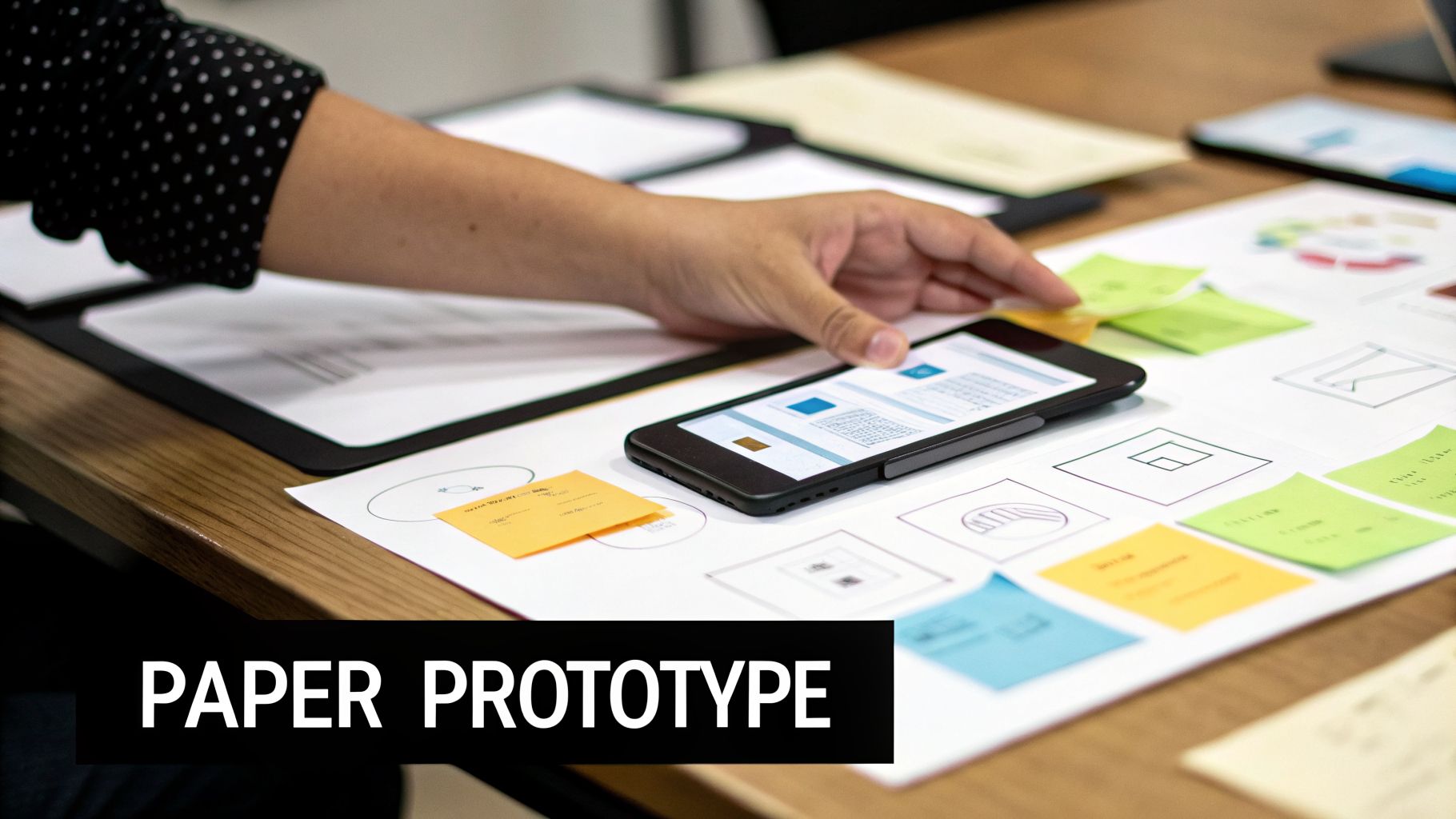
The primary purpose of paper prototyping is to test core concepts and interaction flows at maximum speed and minimal cost. Design firms like IDEO and thought leaders at Nielsen Norman Group championed this method because it democratizes the design process; anyone can sketch an idea. It allows teams to explore multiple, divergent ideas in a single afternoon, gathering user feedback before any digital tools are even opened.
Strategic Analysis: When and Why to Use Paper Prototypes
For a Product Manager, paper prototypes are the fastest path from a raw idea to initial user validation. They are exceptionally effective for testing completely new or complex concepts where the core value proposition is still uncertain.
- When to Use: Employ paper prototypes at the absolute earliest stage of ideation, even before wireframing. They are ideal for collaborative brainstorming sessions, initial usability tests on fundamental flows, and situations where you need to get non-designers (like engineers or executives) to contribute to the design process.
- Key Benefit: Their unpolished nature removes any user or stakeholder reluctance to give critical feedback. No one feels bad about "breaking" a paper drawing, which leads to more honest and direct insights about the concept's logic and usability.
PM Takeaway: A paper prototype is a conversation starter, not a design artifact. Its success is measured by the quality of the questions it generates and the fundamental assumptions it validates or invalidates. If users aren't confused or offering suggestions, your concept might be too simple or too familiar to warrant this kind of testing.
Actionable Tips for Product Managers
To get the most out of your paper prototyping sessions, a structured approach is key. Use this checklist to run an effective test:
- Create Modular Cards: Design individual UI components and screens on separate index cards or sticky notes. This allows you to quickly rearrange layouts and test different flow variations on the fly.
- Involve the Whole Team: Make building the prototype a collaborative exercise. When engineers, marketers, and designers sketch together, they build shared ownership and uncover potential issues from multiple perspectives.
- Prepare Multiple Variations: Don't just test one idea. Prepare 3-5 different versions of a critical flow to test competing hypotheses simultaneously and see which one resonates most with users.
- Focus on Critical Flows: Isolate the single most important user journey or the riskiest assumption in your product. Test that one flow thoroughly instead of trying to build a comprehensive paper version of the entire application.
By getting ideas out of your head and onto paper, you can quickly see what works. For more guidance on this critical stage, you can find details on how to properly test your prototype and gather meaningful feedback.
4. The Digital Twin: Clickable Prototype
A clickable prototype is a high-fidelity, interactive simulation of the final product. As a powerful example of a prototype, it moves beyond static blueprints by incorporating pixel-perfect visual design, realistic interactions, and complete user flows. This digital twin lets users click, swipe, and navigate as if they were using the real application, making it the closest you can get to the finished product without writing any production code.
The main goal of a clickable prototype is to validate the complete user experience and gather detailed feedback before committing to costly engineering work. Early prototypes from companies like Notion were so convincing they were used in Series A fundraising pitches, demonstrating the power of a realistic product feel. Similarly, Airbnb uses these high-fidelity prototypes to test major redesigns, ensuring a new experience resonates with users before a global rollout.
Strategic Analysis: When and Why to Use Clickable Prototypes
As a Product Manager, your objective shifts from validating structure to validating the end-to-end experience. Clickable prototypes are your tool for final-stage alignment and user acceptance testing.
- When to Use: Deploy them after the core structure is locked down and UI design is finalized. They are perfect for formal usability studies, A/B testing design variations, securing final stakeholder sign-off, and serving as a detailed guide for engineering handoff.
- Key Benefit: Their realism elicits genuine user reactions and specific feedback on usability, aesthetics, and micro-interactions. Stakeholders can see exactly what they are approving, which dramatically reduces the risk of "I didn't think it would work like that" moments after the product is built.
PM Takeaway: A clickable prototype is a contract. It sets a clear, visual expectation with users, stakeholders, and engineers. Use it to build confidence and get unambiguous approval before development begins, treating it as the "source of truth" for the front-end build.
Actionable Tips for Product Managers
To maximize the value of your clickable prototypes, your process must be as refined as the design itself. Here’s how to make them effective:
- Prototype Multiple Journeys: Don't just build the "happy path." Create flows for edge cases, error states, and alternative user scenarios. This forces critical thinking and prepares engineering for real-world complexity.
- Set Clear Expectations: During testing or presentations, clearly state what is and isn't interactive. A simple statement like, "You can complete the checkout flow, but account settings are not clickable in this version," prevents user frustration and keeps feedback focused.
- Use as Living Documentation: Treat the prototype, especially in tools like Figma, as a live specification for engineering. Annotate components with details on interaction states (hover, active, disabled) and link them to your design system to ensure a perfect handoff.
5. The Proof of Concept (POC) Prototype
A Proof of Concept (POC) is a functional, often bare-bones, example of a prototype designed to validate technical feasibility or a core business assumption. Unlike user-facing prototypes, a POC's primary audience is internal: engineers, executives, and investors. Its goal is to answer a critical, high-risk question: "Can this even be done?" Think of it as a focused experiment to prove that a key technology, algorithm, or integration can work as intended.
For instance, before building its entire payment infrastructure, Stripe’s founders would have first built a POC to validate they could reliably process a single transaction between two parties. Similarly, Uber's initial prototype wasn't about a polished app; it was a POC proving a core algorithm could effectively match a rider's location with a nearby driver in real-time. This prototype isn't about looks; it's about proving the core engine works.
Strategic Analysis: When and Why to Use POCs
As a Product Manager, your role involves de-risking your product roadmap. A POC is your most powerful tool for tackling the biggest technical and business model uncertainties head-on, saving immense resources by killing unworkable ideas early.
- When to Use: Deploy a POC when your product's success hinges on a new or unproven technology, a complex third-party integration, or a demanding performance requirement (e.g., sub-second data processing). It's the right step before committing to a full-scale engineering build.
- Key Benefit: A POC provides concrete, data-driven evidence to secure buy-in or, just as importantly, to justify stopping a project. It shifts the conversation from "We think this will work" to "We have proven the core technical challenge is solvable."
PM Takeaway: A POC's success isn't just a "yes." A successful POC can also be a definitive "no," saving the company from investing millions in a project with a fundamental technical flaw. Fail fast, fail cheap.
Actionable Tips for Product Managers
To get maximum value from a POC, approach it with scientific rigor. It's a test, not just a build.
- Isolate the Riskiest Assumption: Don't try to prove everything. Pinpoint the single most significant technical unknown and design the POC to test only that. For a new AI feature, the POC might only test the model's accuracy, not the UI around it.
- Use the Production Stack: Whenever possible, build the POC with the same programming language, database, and cloud infrastructure planned for the final product. This ensures your findings on performance and scalability are relevant.
- Define Clear Success Metrics: Before work begins, agree on what success looks like. This could be a performance target ("process 1,000 requests per second"), an accuracy threshold ("achieve 95% accuracy on the test dataset"), or a reliability metric ("maintain 99.9% uptime over a 48-hour test").
6. The Minimum Viable Product (MVP) Prototype
The Minimum Viable Product (MVP) is not just a prototype; it's a functional, live product with the absolute minimum set of features needed to attract early adopters and test a core business hypothesis. Unlike other prototypes, an MVP is released to the market to gather real-world data and user feedback. This example of a prototype is the ultimate validation tool, representing the first version of your product that delivers tangible value to its first users.
Popularized by Eric Ries in 'The Lean Startup', the MVP's purpose is to maximize learning while minimizing development effort. The goal is to answer the most critical question: "Should this product be built?" by measuring actual user behavior, not just stated intentions. For example, Dropbox famously started with a simple video demonstrating a file-syncing concept before building the full product, proving demand existed. Similarly, Instagram's MVP focused exclusively on photo-sharing and filters, solving one user problem exceptionally well before adding features like video or stories.
Strategic Analysis: When and Why to Use an MVP
As a PM, an MVP is your bridge from theory to reality. It's the most powerful tool for de-risking a new product or significant feature launch by getting it into the hands of real users as quickly as possible.
- When to Use: Use an MVP when you need to validate your core value proposition with real market feedback. It's the right choice after you've confirmed problem-solution fit with lower-fidelity prototypes and are ready to test product-market fit. It is essential for new ventures, new product lines, or major pivots.
- Key Benefit: The MVP shifts the conversation from "what users say they will do" to "what users actually do." The quantitative data (e.g., adoption rates, engagement metrics) and qualitative feedback (e.g., user interviews, support tickets) you gather are invaluable for making data-informed decisions about the product roadmap.
PM Takeaway: An MVP's success isn't measured by revenue or a large user base, but by the volume and quality of validated learning it generates. If you aren't learning, you aren't succeeding, no matter how many features you ship.
Actionable Tips for Product Managers
Building an effective MVP requires ruthless prioritization and a clear focus on learning. Here is a checklist to guide your launch:
- Define Success Before Launch: Establish clear, measurable success metrics. This could be a specific user retention rate, a target number of daily active users, or a certain volume of core actions completed.
- Focus on One Core Problem: Your MVP should solve one problem for one user segment exceptionally well. Resist the temptation to add "nice-to-have" features; your goal is to validate the core, not build a comprehensive solution.
- Build Tight Feedback Loops: Plan for rapid iteration based on user input. Set up direct communication channels with your early adopters, such as a dedicated Slack channel, regular check-in calls, or in-app feedback forms.
By launching a focused MVP, you start the learning process immediately and build a product that the market genuinely needs. To see how iconic companies applied this, you can explore these detailed Minimum Viable Product examples and the lessons they learned.
7. The Narrative Journey: Storyboard Prototype
A storyboard prototype is a narrative-driven sequence that illustrates how a user interacts with a product over time. This compelling example of a prototype uses a series of visual panels, much like a comic strip, to map out a complete user journey, focusing on context, emotional state, and key decision points. It’s less about a single screen and more about telling the holistic story of the user's experience.
Pioneered by Disney animators and later adopted by design firms like IDEO, storyboarding’s power lies in its ability to build empathy and align teams around a shared vision of the user's reality. By showing the why behind an interaction, not just the what, it connects product features to real-world problems and human emotions. Airbnb famously used storyboarding to map the entire host and guest journey, identifying emotional highs and lows to pinpoint opportunities for magical experiences.
Strategic Analysis: When and Why to Use Storyboards
As a Product Manager, you need tools that build a strong narrative and connect your team to the user's world. Storyboards excel at illustrating the complete context of product use, making them invaluable for service design and complex user flows.
- When to Use: Employ storyboards during the early-to-mid stages of discovery and design. They are perfect for kicking off new feature initiatives, exploring complex multi-step journeys (like onboarding or a first-time purchase), and presenting a vision to leadership that goes beyond static screens.
- Key Benefit: Storyboards force a focus on the user's environment, motivations, and emotional state. This brings a human-centric perspective to problem-solving, preventing teams from designing features in a vacuum and ensuring the solution fits into the user's life.
PM Takeaway: A storyboard’s success is measured by its ability to generate empathy. If stakeholders can't articulate the user's feelings or motivations at each step, the storyboard has failed. The goal is to make everyone in the room an advocate for the user's story.
Actionable Tips for Product Managers
To create a storyboard that drives alignment and insight, focus on crafting a believable and impactful narrative.
- Start with a Scenario and Persona: Don’t create a generic journey. Base your storyboard on a specific user persona facing a real-world problem or goal. For example, "Sarah, a busy working parent, needs to book a last-minute doctor's appointment for her child."
- Map the Emotional Arc: Don't just show actions; illustrate feelings. Use simple facial expressions or annotations to note the user's emotional state (e.g., frustrated, relieved, confused) at each stage. This helps identify critical pain points and moments to create delight.
- Show, Don't Just Tell: Keep text minimal. Use visuals to show the user's environment (e.g., on a crowded train), the device they're using, and the key interactions. The context is as important as the interface itself.
8. The Human in the Machine: Wizard of Oz Prototype
A Wizard of Oz prototype is a powerful example of a prototype where a human manually simulates a product’s functionality behind the scenes. Users interact with a front-end interface, believing it's a fully automated system, but a "wizard" receives their inputs and generates the outputs in real-time. Named after the classic film, this technique creates a convincing illusion of a working product, allowing you to test complex ideas without building any of the backend logic.
The primary goal of this method is to validate user experience and core value propositions for products that rely on complex algorithms, AI, or extensive automation. For instance, early versions of Uber used human dispatchers to manually connect riders with drivers, simulating the sophisticated matching algorithm that exists today. This approach allowed them to test market demand and refine the user experience before investing millions in the required engineering. It’s the ultimate "fake it till you make it" strategy for product validation.
Strategic Analysis: When and Why to Use a Wizard of Oz
As a Product Manager, your biggest risks often lie in building complex, expensive backend systems for a user need that isn't fully understood. The Wizard of Oz prototype directly de-risks this by testing the outcome of the technology before building the technology itself.
- When to Use: This is ideal for testing AI-powered features, recommendation engines, complex matching algorithms, or concierge-style services. Use it when the cost of building the backend is high, but the cost of simulating it manually is low. It's a cornerstone of the lean startup methodology and a key tool in any design thinking process.
- Key Benefit: It provides authentic user feedback on the end-to-end experience. Users interact with what they believe is the final product, so their reactions to the system's speed, accuracy, and usefulness are genuine. This helps you discover if you're even solving the right problem.
PM Takeaway: The goal isn't just to prove the concept works; it's to understand the operational complexity. If your human "wizard" is struggling to keep up, it's a clear signal that the future automated system will need to be incredibly robust, fast, and sophisticated.
Actionable Tips for Product Managers
A successful Wizard of Oz test requires careful orchestration behind the curtain. Use this checklist to guide your setup:
- Standardize Wizard Responses: Create a script or a set of predefined responses for the human operator. This ensures consistency across test sessions and prevents the wizard's personal judgment from skewing the results.
- Document Every Decision: The wizard's actions are a goldmine of data. Log every input received and the corresponding output provided. This log becomes the first draft of your future algorithm's logic.
- Measure Wizard Effort: Track how long it takes the human to complete each task. This data is critical for estimating the performance requirements and potential costs of building the real, automated system. Is it a 2-second task or a 2-minute one? That difference dictates your entire engineering strategy.
Comparison of 8 Prototype Types
| Prototype | 🔄 Implementation complexity | ⚡ Resources & speed | ⭐ Expected outcomes | 📊 Ideal use cases | 💡 Key advantages |
|---|---|---|---|---|---|
| Wireframe Prototype | Low — basic layout sketches, minimal tooling | Very low resources; fastest to iterate | Validates information architecture and flows | Early discovery, IA alignment, concept validation | Fast feedback, low cost, reduces visual distractions |
| Interactive Prototype | Medium — requires prototyping tools and skills | Moderate resources; moderate build time | Realistic interaction testing and usability insights | Usability testing, stakeholder demos, requirement validation | Simulates behavior, uncovers UX issues before dev |
| Paper Prototype | Very low — hand-drawn screens, facilitator-driven | Minimal materials; quickest to produce ⚡ | Rapid concept validation and team ideation | Brainstorming, early user tests, divergent exploration | Cheapest, promotes collaboration, no tooling learning |
| Clickable Prototype | High — pixel-perfect visuals and transitions 🔄 | High resources and time; slower to build | Near-final experience validation; design handoff ready ⭐ | Investor demos, detailed usability tests, engineering handoff | Most realistic preview; strong stakeholder buy-in |
| Proof of Concept (POC) Prototype | High — engineering-heavy, production-like code 🔄 | Significant engineering effort and specialized expertise | Validates technical feasibility, performance, and scalability 📊 | Novel tech validation, core algorithm feasibility, infra choices | De-risks technical assumptions; informs architecture decisions |
| Minimum Viable Product (MVP) Prototype | Medium — production-ready core features | Requires engineering, infra, and ongoing maintenance ⚡ | Real user feedback, revenue signals, product-market fit | Market validation, early adopters, monetization tests | Real-world learning; fastest path to market and revenue |
| Storyboard Prototype | Low — narrative panels; storytelling skills needed | Low resources; quick to assemble | Communicates user journey, context, and emotional arcs ⭐ | Stakeholder alignment, service design, journey mapping | Engages emotionally, highlights pain points and delights |
| Wizard of Oz Prototype | Medium — UI mock with human-operated backend | Moderate resources; rapid validation without automation | Validates workflows and identifies automation needs 📊 | Testing complex automation, two-sided marketplaces, concierge flows | Cost-effective for testing automation assumptions; produces training data |
Your Action Plan: Choosing and Executing the Right Prototype
Moving from theory to practice is what separates a good product manager from a great one. We've explored a wide spectrum of prototype examples, from the rapid-fire learning of a paper sketch to the market validation of an MVP. The critical takeaway isn't memorizing a list, but internalizing the strategic mindset behind selecting the right tool for the job. Your role as a PM isn't to be the fastest designer in Figma; it’s to be the most efficient steward of your company's time and capital.
The most effective PMs I've hired and worked alongside at companies like Google and Meta are masters of de-risking. They don't fall in love with their ideas; they fall in love with testing their ideas efficiently. Prototyping is their primary weapon. Before you write a single line of a Product Requirements Document (PRD) or book a meeting with engineering, you must be able to articulate which prototype will give you the most learning for the least effort. Seeing a detailed example of a prototype is useful, but applying the strategic selection process is where you create real value.
The PM's Prototyping Decision Framework
To make this immediately actionable, here is the exact framework you should apply to your current or next project. The goal is to make a decision and take action within the next 48 hours.
Pinpoint Your #1 Riskiest Assumption: What is the single biggest "leap of faith" in your product idea right now? Be brutally honest. Is it a question of user desire, technical feasibility, or usability?
- User Value/Desire: Do people even want this? -> Paper Prototype, Storyboard, or even a Wizard of Oz test.
- Usability/Flow: Can users figure out how to use this? -> Wireframe, Clickable Prototype, or Interactive Prototype.
- Technical Feasibility: Can we actually build this? -> Proof of Concept (PoC).
- Market Viability: Will people pay or invest significant time for this? -> Minimum Viable Product (MVP).
Select the Lowest-Fidelity Tool for the Job: This is the golden rule. Resist the urge to build a beautiful, high-fidelity interactive prototype when a few sketches on a napkin would have told you the core concept was flawed. Your engineering team's time is your most precious resource; guard it fiercely. A well-chosen low-fidelity example of a prototype can save hundreds of development hours.
Define a Clear, Measurable Success Metric: A prototype without a hypothesis is just a drawing. You must define what success or failure looks like before you test.
- Bad: "See if users like the new checkout."
- Good: "Achieve an 80% task completion rate for users adding an item to their cart and reaching the final payment screen in our clickable prototype."
- Good: "Confirm our AI model can achieve <250ms latency in a controlled PoC environment."
Strategic Point: The purpose of a prototype is not to be ‘right.’ The purpose is to learn as quickly and cheaply as possible. Celebrate invalidated hypotheses; they just saved you from building the wrong product.
This framework transforms prototyping from an abstract design exercise into a core strategic function of product management. It’s a repeatable system for making smart, evidence-based decisions under uncertainty. By mastering this cycle of assuming, testing, and learning, you demonstrate senior-level product thinking, regardless of your official title. The best way to get ahead in your PM career is to build a track record of efficiently navigating ambiguity, and prototyping is your single best tool to do that.
For deeper insights on product strategy, career growth, and navigating the complexities of the tech industry, check out the newsletter and resources from Aakash Gupta. His work provides the kind of actionable, real-world advice that helps PMs move from building features to building impactful products and careers. You can find his work at Aakash Gupta.
