You’re probably here because someone on your team still treats Jira like a filing cabinet.
A designer Slacks a bug. An engineer says, “Can you make a ticket?” A PM opens Jira, types a vague summary, skips the description, throws it into the backlog, and moves on. Two days later, the team is debating what the issue means, whether it matters, and who owns it. That isn’t a tooling problem. That’s a communication problem.
I’ve managed product and engineering teams in high-growth environments where the difference between a mediocre PM and a strong one showed up in places that looked deceptively small. Jira create an issue is one of those places. Senior PMs don’t just know where the Create button lives. They know how to turn a ticket into alignment, momentum, and accountability.
From Clerical Task to Strategic Communication
The fastest way to spot PM maturity is to look at the tickets they write.
Early-career PMs often create issues like this: “Fix onboarding bug” or “Add analytics dashboard.” No context. No definition of done. No business reason. No linked parent. The engineering team then fills in the blanks, which means they also absorb the risk. That’s lazy product management.
A strong PM writes an issue that answers the team’s next questions before they ask them. It reads like a compact decision memo. It tells engineering what matters, tells design what constraint matters, tells QA what to test, and tells leadership why this work exists in the first place.

What weak tickets signal
Bad tickets don’t just slow execution. They tell your team you haven’t done the thinking.
Here’s what your team infers when your issue is sloppy:
- Unclear priority: If the problem statement is fuzzy, people assume the priority is fuzzy too.
- Weak ownership: If you didn’t define scope, engineers have to negotiate scope mid-sprint.
- Poor judgment: If a ticket doesn’t explain why now, stakeholders start questioning your tradeoffs.
- Low efficiency: If every issue needs a meeting to decode it, you’ve created process debt.
Your ticket is the product brief people actually read.
That’s why PMs should borrow the discipline of concise executive writing. If you want a useful pattern for reducing ambiguity in written communication, study how strong leaders write executive summaries. The same muscle applies inside Jira.
What senior PMs do differently
Senior PMs understand that the ticket is often the durable artifact. In remote teams, distributed teams, and AI-heavy workflows, written clarity matters more than charisma in meetings.
A well-written issue does three jobs at once:
| Job | What the ticket should do |
|---|---|
| Execution | Define the work clearly enough for engineering and QA to move |
| Alignment | Tie the task back to the user problem or product goal |
| Traceability | Connect the work to an epic, dependency, or broader roadmap item |
If you want to look more senior without waiting for a title change, start here. Write every ticket as if a new engineer, a skeptical stakeholder, and your future self will all need to rely on it.
The PM's Toolkit for Creating Jira Issues
Most PMs overuse the global Create button because it’s obvious. Obvious isn’t the same as efficient.
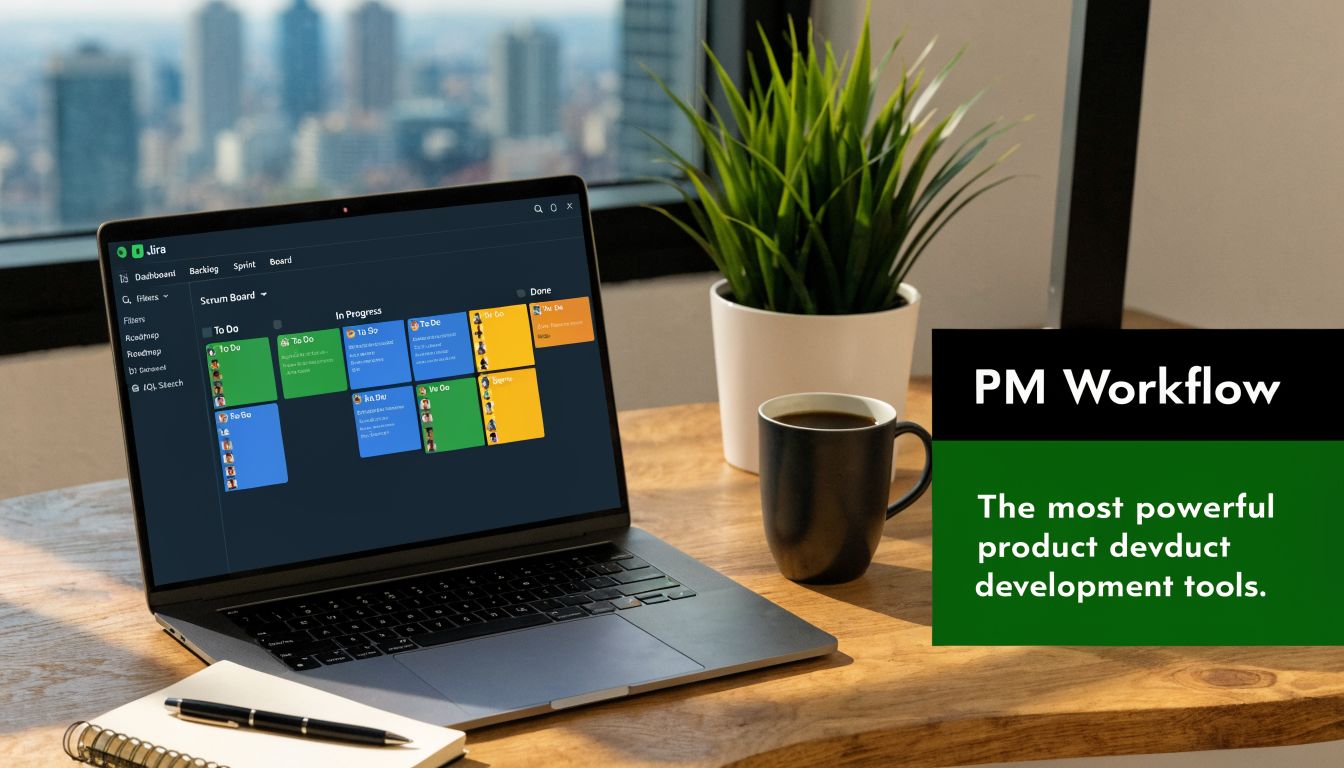
If you’re working inside backlog grooming, sprint planning, or roadmap breakdown, you should create issues in context. That preserves the hierarchy, reduces forgotten fields, and cuts down on cleanup later. For product leaders scaling backlogs, inline creation from a backlog or roadmap view beats the global navigation bar. The success rate for inline creation is 92% versus 75% for full dialogs, and the roadmap method is preferred by 80% of PMs because it enforces structure and can reduce orphaned issues by 40%, as noted in this Jira issue creation walkthrough on YouTube.
Use the right creation method for the moment
Here’s the practical decision rule I give PMs.
- Backlog inline creation: Use this during grooming when you’re capturing work as the team discusses it.
- Roadmap creation: Use this when you’ve approved a new initiative and need to break down hierarchy cleanly.
- Board quick creation: Use this for fast capture during daily execution, especially for bugs or follow-ups.
- Full dialog creation: Use this when the issue needs more fields, richer detail, or cross-project placement from the start.
Backlog inline creation
This is the best default for most PM workflows.
Open the backlog, click the + beside the relevant section, add the summary, and let Jira infer or assign the issue type. If you’re creating under an epic, that parent-child relationship is established immediately. That matters because PMs lose time fixing hierarchy mistakes more often than they admit.
Use this when:
- You’re in sprint planning.
- You’re converting meeting decisions into stories.
- You need to preserve context while discussion is live.
Practical rule: If the team is actively discussing the work, create the issue where the discussion is happening.
Roadmap-based creation
Roadmap creation is cleaner when you’re building top-down.
Start with the epic, then add child stories or tasks directly from the roadmap. This is how disciplined PMs prevent isolated tickets that float around with no strategic parent. If your roadmap is approved but your issue tree is messy, you haven’t operationalized the plan.
A good use case is a new launch stream. Create the epic first. Then add stories for design, backend, frontend, analytics, rollout controls, and QA from the same hierarchy.
Board quick creation
This is useful, but only in narrow cases.
Use board creation for short-cycle capture such as a bug surfaced in standup or a small follow-up from an incident review. Don’t use it for a nuanced feature story that needs business context, dependencies, and acceptance criteria. That’s how half-baked work enters the sprint.
A simple filter helps:
- Good board candidate: “Investigate broken password reset email on mobile web”
- Bad board candidate: “Redesign self-serve team management experience”
Full dialog creation
The full dialog still matters when the issue is complex.
Use it when you need to set multiple required fields, assign labels, define components, choose a non-default project, or add detailed context immediately. It’s slower, but slower is fine when the work is expensive and ambiguity would cost more.
Here’s the comparison I’d use with a PM team:
| Method | Best for | Risk if misused |
|---|---|---|
| Backlog inline | Sprint grooming, story capture | Missing richer context if you stop at the summary |
| Roadmap | Epic breakdown, strategic hierarchy | Over-structuring tiny work |
| Board quick create | Fast bug capture, tactical follow-ups | Incomplete tickets entering active work |
| Full dialog | Complex stories, cross-project issues | Unnecessary friction for lightweight tasks |
Your goal isn’t to master every Jira surface. Your goal is to make issue creation feel frictionless for the kind of work you do most often.
Anatomy of a Perfect Jira Ticket
The challenge often isn’t a prioritization problem. It’s a ticket quality problem.
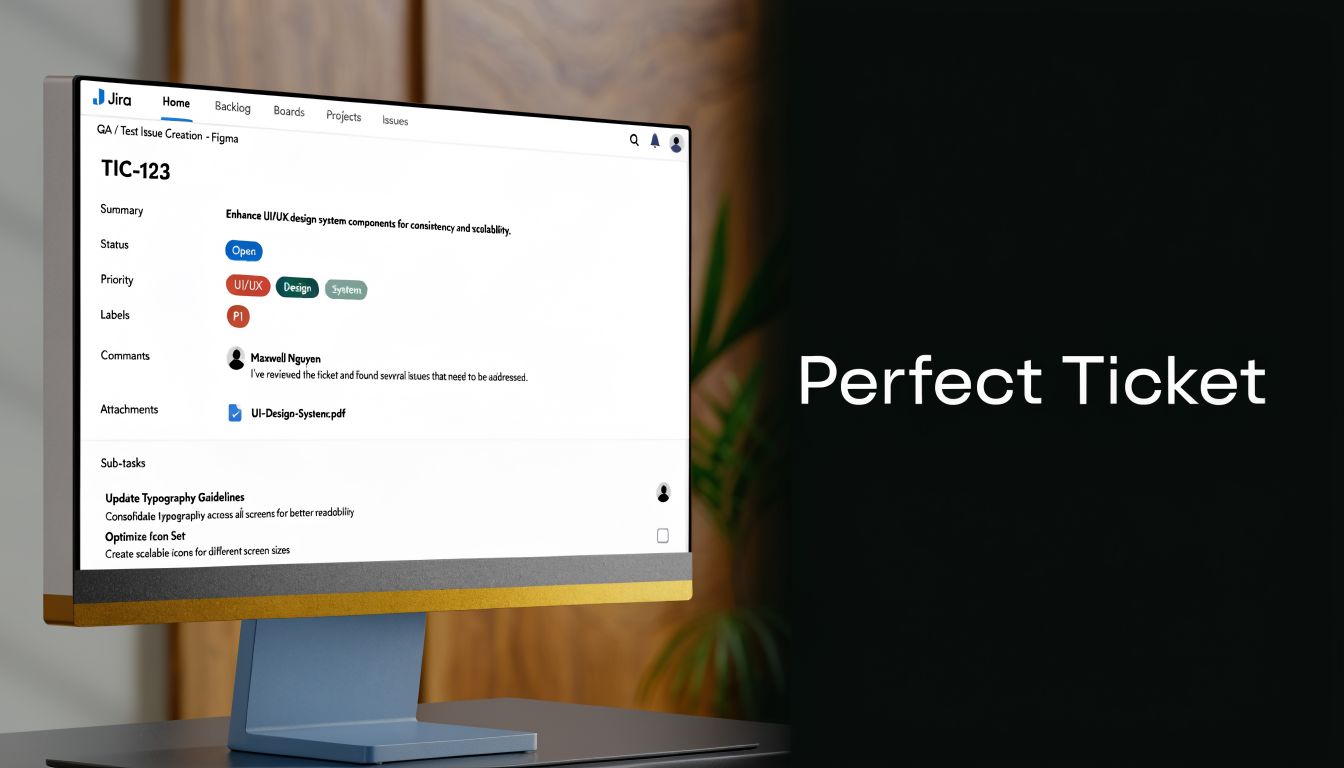
A major underserved gap in issue creation is poor quality, including ambiguous titles, missing descriptions, and no attachments. Vague issues are a primary cause of wasted triage time, with some estimates suggesting they can increase that effort by over 50%. The most effective fixes are structured templates and a team-agreed standard for what counts as a good ticket, as described in this Atlassian Community article on low-quality Jira issues.
The title should remove ambiguity
Your summary field is not a note to self.
Bad title:
- “Login issue”
- “Analytics fix”
- “Some buttons don’t work”
Good title:
- “Users can’t reset passwords from mobile web login screen”
- “Add event tracking for onboarding completion and invite sent”
- “Admin can’t save billing settings when company name contains special characters”
The title should be searchable, specific, and scoped. If two engineers can interpret it differently, rewrite it.
The description should answer five questions
A strong description answers these in plain English:
- What is happening
- Who is affected
- Why it matters
- What should happen instead
- What constraints or dependencies exist
I prefer a description template that looks like this:
- Problem
- User impact
- Context
- Proposed approach or scope
- Open questions
- Acceptance criteria
- Attachments or links
This isn’t bureaucracy. It’s compression. You’re reducing future Slack threads.
Attach evidence, not just words
PMs routinely underestimate how useful a screenshot, short video clip, or linked document can be.
If a bug is visual, attach the screenshot. If a workflow is confusing, attach the Loom. If the issue came from customer feedback, add the transcript snippet or support link. A text-only ticket for a visual problem is usually lazy.
Engineers don’t need more adjectives. They need evidence.
Write acceptance criteria that a QA lead would respect
Most acceptance criteria are too vague because PMs confuse intent with verification.
Bad acceptance criteria:
- User can manage notifications
- Dashboard works properly
- Bug is fixed
Better acceptance criteria:
- Given a user is on notification settings, when they disable product update emails and save, then that preference persists after refresh
- Given an admin lacks billing permission, when they visit billing settings, then they see the restricted access state and no editable controls
- Given a user completes onboarding, when the completion event fires, then the analytics payload includes the required properties
If you want a clean structure for this, use Given When Then acceptance criteria. It forces testability.
Link issues like you care about traceability
A standalone ticket is often a broken management artifact.
Every meaningful issue should be anchored somewhere. Story to epic. Task to story. Bug to release train. Dependency to blocking work. Product leaders who scale well don’t just write individual tickets well. They preserve the chain from roadmap to execution.
Use links intentionally:
- Epic link or parent: Shows strategic context
- Blocks or is blocked by: Makes sequencing visible
- Related issue: Good for shared surface area without direct dependency
- Sub-task: Useful when work belongs to one parent and won’t stand alone
Such clarity helps PMs earn trust. When engineering can inspect a ticket and understand not only the task but the surrounding system, execution speeds up.
Here’s a practical template you can adapt:
| Field | What good looks like |
|---|---|
| Summary | Specific problem or deliverable |
| Description | Context, impact, scope, constraints |
| Parent | Epic or story attached |
| Acceptance criteria | Testable and concrete |
| Attachments | Screens, docs, examples |
| Links | Dependencies and related work made explicit |
A quick visual walkthrough can help if your team needs examples of better issue structure:
A perfect ticket doesn’t need to be long. It needs to be complete. That’s different.
Advanced Creation Methods for Scaling Product Teams
Once you’re running more than one team, basic issue creation stops being enough. You need greater capability.
PMs separate into two camps. The first group keeps creating issues one by one and complains that Jira is slow. The second group uses structure, cloning, linking, and automation to create organized work at scale.
Linked issues and sub-tasks
In enterprise workflows, linked issues and sub-tasks matter because large initiatives almost never ship as a single unit. When using the Create linked issue dialog, fields pre-populate from the parent issue. That’s useful because you’re not rebuilding context from scratch every time. A common pitfall is field mismatches in cross-project links, which have a 25% failure rate. Using the Create another checkbox for bulk series creation can slash repetitive entry time by 70%, based on Atlassian guidance in this Jira Software Data Center documentation.
Use linked issues when the work is related but should remain independently trackable. Use sub-tasks when the work belongs to a single parent and shouldn’t stand on its own in planning.
A clean workflow looks like this:
- Open the parent issue.
- Choose More and then Create linked issue or Create Sub-task.
- Edit the summary so it reflects the child unit of work, not a copy of the parent.
- Confirm assignee, issue type, priority, and required fields.
- Add the correct link type if you’re creating a dependency.
If your team repeatedly creates the same issue trees, look at cloning patterns and tools like Deep Clone for Jira. Rebuilding standard structures manually is a terrible use of PM time.
Bulk creation from structured inputs
When I’ve seeded new backlogs, I’ve often started outside Jira.
A spreadsheet can be a better drafting environment when you need to create a large batch of candidate work from research, migration planning, or roadmap decomposition. The mistake is dumping raw rows into Jira without normalizing naming, hierarchy, and ownership first.
Before bulk creation, define:
- Issue type: Story, task, bug, or epic
- Parent relationship: Which items roll up to what
- Owner model: Assignee, DRI, or triage queue
- Taxonomy: Labels, components, or product area tags
If you skip that prep, you don’t get a backlog. You get digital debris.
Email and intake-driven creation
In some organizations, issues originate from support queues, shared inboxes, or customer operations workflows. That can work if the incoming ticket is treated as intake, not as final product spec.
My recommendation is simple. Let systems create placeholders, then have PMs or triage leads normalize them before engineering sees them. Raw inbound issues are usually too messy, too emotional, or too incomplete to enter the product backlog untouched.
Intake should capture demand. PMs should shape demand.
API and automation for AI PMs
If you want to look sharp in modern product roles, especially AI PM roles, learn the basics of automated issue creation.
You don’t need to become a backend engineer. You do need to understand how work can flow from forms, incident tools, feedback systems, or model evaluation pipelines into Jira automatically. That skill matters because AI products produce large volumes of structured operational work. Manual entry won’t keep up.
Good candidates for automation include:
- Customer feedback intake: Convert tagged feedback into triage issues
- Experiment review workflows: Create follow-up tasks when tests require implementation
- Model quality review: Open issues from evaluation failures or policy exceptions
- Release governance: Create rollout checklist items when an epic changes state
The PM who can define this workflow clearly becomes much more valuable than the PM who just asks ops to “set up some automation.”
Troubleshooting Why Your Jira Issue Won't Create
When Jira refuses to create an issue, time is often wasted guessing.
A frequent but underserved problem is quick create failure on Jira boards, where users report that pressing Enter doesn’t save the issue. Community reports show repeated complaints, especially in team-managed projects, with no official Atlassian documentation addressing the bug. Anecdotal evidence suggests this can cause up to 30% of issue creation attempts to fail in fast-paced environments, as discussed in this Atlassian Community thread on board quick create problems.
Start with the obvious failure points
Don’t jump straight to “Jira is broken.” Run a basic diagnostic.
- Permissions: Confirm you have permission to create issues in that project.
- Required fields: If a field is mandatory but hidden in quick create, the issue may fail without notification or behave inconsistently.
- Project type quirks: Team-managed projects can behave differently from company-managed ones.
- UI state: Browser cache, stale sessions, and front-end lag can all cause weird save behavior.
If quick create is failing, switch to the full create dialog immediately. Don’t keep hammering Enter and hoping.
Diagnose by symptom
Here’s the quick map I use with PMs.
| Symptom | Most likely cause | What to do |
|---|---|---|
| Enter does nothing on board | Quick create UI glitch | Refresh, clear cache, use full dialog |
| Error on submit | Missing required field | Open full form and inspect validations |
| Issue appears then disappears | Filter mismatch or board scope issue | Check board filter and project placement |
| Can create in one project, not another | Permission or field configuration difference | Compare project settings with admin help |
Don’t confuse workflow with creation
A lot of PMs say “I can’t create the issue” when the underlying problem is downstream workflow logic.
Creation permissions, screen schemes, required fields, and workflow conditions are different things. If the issue form opens but submission fails, you’re likely dealing with field configuration or validation. If the Create button isn’t available at all, it’s more likely permissions.
If you regularly work with sub-tasks and issue hierarchies, it’s worth understanding the mechanics of creating sub-tasks in Jira. Many “creation bugs” are really hierarchy misunderstandings.
When a tool fails, strong PMs narrow the fault domain fast. They don’t escalate vaguely.
That habit matters beyond Jira. It signals technical judgment.
Connecting Issue Creation to Strategic Reporting
PMs who dismiss ticket quality as admin work usually also struggle with reporting.
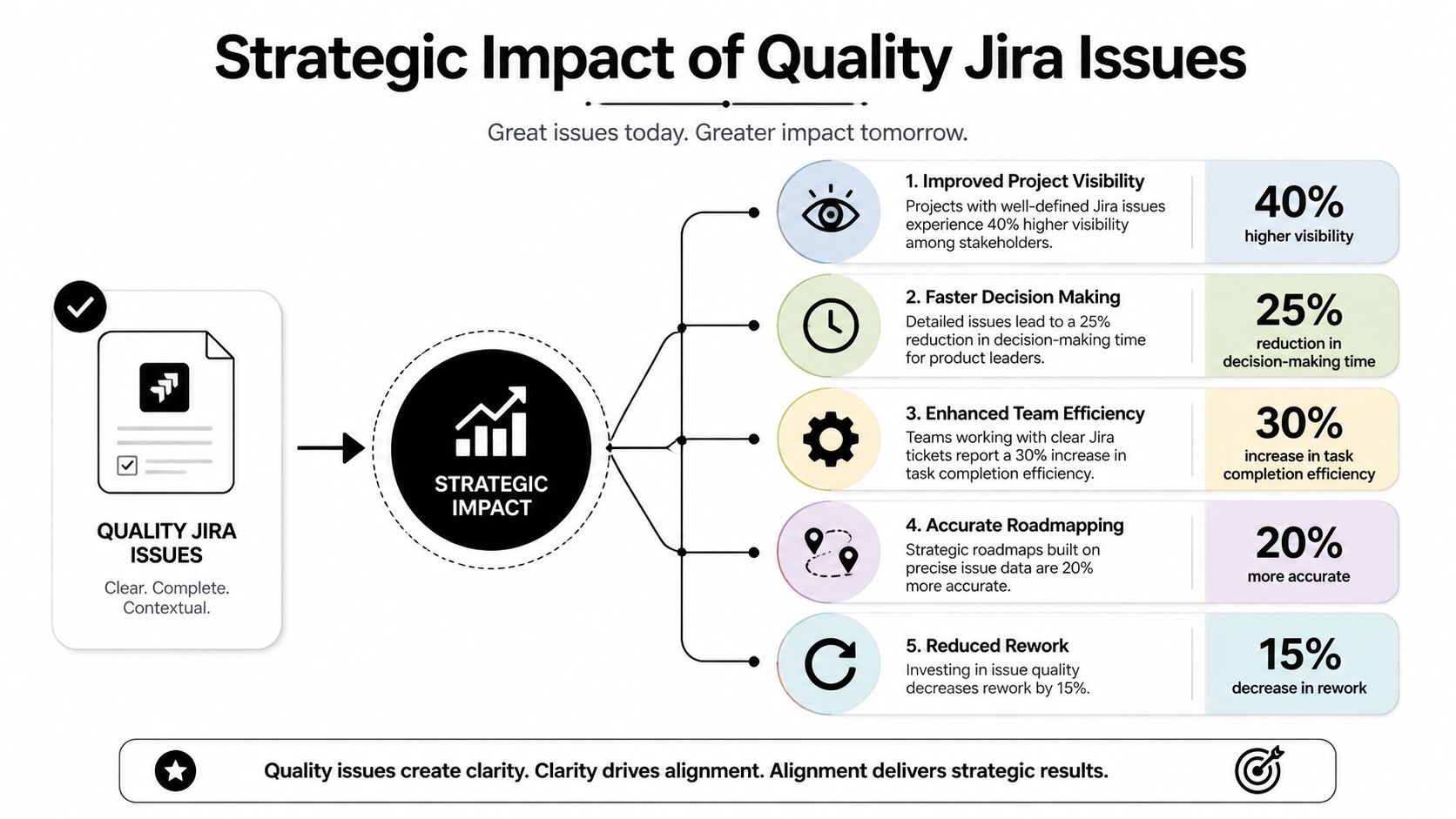
Jira can only tell the truth your team puts into it. If titles are vague, labels are random, parent links are missing, and issue types are inconsistent, your dashboards become theater. You can still generate charts. They just won’t support serious decisions.
The Recently Created Work Items Report is a foundational tool for PMs because it maps created versus resolved issues over time. In that report, red areas denote periods where more issues were created than resolved, signaling backlog growth, while green areas show resolution outpacing creation. For example, if monthly creation is 150 items and resolution is 120, the 20% unresolved ratio highlights a capacity bottleneck, as described in Atlassian’s report documentation.
Good issue creation produces usable management data
This is the part many PMs miss. Reporting quality starts at creation time.
If your team consistently fills in components, labels, issue types, and parent relationships, you can answer useful questions fast:
- Are we spending too much capacity on bugs versus planned feature work?
- Which initiatives are generating the most spillover tasks?
- Where is backlog growth accelerating?
- Which teams are overloaded with unresolved creation volume?
Those aren’t dashboard questions. They’re leadership questions.
Use reports to spot operating problems early
The Recently Created Work Items Report is useful because it forces a simple comparison. Is work entering the system faster than your team is closing it?
When the chart turns red, don’t rush to call it a productivity problem. Look closer. You may have a prioritization problem, poor issue hygiene, hidden support demand, or a launch that generated more follow-up work than expected.
Here’s a simple interpretation guide:
| Report signal | Likely interpretation | PM action |
|---|---|---|
| Sustained red area | Backlog is growing | Reduce intake, re-scope, or add triage discipline |
| Green after release | Team is burning down effectively | Protect focus and avoid reactive scope creep |
| Issue spike with low resolution | New demand entered faster than capacity | Audit source of issue creation |
| Flat creation and flat resolution | Team may be stalled or over-filtered | Inspect workflow and blocked items |
Dashboards only work if your fields mean something
Dashboards are not magic. They are downstream consumers of your taxonomy.
If one PM uses “onboarding” as a label, another uses “signup-flow,” and a third uses no label at all, you can’t trust any trend report by product area. If some stories are linked to epics and others aren’t, your roadmap rollups will be distorted. If bugs and feature requests blur together, your bug rate becomes a political debate instead of an operational metric.
For PMs who want to level up on this side of the job, build stronger intuition around metrics for product managers. The point isn’t to create more dashboards. It’s to create cleaner inputs so the dashboards can answer real questions.
Senior PMs don’t ask Jira to make them look data-driven. They design the workflow so the data becomes trustworthy.
That’s the bigger lesson behind jira create an issue. The button is trivial. The discipline behind it is not. If you can create issues with precision, context, and structure, you’ll run better sprints, earn more trust from engineering, and give yourself much better visibility into how your team is operating.
If you want sharper product thinking from someone who’s operated at VP level and built one of the most useful PM resources on the internet, check out Aakash Gupta. His content is especially useful if you’re trying to become the kind of PM who combines execution detail with strategic judgment.
